1. Mise en route
1.1. Contenu de la boîte
Veuillez vérifier le contenu du colis à l'ouverture :
- 1 x artfone G6 Mobile Phone
- 1 batterie de 1300 mAh
- 1 x câble de chargement USB
- 1 x station de chargement
- 1 x Manuel d'utilisation
1.2. Installation de la batterie
Pour installer la batterie:
- Retirez la coque arrière du téléphone.
- Alignez les contacts de la batterie avec les bornes du téléphone.
- Enfoncez délicatement la batterie en place.
- Remettez le couvercle arrière en place en vous assurant qu'il s'enclenche correctement.
1.3. Installation de la carte SIM
The artfone G6 supports Nano SIM cards (2G, 3G, or 4G). To install your SIM card:
- Assurez-vous que le téléphone est éteint.
- Retirez le couvercle arrière et la batterie.
- Locate the SIM card slot(s). The phone supports dual SIM.
- Insert the Nano SIM card(s) into the slot(s) with the gold contacts facing down, following the diagram near the slot.
- Réinstallez la batterie et le couvercle arrière.
1.4. Charger le téléphone
Avant la première utilisation, chargez complètement la batterie du téléphone.
- Utilisation de la station de charge : Place the phone into the charging dock. Connect the USB charging cable to the dock and then to a power adapter.
- Chargement direct via USB-C : Connectez le câble USB-C directement au port USB-C du téléphone, puis à un adaptateur secteur.
The charging indicator will show the charging status. A full charge typically takes a few hours.
1.5. Mise sous/hors tension
- Pour allumer : Maintenez enfoncé le bouton rouge « Raccrocher » jusqu’à ce que l’écran s’allume.
- Pour éteindre : Press and hold the red 'End Call' button until the power off options appear, then select 'Power Off'.
2. Opérations de base
2.1. Clavier terminéview
The artfone G6 features a large, backlit keypad for easy dialing and navigation, especially in low-light conditions.

Image: The artfone G6 phone open, displaying its large, easy-to-read keypad.
2.2. Dual Display Functionality
The phone features a 2.4-inch main HD screen and a 1.8-inch external display. The external screen allows you to quickly check the time, date, battery status, and incoming call notifications without opening the phone.

Image: The artfone G6 demonstrating its dual display feature, showing the external screen and the internal screen.
2.3. Passer et recevoir des appels
- Faire un appel: Open the phone, dial the number using the keypad, and press the green 'Call' button.
- Pour recevoir un appel : When the phone rings, open the phone and press the green 'Call' button. You can also answer by opening the flip.
- Pour terminer un appel : Press the red 'End Call' button or close the flip.
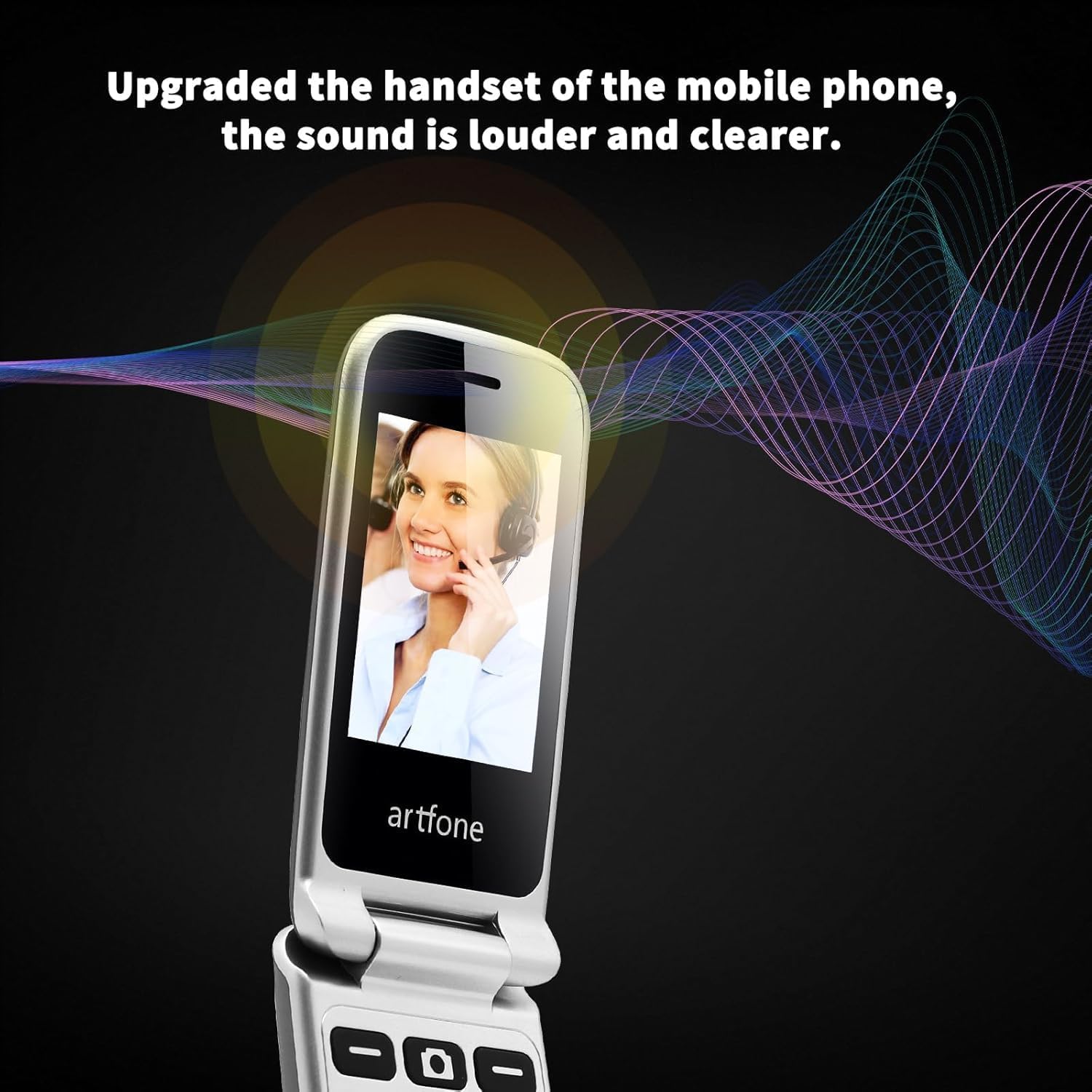
Image: The artfone G6 in use during a call, highlighting its clear audio quality.
2.4. Envoi et réception de messages
Navigate to the 'Messages' menu to compose new messages or read incoming ones. Use the keypad to type your message.
2.5. Utilisation de la numérotation abrégée
The artfone G6 allows you to set up speed dial contacts for quick access to important numbers.
- Go to 'Settings' or 'Contacts' to assign numbers to speed dial keys (e.g., keys 2-9, A, B).
- To use, simply press and hold the assigned speed dial key.
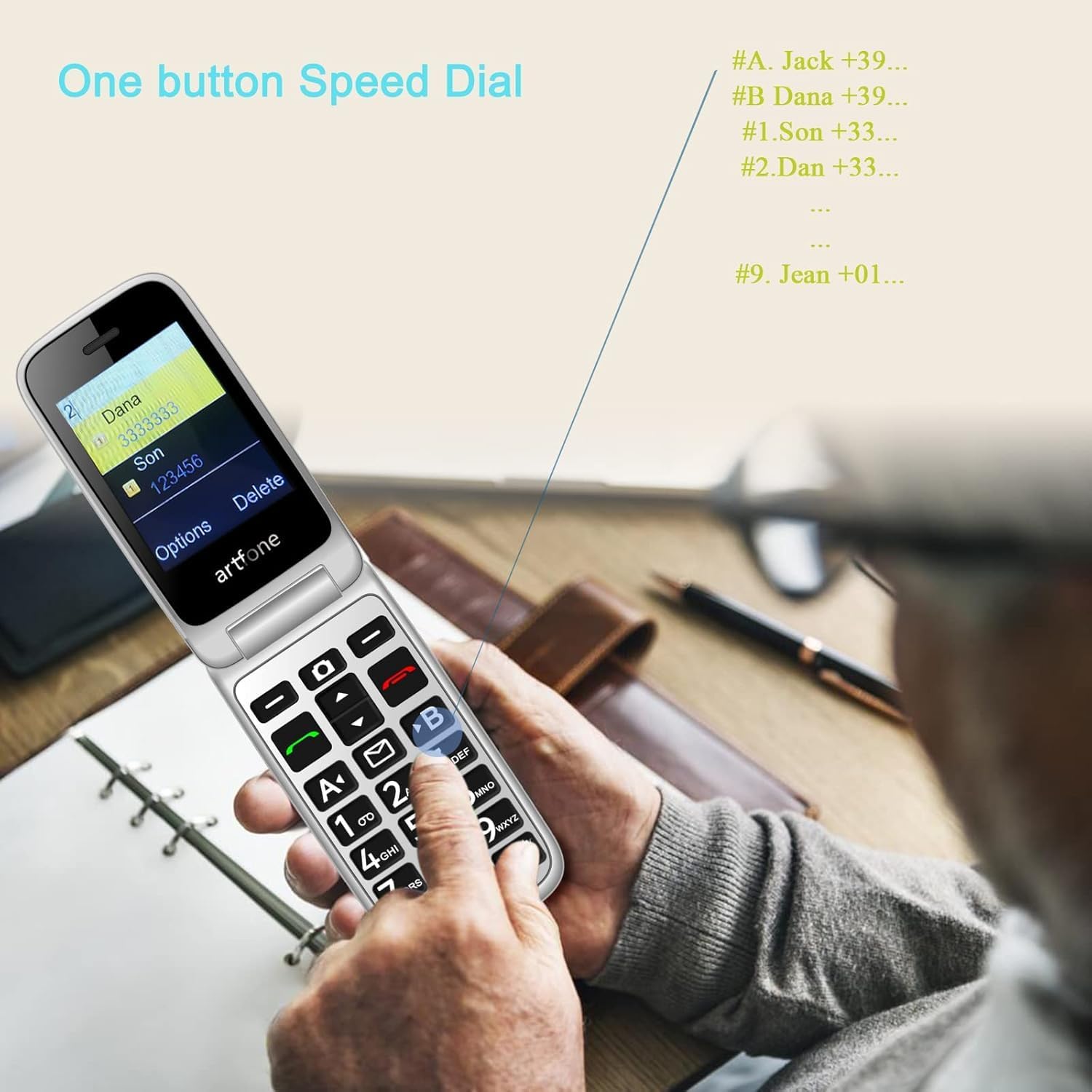
Image: A user activating the speed dial feature on the artfone G6.
2.6. Bouton d'urgence SOS
For enhanced safety, the artfone G6 includes a dedicated SOS button.
- Installation: In the 'SOS Settings' menu, you can configure up to five emergency contacts.
- Usage: In an emergency, press and hold the SOS button on the back of the phone. The phone will automatically call these numbers in sequence until one answers. It will also send an emergency SMS to these contacts.

Image : L'arrière view of the artfone G6, showing the SOS emergency button and side controls.
2.7. Time Reporting Feature
The phone offers a multilingual voice time announcement feature, beneficial for users with visual impairments.
- Press the dedicated time reporting button (often located on the side or keypad) to hear the current time announced aloud.

Image: Activating the time reporting feature on the artfone G6.
2.8. Réglage du volume
Use the dedicated volume buttons located on the side of the phone to adjust call volume, ringtone volume, and media volume.
2.9. Fonctionnalité de liste noire
To block unwanted calls, the artfone G6 includes a blacklist feature. You can add up to 50 numbers to this list, preventing them from contacting you.
- Navigate to 'Call Settings' or 'Security Settings' to access and manage the blacklist.
3. Entretien
3.1. Soins généraux
- Gardez le téléphone au sec. L'humidité peut endommager les circuits électroniques.
- Évitez les températures extrêmes. Les températures élevées peuvent réduire la durée de vie des appareils électroniques et endommager les batteries.
- Ne laissez pas tomber le téléphone, ne le cognez pas et ne le secouez pas. Une manipulation brutale peut endommager les circuits imprimés internes.
- N'utilisez pas de produits chimiques agressifs, de solvants de nettoyage ou de détergents puissants pour nettoyer le téléphone.
3.2. Nettoyage
Use a soft, dry cloth to wipe the phone's surface. For stubborn dirt, a slightly damp On peut utiliser un chiffon pour éviter que du liquide ne pénètre dans les ouvertures.
3.3. Entretien de la batterie
The 1300 mAh battery provides extended talk and standby times. To maximize battery life:
- Évitez la surcharge ; débranchez le chargeur une fois la batterie pleine.
- If not using the phone for an extended period, store it with a partial charge (around 50%).
4. Dépannage
If you encounter issues with your artfone G6, please refer to the following common problems and solutions:
| Problème | Solution possible |
|---|---|
| Le téléphone ne s'allume pas | Vérifiez que la batterie est correctement installée et chargée. Essayez de charger le téléphone pendant au moins 30 minutes. |
| Impossible de passer ou de recevoir des appels. | Check if the SIM card is properly inserted and activated. Ensure you have network coverage. Verify that the number is not on the blacklist. |
| Mauvaise qualité d'appel | Move to an area with better network reception. Check the volume settings. |
| La batterie ne charge pas | Check the charging cable and adapter for damage. Ensure the phone is correctly placed in the charging dock or the USB-C cable is fully inserted. |
| Le bouton SOS ne fonctionne pas. | Vérifiez que les contacts d'urgence sont correctement configurés dans les paramètres SOS. |
Si le problème persiste, veuillez contacter le service client.
5. Spécifications
Detailed technical specifications for the artfone G6:
| Fonctionnalité | Détail |
|---|---|
| Marque | artfone |
| Nom du modèle | G6 |
| Système opérateur | artfone Mocor RTOS |
| Taille de l'écran principal | 2.4 pouces |
| Taille de l'écran externe | 1.8 pouces |
| Résolution de l'écran | 480 x 320 |
| BÉLIER | 48 Mo |
| Capacité de stockage | 128 Mo |
| Modèle de processeur | MTK 8121 |
| Vitesse du processeur | 1000 MHz |
| Capacité de la batterie | 1300 mAh |
| Connectivité | Bluetooth, USB Type C, 3.5 mm Jack |
| Caractéristiques spéciales | Dual SIM, Dual Display, SOS Button, Speed Dial, Blacklist |
6. Informations sur la garantie
The artfone G6 comes with a manufacturer's warranty of 2 ansVeuillez conserver votre preuve d'achat pour toute réclamation au titre de la garantie. La garantie couvre les défauts de matériaux et de fabrication dans des conditions normales d'utilisation.
For specific terms and conditions, please refer to the warranty card included in your product packaging or contact artfone customer service.
7. Assistance
For further assistance, technical support, or inquiries regarding your artfone G6 phone, please visit the official artfone webConsultez le site web du fabricant ou contactez son service client. Les coordonnées sont généralement disponibles sur son site web. website ou dans l'emballage du produit.
Always ensure you have your product model number (G6) and purchase details ready when contacting support.