1. Introduction
The Womier M68 HE V2 is a 60% compact rapid trigger mechanical gaming keyboard designed for high-performance gaming and typing. It features Hall Effect magnetic switches, offering adjustable actuation points and an ultra-high 8000 Hz polling rate for minimal input latency. The keyboard boasts a unique topographic themed design on both its shell and PBT keycaps, along with customizable 16.8 million RGB lighting. This manual provides detailed instructions for setup, operation, customization, maintenance, and troubleshooting to ensure optimal use of your keyboard.
2. Contenu du colis
- Womier M68 HE V2 Rapid Trigger Gaming Keyboard
- Câble tressé USB-C vers USB-A
- Keycap et extracteur de commutateur
- Extra Magnetic Switches (Womier Jade Blue or Jade Green, shipped randomly)
- Manuel d'utilisation
3. Installation
- Connectez le clavier : Connect the provided USB-C cable to the USB-C port on the back of the keyboard and the USB-A end to your computer.
- Sélectionnez le système d'exploitation : Locate the Mac/Win switch on the back of the keyboard, near the USB-C port. Slide the switch to the appropriate position for your operating system (Mac or Windows).
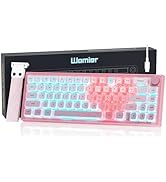
Image: USB-C port and Mac/Win switch on the keyboard.
- Installation du logiciel (facultative mais recommandée) : For full customization, download the web-based software driver from the official Womier website. This software allows for advanced settings without installation and is compatible across all operating systems.

Image: Web-based software driver interface with download instructions.
4. Mode d'emploi
4.1. Rapid Trigger and Actuation Customization
The Womier M68 HE V2 features Hall Effect magnetic switches that allow for highly precise and customizable actuation. Each key's trigger point can be adjusted from 0.08mm to 3.4mm in 0.1mm increments. Additionally, press sensitivity and reset sensitivity can be set individually via the software to match your specific typing or gaming style.

Image: Rapid Trigger feature with adjustable actuation points.
4.2. Web-Based Software Driver
Le nouveau web-based software driver provides extensive customization options for your keyboard. It allows you to:
- Adjust trigger distance and sensitivity for each key.
- Configure Rapid Trigger (RT), SOCD (Snap Tap), and advanced functions like DKS/MT/TGL.
- Customize RGB lighting effects, brightness, and speed.
- Réaffecter les touches et créer des macros.

Image: Hall Effect switch components and software customization interface.
4.3. Combinaisons de touches FN
Utilisez la touche FN en combinaison avec d'autres touches pour accéder rapidement à différentes fonctions :

Image: FN key combinations for various keyboard functions.
4.4. Éclairage RVB
The keyboard features 16.8 million RGB lighting colors with 15 pre-set lighting effects. Lighting brightness and speed can be adjusted using the dedicated knob or FN key combinations. The side-printed PBT keycaps are designed to transmit light effectively, providing clear illumination without direct upward light.

Image: RGB backlight and shine-through keycaps.
5. Entretien
- Nettoyage: Use a soft, dry cloth to wipe down the keyboard. For deeper cleaning, use a can of compressed air to remove dust and debris from between the keycaps.
- Retrait des touches et des interrupteurs : Use the provided keycap and switch puller to carefully remove keycaps or switches for cleaning or replacement. Ensure gentle handling to avoid damage.
- Compatibilité avec les commutateurs : Note that the magnetic switches are proprietary. Only use Womier brand magnetic switches for replacement. Traditional mechanical switches or magnetic switches from other brands are not compatible.
6. Dépannage
- Q: Can the keyboard be replaced with a 3 or 5 pin mechanical switch?
- A: No. The switch of the magnetic switch keyboard cannot be changed to the traditional mechanical axis or other brands of magnetic axis. You can only use the same brand of magnetic switch.
- Q: What is the difference between a magnetic switch and a conventional mechanical switch?
- A: The mechanical shaft uses a fixed trigger point. The magnetic shaft uses the electromagnetic principle to trigger through the induction of Hall inductor and permanent magnet. The magnetic shaft can be adjusted by software to trigger and reset the trip, and the RT function of the magnetic shaft is more suitable for FPS players.
- Q: Advantages of magnetic axis keyboard?
- A: Because the magnetic shaft has no shrapnel, the magnetic shaft also avoids the physical loss of the mechanical shaft, increases the service life of the shaft, and makes the touch more smooth. It can be set according to the need to trigger the trip and reset the trip. The software also supports DKS, MT, TGL three modes, which can be set according to the need and applied to different scenarios.

Image: Magnetic Switch Q&A.
7. Spécifications
| Marque | Womier |
| Numéro de modèle | M68 HE V2 |
| Description du clavier | Jeux |
| Technologie de connectivité | USB-C |
| Appareils compatibles | PC (Mac/Windows) |
| Caractéristiques spéciales | 16.8 Million RGB, Backlit, New Web-Software, Rapid Trigger |
| Matériel | Metal, Plastic, Polybutylene Terephthalate (PBT) |
| Poids de l'article | 1.79 livres |
| Dimensions du colis | 14.33 x 6.02 x 2.32 pouces |
| Composants inclus | 1 x câble USB |
7.1. Switch Characteristics
The M68 HE V2 comes with Womier custom Hall Effect magnetic switches, available in Jade Blue or Jade Green variants (shipped randomly). Both offer precise control and adjustable trigger points.
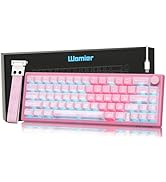
Image: Womier Jade Green and Jade Blue switch specifications.
8. Vidéos produits
Womier M68 HE V2 60% Percent Keyboard, Rapid Trigger Keyboard
Video: An official product video from Womier SHOP showcasing the features and rapid trigger functionality of the Womier M68 HE V2 keyboard.
Womier M68 HE V2 60% Magnetic Rapid Trigger Gaming Keyboard
Video: An official product video from AngelPGC Store demonstrating the Womier M68 HE V2 magnetic rapid trigger gaming keyboard.
9. Garantie et assistance
For warranty information, please refer to the documentation included with your purchase or visit the official Womier website. For technical support, software downloads, and frequently asked questions, please visit the Womier Store or the official Womier support page.


