1. Introduction
Welcome to the user manual for the lightmaXX VEGA Dusk BSW Moving Head Beam. This versatile lighting fixture offers strong light intensity and a wide range of effects, designed for professional stage and event lighting. This manual provides essential information for safe and efficient operation, setup, maintenance, and troubleshooting.
2. Consignes de sécurité
Read all instructions carefully before operating the device. Failure to follow these instructions may result in injury or damage to the product.
- Ensure proper ventilation. The device features a temperature-controlled fan.
- Connect to a grounded power outlet.
- Ne pas exposer à la pluie ou à l'humidité.
- Évitez l'exposition directe des yeux au faisceau lumineux.
- Débranchez l'appareil avant de le nettoyer ou de l'entretenir.
- Seul un personnel qualifié doit effectuer les réparations.
- Maintenez une distance de sécurité avec les matériaux inflammables.
3. Contenu du colis
Vérifiez que tous les articles sont présents lors du déballage :
- 1x lightmaXX VEGA Dusk BSW Moving Head Beam unit
- 1x câble d'alimentation
- 2x supports de montage
- 1x Manuel d'utilisation (ce document)
4. Produit terminéview
The lightmaXX VEGA Dusk BSW is a high-performance moving head fixture designed for dynamic lighting applications.

Figure 1 : Face avant view of the lightmaXX VEGA Dusk BSW Moving Head Beam, showcasing its robust design and vibrant light output.

Figure 2 : Arrière view of the moving head, highlighting the integrated cooling fan for temperature regulation and the model identification.
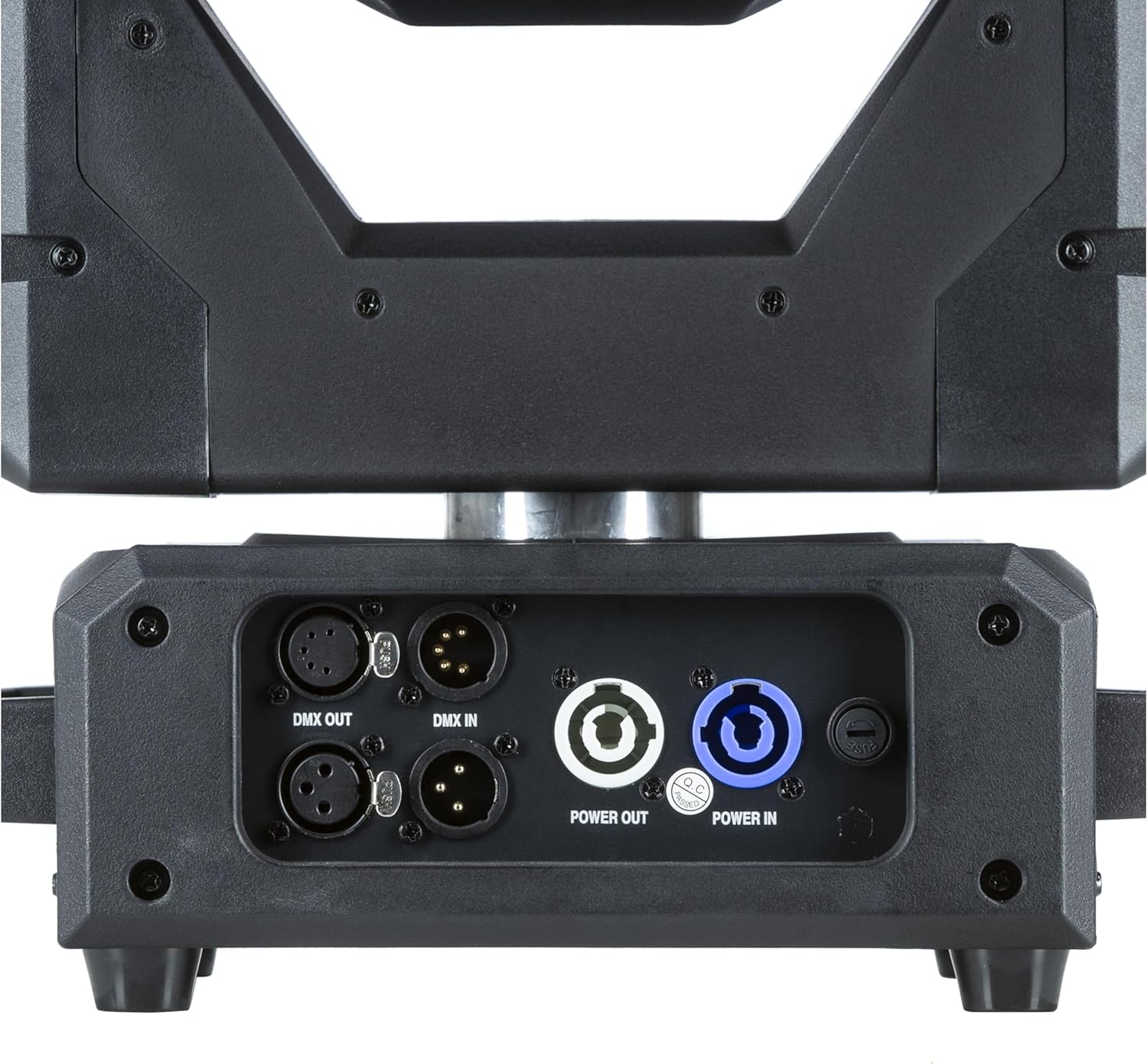
Figure 3 : Détaillé view of the input/output panel, including DMX In/Out and Power In/Out connectors for versatile integration.

Figure 4: Included mounting brackets for secure installation of the moving head fixture.
5. Installation
5.1 Montage
The VEGA Dusk BSW can be mounted in various orientations (e.g., truss, floor). Use the provided mounting brackets for secure installation.
- Attach the mounting brackets securely to the fixture using the designated points.
- Ensure the mounting surface or truss is capable of supporting the fixture's weight (refer to specifications).
- Use safety cables as an additional precaution.
5.2 Connexions
Connect the fixture as follows:
- Pouvoir: Connect the power cable to the "Power IN" connector and then to a suitable power outlet. Use the "Power OUT" connector to daisy-chain power to other compatible fixtures if needed.
- Contrôle DMX: Connect a DMX controller to the "DMX IN" connector. Use the "DMX OUT" connector to daisy-chain DMX signal to other fixtures. Ensure proper DMX termination for stable signal.
6. Mode d'emploi
6.1 Panneau de contrôle
The fixture features an intuitive control panel with an LCD display and navigation buttons (MENU, ENTER, UP, DOWN).

Figure 5: The control panel display, showing menu navigation and parameter adjustments.
6.2 Navigation dans les menus
Use the MENU button to cycle through main menu options. Use UP/DOWN to navigate within a menu and ENTER to select or confirm.
6.3 Fonctionnement DMX
The VEGA Dusk BSW can be controlled via DMX512. Set the DMX address using the control panel. Refer to the DMX channel chart, typically found in a separate appendix or on the manufacturer's website, for detailed channel assignments.
6.4 Pre-programmed Shows
The fixture includes pre-programmed shows for standalone operation. These can be accessed and selected via the control panel.
6.5 Effects and Features
The VEGA Dusk BSW offers a variety of effects, including:
- Beam effects
- Gobo patterns
- Mélange de couleurs
- Pan and Tilt movement
- Effets stroboscopiques

Figure 6: The moving head producing a vibrant green light beam.
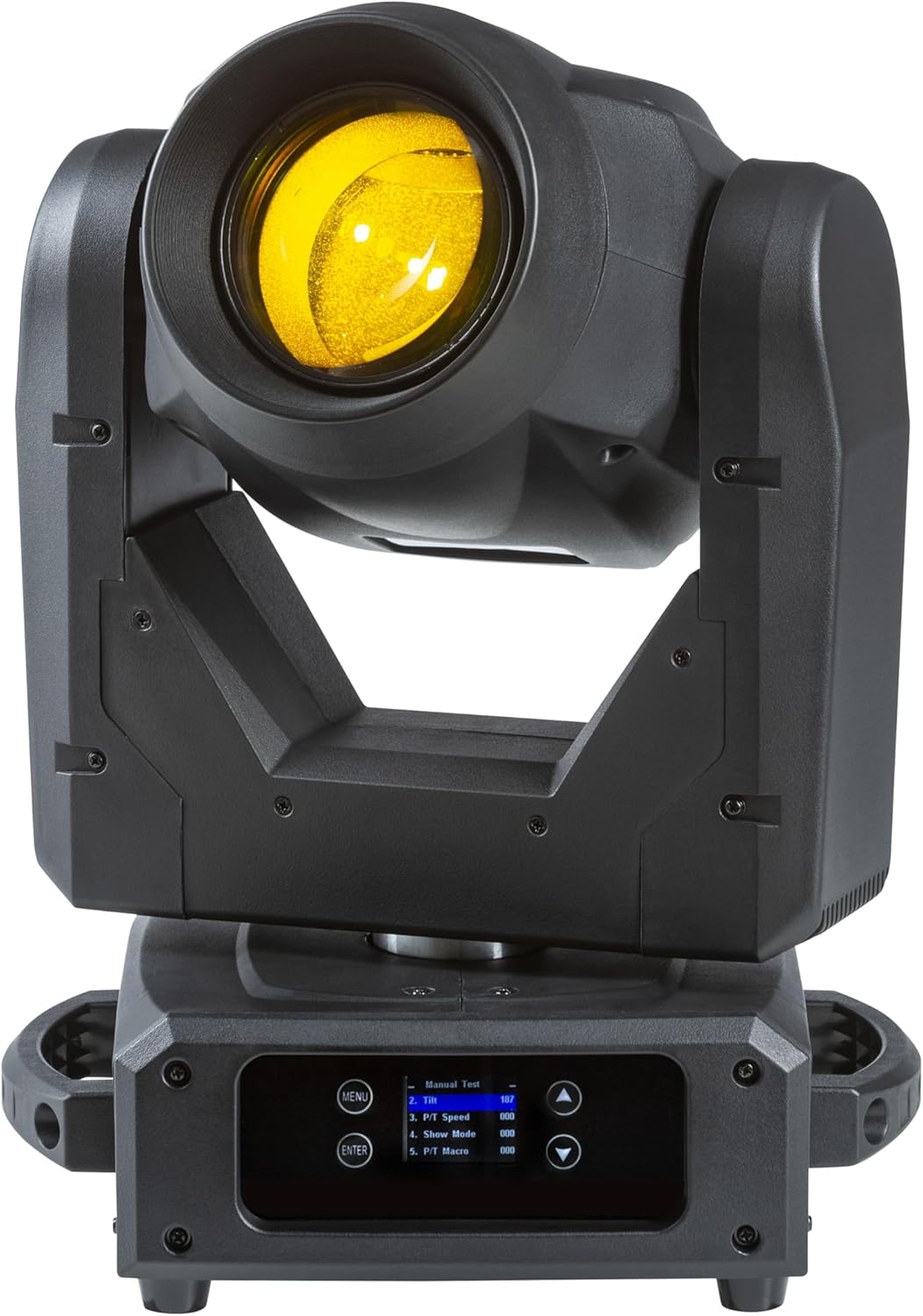
Figure 7: The moving head producing a bright yellow light beam.
7. Entretien
Un entretien régulier garantit des performances optimales et prolonge la durée de vie de votre installation.
- Nettoyage: Nettoyez régulièrement les lentilles et l'extérieur avec un chiffon doux non pelucheux. N'utilisez pas de nettoyants abrasifs.
- Ventilateur et aérations : Ensure the cooling fan and ventilation openings are free from dust and debris. Use compressed air if necessary.
- Source de lumière : The light source is designed for long-term use. If replacement is ever required, contact qualified service personnel.
- Mises à jour du micrologiciel : Vérifiez le fabricant website pour toute mise à jour de firmware disponible.
8. Dépannage
This section addresses common issues you might encounter with your lightmaXX VEGA Dusk BSW.
| Problème | Cause possible | Solution |
|---|---|---|
| Pas de courant | Power cable disconnected; No power from outlet; Blown fuse. | Check power cable connection; Test outlet; Replace fuse (if accessible and safe). |
| Pas de contrôle DMX | Incorrect DMX address; Faulty DMX cable; No DMX signal; Missing terminator. | Verify DMX address; Check DMX cables; Ensure DMX controller is sending signal; Add DMX terminator. |
| Surchauffe de l'appareil | Ventilation obstruée ; température ambiante excessive. | Clear vents; Ensure adequate airflow around the fixture; Operate within specified temperature range. |
| Mouvement erratique | DMX interference; Mechanical obstruction. | Check DMX signal quality; Ensure no physical obstructions to pan/tilt. |
9. Spécifications techniques
| Fonctionnalité | Détail |
|---|---|
| Modèle | VEGA Dusk BSW |
| Référence constructeur | LIG0019407-000 |
| Dimensions (L x l x H) | 49.5 x 38.5 x 33.3 cm (19.5 x 15.2 x 13.1 pouces) |
| Poids de l'article | 13.49 kg (29.74 lb) |
| Marque | lumièremaXX |
| Première date disponible | 10 septembre 2024 |
| Pays d'origine | Allemagne |
| Control Protocol | DMX512 |
| Refroidissement | Ventilateur à température contrôlée |
10. Garantie et assistance
For warranty information and technical support, please contact your authorized lightmaXX dealer or visit the official lightmaXX webConsultez le site. Conservez votre reçu d'achat comme preuve d'achat.
Fabricant: lumièremaXX
Vendeur: MUSIC STORE Professional


