1. Produit terminéview
The llano CS2 18W PD USB-C Fast Charger is designed for efficient and safe charging of Nikon EN-EL14 and EN-EL14a camera batteries. This compact charger features a digital display for real-time battery status, multiple safety protections, and versatile charging options, making it an ideal accessory for photographers.

2. Principales caractéristiques
- Charge rapide PD 18 W : Provides up to 50% faster charging for Nikon EN-EL14/EN-EL14a batteries compared to standard USB chargers.
- Dual Battery Slots: Charge deux batteries simultanément.
- Advanced Digital Display: Real-time monitoring of battery charge levels and charging status.
- Protection complète : Incorporates 10-layer protection against over-voltage, overheating, short-circuiting, and more, ensuring battery longevity and safety.
- Conception ultra-portable : Compact et léger, idéal pour les voyages et les déplacements.
- Alimentation polyvalente : Supports charging via wall adapters, car chargers, and portable power banks using a USB-C connection.
- Integrated SD Card Storage: Includes a dedicated slot for storing one SD card.
- Magnetic Flip-Open Lid: Ensures secure closure and protects batteries from dust and damage.

3. Compatibilité
The llano CS2 charger is compatible with Nikon EN-EL14 and EN-EL14a batteries, used in various Nikon camera models, including:
- Nikon D3200, D3300, D3400, D3500
- Nikon D5100, D5200, D5300, D5500, D5600
- Nikon Coolpix P7000, P7100, P7700, P7800
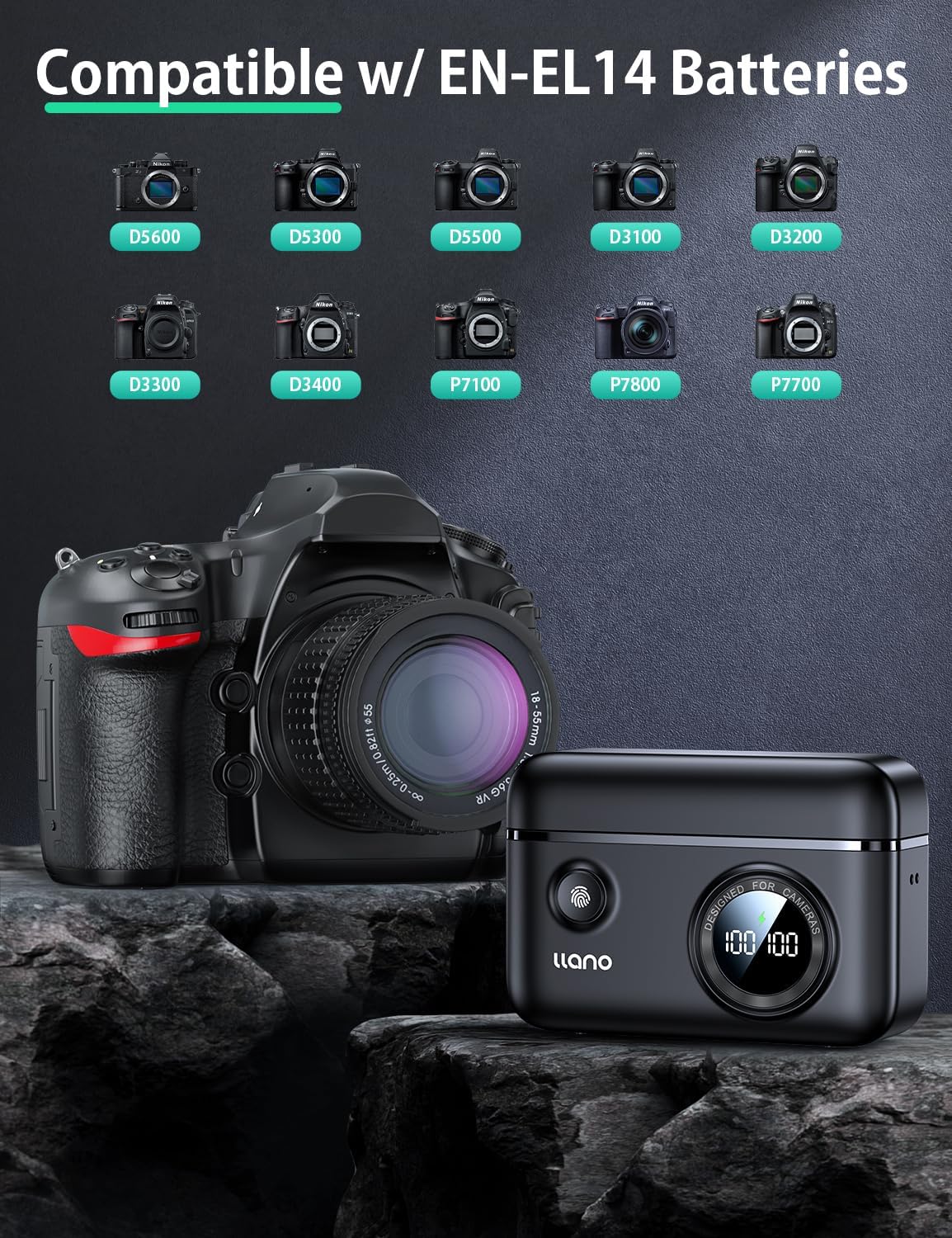
4. Contenu de la boîte
- llano CS2 18W PD USB-C Fast Charger
- Cordon
- Câble USB-C vers USB-C
- Sac à cordon
5. Instructions de configuration
- Connecter l'alimentation : Connect the provided USB-C cable to the charger's input port and to a compatible 18W PD (Power Delivery) USB-C power source (e.g., wall adapter, car charger, power bank). The digital display will illuminate.
- Insérez les piles : Open the magnetic lid. Insert one or two Nikon EN-EL14/EN-EL14a batteries into the designated charging slots (CH1 and CH2), ensuring correct orientation. The digital display will show the current charge percentage for each inserted battery.
- Optional SD Card Storage: If desired, place an SD card into the dedicated storage slot on the side of the charger. This slot is for storage only and does not function as a card reader.

6. Mode d'emploi
- Charge initiale : Once batteries are inserted and the charger is connected to a power source, charging will begin automatically. The digital display will show the charging icon and the increasing pour centtage pour chaque batterie.
- Suivi de l'état de la charge : L'affichage numérique indique le pourcentage de batterie en temps réel.tage. A lightning bolt icon indicates active charging. When a battery reaches 100%, the charging process for that slot will stop automatically.
- Checking Battery Level (Unplugged): Press the button on the front of the charger to view the current charge level of inserted batteries without being connected to a power source.
- Retrait des piles : Once charging is complete, or if you need to remove a battery, gently pull it out from its slot.

7. Entretien
- Nettoyage: Use a soft, dry cloth to clean the charger's exterior. Avoid using liquid cleaners or solvents. Ensure no debris enters the charging slots or USB-C port.
- Stockage: Store the charger in a cool, dry place away from direct sunlight and extreme temperatures. Utilize the magnetic lid to protect the battery slots and the included drawstring bag for scratch resistance during transport.
- Manutention: Avoid dropping the charger or subjecting it to strong impacts. Ensure batteries are inserted and removed gently to prevent damage to the contacts.

8. Dépannage
| Problème | Cause possible | Solution |
|---|---|---|
| L'affichage du chargeur est éteint / Pas d'alimentation | Aucune connexion électrique ou câble/adaptateur défectueux. | Ensure the USB-C cable is securely connected to both the charger and a working power source. Try a different USB-C cable or power adapter. |
| La batterie ne charge pas | Battery not properly inserted; battery is damaged or incompatible; charger contacts are dirty. | Re-insert the battery, ensuring it clicks into place. Verify the battery is an EN-EL14/EN-EL14a type. Clean charger and battery contacts with a dry cloth. |
| Vitesse de chargement lente | Power source does not support 18W PD; cable is not PD compatible. | Use an 18W (or higher) Power Delivery (PD) compatible USB-C power adapter and a PD-compatible USB-C cable for optimal charging speed. |
| Digital display shows incorrect percentage | Temporary display glitch; battery calibration needed. | Remove and re-insert the battery. Allow the battery to fully charge and discharge a few times to recalibrate. |
9. Spécifications
| Spécification | Détail |
|---|---|
| Numéro de modèle | LJN-CS004 |
| Marque | plaine |
| Dimensions du produit | 4.4"P x 1.7"L x 3.3"H (11.18 cm x 4.32 cm x 8.38 cm) |
| Poids de l'article | 0.4 livres (environ 181 grammes) |
| Vol d'entréetage | 8.4 volts |
| Volume de sortietage | 7.4 volts |
| Temps de charge de la batterie | Approx. 1.45 Hours (with 18W PD charger) |
| Type de connecteur | USB-C |
| Nombre de ports | 1 (USB-C input) |
| Couleur | Noir |
| Certifications | FCC |
10. Garantie et assistance
This llano CS2 Fast Charger comes with an Garantie de 18 mois from the date of purchase. For warranty claims, technical support, or any inquiries regarding your product, please contact llano customer service through the retailer where the product was purchased or visit the official llano website pour obtenir les coordonnées de l'assistance.
Veuillez conserver votre preuve d'achat pour la validation de la garantie.