1. Introduction
Merci pour votre achatasing the Salange HY300Pro Mini Projector. This manual provides essential information for setting up, operating, and maintaining your projector. Please read it thoroughly before use to ensure optimal performance and longevity of your device.
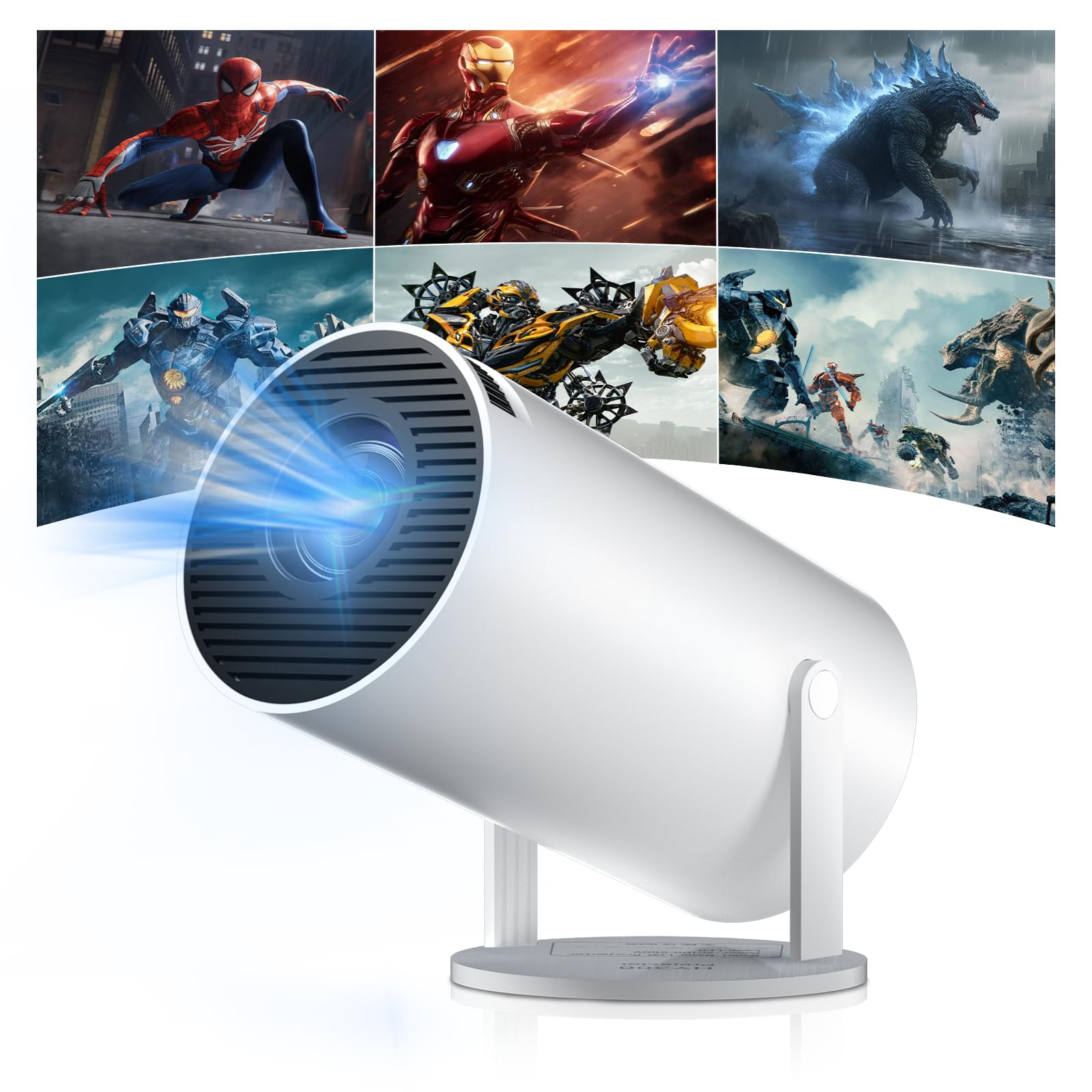
Figure 1: Salange HY300Pro Mini Projector
2. Produit terminéview
Caractéristiques principales
- Dual-Band WiFi 6 & Bluetooth 5.4: Ensures fast and stable network connectivity and seamless audio pairing with external speakers or headphones.
- Système d'exploitation Android 11.0 : Supports installation of various applications directly on the projector for versatile entertainment and productivity.
- 4K Support & Native 720P Resolution: Delivers clear and vibrant images, supporting 1080P and 4K video playback.
- Rotation à 180° : Flexible projection angles for various setups, including ceiling, wall, or angled surfaces.
- Automatic Keystone Correction & Manual Focus: Intelligently corrects image distortion and allows for fine-tuning clarity.
- Conception compacte et portable : Weighs only 700g, making it easy to transport for outdoor activities or different rooms.

Figure 2 : Plusview of Salange HY300Pro features including 8K support, WiFi 6, Bluetooth 5.4, 180° rotation, and auto keystone correction.
Qu'y a-t-il dans la boîte
- 1 x Salange HY300Pro Projector
- 1 x Manuel d'utilisation
- 1 x câble d'alimentation
- 1 x télécommande

Figure 3: Contents of the Salange HY300Pro package.
3. Installation
3.1 Déballage et placement
- Retirez soigneusement tous les composants de l'emballage.
- Placez le projecteur sur une surface stable et plane. Assurez-vous d'une ventilation adéquate autour de l'appareil.
- The projector's 180° rotation feature allows flexible placement. Adjust the projector's angle to project onto a wall, ceiling, or screen as desired.

Figure 4: Projector demonstrating 180-degree rotation for various projection surfaces.
3.2 Connexion d'alimentation
Branchez le câble d'alimentation fourni à l'entrée d'alimentation du projecteur, puis à une prise de courant.
3.3 Mise sous tension initiale et réglage de la mise au point
- Appuyez sur le bouton d'alimentation du projecteur ou de la télécommande pour allumer l'appareil.
- The projector features automatic keystone correction. It will intelligently detect and correct image distortion to ensure a square image.
- For fine-tuning the image clarity, use the manual focus adjustment ring on the projector.

Figure 5: Illustration of automatic keystone correction and manual focus adjustment.
3.4 Connexion réseau (WiFi)
- Accédez au menu « Paramètres » sur l’écran d’accueil du projecteur.
- Sélectionnez « Réseau et Internet » et activez le Wi-Fi.
- Choose your desired Wi-Fi network from the list and enter the password if prompted. The projector supports dual-band 2.4G + 5G WiFi 6 for fast and stable connections.

Figure 6: Visual representation of the projector's WiFi 6 capabilities for ultra-fast streaming.
3.5 Couplage Bluetooth
- From the 'Settings' menu, select 'Connected Devices' or 'Bluetooth'.
- Activez Bluetooth et recherchez les appareils disponibles.
- Sélectionnez votre enceinte ou vos écouteurs Bluetooth dans la liste pour les appairer.

Figure 7: Projector connected to various Bluetooth audio devices.
3.6 Connexion de périphériques externes
The projector supports HDMI and USB connections.
- HDMI: Connect your laptop, game console, Blu-ray player, or TV stick using an HDMI cable. Select the corresponding HDMI input source from the projector's input menu.
- USB: Insérez une clé USB pour lire des fichiers multimédias. files directly. Access the files through the media player application on the Android OS.
4. Mode d'emploi
4.1 Navigation dans le système d'exploitation Android
The Salange HY300Pro runs on Android 11.0, providing a smart TV experience.
- Use the remote control to navigate through the home screen, applications, and settings.
- The interface is intuitive, similar to an Android smartphone or tablet.

Figure 8: Projector displaying the Android OS home screen with various streaming apps.
4.2 Gestion des applications
You can install and manage applications directly on the projector.
- Access the app store (e.g., Google Play Store) to download streaming services, games, and productivity tools.
- To uninstall an app, go to 'Settings' > 'Apps' and select the desired app.
4.3 écran miroir
Dupliquez sans fil l'écran de votre smartphone ou de votre tablette sur le projecteur.
- Assurez-vous que votre appareil et le projecteur sont connectés au même réseau Wi-Fi.
- On the projector, select the screen mirroring function (e.g., 'Miracast', 'AirPlay', or 'Screen Share').
- On your smartphone/tablet, enable screen mirroring and select the projector from the list of available devices.
4.4 Paramètres d'image et de son
Adjust various settings to optimize your viewexpérience de travail.
- Paramètres d'image : Access 'Settings' > 'Display' to adjust brightness, contrast, color, and aspect ratio.
- Paramètres sonores : Access 'Settings' > 'Sound' to adjust volume, sound mode, and output device.

Figure 9: Projector displaying a large image, illustrating its ability to create a home cinema experience.
5. Entretien
5.1 Nettoyage de la lentille
Utilisez un chiffon doux non pelucheux, spécialement conçu pour les lentilles optiques, afin de nettoyer délicatement la lentille du projecteur. N'utilisez pas de produits abrasifs ni de force excessive.
5.2 Aération
Ensure the projector's ventilation vents are clear of dust and obstructions. Blocked vents can lead to overheating and reduced performance. Periodically clean the vents with a soft brush or compressed air.
5.3 Stockage
Lorsqu'il n'est pas utilisé pendant une période prolongée, rangez le projecteur dans un endroit frais et sec, à l'abri de la lumière directe du soleil et des températures extrêmes. Utilisez l'emballage d'origine ou un étui de protection pour éviter l'accumulation de poussière et les dommages.
6. Dépannage
| Problème | Cause possible | Solution |
|---|---|---|
| Aucune image affichée | Câble d'alimentation débranché ; source d'entrée incorrecte ; projecteur en mode veille. | Vérifiez la connexion d'alimentation ; sélectionnez l'entrée HDMI/USB appropriée ; appuyez sur le bouton d'alimentation pour sortir l'appareil de veille. |
| L'image est floue | Mise au point incorrecte ; projecteur trop loin/trop près de l’écran. | Adjust manual focus ring; Ensure projector is within optimal projection distance. |
| Pas de son | Volume too low; Muted; Incorrect audio output selected; Bluetooth device not paired. | Increase volume; Unmute; Check audio settings; Re-pair Bluetooth device. |
| Problèmes de connexion Wi-Fi/Bluetooth | Mot de passe incorrect ; hors de portée ; interférence. | Vérifiez le mot de passe ; rapprochez-vous du routeur/appareil ; réduisez les interférences provenant d’autres appareils électroniques. |
| La télécommande ne fonctionne pas | Dead batteries; Obstruction; Not paired. | Remplacez les piles ; retirez les obstructions ; réappairez la télécommande si nécessaire. |
7. Spécifications
| Fonctionnalité | Détail |
|---|---|
| Marque | Salangé |
| Numéro de modèle | X-HY300PRO |
| Série | Salange Mini Beamer |
| Couleur | Blanc |
| Type d'affichage | Écran LCD |
| Résolution native | 1280 x 720P |
| Résolution d'affichage maximale | 3840 x 2160 (Prise en charge 4K) |
| Technologie de connectivité | Bluetooth, Wi-Fi (WiFi 6) |
| Interface matérielle | Bluetooth, HDMI, USB |
| Appareils compatibles | Smartphones, Laptops, Game Consoles, Blu-ray Players, Media Players |
| Dimensions de l'article (L x l x H) | 9.5 x 9.5 x 15.7 centimètres |
| Caractéristiques spéciales | Wi-Fi Compatible, Digital Keystone Correction, Lightweight, Portable, 180° Rotation |
| Utilisations recommandées | Entreprise, Cinéma à domicile, Jeux vidéo, Éducation |
| Facteur de forme | Portable |
| Type de montage | Support de table |
8. Garantie et assistance
For warranty information and technical support, please refer to the documentation included with your purchase or visit the official Salange webConsultez le site. Conservez votre preuve d'achat pour toute réclamation au titre de la garantie.


