Introduction
Thank you for choosing the Oraimo Traveler Link 20 Power Bank. This device is designed to provide reliable portable power for your electronic devices. With a high capacity of 20000mAh and multiple built-in charging cables, it offers convenient and efficient charging on the go. Please read this manual carefully to ensure proper use and optimal performance.
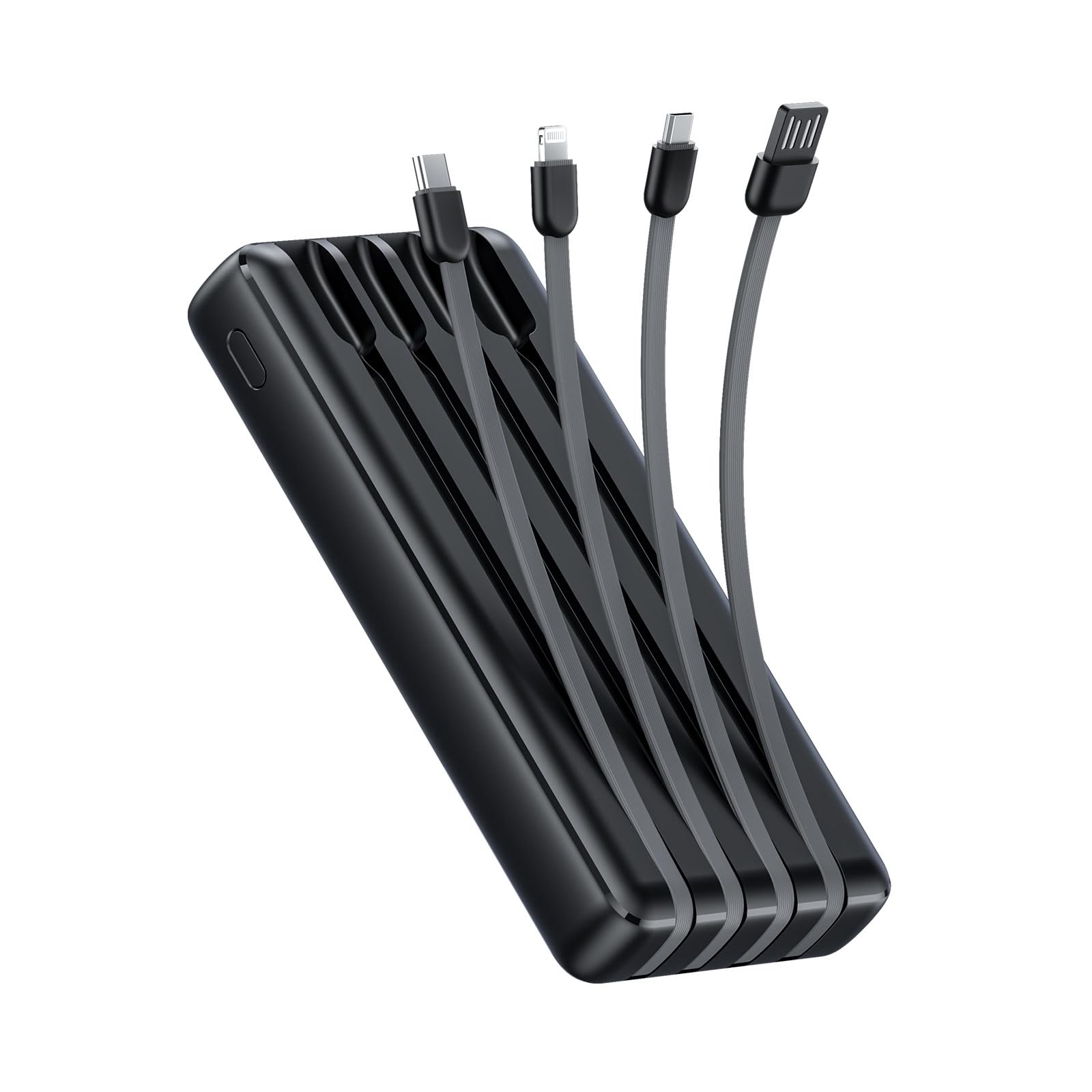
Image: The Oraimo Traveler Link 20 Power Bank, showcasing son design compact et ses câbles intégrés.
Installation
Charge initiale
Before first use, fully charge your Oraimo Traveler Link 20 Power Bank. This ensures the battery is calibrated and ready for optimal performance.
- Connect the power bank to a power source using one of the built-in recharging cables (USB-A, Type-C, or Micro-USB) or an external USB-A to Type-C/Micro-USB cable.
- The LED indicators on the power bank will illuminate to show the charging status.
- Once all LED indicators are solid, the power bank is fully charged. Disconnect it from the power source.
Identification des composants
Familiarize yourself with the power bank's features:
- Built-in Charging Cables: Includes Type-C, Micro-USB, and Lightning cables for charging various devices.
- Built-in Recharging Cable: A USB-A cable is integrated for convenient recharging of the power bank itself.
- Port de sortie USB-A : An additional USB-A port for charging devices using your own cable.
- Indicateurs LED : Afficher le niveau de batterie restant et l'état de charge.
- Bouton d'alimentation : Activates the power bank and controls the LED flashlight.
- Lampe de poche LED: Éclairage intégré pour une utilisation en cas d'urgence.
Mode d'emploi
Recharger vos appareils
The Traveler Link 20 allows you to charge up to four devices simultaneously using its built-in cables and USB-A output port.
- Select the appropriate built-in cable (Type-C, Micro-USB, or Lightning) for your device.
- Branchez le câble au port de chargement de votre appareil.
- Alternatively, use your own USB charging cable with the dedicated USB-A output port.
- The power bank will automatically begin charging your device(s). The LED indicators will show the power bank's remaining charge.

Image : Gros plan view of the Oraimo Traveler Link 20 showing its integrated Type-C, Micro-USB, and Lightning charging cables.

Image: The power bank simultaneously charging a smartphone, a smartwatch, and a portable toothbrush, demonstrating its multi-output capability.

Image: The Oraimo Traveler Link 20 demonstrating wide compatibility with various devices including iOS smartphones, Android smartphones, and accessories like earbuds.

Image: An illustration highlighting the 20000mAh capacity of the Oraimo Traveler Link 20, capable of fully charging a phone multiple times.
Recharger la banque d'alimentation
The power bank can be recharged using its built-in USB-A cable or via its Type-C or Micro-USB input ports.
- Utilisation du câble USB-A intégré : Plug the integrated USB-A cable into a USB wall adapter, computer USB port, or other USB power source.
- Using Type-C or Micro-USB Input: Connect a compatible cable (not included for these inputs) to the respective port on the power bank and then to a power source.
- Les voyants LED clignoteront pendant la charge et resteront allumés une fois la charge complète.

Image: The power bank being recharged via its built-in USB-A cable connected to a power strip, and also showing an alternative recharge method using a Type-C cable and wall adapter.
Fonction de lampe de poche LED
The power bank includes a built-in LED flashlight with an SOS light alarm function for emergencies.
- Pour allumer/éteindre la lampe torche : Appuyez longuement sur le bouton d'alimentation pendant environ 3 seconde.
- Pour activer le mode SOS : While the flashlight is on, short press the power button to cycle through modes (steady light, SOS flashing).

Image: The Oraimo Traveler Link 20 with its LED flashlight illuminated, demonstrating its emergency lighting capability.
Mode de charge à faible courant
The power bank automatically detects and switches to low current charging mode for small devices like wireless earbuds or smartwatches, preventing damage from overcurrent.
- Simply connect your low-current device. The power bank will intelligently adjust the output.
Entretien
To ensure the longevity and safe operation of your Oraimo Traveler Link 20 Power Bank, follow these maintenance guidelines:
- Stockage: Rangez la batterie externe dans un endroit frais et sec, à l'abri de la lumière directe du soleil et des températures extrêmes.
- Nettoyage: Utilisez un chiffon doux et sec pour nettoyer l'extérieur de la batterie externe. N'utilisez pas de nettoyants liquides ni de produits abrasifs.
- Évitez les dommages physiques : Do not drop, puncture, or disassemble the power bank. Avoid exposing it to water or high humidity.
- Chargement régulier : Si vous n'utilisez pas la batterie externe pendant une période prolongée, rechargez-la au moins une fois tous les trois mois afin de préserver sa durée de vie.
Dépannage
Si vous rencontrez des problèmes avec votre batterie externe, consultez les problèmes et solutions courants suivants :
| Problème | Cause possible | Solution |
|---|---|---|
| La batterie externe ne charge pas les appareils. | Low battery; incorrect cable connection; device incompatibility. | Ensure power bank is charged. Check cable connections. Verify device compatibility. |
| La batterie externe ne se recharge pas. | Câble/adaptateur de charge défectueux ; problème d'alimentation. | Try a different charging cable and wall adapter. Ensure the power source is active. |
| Chargement lent. | Using a non-fast charging adapter; multiple devices connected; cable quality. | Use a compatible fast-charging adapter. Disconnect other devices. Use high-quality cables. |
| La lampe torche LED ne fonctionne pas. | Fonctionnement incorrect ; batterie faible. | Long press the power button for 3 seconds. Recharge the power bank. |
The Oraimo Traveler Link 20 features a multi-protection system (over-current, short-circuit, over-discharge, high/low-temperature charging/discharge, overcharge, output overvoltage) to protect itself and your devices. If the power bank stops functioning, it might be due to one of these protection mechanisms activating. Disconnect all devices and cables, then try again after a few minutes.

Image: Diagram illustrating the multi-protection system of the Oraimo Traveler Link 20, highlighting various safety features.
Spécifications du produit
| Fonctionnalité | Détail |
|---|---|
| Nom du modèle | Traveler Link 20 |
| Numéro de modèle | OPB-P5201 |
| Marque | Oraïmo |
| Capacité de la batterie | 20000 mAh (lithium-ion) |
| Puissance de sortie | Up to 12W (5V/2.4A Max) |
| Vol d'entréetage | 5V |
| Type de connecteur | USB Type-C, USB Type-A, Micro USB (built-in cables: Type-C, Micro-USB, Lightning; built-in recharging cable: USB-A) |
| Caractéristiques spéciales | 4 Built-in Charging & Recharging Cables, Charge up to 4 devices simultaneously, Multi-protection System, LED Flashlight with SOS, Low Current Protection |
| Dimensions | 20.5 x 3 x 11 cm |
| Poids | 200 grammes |
| Couleur | Noir |
Garantie et assistance
Oraimo products are manufactured to the highest quality standards. This product is covered by a limited warranty from the date of purchase. Please refer to the warranty card included in your product packaging for specific terms and conditions.
For technical support, troubleshooting assistance, or warranty claims, please contact Oraimo customer service through their official webConsultez le site web ou les coordonnées fournies dans la documentation de votre produit. Conservez votre preuve d'achat pour faire valoir la garantie.