Introduction
The Mytrix Tac Master Wireless Gaming Headset is designed to provide a high-quality audio experience for gaming across multiple platforms. Featuring 2.4GHz lossless wireless technology, Bluetooth 5.3, and a 3.5mm wired connection, this headset offers versatile connectivity, low latency, and immersive surround sound. The detachable noise-canceling microphone ensures clear communication, while the ergonomic design and long battery life provide comfort for extended use.
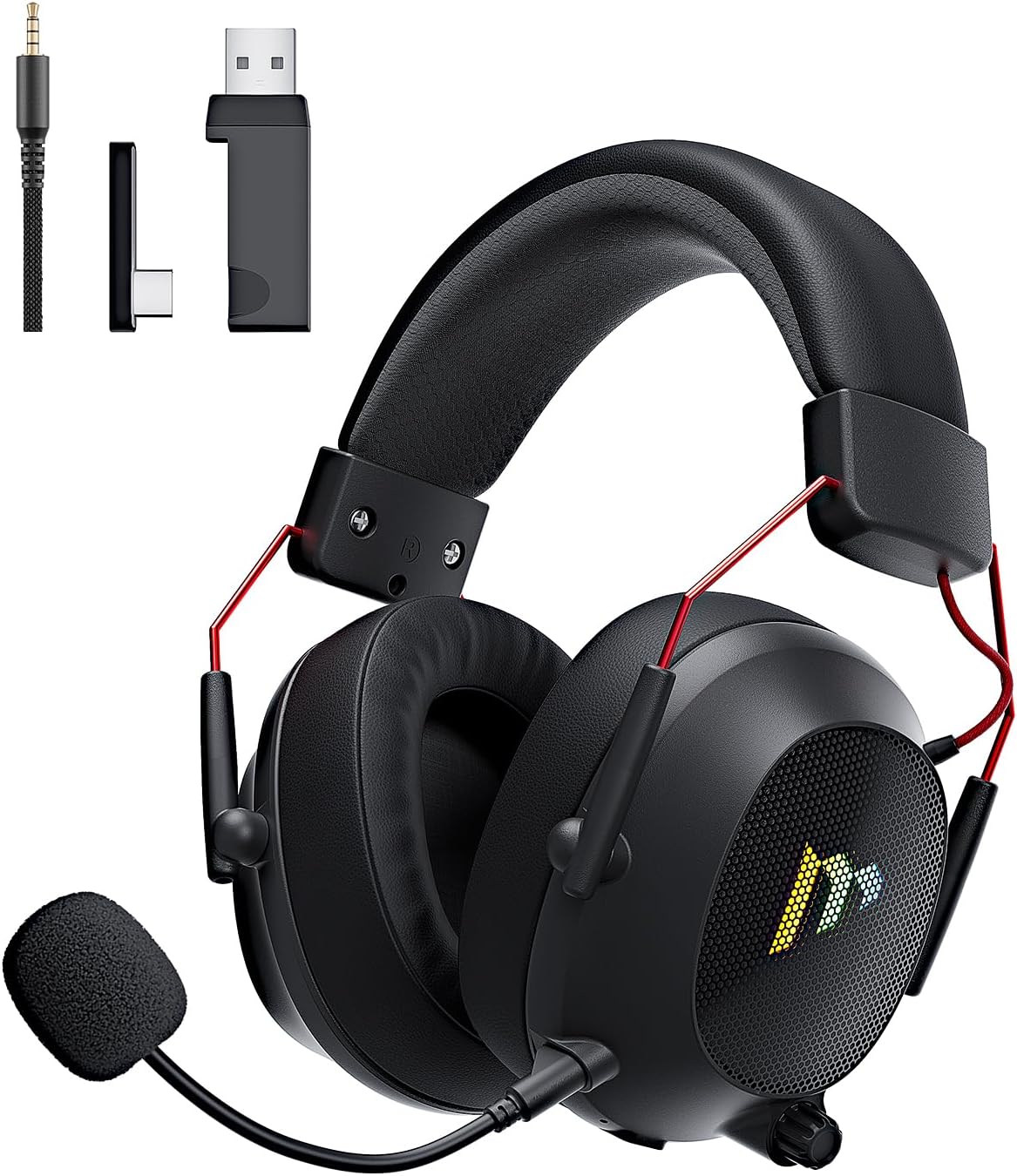
Image: The Mytrix Tac Master Wireless Gaming Headset, showcasing its sleek black design with red accents, detachable microphone, and included USB dongle and Type-C adapter.
Contenu du colis
Veuillez vérifier que tous les éléments énumérés ci-dessous sont inclus dans votre colis :
- Mytrix Tac Master Wireless Gaming Headset
- Microphone antibruit détachable
- Clé USB-A sans fil 2.4 GHz
- USB Type-C Transmitter
- Câble audio 3.5 mm
- Câble de chargement USB (USB-A vers USB-C)
- Manuel de l'utilisateur (ce document)
Headset Controls and Components
Familiarize yourself with the various controls and components of your Mytrix Tac Master headset:

Image: Diagram illustrating the location and function of controls on the Mytrix Tac Master headset, including power button, volume wheel, microphone mute button, and mode switch.
- Bouton d'alimentation : Press and hold for 3 seconds to turn on/off. Single press to pause/play audio.
- Bouton de mode (M) : Single press to toggle microphone on/off. Double press to switch between Bluetooth and 2.4G wireless modes. Press and hold for 3 seconds to turn RGB lights on/off.
- Molette de volume : Rotate up to increase volume, rotate down to decrease volume.
- Port microphone : Pour fixer le microphone détachable.
- Prise audio 3.5 mm : Pour une connexion filaire.
- Port de chargement USB-C : Pour charger le casque.
- Éclairage RVB : Situé sur les oreillettes.
Installation
1. Charger le casque
Before first use, fully charge the headset. Connect the USB charging cable to the headset's USB-C port and the other end to a USB power source (e.g., computer USB port, USB wall adapter). The LED indicator will show charging status and turn off when fully charged. A full charge takes approximately 3 hours and provides up to 48 hours of battery life.

Image: Visual representation of the headset's long-lasting battery life, indicating approximately 50 hours of use and a 3-hour charging time.
2. Fixation du microphone
Insert the detachable microphone into the microphone port on the left earcup. Ensure it is securely seated. The microphone is flexible and omni-directional, allowing for angle adjustment.
3. Options de connectivité
The Mytrix Tac Master headset offers multiple connection methods for broad compatibility:

Image: Diagram illustrating the four connection modes: 2.4GHz Dongle (USB-A and USB-C), Bluetooth 5.3, and 3.5mm Wired, along with compatible devices for each mode.
3.1. 2.4GHz Wireless Connection (Recommended for PC, PS4, PS5, Switch Docked Mode)
- Identify the appropriate dongle for your device:
- For devices with a USB-A port (PC, PS4, PS5, Switch Docked): Use the 2.4GHz USB-A dongle.
- For devices with a USB-C port (Switch Handheld, Laptops, Tablets): Use the USB Type-C transmitter.
- Plug the selected 2.4GHz dongle/transmitter into an available USB port on your device.
- Mettez le casque sous tension en maintenant le bouton d'alimentation enfoncé pendant 3 secondes.
- Ensure the headset is in 2.4GHz mode. If not, double-press the 'M' button to switch modes until the headset connects to the dongle. The headset will automatically pair with the dongle.
- Sur votre appareil, sélectionnez le casque comme périphérique de sortie et d'entrée audio.
3.2. Bluetooth 5.3 Connection (Recommended for Mobile Phones, Tablets, Laptops)
- Mettez le casque sous tension en maintenant le bouton d'alimentation enfoncé pendant 3 secondes.
- Double-press the 'M' button to switch the headset to Bluetooth pairing mode. The LED indicator will flash, indicating it's ready to pair.
- On your device, enable Bluetooth and search for "Mytrix Tac Master" in the list of available devices.
- Select "Mytrix Tac Master" to connect. Once connected, the LED indicator will stop flashing.
3.3. 3.5mm Wired Connection (Recommended for Xbox, Game Console Controllers, Devices without USB/Bluetooth)
- Connectez une extrémité du câble audio 3.5 mm à la prise jack 3.5 mm du casque.
- Connect the other end of the 3.5mm audio cable to the audio jack on your device (e.g., Xbox controller, phone).
- In wired mode, the headset's microphone and RGB lighting functions are not active.
Mode d'emploi
Marche/Arrêt
- Pour allumer : Press and hold the Power button for approximately 3 seconds until the headset powers on.
- Pour éteindre : Press and hold the Power button for approximately 3 seconds until the headset powers off.
Contrôle du volume
- Augmenter le volume : Rotate the Volume wheel upwards.
- Diminuer le volume : Rotate the Volume wheel downwards.
Contrôle du microphone
- Activer/Désactiver le microphone : Single press the 'M' button.
- The detachable microphone features noise cancellation for clear voice chat.
Contrôle d'éclairage RVB
- Turn RGB Lights On/Off: Press and hold the 'M' button for approximately 3 seconds.
Contrôle de la lecture audio
- Lecture/Pause audio : Appuyez une seule fois sur le bouton Marche/Arrêt.
Son surround
The headset features 7.1 stereo surround sound for an immersive audio experience, allowing for precise positioning of sound details in games.

Image : Une explosion view of the headset's 50mm drivers, illustrating the components that contribute to its 7.1 stereo surround sound capability.
Entretien
- Nettoyage: Use a soft, dry cloth to clean the headset. Do not use abrasive cleaners or solvents. For earcups, gently wipe with a damp Essuyez le chiffon et laissez sécher complètement à l'air libre avant utilisation.
- Stockage: Store the headset in a cool, dry place away from direct sunlight and extreme temperatures. If storing for an extended period, ensure the battery is partially charged (around 50%) to preserve battery health.
- Entretien de la batterie: Avoid fully discharging the battery frequently. Charge the headset regularly, even if not in constant use, to maintain battery longevity.
- Entretien du microphone : Handle the detachable microphone gently. Avoid excessive bending or twisting.
Dépannage
| Problème | Cause possible | Solution |
|---|---|---|
| Aucun son provenant du casque. | Headset not powered on, low battery, incorrect audio output selected, connection issue. | Ensure headset is powered on and charged. Check device's audio settings to confirm "Mytrix Tac Master" is selected as output. Re-establish 2.4GHz or Bluetooth connection. For wired mode, ensure cable is fully inserted. |
| Le microphone ne fonctionne pas. | Microphone muted, not properly attached, incorrect audio input selected, wired mode limitation. | Single press the 'M' button to unmute. Ensure microphone is securely attached. Check device's audio settings to confirm "Mytrix Tac Master" is selected as input. Note: Microphone does not function in 3.5mm wired mode. |
| Impossible de se connecter via le réseau sans fil 2.4 GHz. | Dongle not recognized, headset not in 2.4GHz mode, interference. | Ensure dongle is fully inserted into a working USB port. Double-press 'M' button to switch headset to 2.4GHz mode. Try a different USB port. Move closer to the dongle to reduce interference. |
| Impossible de se connecter via Bluetooth. | Headset not in pairing mode, Bluetooth disabled on device, already connected to another device. | Double-press 'M' button to enter Bluetooth pairing mode (LED flashes). Ensure Bluetooth is enabled on your device. Disconnect from other Bluetooth devices if necessary. |
| Les lumières RGB ne fonctionnent pas. | Lights turned off, low battery, wired mode limitation. | Press and hold the 'M' button for 3 seconds to toggle RGB lights. Ensure headset has sufficient battery. Note: RGB lights do not function in 3.5mm wired mode. |
Caractéristiques
| Fonctionnalité | Détail |
|---|---|
| Nom du modèle | Gaming Headset (G901) |
| Technologie de connectivité | Sans fil 2.4 GHz, Bluetooth 5.3, filaire 3.5 mm |
| Prise pour casque | 3.5 mm Jack |
| Portée sans fil | Up to 50 feet (in open spaces) |
| Latence | ≤20ms (2.4GHz) |
| Type de pilote audio | Pilotes dynamiques de 50 mm |
| Caractéristiques sonores | 7.1 Stereo Surround Sound |
| Microphone | Detachable, Omni-directional, Noise-Canceling |
| Autonomie de la batterie | Jusqu'à 48 XNUMX heures |
| Temps de charge | Environ 3 heures |
| Type de batterie | 1 batterie lithium-ion (incluse) |
| Forme de l'écouteur | Sur l'oreille |
| Caractéristiques spéciales | Ergonomic Design, RGB Lighting, Foldable & Portable |
| Dimensions du produit | 5.91 x 3.94 x 5.91 pouces |
| Poids de l'article | 13.4 onces |
| Fabricant | Mytrix |
Garantie et assistance
Mytrix products are manufactured to high quality standards. For information regarding warranty coverage, technical support, or service inquiries, please refer to the warranty card included with your product or visit the official Mytrix website. You may also contact Mytrix customer support directly for assistance with your Tac Master Gaming Headset.
Pour obtenir de l'aide supplémentaire, veuillez consulter le Mytrix Store on Amazon.
Informations importantes sur la sécurité
- N’exposez pas le casque à des températures extrêmes, à l’humidité ou à des liquides.
- Évitez de faire tomber le casque ou de le soumettre à des chocs violents.
- Do not attempt to disassemble or repair the headset yourself. This will void the warranty.
- Écoutez à un volume modéré pour éviter d'endommager votre audition. Une exposition prolongée à des sons forts peut entraîner une perte auditive permanente.
- Tenir hors de portée des enfants.


