1. Introduction
This manual provides instructions for the safe and efficient operation of the Chainway C71 Android Barcode Scanner. The C71 is a robust and versatile handheld device designed for various applications, including warehouse inventory management and forklift operations. It features a Zebra SE55 long-range 2D/1D/QR code reader, runs on Android 13, and offers comprehensive connectivity options.
Veuillez lire attentivement ce manuel avant d'utiliser l'appareil et conservez-le pour toute consultation ultérieure.
2. Produit terminéview
2.1 Principales caractéristiques
- Conception durable et polyvalente : Suitable for both indoor and outdoor environments, ideal for warehouse inventory and forklift scanning.
- Zebra SE55 Long Range Scanner: Capable of scanning 2D, 1D, and QR codes from distances up to 40 feet (depending on barcode size and media).
- Système d'exploitation Android 13 : Provides access to the latest Android features and the Google Play Store for application downloads.
- Connectivité sans fil: Features fast and reliable WiFi, Bluetooth 5.0, NFC, and GPS for seamless data transmission and real-time updates.
- Large Vivid Screen: A bright and clear display for easy reading and interaction in various lighting conditions.
- Batterie haute capacité : Doté d'une batterie de 5000 mAh pour une autonomie prolongée.
- Processeur à huit cœurs : Ensures fast and responsive performance for demanding applications.
2.2 Composants de l'appareil
The Chainway C71 scanner features a robust design with an integrated display, scanning engine, and various ports and buttons.
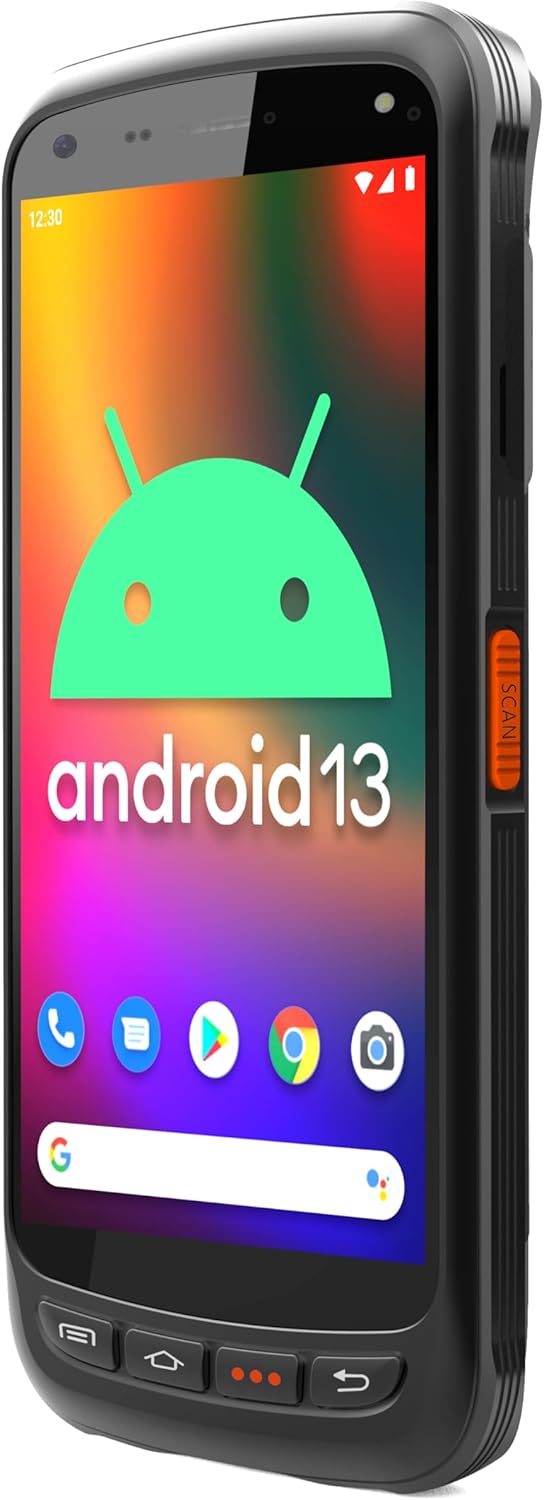
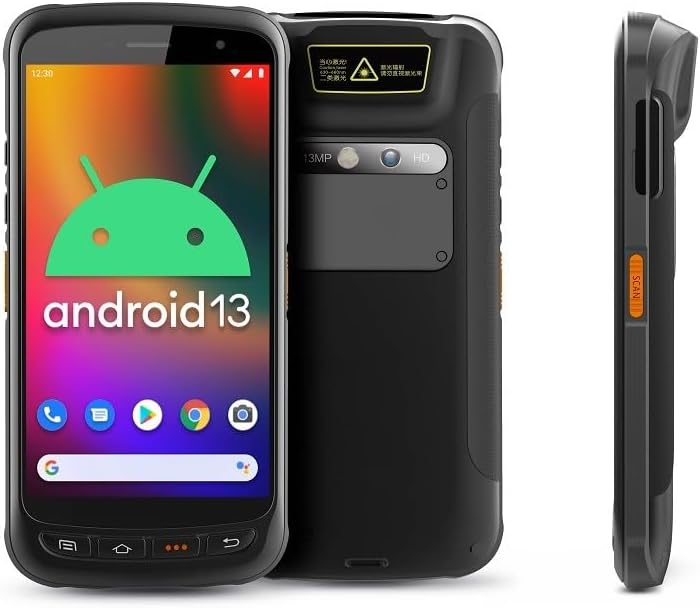
- Afficher: Large vivid touchscreen for user interaction.
- Bouton de numérisation : Located on the side for convenient barcode scanning activation.
- Zebra SE55 Scan Engine: Integrated at the top rear for long-range barcode capture.
- Caméra arrière : For image capture (13MP).
- Caméra frontale : For video calls or selfies (5MP).
- Boutons physiques : Power, volume, and programmable function keys.
- Ports: USB-C for charging and data transfer.
3. Installation
3.1 Installation et charge de la batterie
The Chainway C71 requires one Lithium Ion battery for operation. Ensure the battery is correctly installed before first use.
- Repérez le couvercle du compartiment à piles à l'arrière de l'appareil.
- Open the cover and insert the Lithium Ion battery, ensuring the contacts align correctly.
- Fermez soigneusement le couvercle du compartiment à piles.
- Connect the device to a power source using the provided USB-C cable and power adapter. The device will begin charging.

3.2 Mise sous tension initiale
- Press and hold the Power button (usually on the side) until the device vibrates and the screen illuminates.
- Suivez les instructions à l'écran pour terminer la configuration initiale d'Android 13, notamment la sélection de la langue, la connexion Wi-Fi et la connexion au compte Google.
4. Mode d'emploi
4.1 Barcode Scanning with Zebra SE55 Engine
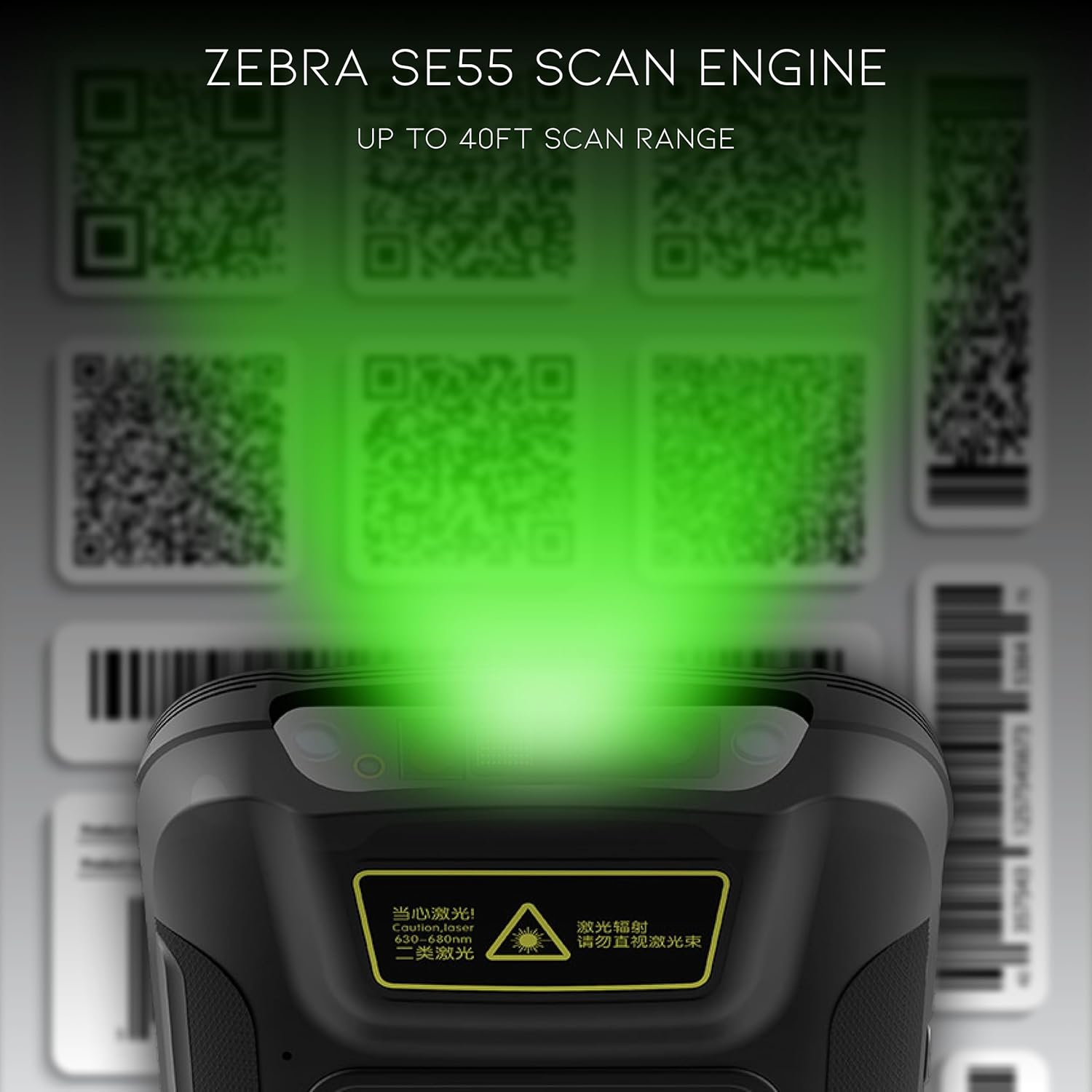
The Chainway C71 is equipped with a powerful Zebra SE55 scan engine for efficient barcode capture.
- Open the desired application that requires barcode scanning (e.g., inventory management app).
- Point the top of the device, where the scan engine is located, towards the barcode.
- Press the dedicated scan button on the side of the device. A green aiming pattern will appear.
- Align the aiming pattern with the barcode. The device will emit a sound or vibrate upon successful scan.
- The scanned data will be input into the active field of your application.
Note: The Zebra SE55 can scan barcodes from up to 40 feet away, depending on the barcode size and quality. For optimal performance, ensure clear line of sight and adequate lighting.
4.2 Système d'exploitation Android 13
The C71 runs on Android 13, providing a familiar and intuitive user experience. You can navigate the interface using touch gestures.

- Écran d'accueil : Accédez à vos applications et widgets installés.
- Notifications: Balayez vers le bas depuis le haut de l'écran pour view notifications et paramètres rapides.
- Google Play Store : Download and install additional applications relevant to your workflow.
4.3 Connectivité
The device supports multiple connectivity options for data transfer and communication.
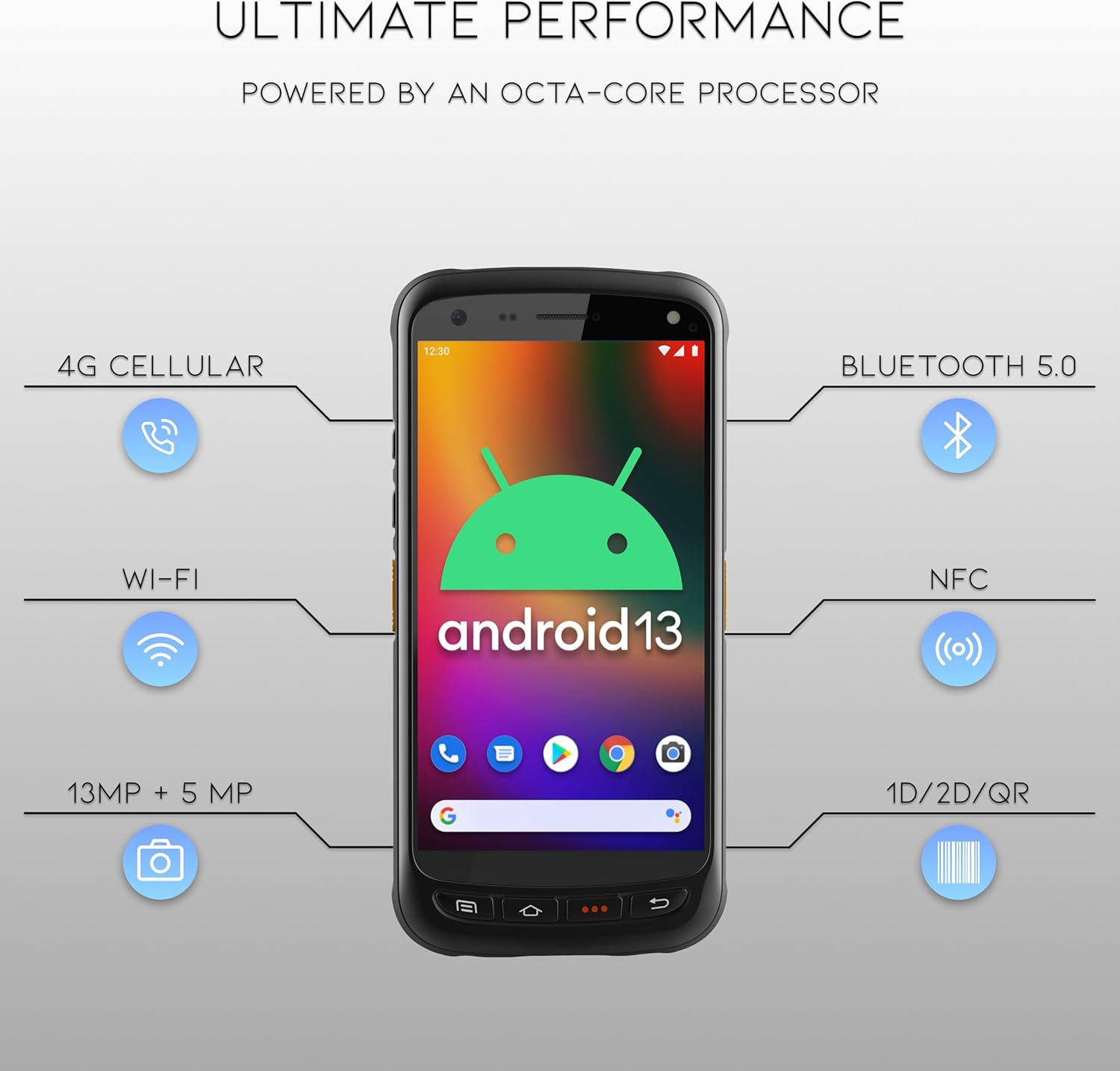
- Wifi: Connect to wireless networks for internet access and data synchronization. Go to Paramètres > Réseau et Internet > Wi-Fi.
- Bluetooth 5.0: Pair with Bluetooth-enabled devices such as headsets or printers. Go to Paramètres > Appareils connectés > Bluetooth.
- NFC: For near-field communication applications.
- GPS: For location-based services.
- Réseau cellulaire 4G : (If equipped with SIM card slot) For mobile data connectivity.
5. Entretien
5.1 Nettoyage de l'appareil
- Utilisez un chiffon doux et non pelucheux légèrement dampterminer avec de l'eau ou une solution nettoyante douce et non abrasive pour nettoyer l'écran et l'extérieur.
- N’utilisez pas de produits chimiques agressifs, de solvants ou de matériaux abrasifs, car ils pourraient endommager l’appareil.
- Veillez à ce qu'aucun liquide ne pénètre dans les orifices ou les ouvertures.
5.2 Entretien de la batterie
- Évitez d'exposer la batterie à des températures extrêmes (chaudes ou froides).
- Rechargez la batterie régulièrement, mais évitez de la laisser complètement déchargée pendant des périodes prolongées.
- Use only the manufacturer-approved charging accessories.
6. Dépannage
This section addresses common issues you might encounter with your Chainway C71 scanner.
6.1 L'appareil ne s'allume pas
- Assurez-vous que la batterie est correctement installée et complètement chargée.
- Connect the device to the charger and attempt to power it on after a few minutes.
- Si le problème persiste, contactez le support client.
6.2 Barcode Not Scanning
- Verify that the scanning application is open and ready to receive input.
- Ensure the barcode is clean, undamaged, and within the scanner's range (up to 40 feet).
- Check for adequate lighting; extreme glare or insufficient light can affect scanning performance.
- Confirm the scan engine is pointed directly at the barcode.
6.3 Problèmes de connectivité Wi-Fi
- Check if Wi-Fi is enabled in the device settings.
- Ensure you are within range of a known Wi-Fi network.
- Vérifiez le mot de passe Wi-Fi si vous vous connectez à un nouveau réseau.
- Restart the device and the Wi-Fi router if necessary.
7. Spécifications
Technical specifications for the Chainway C71 Android Barcode Scanner.
| Fonctionnalité | Détail |
|---|---|
| Numéro de modèle | C71 |
| Système opérateur | Android 13 |
| Scanner de codes-barres | Zebra SE55 (2D/1D/QR, up to 40ft range) |
| Processeur | 2.0 GHz Octa-Core Processor |
| Batterie | Batterie lithium-ion 5000 mAh (1 requise) |
| Connectivité | Wi-Fi, Bluetooth 5.0, NFC, GPS, 4G Cellular (optional) |
| Caméras | 13MP arrière, 5MP avant |
| Appareils compatibles | Smartphone, Tablet (as a handheld device) |
| Source d'énergie | Alimenté par batterie |
| Fabricant | Chaîne |

8. Garantie et assistance
For warranty information and technical support, please contact the seller, BARCODE-USA. Details regarding specific warranty periods and coverage will be provided at the point of purchase or upon request from the seller.
Vendeur: BARCODE-USA
For assistance, refer to your purchase documentation or visit the BARCODE-USA store page on Amazon: BARCODE-USA Store


