Introduction
This manual provides essential information for the setup, operation, and maintenance of your STRONG SRT32HG6733C 32-inch HD Android Smart TV. Please read these instructions carefully before using the product to ensure proper functionality and safety.
Qu'y a-t-il dans la boîte
Lors du déballage, vérifiez que tous les éléments énumérés ci-dessous sont présents et en bon état :
- STRONG SRT32HG6733C TV Unit
- Remote control with voice recognition
- 2 piles AAA
- Manuel de l'utilisateur (ce document)

Image: The STRONG SRT32HG6733C TV unit with its central stand, remote control, and included accessories.
Installation
1. Fixation du support
Carefully place the TV screen-down on a soft, clean surface to prevent scratches. Align the central stand with the mounting holes on the bottom of the TV. Secure the stand using the provided screws. Ensure the stand is firmly attached before proceeding.

Image : Arrière view of the TV showing the central stand attachment points and various input ports.
2. Connexion de l'alimentation
Plug the power cord into the TV's power input, then into a wall outlet. The TV will enter standby mode.
3. Configuration initiale et connexion au réseau
Upon first power-on, the TV will guide you through the initial setup process. This includes language selection, country, and network connection. For optimal Smart TV functionality, connect to your Wi-Fi network. You can also connect via an Ethernet cable for a stable wired connection.

Image: The TV screen displaying connectivity options, highlighting Wi-Fi and Bluetooth symbols.
Mode d'emploi
Fonctions de base
- Marche/Arrêt : Appuyez sur le bouton d’alimentation de la télécommande ou du téléviseur.
- Sélection des chaînes : Use the CH+/- buttons or the number pad on the remote.
- Contrôle du volume : Utilisez les boutons VOL+/-.
- La source d'entrée: Press the SOURCE button to select between HDMI, AV, DVB-T/T2, DVB-C, DVB-S/S2 inputs.
Fonctionnalités Smart TV (Google TV)
Your TV runs on Google TV, providing access to a wide range of applications and services.
- Écran d'accueil : Access your favorite apps, movies, and shows directly from the customizable home screen.
- Applications de streaming : Pre-installed apps include Netflix, Prime Video, YouTube, and Disney+. Additional apps can be downloaded from the Google Play Store.
- Assistant Google : Use the voice recognition remote to control your TV, search for content, and get information by pressing the Google Assistant button and speaking your command.
- Google Cast : Stream content from your compatible smartphone or tablet directly to the TV.

Image: The TV screen showing the Google TV interface with icons for Netflix, YouTube, Prime Video, Disney+, and other streaming services.

Image: A user holding the voice-controlled remote, with a visual representation of Google Assistant responding to a voice command on the TV screen.
Connectivité
Le téléviseur offre différents ports pour connecter des appareils externes :
- Ports HDMI (x2) : Connectez des lecteurs Blu-ray, des consoles de jeux ou d'autres appareils compatibles HDMI.
- Port USB (x1) : Play media files (photos, videos, music) from a USB storage device.
- Port Ethernet (RJ45) : Pour une connexion internet filaire.
- Antenna (ANT in) / Satellite (SAT in) Inputs: Connect your terrestrial or satellite antenna for live TV.
- Emplacement CI : Pour les modules d'accès conditionnel (CAM) afin de décrypter les canaux chiffrés.
- Sortie SPDIF : Pour la sortie audio numérique vers une barre de son ou un système home cinéma.
- AV dans : Pour connecter des appareils plus anciens utilisant la vidéo composite et l'audio stéréo.
- Sortie casque : Pour connecter un casque.

Image : Arrière détaillé view of the TV highlighting all available input and output ports, including AV in, HDMI, USB, Ethernet, S/PDIF, ANT in, SAT in, CI slot, and Headphone output.
Vidéo : Un court pré-view demonstrating the TV's use in a mobile setting, such as a camper van, showing its compact size and clear display for entertainment on the go.
Entretien
Nettoyer le téléviseur
Pour nettoyer l'écran, essuyez-le délicatement avec un chiffon doux et non pelucheux. Pour les taches tenaces, frottez légèrement.ampen the cloth with water or a screen-cleaning solution. Avoid using harsh chemicals or abrasive materials. Clean the TV casing avec un chiffon doux et sec.
Mises à jour logicielles
Your Android TV may receive software updates periodically. Ensure your TV is connected to the internet to receive these updates. Updates can improve performance, add new features, and enhance security. You can check for updates manually in the TV's settings menu.
Dépannage
| Problème | Solution possible |
|---|---|
| Pas de courant | Vérifiez que le cordon d'alimentation est bien branché au téléviseur et à la prise murale. Assurez-vous que la prise fonctionne. |
| Pas d'image, mais le son est présent. | Vérifiez que la source d'entrée correcte est sélectionnée. Vérifiez les connexions des câbles aux périphériques externes. |
| Pas de son, mais l'image est présente. | Check the volume level and mute status. Ensure audio cables are correctly connected if using external speakers. |
| La télécommande ne fonctionne pas | Remplacez les piles. Assurez-vous qu'il n'y a aucun obstacle entre la télécommande et le capteur infrarouge du téléviseur. |
| Impossible de se connecter au Wi-Fi | Vérifiez que votre routeur est allumé et fonctionne correctement. Saisissez à nouveau le mot de passe Wi-Fi. Essayez de redémarrer à la fois le téléviseur et le routeur. |
| Les applications pour Smart TV sont lentes ou ne répondent pas. | Check your internet connection speed. Close unused applications. Restart the TV. |
Caractéristiques
| Fonctionnalité | Détail |
|---|---|
| Numéro de modèle | SRT32HG6733C |
| Taille de l'écran | 32 pouces (81 cm) |
| Technologie d'affichage | DIRIGÉ |
| Résolution | Prêt pour la HD (1366 x 768p) |
| Système opérateur | Google TV |
| Connectivité | Wi-Fi, Bluetooth, 2x HDMI, 1x USB, Ethernet (RJ45), AV In, SPDIF, ANT in, SAT in, CI Slot |
| Accordeurs | DVB-T/T2, DVB-C, DVB-S/S2 (HEVC 265 codec) |
| Caractéristiques spéciales | Google Assistant, Google Cast, Dolby Audio |
| Dimensions (L x P x H) | 71.8 x 22.3 x 45.2 cm (avec support) |
| Composants inclus | TV, Voice Remote, 2x AAA Batteries, Manual |
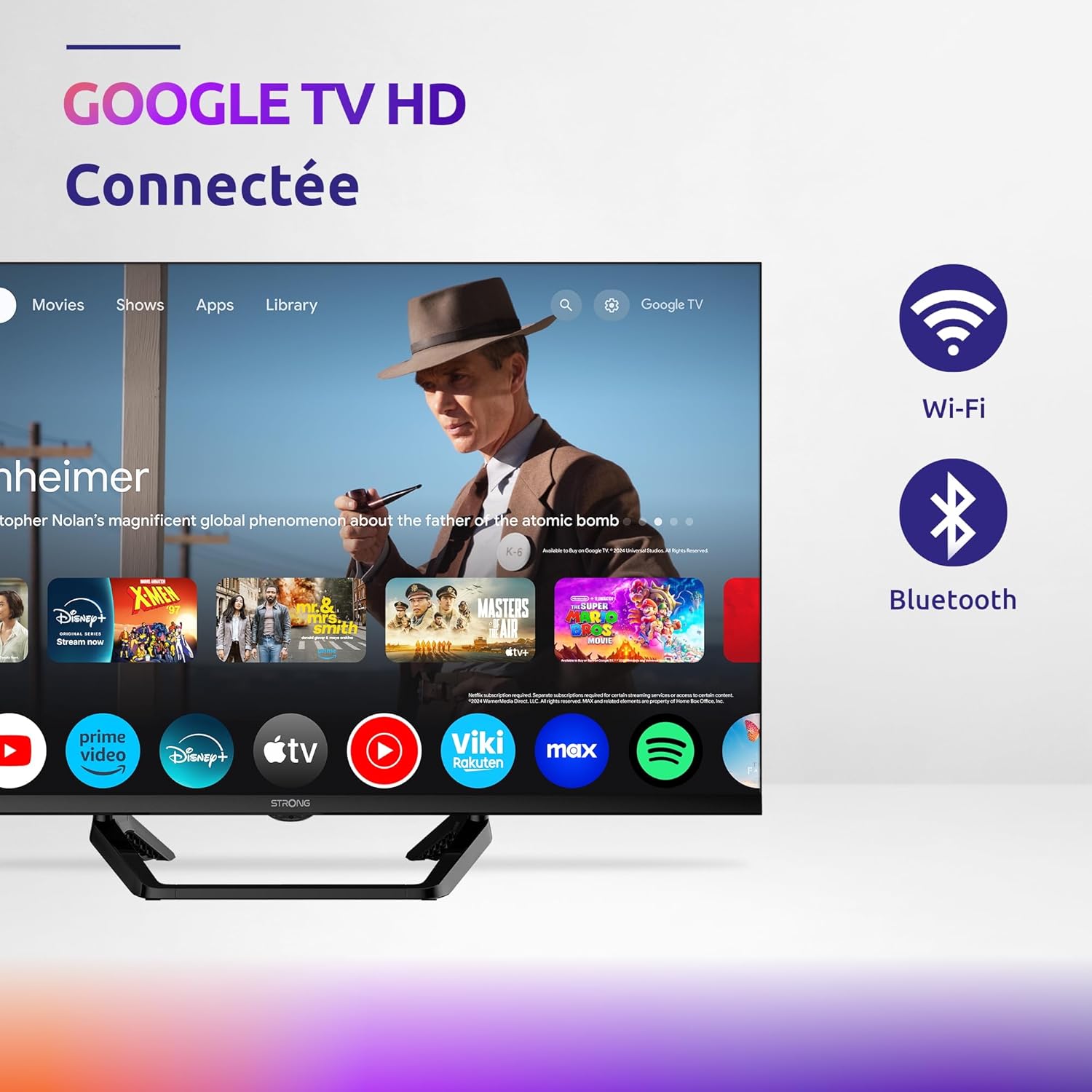
Image: Diagram showing the dimensions of the STRONG SRT32HG6733C TV, including width, height, and depth with the central stand.
Garantie et assistance
This product comes with a manufacturer's warranty of 24 months. For warranty claims or technical support, please refer to the contact information provided on the official STRONG website ou votre documentation d'achat.
For frequently asked questions and additional resources, visit the STRONG Brand Store.


Images: Icons representing warranty information and frequently asked questions.