1. Introduction
This manual provides detailed instructions for the Headwolf WPad5 Android 14 Tablet. Please read this guide thoroughly before using your device to ensure proper operation and to maximize its features. Keep this manual for future reference.
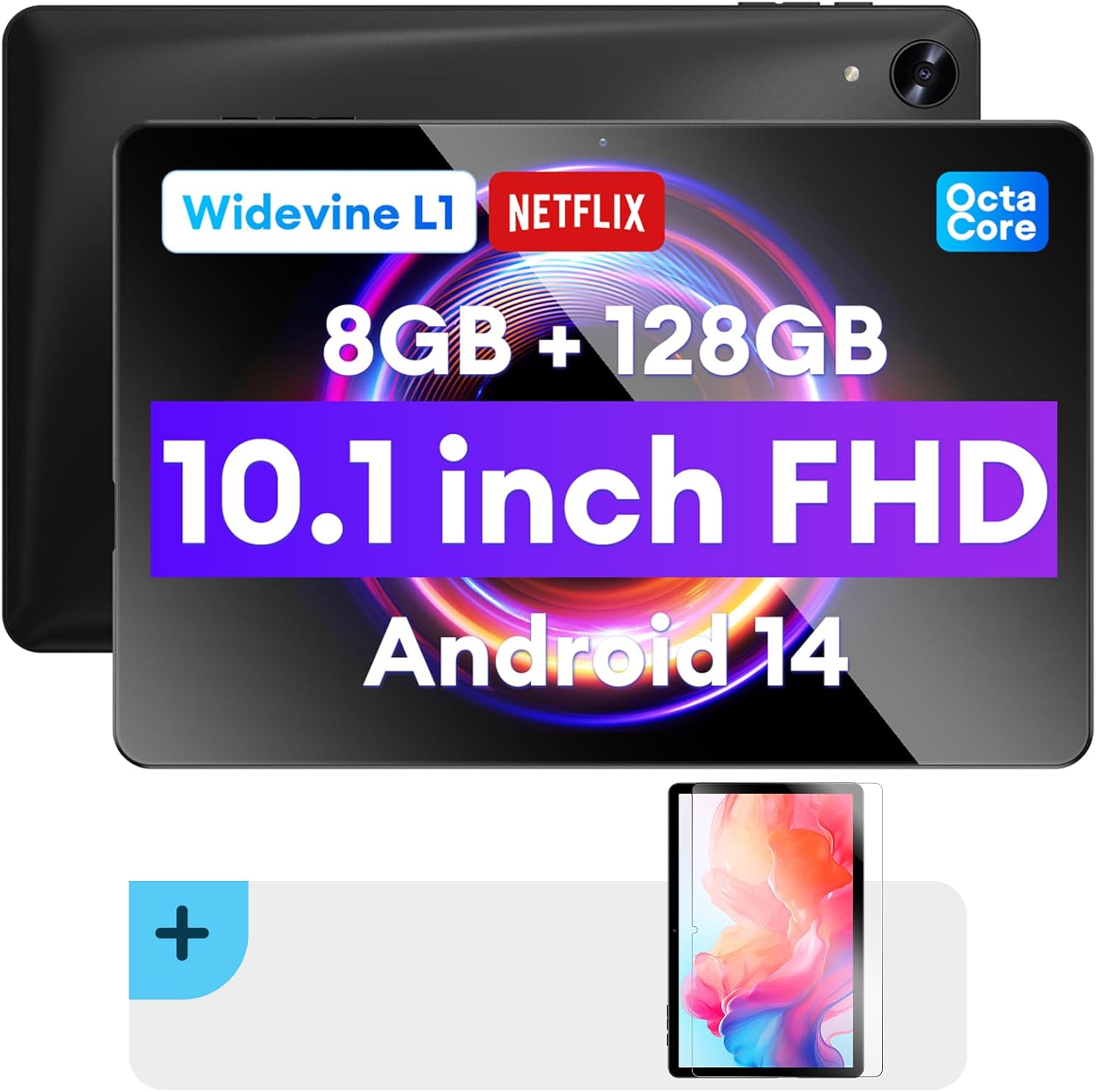
Image : recto et verso view of the Headwolf WPad5 tablet, showcasing its 10.1-inch FHD display, 8GB RAM + 128GB ROM, Widevine L1 support, Octa-Core processor, and Android 14 operating system.

Image : Un surview of the Headwolf WPad5 tablet's main features, including its 10.1-inch 1920x1200 IPS FHD display, Unisoc T606 Octa-Core CPU, 8GB RAM + 128GB ROM, 5500mAh battery, 2.4G/5G WiFi, Android 14, dual stereo speakers, dual camera, and Widevine L1 support for Netflix.
2. Installation
2.1 Contenu de la boîte
Upon unboxing your Headwolf WPad5 tablet, please verify that all the following items are included:
- Headwolf WPad5 Tablet
- Câble Type-C
- Adaptateur secteur
- Manuel d'utilisation
- 2-pack Screen Protector

Image: A visual representation of the Headwolf WPad5 tablet and its accessories (manual, Type-C cable, AC adapter). It also highlights the tablet's physical features such as the 3.5mm headphone jack, rear camera, power button, volume buttons, TF card slot, and Type-C port.
2.2 Chargement de la tablette
Before initial use, fully charge your tablet. Connect the Type-C cable to the tablet's Type-C port and the other end to the AC adapter. Plug the AC adapter into a power outlet. The battery indicator on the screen will show charging status.
2.3 Mise sous/hors tension
- Pour allumer : Press and hold the Power button located on the side of the tablet until the Headwolf logo appears on the screen.
- Pour éteindre : Maintenez le bouton Marche/Arrêt enfoncé jusqu'à ce qu'un menu d'alimentation apparaisse. Sélectionnez « Éteindre » parmi les options.
- Recommencer: Dans le menu d'alimentation, sélectionnez « Redémarrer ».
2.4 Screen Protector Installation
Your tablet comes with two screen protectors. Follow these steps for installation:
- Clean the tablet screen thoroughly with a microfiber cloth to remove dust and smudges.
- Peel off the protective film from the adhesive side of the screen protector.
- Carefully align the screen protector with the tablet's screen, ensuring the cutouts for the camera and sensors match.
- Gently lay the protector onto the screen, starting from one edge and slowly lowering it.
- Use a soft card (e.g., a credit card wrapped in cloth) to smooth out any air bubbles, pushing them towards the edges.
- Remove the top protective film (if present).

Image: The Headwolf WPad5 tablet with an "Ultra Clear" advanced HD clarity tempered glass screen protector being shown, indicating its protective function and clear display.
3. Utilisation de votre tablette
3.1 Système d'exploitation Android 14
The Headwolf WPad5 runs on the latest Android 14 operating system, offering enhanced performance, improved privacy features, and a customizable user interface.
- GMS Free App Download: Accédez à des millions d'applications via le Google Play Store.
- Fonction écran partagé : Améliorez votre productivité en utilisant deux applications simultanément.
- Personnalisation de l'interface utilisateur : Personalize your interface with various themes, widgets, and settings.
- Protection de la vie privée : Advanced features to ensure your personal data remains secure and confidential.
- Personalized Screen Settings: Empower all users with enhanced usability options.

Image: A graphic illustrating the key features of the Android 14 system on the Headwolf WPad5, such as GMS free app download, UI customization, personalized screen settings, and privacy protection, enhancing user experience.
3.2 Display and Widevine L1 Certification
The tablet features a 10.1-inch FHD 1920x1200 IPS display, providing clear and vibrant visuals. With Widevine L1 certification, you can stream high-definition content from popular platforms like Netflix, Amazon Prime Video, Disney+, and YouTube without interruptions or quality degradation.

Image: A visual demonstrating the Widevine L1 certification on the Headwolf WPad5 tablet, showing high-quality streaming from services like YouTube, Netflix, Amazon Prime Video, Disney+, and Hulu, ensuring a premium viewexpérience de travail.
3.3 Performances et stockage
Powered by an octa-core Unisoc T606 CPU, the WPad5 ensures smooth multitasking and gaming. It comes with 8GB RAM (achieved via 4GB physical RAM + 4GB expansion) and 128GB of internal storage. The storage can be expanded up to 2TB using a microSD card (not included).

Image: A diagram detailing the Unisoc T606 Octa-Core CPU with 2.0 GHz peak frequency and Mali-G57 GPU, highlighting its high performance, efficient processing, and low heat generation for gaming and high-quality display.

Image: A graphic illustrating the generous storage capacity of the Headwolf WPad5, featuring 8GB RAM (4+4GB) and 128GB ROM, expandable up to 2TB via TF card, suitable for storing software, photos, music, videos, and e-books.
3.4 Connectivité
The WPad5 offers versatile connectivity options:
- Wifi: Dual-band (2.4GHz/5GHz) 802.11ac for fast and stable internet connection.
- Bluetooth : Version 5.0 pour la connexion d'accessoires sans fil.
- Prise casque 3.5 mm: Pour la sortie audio filaire.
- GPS: 4-mode satellite positioning for precise location services. For offline navigation, download maps via Wi-Fi before traveling to areas without internet access.

Image: The Headwolf WPad5 tablet displaying a navigation map, illustrating its 4-mode satellite positioning capability for precise location services and route guidance.
3.5 caméras
The tablet is equipped with dual cameras:
- Caméra arrière : 8 MP pour la capture de photos et de vidéos.
- Caméra frontale : 5MP, ideal for video calls and online meetings.

Image : Un collage montrantasing the capabilities of the Headwolf WPad5's 8MP rear camera for capturing landscapes and moments, and the 5MP front camera for video conferencing and meetings, demonstrating its versatility.
3.6 Autonomie de la batterie
The WPad5 is powered by a 5500mAh battery, providing approximately 6-8 hours of playtime per charge, depending on usage.
3.7 fonctionnalités supplémentaires
- Écran partagé : Run two applications side-by-side for enhanced productivity.
- Déverrouillage par reconnaissance faciale : Déverrouillez votre tablette en toute sécurité grâce à la reconnaissance faciale.
- Miroir de l'écran: Cast your tablet's display to a larger screen wirelessly.
- Dual Box Stereo Speakers: Enjoy immersive audio with enhanced sound quality.
Image : Une représentation graphiqueasing various features of the Headwolf WPad5 tablet, including Split Screen functionality for multitasking, 2.4G/5G Dual Band WiFi for connectivity, Face Unlock for security, and Screen Mirroring for casting content to external displays.
4. Entretien
4.1 Entretien de la batterie
- Évitez de décharger complètement la batterie fréquemment.
- Ne pas exposer le comprimé à des températures extrêmes.
- Utilisez uniquement le chargeur fourni ou un chargeur compatible certifié.
- The 5500mAh battery includes overcurrent, short circuit, over-discharge, and output protection for safety.

Image: A visual highlighting the 5500mAh battery of the Headwolf WPad5 and its built-in protection features: overcurrent protection, short circuit protection, over-discharge protection, and output protection, ensuring safe and reliable power.
4.2 Nettoyage de votre tablette
- Utilisez un chiffon doux non pelucheux pour nettoyer l'écran et le boîtier de la tablette.
- Pour les taches tenaces, légèrement dampnettoyez le chiffon avec de l'eau ou un nettoyant pour écrans spécialement conçu pour les appareils électroniques.
- Évitez d'utiliser des produits chimiques agressifs, des matériaux abrasifs ou des aérosols.
4.3 Mises à jour logicielles
Vérifiez et installez régulièrement les mises à jour logicielles pour que votre tablette bénéficie des dernières fonctionnalités, correctifs de sécurité et améliorations de performances. Cette option se trouve généralement dans le menu Paramètres de la tablette, sous « Système » ou « À propos de la tablette ».
5. Dépannage
5.1 Problèmes courants et solutions
| Problème | Solution possible |
|---|---|
| La tablette ne s'allume pas. | Assurez-vous que la batterie est chargée. Branchez le chargeur et patientez quelques minutes avant de tenter de rallumer l'appareil. S'il ne répond pas, maintenez le bouton d'alimentation enfoncé pendant 10 à 15 secondes pour forcer un redémarrage. |
| Problèmes de connexion Wi-Fi | Redémarrez votre routeur Wi-Fi et votre tablette. Supprimez le réseau Wi-Fi de votre tablette, puis reconnectez-vous. Assurez-vous d'être à portée du signal Wi-Fi. |
| Les applications plantent ou se bloquent. | Videz le cache et les données de l'application dans Paramètres > Applications. Mettez l'application à jour vers sa dernière version. Si le problème persiste, désinstallez puis réinstallez l'application. |
| Performances lentes | Close unnecessary background apps. Clear cache data regularly. Consider uninstalling unused apps. Ensure sufficient free storage space. |
| L'écran ne répond pas | Restart the tablet. If the issue persists, perform a factory reset (data will be lost). |
5.2 Réinitialisation d'usine
Une réinitialisation d'usine effacera toutes les données de votre tablette et la restaurera à ses paramètres d'usine d'origine. Sauvegardez toutes vos données importantes avant de continuer.
- Aller à Paramètres.
- Accéder à Système > Options de réinitialisation.
- Sélectionner Effacer toutes les données (réinitialisation d'usine).
- Confirmez votre choix et suivez les instructions à l'écran.
6. Spécifications
| Fonctionnalité | Détail |
|---|---|
| Nom du modèle | WPad5 |
| Système opérateur | Android 14 |
| Taille de l'écran | 10.1 pouces |
| Résolution de l'écran | 1920 1200 x XNUMX XNUMX (Full HD) |
| Processeur | Unisoc T606 Octa-Core |
| BÉLIER | 8 Go (4 Go + extension de 4 Go) |
| Stockage interne | 128 Go |
| Stockage extensible | Jusqu'à 2 To via carte microSD |
| Caméra arrière | 8 MP |
| Caméra frontale | 5 MP |
| Capacité de la batterie | 5500mAh |
| Connectivité sans fil | 802.11ac (double bande 2.4 GHz/5 GHz) |
| Bluetooth | Bluetooth 5.0 |
| Ports | USB-C, prise casque 3.5 mm |
| Couleur | Noir |
| Caractéristiques spéciales | Widevine L1, GPS, Face Unlock, Dual Stereo Speakers, Split Screen, Screen Mirroring |
7. Garantie et assistance
Headwolf provides a one-year repair and replacement warranty for your WPad5 tablet. For any technical assistance, product inquiries, or warranty claims, please contact our dedicated customer service and technical support team.
- Service client: Available 24 hours. Please refer to the contact information provided with your purchase or on the official Headwolf website.
- Support technique : Available for assistance with setup, troubleshooting, and feature usage.
- Ressources en ligne : Visitez le Headwolf Store on Amazon pour plus d'informations sur les produits et l'assistance.


