1. Introduction
This manual provides detailed instructions for the MACALLY BTZKEY Bluetooth Full-size Keyboard, designed for seamless integration with Apple devices. It features a Japanese layout, a numeric keypad, and multi-pairing capabilities for up to three devices. Please read this manual thoroughly before using the product to ensure proper operation and longevity.

Figure 1: MACALLY BTZKEY Bluetooth Full-size Keyboard
2. Contenu du colis
Veuillez vérifier le contenu du colis pour vous assurer que tous les éléments sont présents :
- MACALLY BTZKEY Bluetooth Full-size Keyboard
- Câble de chargement USB-C
- Manuel d'utilisation
3. Installation
3.1 Chargement du clavier
The keyboard comes with a built-in 780mAh rechargeable battery. Before initial use, it is recommended to fully charge the keyboard.
- Connect the included USB-C cable to the charging port on the keyboard.
- Connect the other end of the USB-C cable to a USB power adapter (not included) or a powered USB port on your computer.
- Le voyant de charge s'allumera pendant la charge et s'éteindra une fois la charge complète.
Note: The USB-C cable provided is for charging only and does not support data transfer.

Figure 2: Charging the MACALLY BTZKEY Keyboard
3.2 Appairage avec des appareils
The MACALLY BTZKEY keyboard supports pairing with up to three Bluetooth-enabled devices (MacBook, iMac, iPhone, iPad). You can easily switch between these devices.
- Assurez-vous que le clavier est chargé et allumé.
- Enable Bluetooth on your device (Mac, iPad, iPhone).
- On the keyboard, press and hold one of the dedicated device keys (B1, B2, or B3) for 3-5 seconds until the corresponding indicator light above the key flashes rapidly. This indicates the keyboard is in pairing mode.
- On your device, go to Bluetooth settings and select "BTZKEY" from the list of available devices.
- Une fois la connexion établie, le voyant cessera de clignoter et restera allumé fixe pendant quelques secondes, puis s'éteindra.
- To switch between paired devices, simply press the corresponding device key (B1, B2, or B3). The keyboard will automatically connect to the last paired device on that channel.
Conseil de dépannage : If pairing fails, it is recommended to delete all existing pairing records for the keyboard on your device and attempt to reconnect.

Figure 3: Multi-Sync Bluetooth Functionality
4. Mode d'emploi
4.1 Mac-Specific Layout and Shortcut Keys
This keyboard is designed with a 111-key macOS-specific layout, providing a familiar and efficient typing experience for Apple users. It includes 14 dedicated shortcut keys for quick access to common Mac functions.
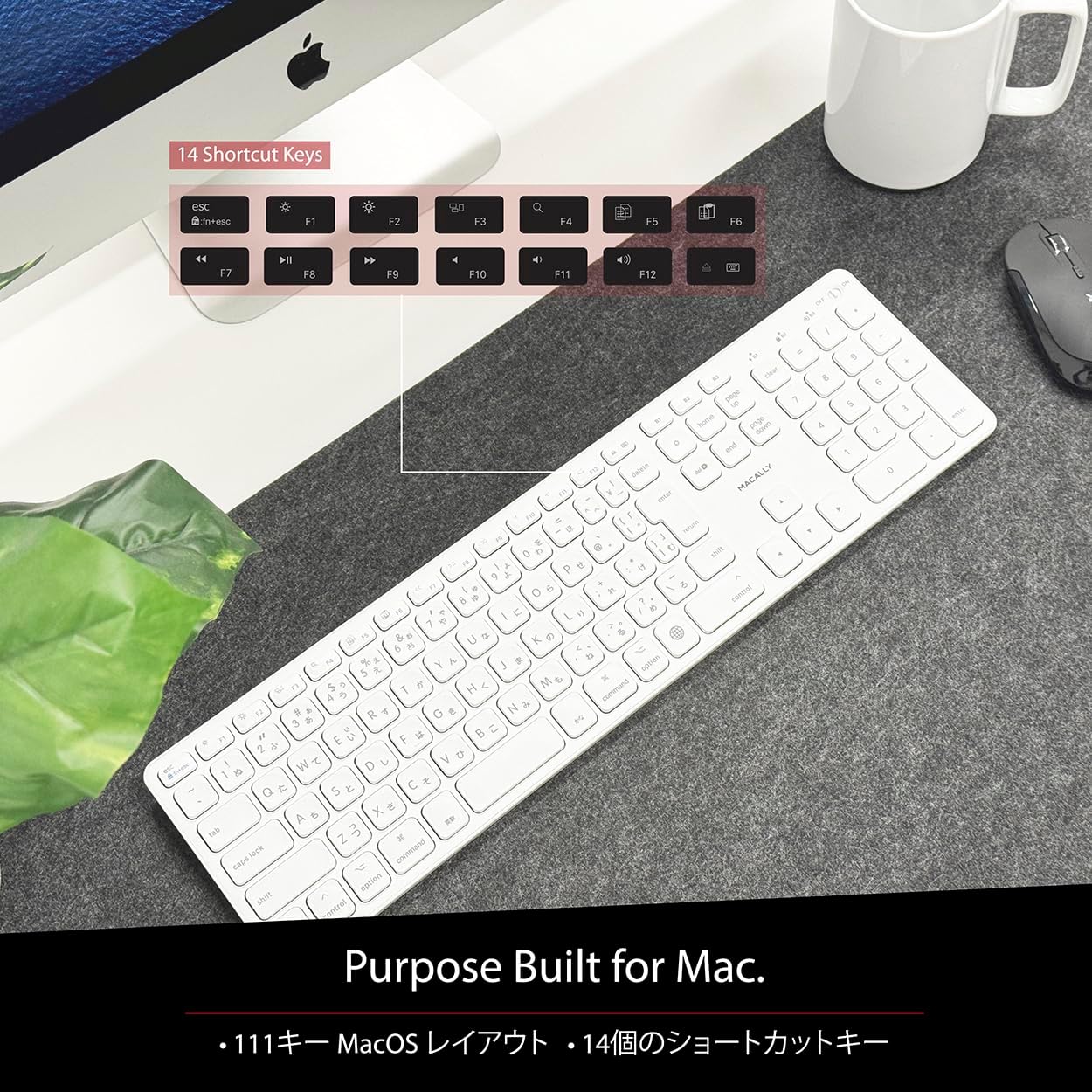
Figure 4: Mac-Specific Layout and Shortcut Keys
4.2 Scissor-Switch Keycaps
The keyboard utilizes quiet scissor-switch keys, offering a smooth, tactile, and quiet typing experience. This design ensures comfortable and efficient typing, whether for extended periods or quick tasks.
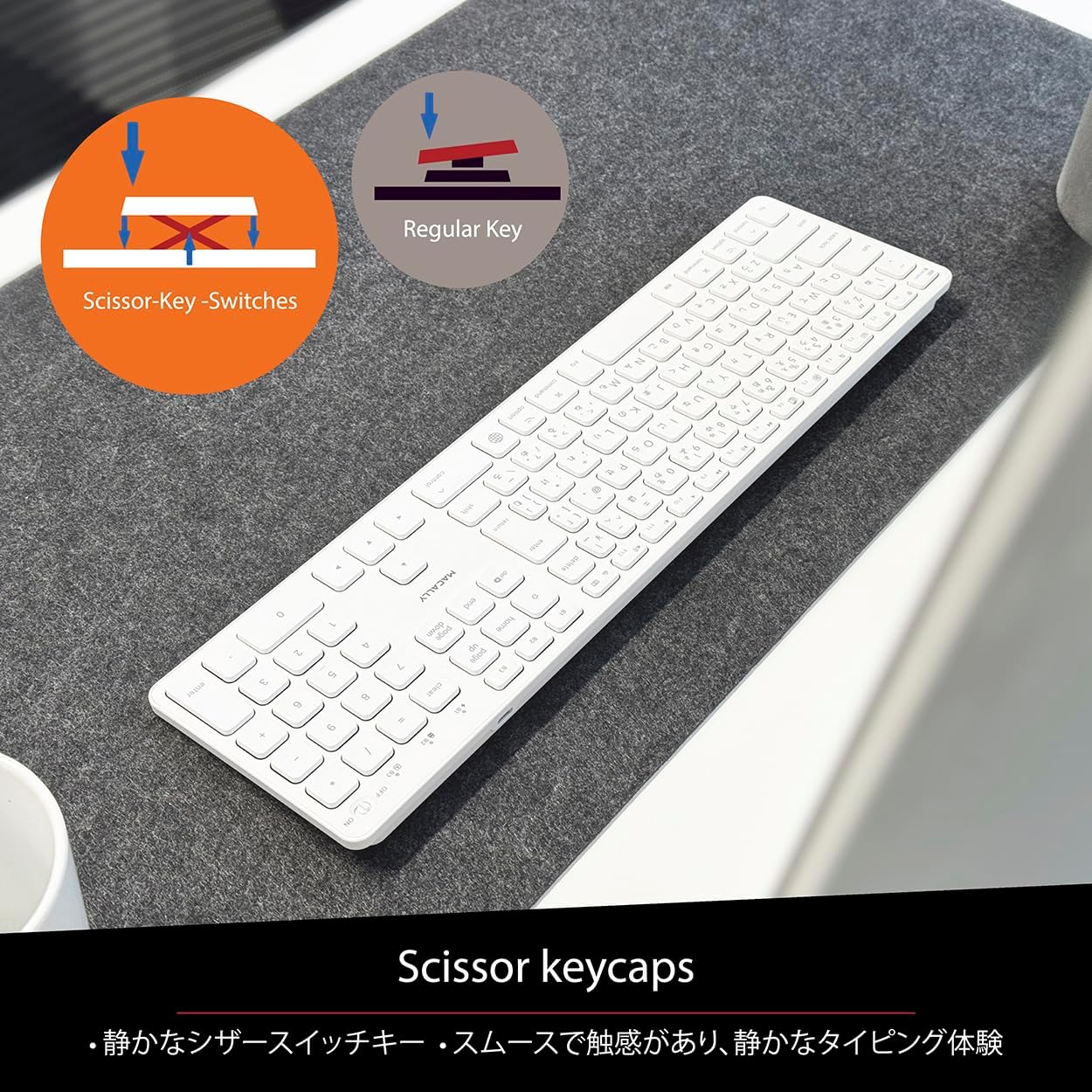
Figure 5: Scissor-Key-Switches Mechanism
4.3 Ergonomie et conception
The keyboard features an integrated kickstand for comfortable typing angles, reducing strain during use. Its slim profile, approximately 0.8 inches (2cm) thick, ensures portability and ergonomic use, complementing any workspace.
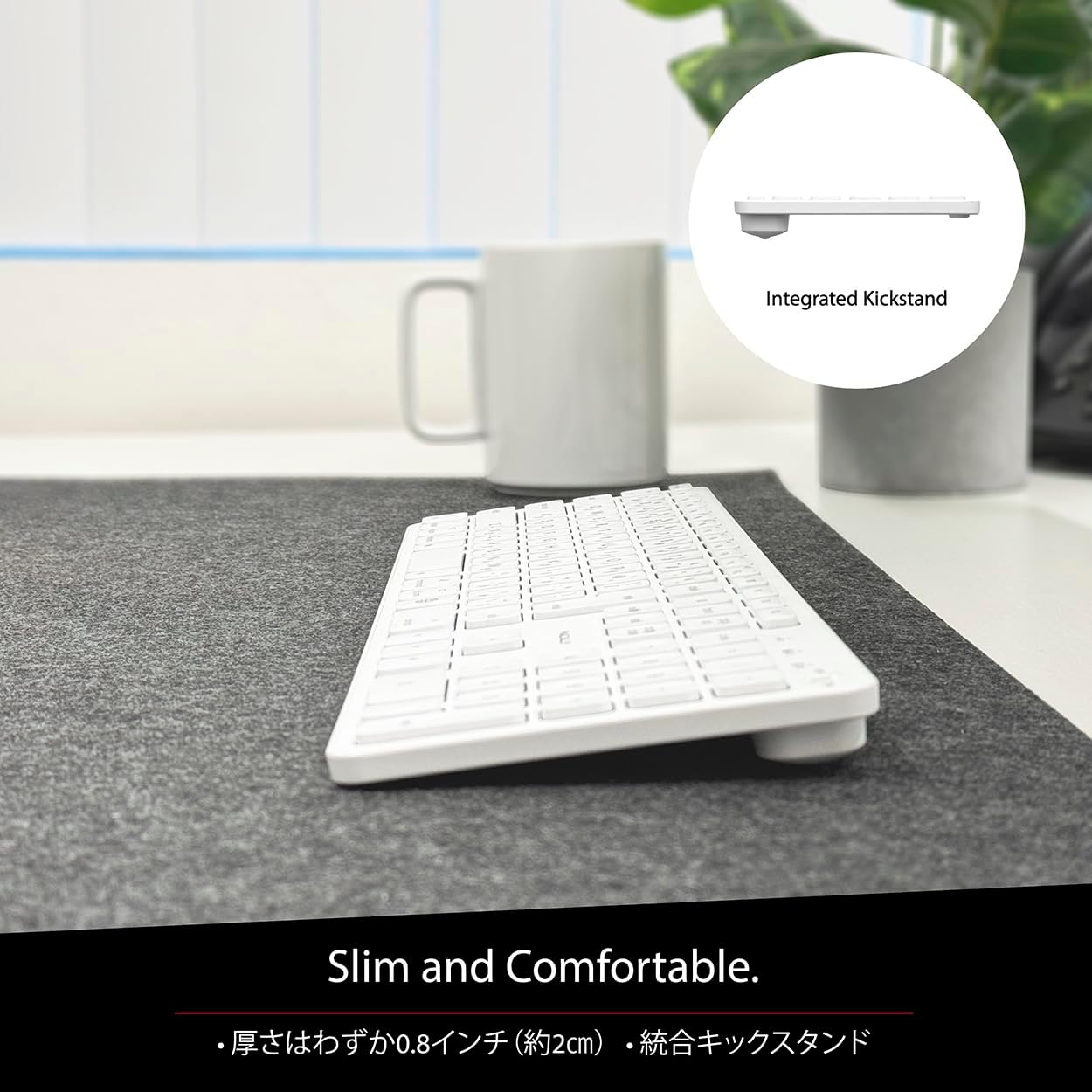
Figure 6: Slim Design with Integrated Kickstand
5. Entretien
Pour garantir la longévité et les performances optimales de votre clavier, suivez ces consignes d'entretien :
- Nettoyage: Utilisez un chiffon doux et non pelucheux légèrement dampNettoyez la surface du clavier avec de l'eau ou une solution nettoyante douce. Évitez les produits chimiques agressifs et les matériaux abrasifs.
- Élimination de la poussière : Utilisez de l'air comprimé pour enlever la poussière et les débris entre les touches.
- Entretien de la batterie: Avoid exposing the keyboard to extreme temperatures. Charge the keyboard regularly, even if not in frequent use, to maintain battery health.
- Stockage: Lorsqu'il n'est pas utilisé pendant une période prolongée, rangez le clavier dans un endroit frais et sec, à l'abri de la lumière directe du soleil.
6. Dépannage
If you encounter issues with your MACALLY BTZKEY keyboard, please refer to the following common problems and solutions:
| Problème | Cause possible | Solution |
|---|---|---|
| Keyboard not connecting/pairing | Bluetooth off, low battery, pairing conflict | Ensure Bluetooth is enabled on device. Charge keyboard. Delete existing pairing records on device and re-pair. |
| Keys unresponsive or repeating characters | Low battery, software glitch, interference | Charge keyboard. Restart device. Re-pair keyboard. Minimize interference from other wireless devices. |
| Impossible de basculer entre les appareils | Device not properly paired to channel | Ensure each device is paired to a unique channel (B1, B2, B3). Re-pair if necessary. |
| Durée de vie de la batterie courte | Frequent use, aging battery | Ensure full charge before use. Reduce backlight usage if applicable (not on this model). Battery life may decrease over time. |
Si le problème persiste après avoir essayé ces solutions, veuillez contacter le support client.
7. Spécifications
| Fonctionnalité | Description |
|---|---|
| Marque | Macally |
| Fabricant | MACALEMENT |
| Série | BTZKEY |
| Dimensions du produit (L x l x H) | 42 x 14 x 2 cm |
| Numéro de modèle du produit | BTZKEY |
| Couleur | Blanc |
| Piles incluses | Oui |
| Pack de batterie au lithium | Batteries contenues dans l'équipement |
| Poids de la batterie au lithium | 2 g |
| Poids de l'article | 610 g |
| Appareils compatibles | Laptop (MacBook Pro/Air, iMac, Mac Mini, Mac Pro, iPad, iPhone) |
| Technologie de connectivité | Bluetooth |
| Description du clavier | Clavier de bureau |
| Utilisations recommandées pour le produit | Entreprise |
| Dossier spécial | Rechargeable |
| Nombre de clés | 111 |
| Composants inclus | Câble USB |
8. Garantie et assistance
For detailed warranty information, technical support, and customer service, please refer to the official MACALLY website or contact their support channels directly. It is recommended to keep your purchase receipt as proof of purchase for any warranty claims.
9. Vidéos officielles du produit
Official product videos, if available and relevant, would be embedded here to provide visual guidance on setup, features, or troubleshooting. Please note that video content is subject to availability and may require an internet connection to view.
(No official seller videos were available in the provided product data to embed at this time.)


