1. Introduction
The NIIMBOT D11H is a compact, portable, and inkless thermal label printer designed for various labeling needs. It connects wirelessly via Bluetooth to your smartphone, allowing for easy creation and printing of high-resolution labels. This manual provides essential information for setting up, operating, and maintaining your device.
2. Contenu du colis
Vérifiez que tous les éléments énumérés ci-dessous sont inclus dans votre colis :
- 1x NIIMBOT D11H Label Printer
- 1x Label Roll (pre-installed or included)
- 1x câble de chargement USB Type-C
- 1x User Manual (Japanese)

3. Installation
3.1. Chargement du papier pour étiquettes
- Slide the cover button on the side of the printer to open the paper compartment.
- Insert the label roll into the compartment with the labels facing upwards, ensuring it is correctly aligned.
- Pull a small portion of the label paper out through the printer's exit slot.
- Fermez bien le couvercle.

3.2. Mise sous tension
Press and hold the power button located on the front of the printer for 3 seconds until the indicator light turns green, indicating the device is powered on.
3.3. Téléchargement de l'application et connexion Bluetooth
- Download the "NIIMBOT" app from the App Store (iOS) or Google Play Store (Android).
- Activez le Bluetooth sur votre smartphone.
- Open the NIIMBOT app and tap on the "Connect" or "Printer Connection" option. The app will automatically scan for nearby devices.
- Select your NIIMBOT D11H printer from the list of available devices to establish a Bluetooth connection.

4. Mode d'emploi
4.1. Création d'étiquettes
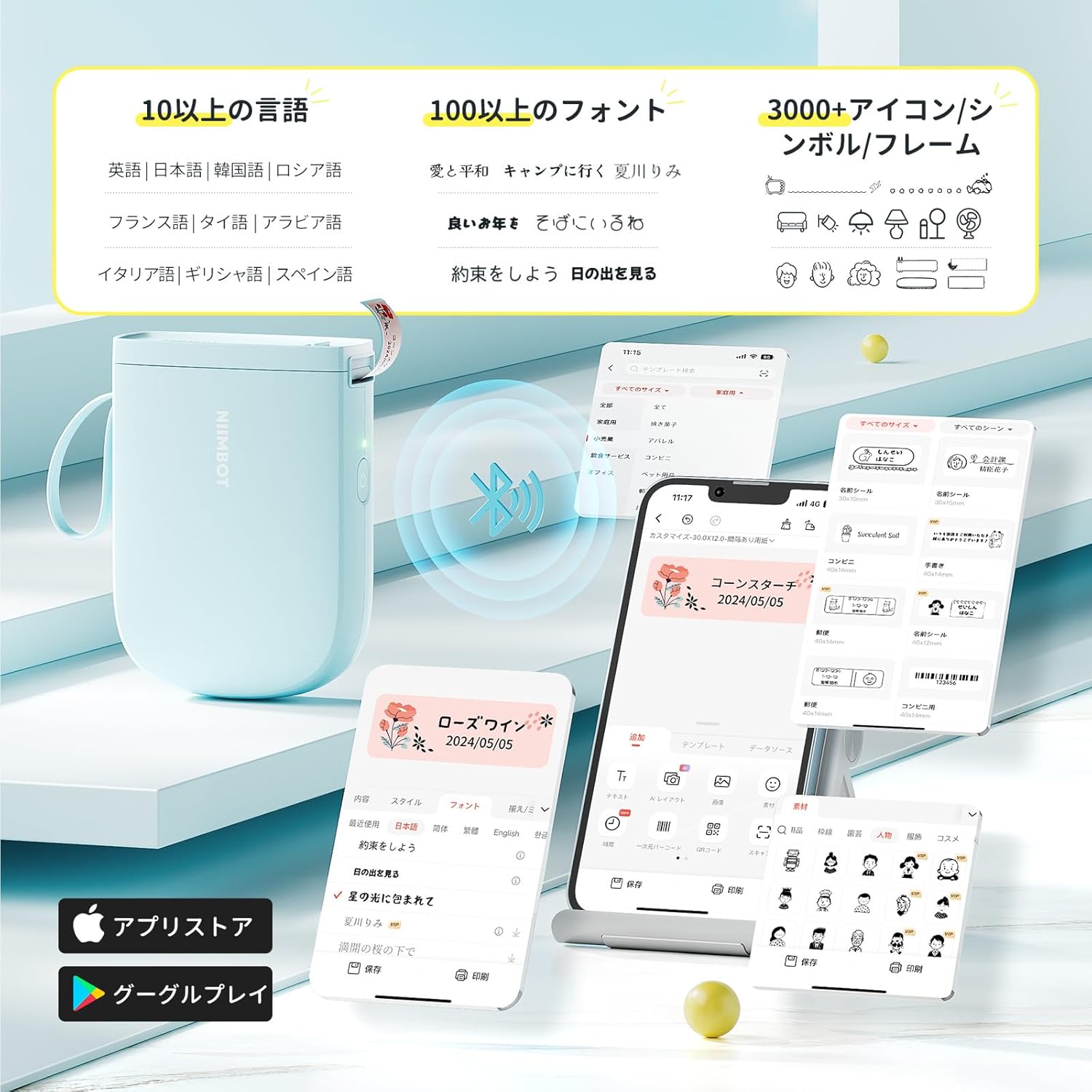
The NIIMBOT app offers a wide range of features for label creation:
- Saisie de texte: Easily type and customize text with over 20 fonts and various styles.
- Modèles: Utilize automatic template matching and thousands of image elements for quick design.
- Reconnaissance d'images : Import images for printing.
- Code-barres/Code QR : Générez et imprimez des codes-barres et des codes QR.
- Impression par lots: Imprimez plusieurs étiquettes efficacement.

4.2. Impression d'étiquettes
Once your label design is complete in the app, tap the "Print" button. You can adjust the number of copies and print density before confirming. The printer will automatically feed and cut the labels.
4.3. Applications polyvalentes
The NIIMBOT D11H is suitable for a wide range of uses, including organizing documents, creating name tags, price tags, date reminders for food, and labeling items in the kitchen, office, or warehouse.


5. Entretien
To ensure optimal performance and longevity of your NIIMBOT D11H label printer, follow these maintenance guidelines:
- Nettoyage: Regularly clean the print head with a soft, lint-free cloth moistened with alcohol. Ensure the printer is off before cleaning.
- Stockage: Rangez l'imprimante dans un endroit frais et sec, à l'abri de la lumière directe du soleil et des températures extrêmes.
- Batterie: Rechargez régulièrement l'imprimante, même si vous ne l'utilisez pas fréquemment, afin de préserver la durée de vie de la batterie.
6. Dépannage
If you encounter issues with your NIIMBOT D11H, refer to the following common troubleshooting steps:
- L'imprimante ne se connecte pas : Ensure Bluetooth is enabled on your smartphone and the printer is powered on. Try restarting both devices and reconnecting through the app.
- Mauvaise qualité d'impression : Check if the label paper is loaded correctly and is a genuine NIIMBOT thermal label. Clean the print head if necessary. Adjust print density in the app settings.
- Bourrage papier: Open the paper compartment, carefully remove any jammed paper, and reload the label roll correctly.
- L'imprimante ne répond pas : Ensure the battery is charged. If the device is unresponsive, try resetting it by holding the power button for an extended period (e.g., 10-15 seconds).
7. Spécifications
| Fonctionnalité | Spécification |
|---|---|
| Marque | NIIMBOT |
| Nom du modèle | D11H |
| Technologie de connectivité | Bluetooth |
| Technologie d'impression | Thermique |
| Résolution d'impression maximale (monochrome) | 300 DPI |
| Vitesse d'impression maximale (monochrome) | 40.0 mm/s |
| Format maximal du support (papier) | 15 mm (largeur) |
| Dimensions du produit | 11 x 3 x 7 cm |
| Poids de l'article | 360 g |
| Appareils compatibles | Smartphones (Android et iOS) |
| Couleur | Bleu |
8. Garantie et assistance
For warranty information or technical support, please refer to the official NIIMBOT webConsultez le site ou contactez votre détaillant. Conservez votre reçu d'achat comme preuve d'achat.


