1. Introduction
This manual provides essential information for the safe and efficient installation, operation, and maintenance of the XP POWER C10N Non-Isolated DC/DC Converter. Please read this manual thoroughly before attempting to install or operate the device. Retain this manual for future reference.
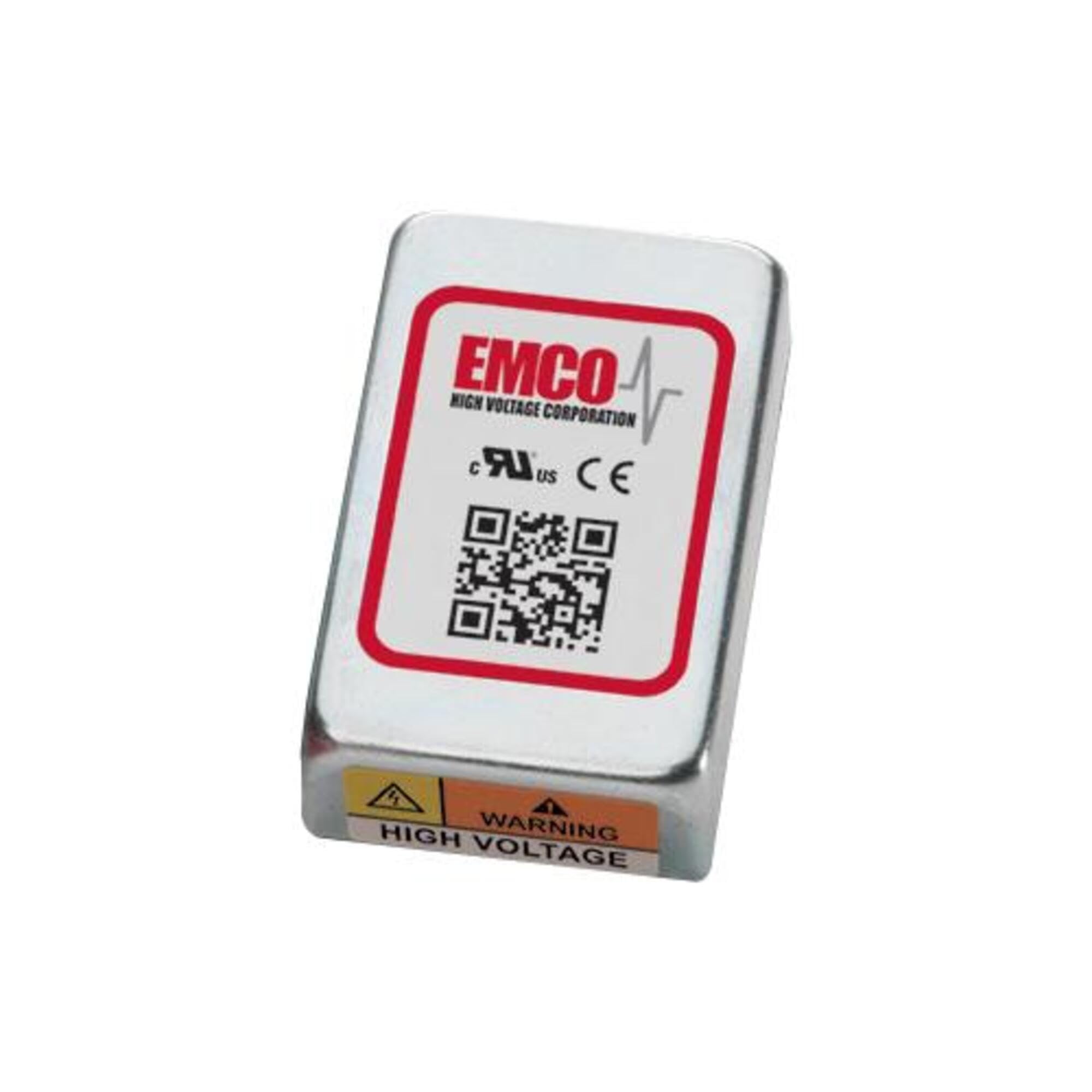
Image showing the physical unit of the XP POWER C10N Non-Isolated DC/DC Converter, typically displaying its casing et bornes de connexion.
2. Consignes de sécurité
Always observe the following safety precautions to prevent injury and damage to the device or connected equipment.
- Personnel qualifié: L'installation et l'entretien doivent être effectués exclusivement par du personnel qualifié.
- Risque de choc électrique : This device operates with electrical voltages that can cause severe injury or death. Ensure all power sources are disconnected before installation, wiring, or maintenance.
- Câblage correct : Verify correct input and output polarity and voltage levels before applying power. Incorrect wiring can damage the converter and connected devices.
- Ventilation: Ensure adequate ventilation around the converter to prevent overheating. Do not obstruct airflow.
- Conditions environnementales : Operate the converter within its specified environmental limits (temperature, humidity).
- Capacité de charge: Do not exceed the maximum output current or power rating of the converter. Overloading can lead to damage or failure.
3. Installation
3.1 Déballage et inspection
Upon receiving the C10N converter, carefully unpack it and inspect for any signs of physical damage. If damage is found, do not proceed with installation and contact your supplier immediately.
3.2 Montage
Mount the converter in a secure location that provides sufficient airflow for cooling. Ensure the mounting surface is stable and capable of supporting the converter's weight. Avoid mounting near heat sources or in enclosed spaces without ventilation.
3.3 Connexions de câblage
Refer to the product datasheet for specific pin assignments and wiring diagrams. Ensure all connections are secure and correctly polarized. Use appropriate wire gauges for the expected current levels.
- Puissance d'entrée : Connectez le vol d'entrée CCtage source to the designated input terminals. Observe correct polarity (+IN, -IN).
- Puissance de sortie : Connect the load to the designated output terminals. Observe correct polarity (+OUT, -OUT).
- Mise à la terre : Ensure proper grounding practices are followed according to local electrical codes and product specifications.
3.4 Mise sous tension initiale
Before applying power, double-check all wiring connections. Once verified, apply the specified input voltage. Surveillez le volume de sortietage and current to ensure proper operation. If any anomalies are observed, immediately disconnect power and troubleshoot.
4. Fonctionnement
The C10N converter is designed for continuous operation within its specified parameters. Once properly installed and powered, it will provide a stable DC output voltage.
- Gestion des charges : Ensure the connected load does not exceed the converter's maximum output current or power rating.
- Surveillance environnementale : Maintain the operating environment within the specified temperature and humidity ranges to ensure optimal performance and longevity.
- Output Monitoring: Periodically verify the output voltage and current to confirm stable operation, especially in critical applications.
5. Entretien
The C10N converter is designed for minimal maintenance. However, periodic checks can help ensure long-term reliability.
- Nettoyage: Keep the converter free from dust and debris. Use a soft, dry cloth for cleaning. Do not use liquid cleaners or solvents.
- Vérifications de connexion : Vérifiez régulièrement le serrage de tous les branchements électriques et recherchez les signes de corrosion ou de dommages.
- Ventilation: Ensure that ventilation openings remain clear and unobstructed.
6. Dépannage
If the converter is not functioning as expected, perform the following basic troubleshooting steps:
| Problème | Cause possible | Solution |
|---|---|---|
| Pas de volume de sortietage | Aucune puissance d'entrée Câblage incorrect Protection contre les surcharges activée | Check input power source and connections. Verify wiring against datasheet. Reduce load, then cycle input power. |
| Volume de sortietage instable | Vol d'entréetagles fluctuations État de surcharge Mauvaises connexions | Assurez-vous d'une alimentation électrique stable. Réduire la charge. Vérifiez le serrage de toutes les connexions de câblage. |
| Converter is overheating | Ventilation insuffisante État de surcharge Température ambiante élevée | Assurez une circulation d'air adéquate autour de l'appareil. Réduire la charge. Relocate converter to a cooler environment. |
If the problem persists after performing these steps, contact XP POWER technical support.
7. Spécifications
The following are key specifications for the XP POWER C10N Non-Isolated DC/DC Converter. For a complete list of detailed electrical and environmental specifications, please refer to the official product datasheet available on the XP POWER website.
- Fabricant: Puissance XP
- Modèle: C10N
- ASIN: B0D38GP8ZW
- Date de mise en ligne sur Amazon : 3 mai 2024
- Taper: Non-Isolated DC/DC Converter
8. Garantie et assistance
For information regarding the warranty period and terms for your XP POWER C10N converter, please refer to the official warranty statement provided with your purchase or visit the XP POWER official website. Technical support is available to assist with any questions or issues not covered in this manual.
Coordonnées: Please visit the official XP POWER website for the most current contact details for technical support and customer service in your region.