1. Introduction
Thank you for choosing the Spacekey QIG-D01 Dehumidifier. This manual provides essential information for the safe and efficient operation of your new appliance. Please read it thoroughly before use and retain it for future reference. This dehumidifier is designed to reduce excess moisture in areas up to 850 square feet, such as basements, bedrooms, bathrooms, RVs, and closets, improving air quality and comfort.

Figure 1 : Face avant view of the Spacekey QIG-D01 Dehumidifier, showing its white and black design with a digital display and visible water tank.

Figure 2: Visual representation of the dehumidifier's effectiveness in reducing room humidity.

Figure 3: Common issues resolved by maintaining optimal humidity levels with the dehumidifier.
2. Consignes de sécurité importantes
Pour réduire les risques d'incendie, d'électrocution ou de blessure, suivez toujours ces précautions de base :
- Lisez toutes les instructions avant d’utiliser l’appareil.
- N’utilisez pas le déshumidificateur si le cordon ou la prise est endommagé(e).
- Assurez-vous que la prise de courant est correctement mise à la terre.
- Ne bloquez pas les entrées ou les sorties d’air.
- Gardez l’appareil à l’écart de l’eau et d’autres liquides.
- Débranchez le déshumidificateur avant de le nettoyer ou d'effectuer toute opération d'entretien.
- Ne laissez pas les enfants utiliser l'appareil sans surveillance.
- This appliance is equipped with a 45° tip-over protection feature. If the unit is tilted beyond 45 degrees, it will automatically shut off to prevent damage or spills.

Figure 4: Illustration of the dehumidifier's 45° tip-over protection, demonstrating automatic shutdown for safety.
3. Produit terminéview
3.1 Components and Design Features
- Unité principale avec panneau de commande
- Water Tank (3.0L / 106 oz capacity)
- Filtre à air lavable
- Cordon d'alimentation
- Integrated Handles for portability
- Visual Water Tank for easy monitoring
- 45° Tip-over Protection
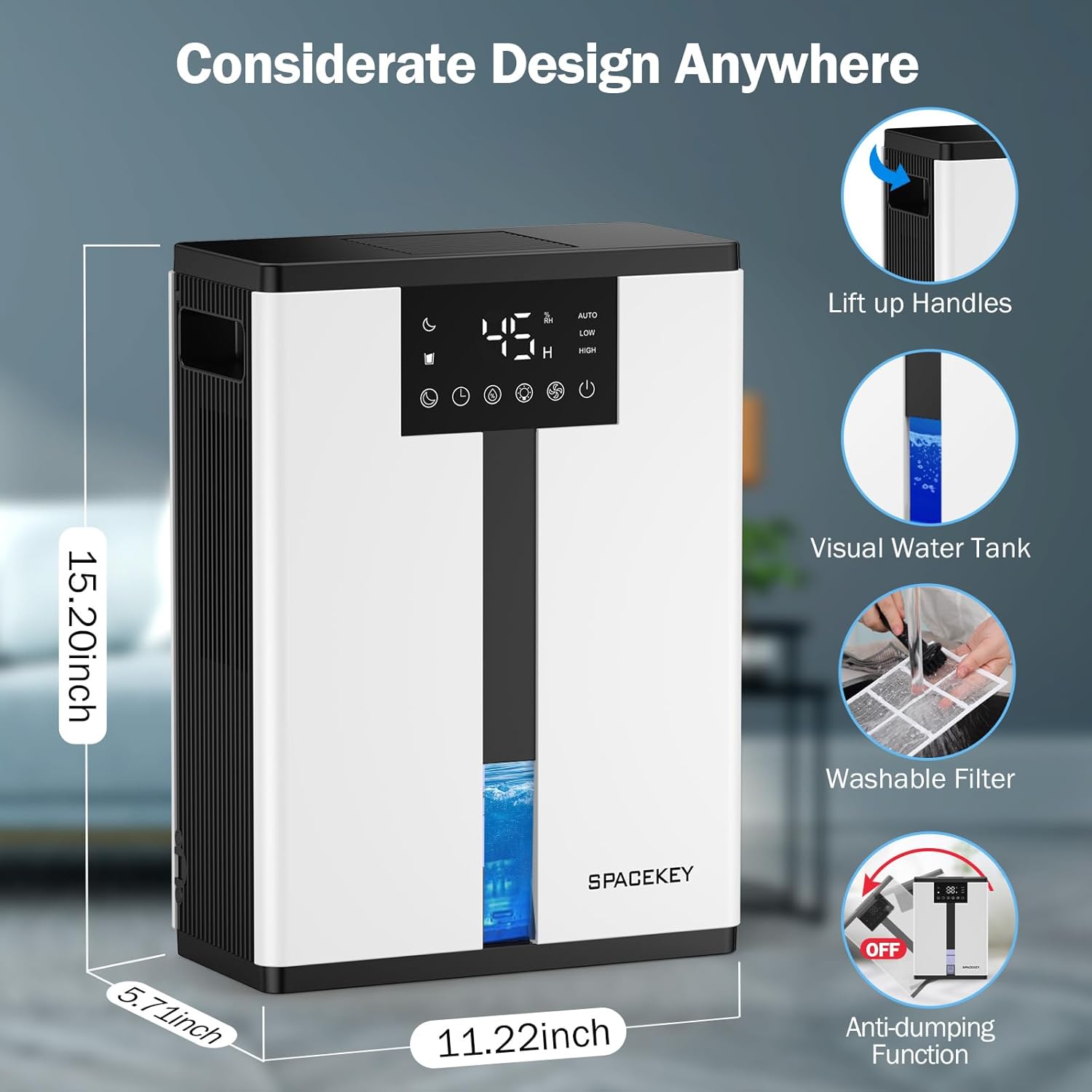
Figure 5: Key design elements and dimensions of the Spacekey QIG-D01 Dehumidifier.
3.2 Advanced Dehumidification Technology
The Spacekey QIG-D01 utilizes semiconductor condensation technology with dual fans and dual semiconductor condensers for enhanced efficiency in moisture removal.
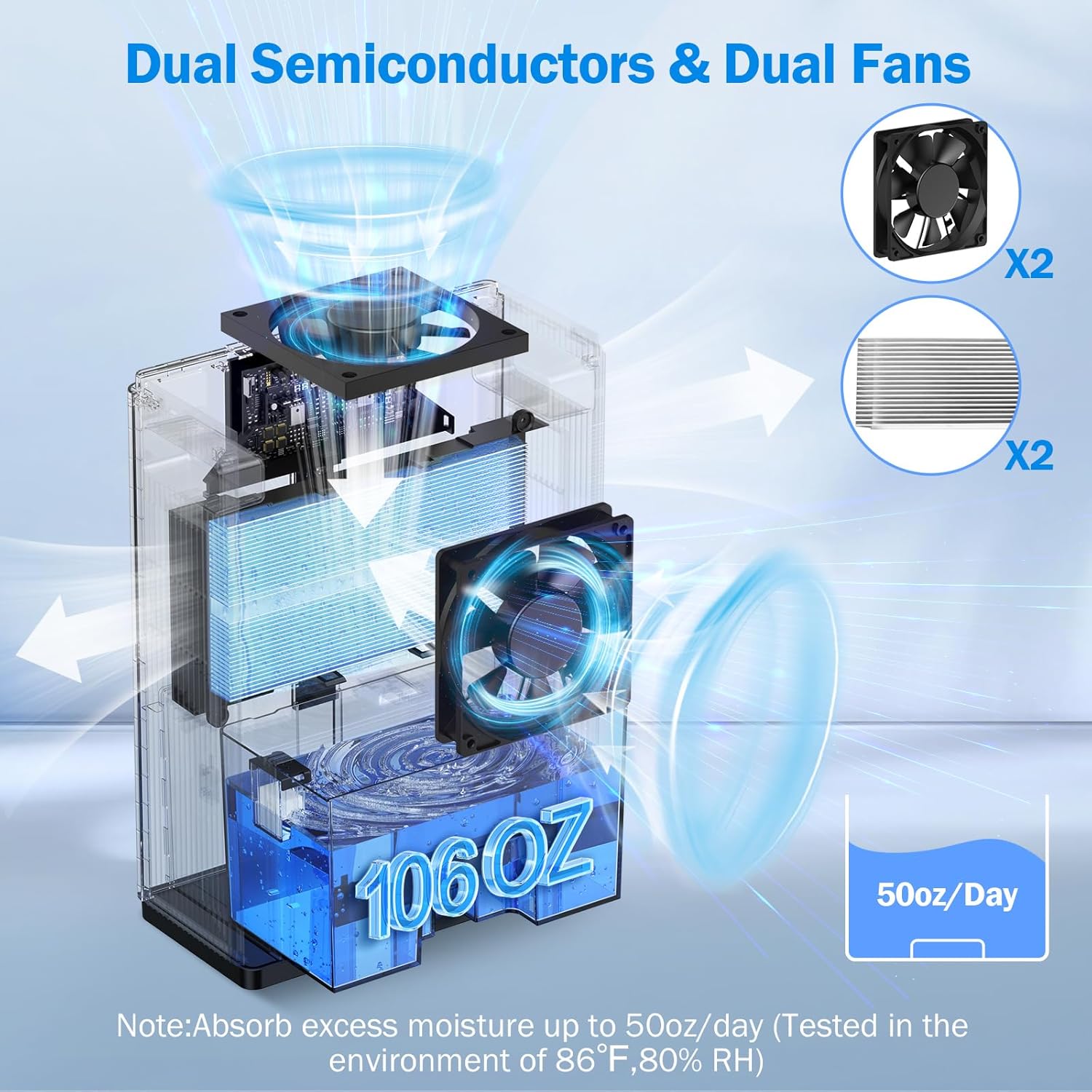
Figure 6 : Interne view of the dual semiconductor and dual fan system for efficient dehumidification.
3.3 Panneau de contrôle
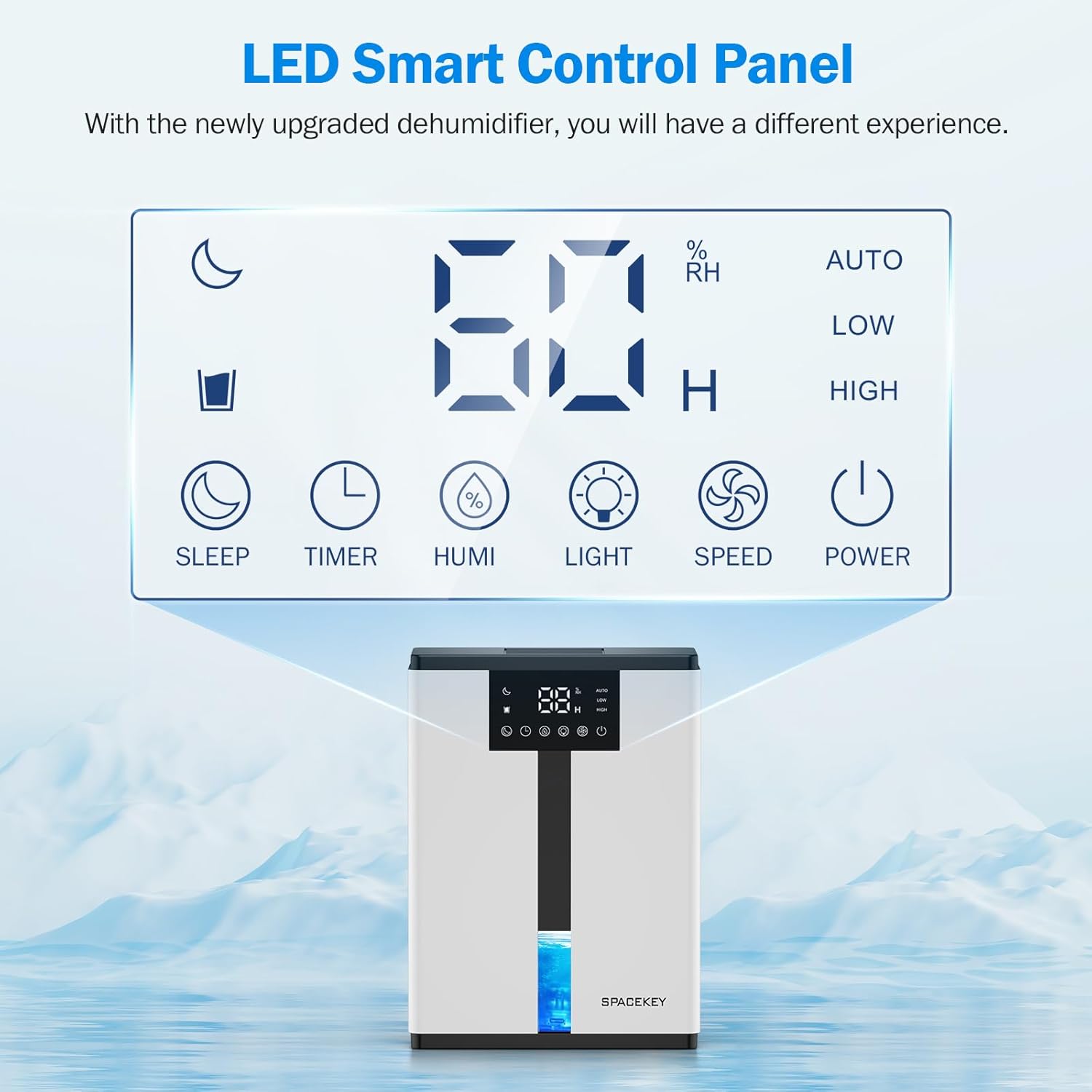
Figure 7: The LED Smart Control Panel, displaying current humidity and various function buttons.
The intuitive LED display shows real-time humidity. Buttons include:
- Mode veille: Activates quiet operation and can be used with colorful lights.
- Minuteur: Sets operating duration (2H, 4H, 6H, 8H, 12H).
- HUMI: Adjusts target humidity (45%, 55%, 65%, or continuous '00').
- LUMIÈRE: Contrôle l'éclairage d'ambiance à 7 couleurs.
- VITESSE: Selects fan speed (Auto, Low, High).
- POUVOIR: Allume/éteint l'appareil.
4. Instructions de configuration
- Déballer: Retirez délicatement le déshumidificateur de son emballage.
- Placement: Place the unit on a flat, stable surface in the desired location. Ensure there is at least 8 inches (20 cm) of space around the air inlets and outlets for proper airflow.
- Connexion électrique : Branchez le cordon d’alimentation sur une prise électrique reliée à la terre.
- Vérification initiale : Ensure the water tank is correctly inserted and empty before starting operation.

Figure 8: Recommended placement areas for the dehumidifier, highlighting its suitability for various indoor environments.
5. Mode d'emploi
5.1 Mise sous/hors tension
Appuyez sur le POUVOIR bouton pour allumer ou éteindre le déshumidificateur.
5.2 Réglage du niveau d'humidité
Appuyez sur le HUMI button to cycle through desired humidity levels: 45%, 55%, 65%. The unit will operate until the set humidity is reached, then pause. If set to '00', the unit will operate continuously.

Figure 9: Setting the target humidity level using the HUMI button.
5.3 Réglage de la vitesse du ventilateur
Appuyez sur le VITESSE button to select between Auto, Low, and High fan speeds. Auto mode adjusts fan speed based on current humidity.
5.4 Fonction minuterie
Appuyez sur le MINUTEUR button to set an operating duration of 2, 4, 6, 8, or 12 hours. The unit will automatically turn off after the set time.

Figure 10: Using the Timer function to set the operating duration.
5.5 Sleep Mode & Colorful Lights
Appuyez sur le DORMIR button to activate sleep mode for ultra-quiet operation (approx. 30dB). Press the LUMIÈRE button to cycle through 7 colorful ambient lights or select a static color. This feature can be used independently or in conjunction with sleep mode.
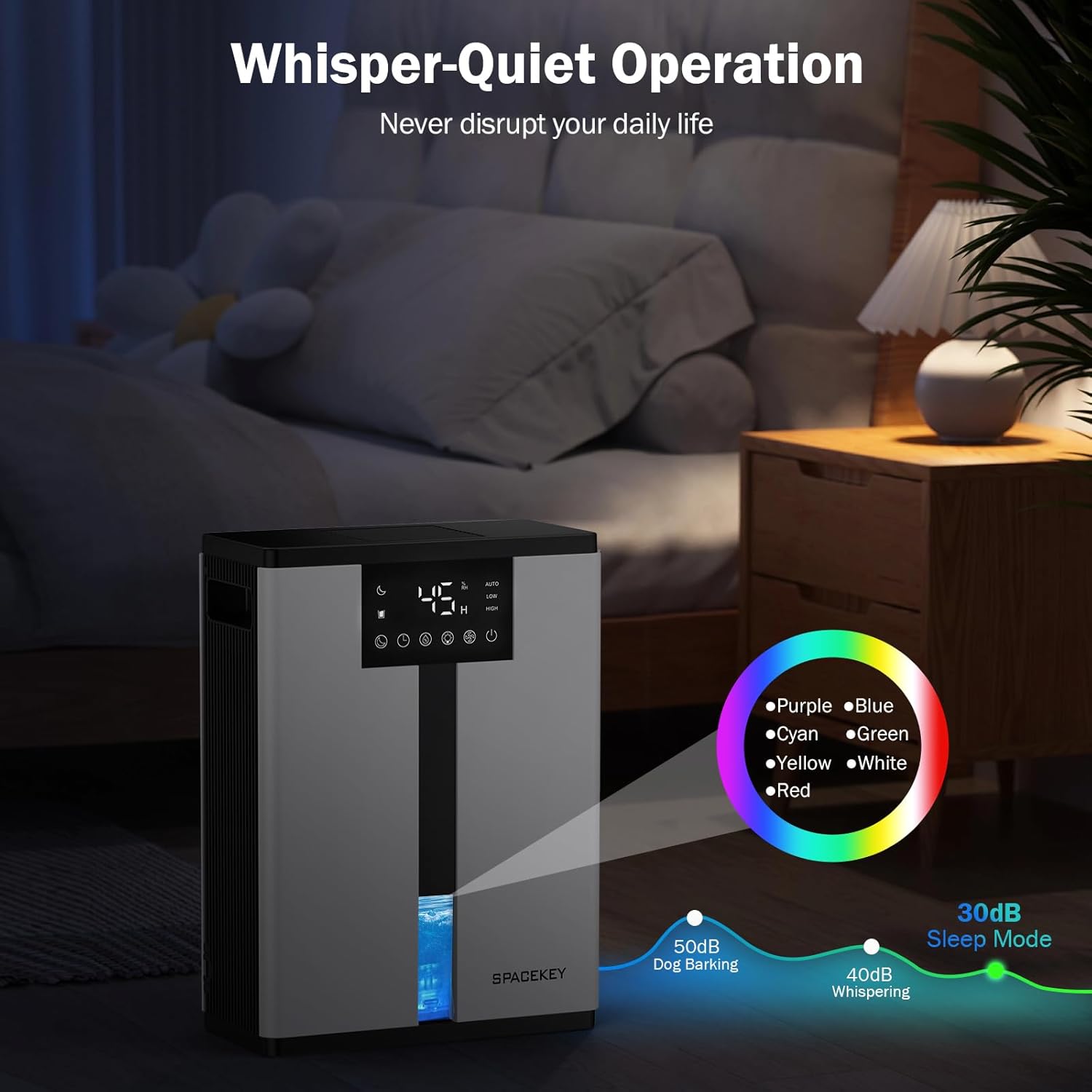
Figure 11: Dehumidifier in Sleep Mode with ambient lighting for a peaceful environment.
5.6 Arrêt automatique
The dehumidifier will automatically shut off and flash a red light with an audible beep when the water tank is full. Empty the water tank to resume operation.
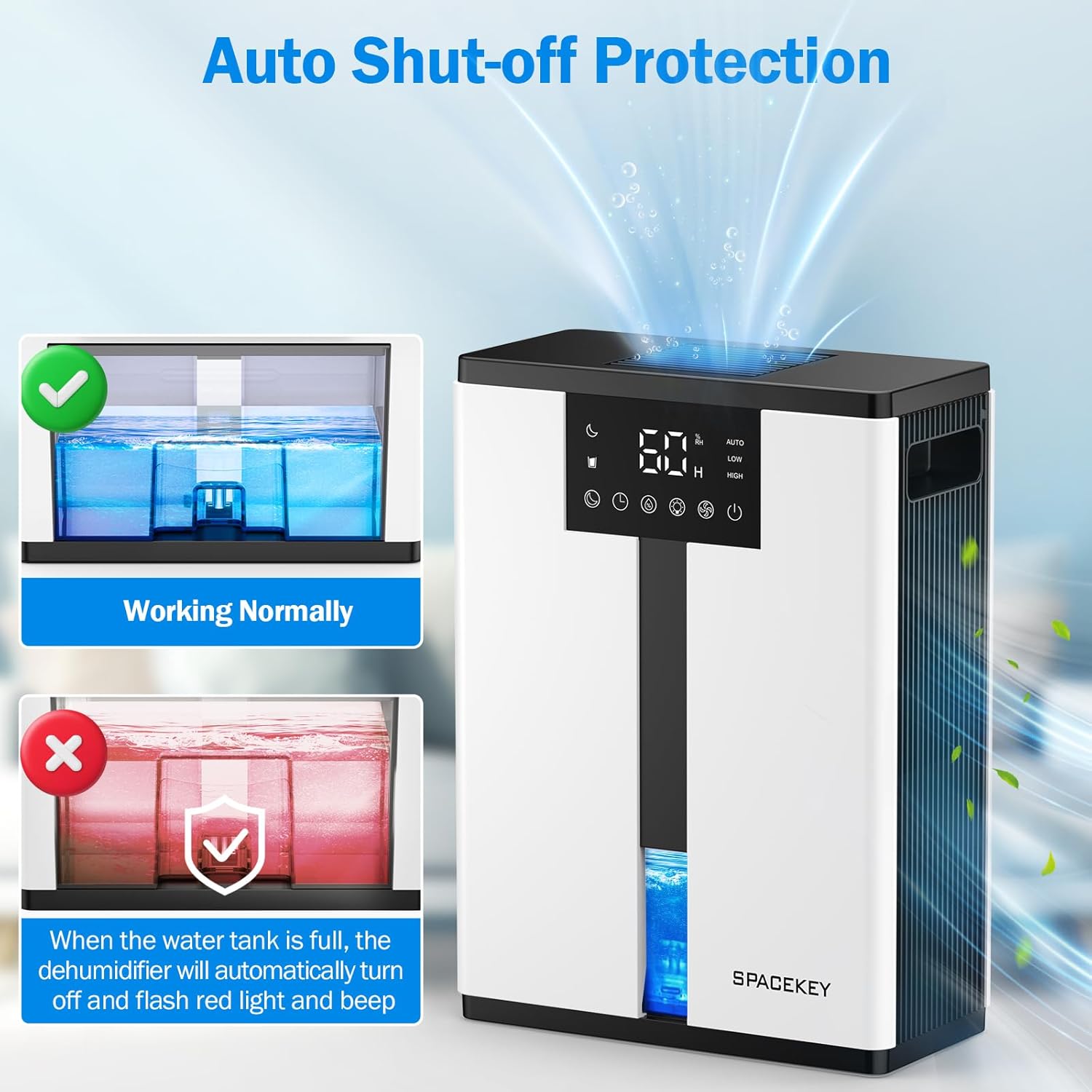
Figure 12: Automatic shut-off mechanism when the water tank is full.
6. Entretien
6.1 Vidange du réservoir d'eau
- Retirez délicatement le réservoir d'eau par l'avant de l'appareil.
- Retirez le couvercle du réservoir.
- Videz l’eau recueillie.
- Replace the lid and reinsert the water tank firmly into the dehumidifier.

Figure 13: Step-by-step guide to emptying the water tank.
6.2 Nettoyage du filtre à air
The washable filter should be cleaned regularly (every 2-4 weeks, depending on usage) to maintain optimal performance.
- Débranchez le déshumidificateur.
- Retirez le filtre de l'arrière de l'appareil.
- Rincez le filtre sous l'eau courante pour éliminer la poussière et les débris.
- Laisser le filtre sécher complètement à l'air libre avant de le réinsérer.
- Ne faites pas fonctionner le déshumidificateur sans le filtre.

Figure 14: Instructions for removing and washing the air filter.
6.3 Nettoyage de l'extérieur
Essuyez l'extérieur du déshumidificateur avec un chiffon doux, damp chiffon. N'utilisez pas de nettoyants abrasifs ou de solvants.
7. Dépannage
| Problème | Cause possible | Solution |
|---|---|---|
| Le déshumidificateur ne s'allume pas. | Pas d'alimentation ; cordon d'alimentation non branché ; réservoir d'eau plein ou mal inséré. | Vérifiez le branchement électrique ; videz et réinsérez correctement le réservoir d'eau. |
| Aucune eau collectée ou faible déshumidification. | Room humidity is already low; air filter is clogged; ambient temperature is too low; unit size is too small for the space. | Ensure humidity is above target; clean air filter; operate in recommended temperature range; consider unit placement or additional units for larger spaces. |
| L'unité est bruyante. | Fan speed is set to High; unit is not on a flat surface. | Switch to Low or Sleep mode; ensure unit is on a stable, flat surface. |
| Red light flashing and beeping. | Le réservoir d'eau est plein. | Videz le réservoir d'eau et réinsérez-le. |
8. Spécifications
| Fonctionnalité | Détail |
|---|---|
| Nom du modèle | QIG-D01 |
| Marque | Touche espace |
| Capacité de déshumidification | Up to 50 oz (approx. 3 pints) per 24 hours (at 86°F, 80% RH) |
| Capacité du réservoir d'eau | 3.0 litre (106 onces liquides) |
| Zone de couverture | Jusqu'à 850 XNUMX pieds carrés |
| Consommation d'énergie | 70 Watts (not more than 1.68 kWh/Day) |
| Niveau de bruit | Approx. 30dB (in Sleep Mode) |
| Dimensions (L x P x H) | 5.71"P x 11.22"L x 15.2"H |
| Poids de l'article | 8.91 livres |
| Caractéristiques spéciales | Automatic Shutoff, Intelligent Humidity Control, 4 Fan Speeds, Timer, 7 Colorful Lights, 45° Tip-over Protection, Washable Filter |
9. Garantie et support client
Spacekey offers the following support for your dehumidifier:
- Remboursement sous 30 jours : En cas d'insatisfaction.
- Remplacement sous 2 ans : Pour les défauts ou dysfonctionnements du produit.
- Service client à vie : Dedicated support for any questions or issues.
If you have any questions or require assistance, please do not hesitate to contact Spacekey customer support. We aim to reply within 24 hours.


Figure 15 : Plusview of Spacekey's customer support and warranty policies.


