1. Introduction
Thank you for choosing the NXGKET Walkie Talkies. This 6-pack set is designed for reliable long-range communication, featuring NOAA weather alerts, 22 FRS channels, and a built-in 1800mAh Li-ion battery for extended use. This manual provides detailed instructions for setup, operation, maintenance, and troubleshooting to ensure optimal performance and safety.
2. Contenu de la boîte
- 6 talkies-walkies
- Batterie (intégrée)
- Clip de ceinture
- Câble USB 3 en 1 x 2
- Chargeur

Figure 2.1: Package Contents of the NXGKET Walkie Talkies.
3. caractéristiques du produit
- Powerful Long Range Coverage: Up to 5-mile communication range, depending on terrain and conditions. FRS 22 channels and 121 privacy codes (2,662 combinations) for easy channel finding.
- NOAA Weather Scan and Alert: Scans 10 NOAA radio channels for weather alerts. Features an upgraded speaker for clear audio, 150% increased maximum volume, Vibrate Alert, and 9 levels of VOX.
- Batterie Li-ion rechargeable de 1800 mAh : Built-in 1800mAh lithium battery, eliminating the need for disposable batteries. Charge 3 walkie talkies simultaneously with the included 3-in-1 USB-C cable.
- Easy to Use with Multi-features: Bright color finish for visibility, large LCD screen, volume adjustment, Voice-activated (iVOX), Auto squelch, Auto memory, Auto scan, Low battery alert, Keypad lock (Channel-lock), Adjustable power, Drop-protection, and built-in flashlight.
- Utilisation polyvalente : Suitable for men, women, kids, and elders. Ideal for skiing, hiking, bicycling, camping, road trips, cruises, commercial use, and job sites.

Figure 3.1: Key Components and Controls of the Walkie Talkie.
4. Installation
4.1 Charge initiale
Before first use, fully charge all walkie talkies. The built-in 1800mAh Li-ion battery is not removable. Use the provided 3-in-1 USB-C cables and chargers to charge up to three units simultaneously.

Figure 4.1: Charging the Walkie Talkie via USB-C.
4.2 Allumer/Éteindre
To turn the radio on or off, rotate the Volume/Power knob clockwise or counter-clockwise until you hear a click and the display illuminates or turns off.
5. Mode d'emploi
5.1 Sélection du canal
The NXGKET Walkie Talkies operate on 22 FRS channels. To select a channel:
- Appuyez sur le MENU button. The channel number will flash on the LCD.
- Utilisez le Haut (▲) or Bas (▼) des boutons pour sélectionner la chaîne souhaitée.
- Appuyez sur le PTT bouton pour confirmer votre sélection et quitter le menu.
5.2 Codes de confidentialité (CTCSS/DCS)
To ensure private communication and minimize interference, you can set privacy codes (121 available). All radios in your group must be on the same channel and privacy code to communicate.
- Appuyez sur le MENU Appuyez deux fois sur le bouton pour accéder au paramètre du code de confidentialité.
- Utilisez le Haut (▲) or Bas (▼) buttons to select a privacy code.
- Appuyez sur le PTT bouton pour confirmer et quitter.
5.3 Transmission et réception
Pour transmettre, appuyez et maintenez la touche enfoncée. PTT (appuyer pour parler) bouton situé sur le côté de la radio. Parlez clairement dans le microphone. Relâchez le PTT button to receive. Ensure the microphone is close to your mouth for clear transmission.
5.4 Alertes météo NOAA
The walkie talkies can scan 10 NOAA radio channels to provide real-time weather alerts.
- Appuyez sur le LUN button (or dedicated NOAA button if available) to activate NOAA weather scan.
- The radio will automatically scan for active weather channels.
- An alert will sound if a weather warning is detected.

Figure 5.1: NOAA Weather Scan and Alert Feature.
5.5 VOX (Transmission activée par la voix)
VOX allows hands-free operation. The radio transmits when it detects your voice.
- Appuyez sur le MENU button until the VOX icon appears on the display.
- Utilisez le Haut (▲) or Bas (▼) buttons to select a VOX sensitivity level (1-9, with 9 being most sensitive).
- Appuyez sur le PTT bouton pour confirmer et quitter.

Figure 5.2: VOX Talk and Long Range Capability.
5.6 Lampe de poche
The walkie talkie includes a built-in LED flashlight for convenience in low-light conditions.
- To turn on/off the flashlight, press the dedicated flashlight button (usually located below the PTT button).
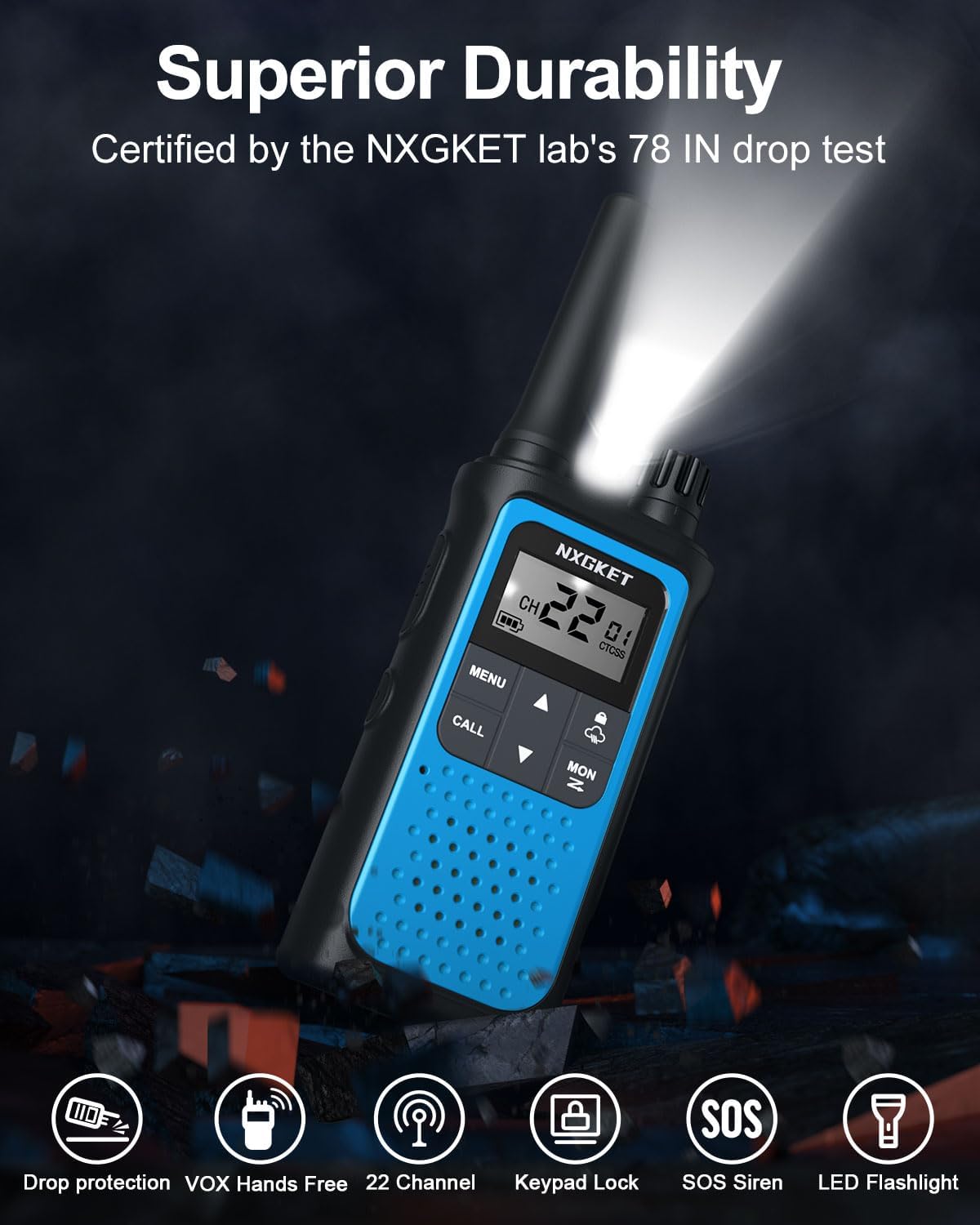
Figure 5.3: Walkie Talkie with LED Flashlight Activated.
5.7 Verrouillage du clavier
Le verrouillage du clavier empêche toute modification accidentelle de vos paramètres.
- To lock/unlock the keypad, press and hold the Verrouillage button (often indicated by a padlock icon) until the lock icon appears/disappears on the display.
6. Entretien
6.1 Nettoyage
Nettoyez la radio avec un chiffon doux etamp cloth. Do not use abrasive cleaners or solvents. Ensure the USB-C port cover is securely closed to prevent dust and moisture ingress.
6.2 Entretien de la batterie
To prolong battery life, avoid fully discharging the battery frequently. Charge the walkie talkies regularly, especially if they will not be used for an extended period.
7. Dépannage
| Problème | Cause possible | Solution |
|---|---|---|
| Pas de courant | Batterie faible ou déchargée. | Charge the walkie talkie. |
| Impossible de communiquer avec d'autres radios | Code de canal ou de confidentialité différent. | Assurez-vous que toutes les radios sont sur le même canal et utilisent le même code de confidentialité. |
| Signal faible ou absent | Hors de portée ou en raison d'obstacles. | Move closer to other radios or to an open area. Avoid large obstacles like buildings or dense foliage. |
| Statique ou interférence | Interference from other devices or channels. | Change to a different channel or privacy code. Ensure no other electronic devices are too close. |
| Le clavier est verrouillé | Le verrouillage du clavier est activé. | Press and hold the Lock button to unlock the keypad. |
8. Spécifications
| Fonctionnalité | Spécification |
|---|---|
| Marque | NXGKET |
| Numéro de modèle | ZX-808 |
| Nombre de canaux | 22 chaînes FRS |
| Codes de confidentialité | 121 (CTCSS/DCS) |
| Batterie | 1800mAh Li-ion (included, non-removable) |
| Port de chargement | USB-C |
| Portée de conversation maximale | 5 Miles (terrain and conditions dependent) |
| Gamme de fréquences | 300 MHz - 3 GHz |
| Caractéristiques spéciales | Digital Display, Emergency Alarm, Long Range, Rechargeable, Voice Operated Transmission (VOX), NOAA Weather Alerts, Flashlight, Keypad Lock |
| Poids de l'article | 4.8 onces |
| Dimensions du produit | 0.9 x 2 x 7.6 pouces |
| Niveau de résistance à l'eau | Étanche |
9. Garantie et assistance
9.1 Informations sur la garantie
The NXGKET Walkie Talkies come with a Garantie de 1 ans and free replacement for manufacturing defects. Please retain your proof of purchase for warranty claims.
9.2 Assistance clientèle
For any questions, technical assistance, or warranty claims, please contact NXGKET customer support through the retailer's platform or visit the official NXGKET store page on Amazon: NXGKET Store.