1. Introduction
Welcome to the user manual for your Jooeniok L81 Smart Watch. This guide provides detailed instructions on how to set up, operate, and maintain your device, ensuring you get the most out of its features. The Jooeniok L81 is designed to enhance your daily life with its communication, fitness tracking, and health monitoring capabilities.
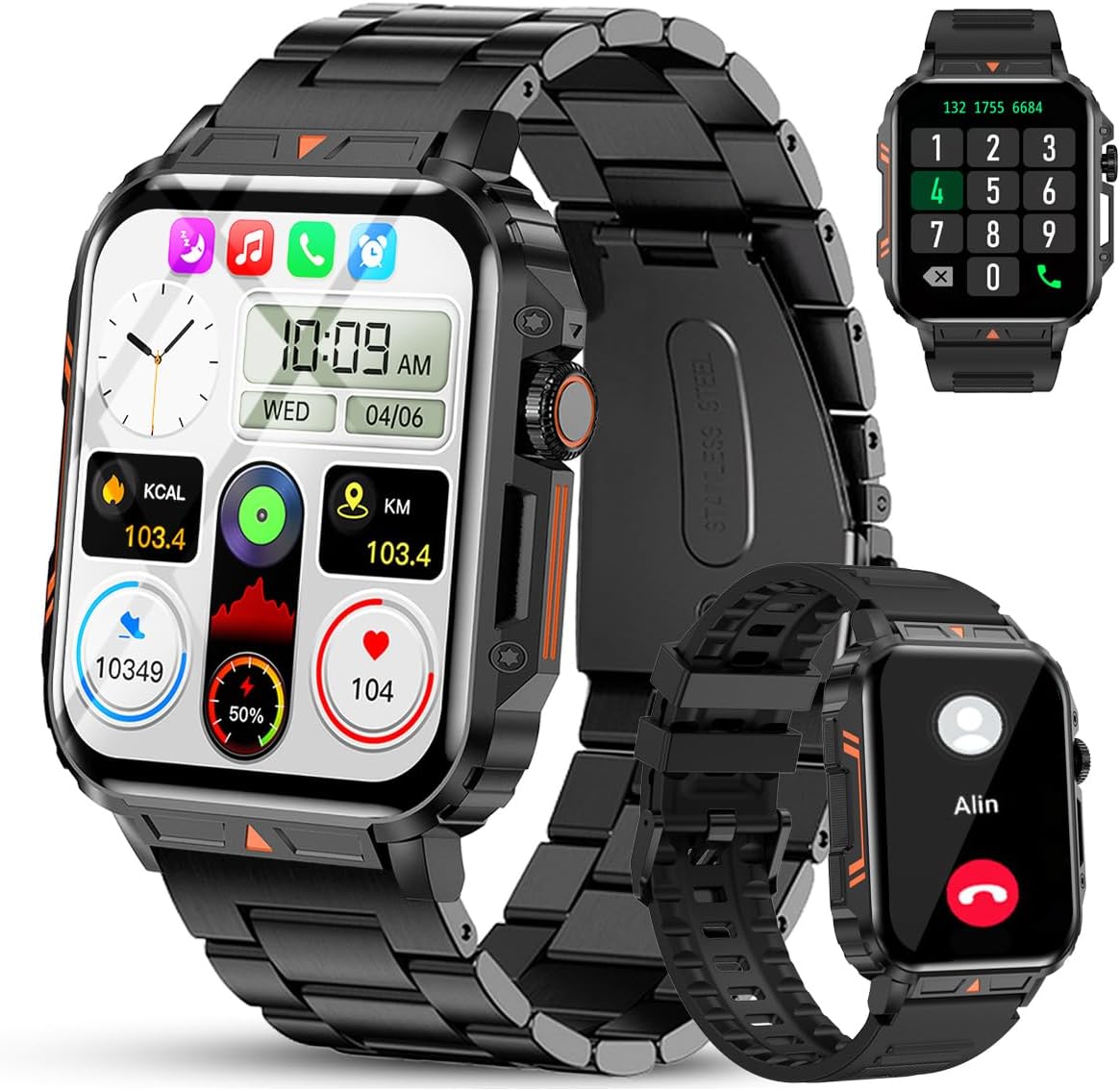
Image 1.1: The Jooeniok L81 Smart Watch, showcasing its main display and interchangeable straps.
2. Principales caractéristiques
- Bluetooth Calling & Message Alerts: Make and receive calls, read messages, and receive notifications from various apps directly on your watch.
- 1.95'' HD Touch Screen & DIY Dial: Enjoy a clear display and personalize your watch face.
- Plus de 112 modes sportifs : Track a wide range of activities including running, cycling, badminton, and hiking.
- Étanchéité IP68 : Suitable for daily use, hand washing, and outdoor activities in rain. (Note: Not recommended for diving, showering, or sauna.)
- Surveillance de la santé : Monitor heart rate, blood oxygen (SpO2), blood pressure, and sleep patterns.
- Batterie longue durée : Doté d'une batterie de 340 mAh pour une utilisation prolongée.
- Multifonctionnel : Includes features like timer, alarm, stopwatch, weather, calendar, water reminder, sedentary reminder, and remote photo control.
3. Guide de configuration
3.1. Charger la montre intelligente
Before initial use, fully charge your Jooeniok L81 Smart Watch. Connect the magnetic charging cable to the charging contacts on the back of the watch and plug the USB end into a standard USB power adapter (not included) or a computer's USB port. The watch display will indicate charging status.

Image 3.1: Illustration of the watch dimensions and the location of the charging contacts.
3.2. Installation et appairage de l'application
- Téléchargez l'application : Scan the QR code provided in the watch's quick start guide or search for the official companion app (e.g., "FitCloudPro" or similar, check packaging for exact name) in the Apple App Store (for iOS) or Google Play Store (for Android).
- Activer Bluetooth : Assurez-vous que Bluetooth est activé sur votre smartphone.
- Ouvrez l'application : Lancez l'application installée et suivez les instructions à l'écran pour créer un compte ou vous connecter.
- Ajouter un appareil : Within the app, navigate to the "Device" or "Add Device" section. The app will search for available Bluetooth devices. Select "L81" or the corresponding device name when it appears.
- Confirmer l'association : Une demande de jumelage peut apparaître sur votre montre et votre téléphone. Confirmez le jumelage sur les deux appareils.
- Accorder des autorisations : Autorisez les permissions nécessaires (par exemple, notifications, localisation, contacts) pour que l'application fonctionne correctement.
The watch is compatible with Android 5.1 and above, and iOS 10.0 and above.
3.3. Initial Settings and Language
After successful pairing, the watch should automatically synchronize time and language settings with your phone. If the watch displays an incorrect language, navigate to the watch's settings menu (usually by swiping down from the main screen or pressing the side button to access the app list, then finding the 'Settings' icon). Look for 'Language' or 'System' settings to change it to English or your preferred language.
4. Mode d'emploi
4.1. Navigation de base
- Écran tactile : Balayez vers la gauche/droite, vers le haut/bas pour naviguer dans les menus et les fonctionnalités. Appuyez pour sélectionner.
- Bouton latéral: Press to return to the main screen or access the app list. Long press for power options.
- Crown Button (if present): Rotate to scroll through lists or adjust settings, press to select.
4.2. Appels et notifications Bluetooth
Once paired, your watch can handle calls and display notifications. Ensure Bluetooth is connected and the companion app has the necessary permissions.
- Passer des appels: Utilisez le clavier numérique ou la liste de contacts de votre montre pour passer des appels.
- Réception d'appels : Lorsqu'un appel arrive, vous pouvez y répondre ou le refuser directement depuis votre montre.
- Notifications: Swipe down from the main screen or access the notification center to view incoming messages from SMS, WhatsApp, Facebook, and other apps.
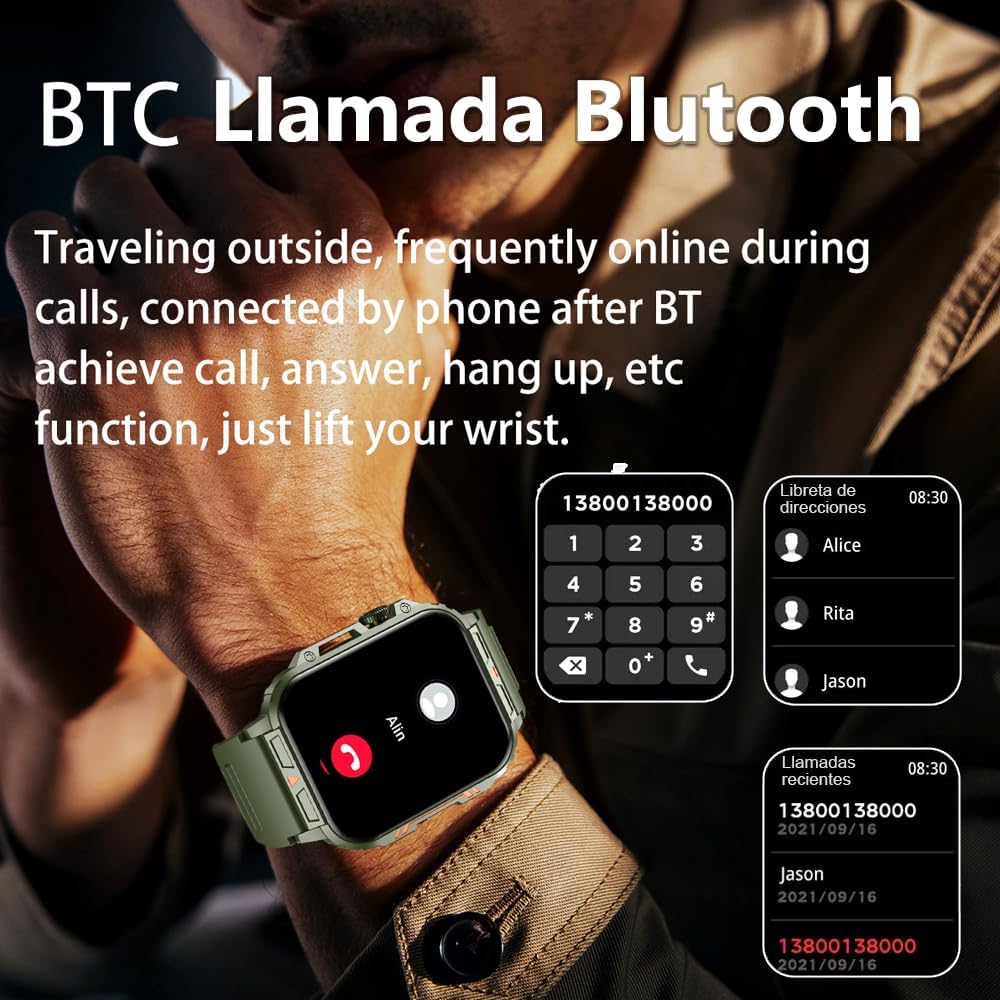
Image 4.1: The watch screen showing an incoming call and the dial pad for making calls.

Image 4.2: The watch displaying notifications from various social media and messaging applications.
4.3. Modes sportifs
The watch supports over 112 sports modes. To access them, navigate to the 'Sports' or 'Workout' section on your watch. Select your desired activity to start tracking. The watch will record steps, distance, and calories.

Image 4.3: Icons representing various sports modes available on the watch.
4.4. Surveillance de la santé
The Jooeniok L81 provides continuous monitoring of several health metrics. Access these features through the watch's menu or the companion app.
- Fréquence cardiaque : The watch uses an optical sensor to monitor your heart rate. View Données en temps réel sur la montre ou tendances détaillées dans l'application.
- Oxygène sanguin (SpO2) et pression artérielle : Initiate a measurement from the watch. Results are displayed on the screen and recorded in the app for historical analysis.
- Surveillance du sommeil : Wear the watch to bed for automatic sleep tracking. It analyzes deep sleep, light sleep, and awake times, providing a comprehensive sleep quality report in the app.
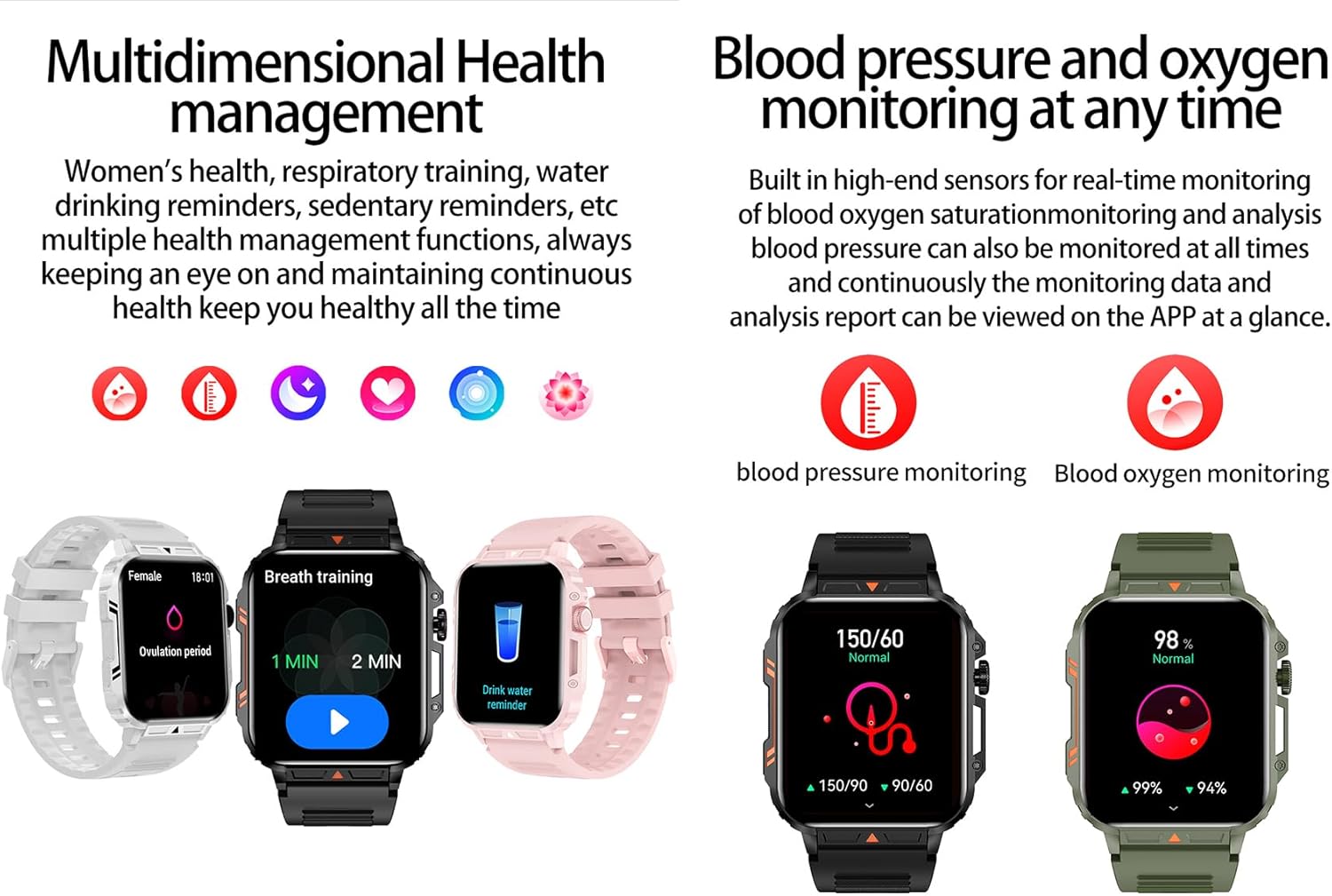
Image 4.4: Watch screens showing blood pressure and blood oxygen monitoring results.

Image 4.5: Watch screens showing real-time heart rate and a summary of sleep data.
4.5. AI Intelligent Voice Function
After connecting the watch to your phone via Bluetooth, activate the voice function on the watch. This allows you to use voice commands to open applications, check weather, make calls, or navigate, offering a hands-free experience.
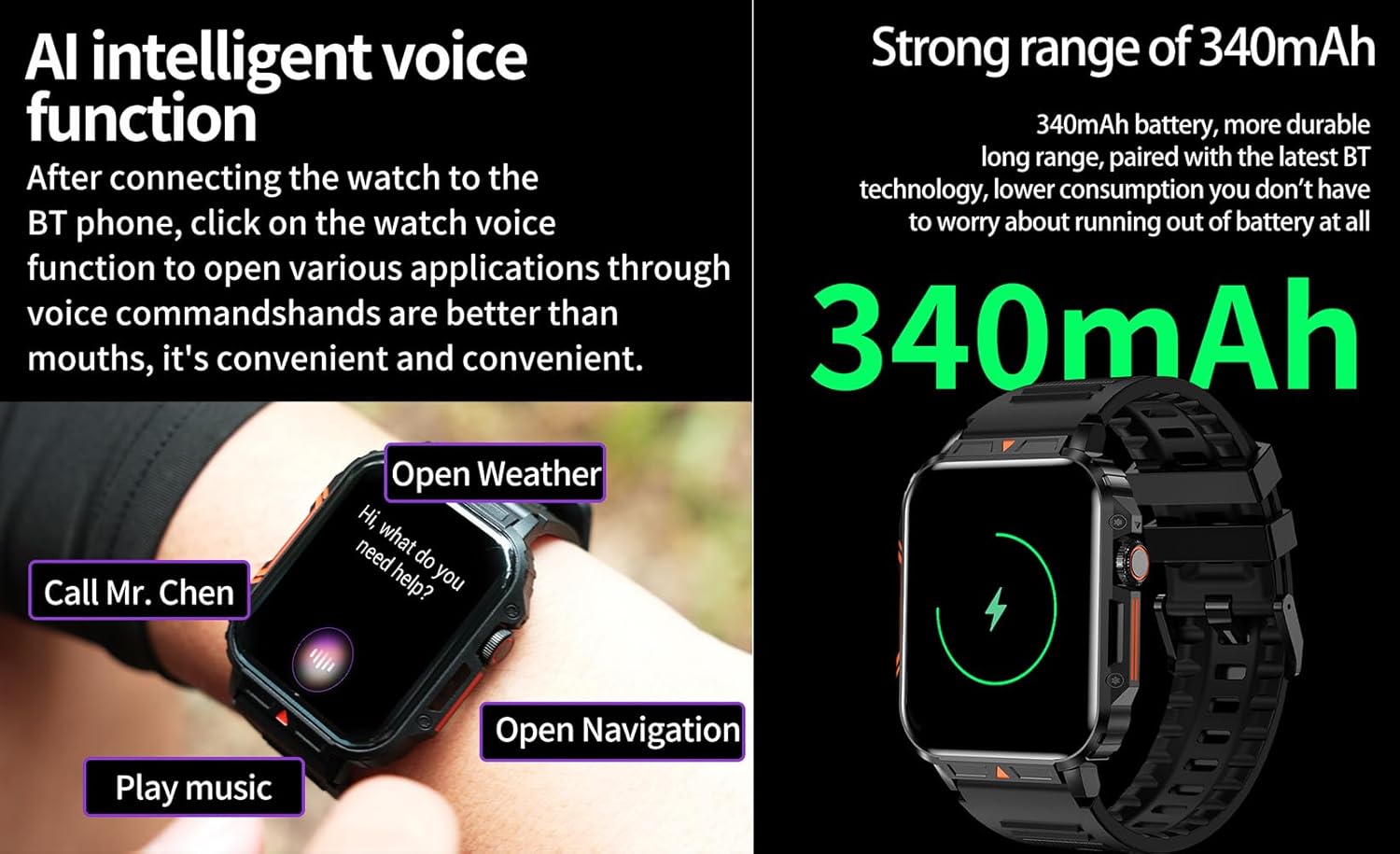
Image 4.6: The watch screen illustrating the AI voice assistant interface with examples commandes.
4.6. Cadran à faire soi-même
Personalize your watch face by using the DIY dial feature within the companion app. You can often upload custom images or choose from a variety of pre-designed watch faces.
5. Entretien
5.1. Résistance à l'eau
The Jooeniok L81 Smart Watch is IP68 waterproof and dustproof. This means it is resistant to dust and can withstand immersion in water up to 1.5 meters for up to 30 minutes. It is suitable for daily use, hand washing, and light rain.
Important: La montre est pas recommended for diving, hot showers, or saunas, as steam and high water pressure can compromise the seals and cause damage.

Image 5.1: The watch shown with water splashes, indicating its water resistance.
5.2. Nettoyage
Nettoyez régulièrement votre montre et son bracelet pour éviter les irritations cutanées et préserver son bon fonctionnement. Utilisez un chiffon doux et sec.amp cloth to wipe the screen and body. For the strap, follow the manufacturer's recommendations for the specific material (e.g., silicone, metal).
- Évitez d’utiliser des produits chimiques agressifs ou des matériaux abrasifs.
- Assurez-vous que la montre soit parfaitement sèche avant de la recharger ou de l'utiliser de façon prolongée.
5.3. Entretien de la batterie
Pour prolonger la durée de vie de la batterie :
- Évitez les températures extrêmes.
- Ne laissez pas la batterie se décharger complètement trop souvent.
- Chargez la montre à l'aide du câble fourni.
Image 5.2: The watch screen highlighting its 340mAh battery capacity.
6. Dépannage
| Problème | Solution possible |
|---|---|
| La montre ne s'allume pas. | Assurez-vous que la montre est complètement chargée. Branchez-la au chargeur pendant au moins 30 minutes. |
| Impossible de connecter le smartphone. |
|
| Incorrect language displayed. | Navigate to the watch's settings menu, find 'Language' or 'System' settings, and select your preferred language. If paired, the app might also have a language setting. |
| Touch screen unresponsive or intermittent. |
|
| Notifications non reçues. |
|
| Health monitoring data seems inaccurate. |
|
7. Spécifications
| Fonctionnalité | Détail |
|---|---|
| Nom du modèle | L81 |
| Marque | Jooeniok |
| Taille de l'écran | 1.95 pouces |
| Technologie de connectivité | Bluetooth |
| Norme de communication sans fil | Bluetooth |
| Système opérateur | Android (compatible avec Android 5.1+ et iOS 10.0+) |
| Capacité de stockage de la mémoire | 128 Mo |
| Batterie | 1 batterie lithium-polymère (340 mAh, incluse) |
| Résistance à l'eau | IP68 |
| Caractéristiques spéciales | Activity Tracker, Notifications, Phone Call, Time Display, Heart Rate Monitor, Blood Oxygen Monitor, Sleep Monitor, 112+ Sports Modes, AI Voice Function |
| Dimensions (environ) | Watch face: 44mm (width) x 52mm (height); Thickness: 12mm; Strap length: 260mm |
8. Garantie et assistance
The Jooeniok L81 Smart Watch is backed by a Garantie de 365 jours à compter de la date d'achat. Cette garantie couvre les défauts de fabrication et les dysfonctionnements dans des conditions normales d'utilisation.
For technical support, warranty claims, or any questions regarding your product, please contact Jooeniok customer service through the retailer's platform or the contact information provided on the product packaging or official website.
Veuillez conserver votre preuve d'achat pour la validation de la garantie.


