1. Introduction
Welcome to the user manual for your TUINYO Open Ear Headphones. These Bluetooth 5.4 wireless earbuds are designed to provide a premium sound experience while allowing you to stay aware of your surroundings. With an LED display for battery status and IPX5 waterproofing, they are ideal for sports, driving, and office use.

Figure 1: TUINYO Open Ear Headphones in their charging case, showcasing the sleek black design and the digital display for battery percentage.
2. Principales caractéristiques
- Conception d'oreille ouverte : Allows you to hear ambient sounds for increased situational awareness and safety.
- Connectivité Bluetooth 5.4 : Ensures stable, fast, and seamless wireless connection.
- Affichage LED: Provides real-time battery status of the charging case.
- Durée de lecture prolongée : Jusqu'à 25 heures d'autonomie avec l'étui de chargement.
- Indice d'étanchéité IPX5 : Résistant à la transpiration et aux éclaboussures légères, adapté aux entraînements et aux activités de plein air.
- Son de qualité supérieure : Equipped with 12mm speakers for Hi-Fi stereo bass.
- Ultra léger : Each earbud weighs approximately 5.3g for comfortable, all-day wear.
- Mode de jeu à faible latence : Optimized for gaming and video conferencing with a latency of 50ms.

Figure 2: Demonstrates the comfortable and secure fit of the open-ear design, allowing for awareness of surroundings.
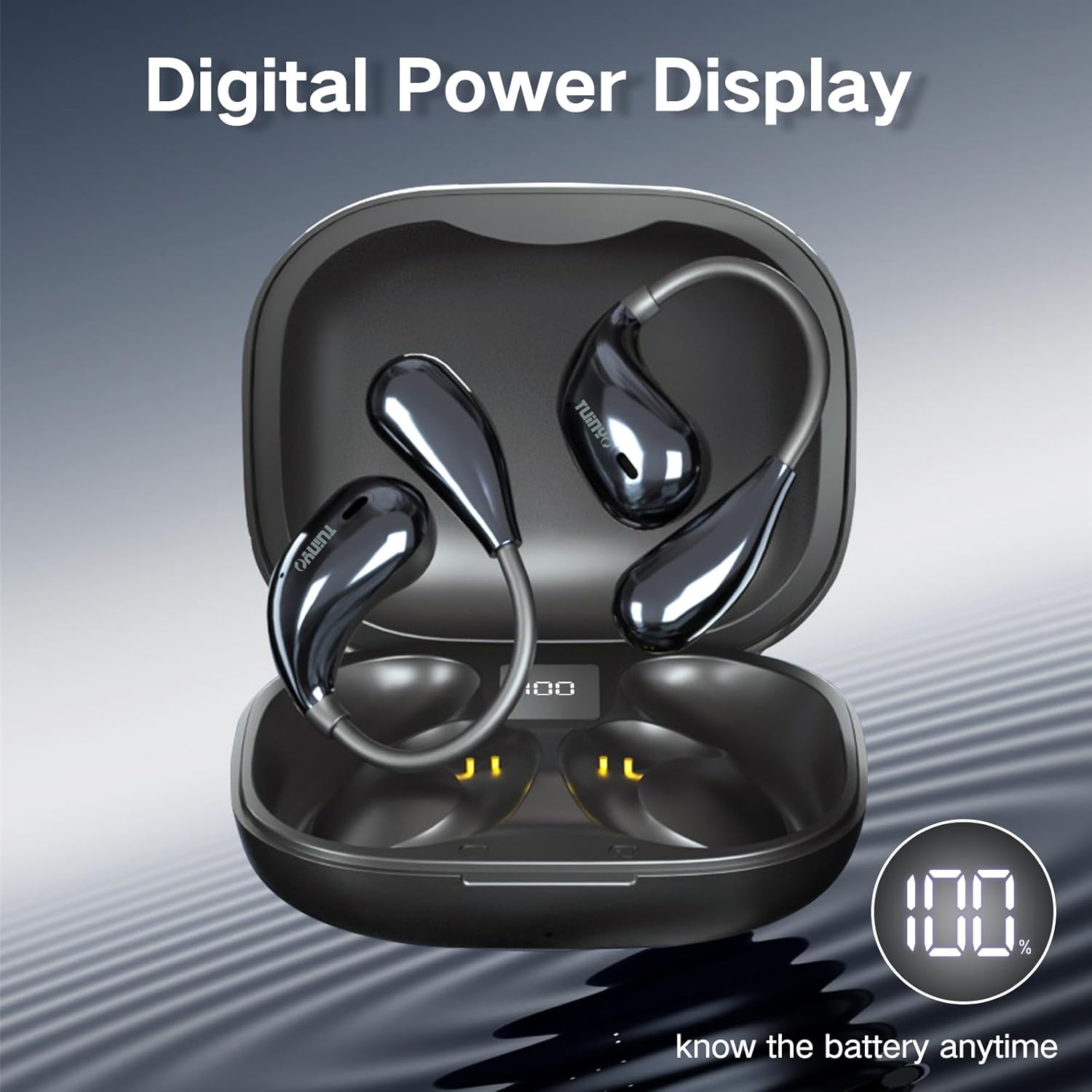
Figure 3: The charging case features a digital LED display, indicating the battery percentage for convenient monitoring.

Figure 4 : Un intérieur view of the earbud highlighting the 12mm speaker, responsible for delivering Hi-Fi stereo bass.
3. Qu'y a-t-il dans la boîte ?
À l'ouverture de votre emballage, vous devriez trouver les éléments suivants :
- 2 x TUINYO Open-ear True Wireless Earbuds
- 1 x étui de chargement
- 1 x Manuel d'utilisation (ce document)
- 1 x câble de chargement de type C

Figure 5: Visual representation of the package contents, including the charging case, earbuds, and charging cable.
4. Guide de configuration
4.1 Charge initiale
Before first use, fully charge the earbuds and the charging case. Connect the provided Type-C charging cable to the charging port on the case and a USB power source. The LED display on the case will show the charging progress.
4.2 Port des écouteurs
For optimal sound and comfort, ensure the earbuds are worn correctly. The open-ear design sits comfortably over your ear, directing sound without blocking your ear canal.

Figure 6: Step-by-step guide on how to properly wear the open-ear headphones for a secure and comfortable fit.
4.3 Couplage Bluetooth
- Ouvrez le boîtier de charge. Les écouteurs passeront automatiquement en mode appairage.
- Sur votre appareil (smartphone, tablette, etc.), activez le Bluetooth.
- Rechercher "TUINYO S08" in the list of available Bluetooth devices.
- Select "TUINYO S08" to connect. Once connected, you will hear an audible confirmation.
Remarque : Les écouteurs se reconnecteront automatiquement au dernier appareil apparié lorsqu'ils seront retirés de l'étui, si le Bluetooth est activé sur l'appareil.
5. Mode d'emploi
The TUINYO S08 headphones feature touch controls on each earbud for easy management of audio playback and calls.

Figure 7 : Plusview of the touch control functions on the earbuds.
| Fonction | Action (écouteur gauche/droit) |
|---|---|
| Lecture/Pause | Double tap (x2 L/R) |
| Baisser le volume | Single tap (x1 L) |
| Augmenter le volume | Single tap (x1 R) |
| Chanson précédente | Triple tap (x3 L) |
| Chanson suivante | Triple tap (x3 R) |
| Répondre/raccrocher un appel | Double tap (x2 L/R) |
| Mode jeu activé/désactivé | Press and hold for 2 seconds (2s L) |
| Activer l'assistant vocal | Press and hold for 2 seconds (2s R) |
5.1 Vidéo officielle du produit
Video 1: An official product video demonstrating the features and usage of the TUINYO S08 Open Ear Bluetooth Headphones. This video provides a visual guide to the product's design, key functionalities, and how it integrates into daily life.
6. Entretien
- Nettoyage: Utilisez un chiffon doux et sec pour nettoyer les écouteurs et l'étui de chargement. N'utilisez pas de produits nettoyants abrasifs ni de solvants.
- Résistance à l'eau : The earbuds are IPX5 waterproof, meaning they can resist a sustained, low-pressure water jet spray. They are suitable for protection against sweat and light rain. Do not submerge them in water or expose them to high-pressure water.
- Stockage: Rangez les écouteurs dans leur étui de chargement lorsqu'ils ne sont pas utilisés afin de les protéger et de maintenir leur charge. Évitez les températures extrêmes.
- Entretien de la batterie: Pour prolonger la durée de vie de la batterie, évitez de la décharger complètement et fréquemment. Rechargez-la régulièrement, même si vous ne l'utilisez pas pendant une période prolongée.
7. Dépannage
| Problème | Solution possible |
|---|---|
| Les écouteurs ne s'appairent pas |
|
| Aucun son d'un écouteur |
|
| Faible volume |
|
| Le boîtier de chargement ne charge pas |
|
8. Spécifications
| Fonctionnalité | Détail |
|---|---|
| Nom du modèle | S08 |
| Version Bluetooth | 5.4 |
| Placement des oreilles | Oreille ouverte |
| Autonomie de la batterie (écouteurs) | 5 Hours (single use) |
| Durée totale de lecture (avec étui) | 25 heures |
| Indice d'étanchéité | IPX5 |
| Type de contrôle | Tactile, commandes multimédias |
| Poids de l'article | 4.2 onces (emballage total) |
| Dimensions du colis | 4.72 x 3.62 x 1.57 pouces |
| Gamme de fréquences | 20 Hz - 20,000 XNUMX Hz |
| Impédance | 31.98 ohms |
9. Garantie et assistance
TUINYO products are designed and manufactured to the highest quality standards. For information regarding warranty coverage, technical support, or customer service, please refer to the contact information provided on the product packaging or visit the official TUINYO website.
For further assistance, you may also refer to the product's detail page on Amazon.com: https://www.amazon.com/dp/B0CXSW131H


