1. Introduction
This manual provides detailed instructions for the safe and effective use of your Levana Nala 5.5" HD Video Baby Monitor. This system is designed to provide secure, high-definition video and audio monitoring of your child without relying on Wi-Fi, ensuring privacy and reliability.
Key features include a 5.5-inch 1080P HD display, a Pan-Tilt-Zoom (PTZ) camera with night vision, two-way talk functionality, and an extended battery life of up to 22 hours.

Image: The Levana Nala 5.5" HD Video Baby Monitor system, showing the monitor, camera, and carrying case.
2. Consignes de sécurité
- Risque d'étranglement : Keep all power cords and cables out of reach of children (at least 3 feet / 1 meter away). Never place the camera or cords within a crib or playpen.
- Eau et humidité : Do not expose the monitor or camera to water or moisture. This product is for indoor use only.
- Sources de chaleur : Tenez l'appareil éloigné des sources de chaleur telles que les radiateurs, les bouches de chauffage, les poêles ou autres appareils produisant de la chaleur.
- Ventilation: Ensure proper ventilation around the camera and monitor. Do not block ventilation openings.
- Surveillance par un adulte : This product is intended to assist in monitoring your child and is not a substitute for proper adult supervision.
- Secure Signal: The Levana Nala monitor utilizes GigaXtreme wireless technology, providing a secure, unhackable connection without Wi-Fi or Bluetooth, enhancing your privacy.

Image: The Levana Nala monitor highlighting its secure, unhackable signal without Wi-Fi, Bluetooth, or mobile app.
3. Contenu du colis
Vérifiez que tous les éléments sont présents dans votre colis :
- 1 x 5.5" 1080P Monitor
- 1 x 1080P PTZ Camera
- 1 x Camera Charger (6.5 ft)
- 1 x Monitor Charger (6.5 ft)
- 1 x matériel de montage de caméra
- 1 x Premium Carrying Case
- Guide de démarrage rapide
- Informations sur la garantie de 2 an
- Lifetime Support Information

Image: A visual representation of all components included in the Levana Nala baby monitor package.
4. Installation
4.1 Placement de la caméra
- Place the camera on a flat surface or mount it to a wall using the included hardware. Ensure the camera is at least 3 feet (1 meter) away from the crib or playpen to prevent cord entanglement.
- Position the camera to provide a clear view of your child. The PTZ (Pan-Tilt-Zoom) function allows for remote adjustment after placement.
- Plug the camera charger into the camera and then into a power outlet.
4.2 Configuration du moniteur
- Placez le moniteur dans un endroit pratique où vous pouvez facilement view l'écran.
- Plug the monitor charger into the monitor and then into a power outlet. The monitor's internal battery will begin charging.
- Press and hold the Power button on the monitor to turn it on. The monitor and camera should automatically connect.
4.3 Pairing Additional Cameras (Optional)
If you have purchased additional cameras, they may need to be manually paired. Refer to the Quick Start Guide for specific pairing instructions, typically found within the monitor's menu settings under 'Camera Management' or 'Add Camera'.

Image: The Levana Nala monitor and camera illustrating its pan, tilt, and zoom capabilities for comprehensive room coverage.
5. Mode d'emploi
5.1 Contrôles du moniteur
Familiarize yourself with the buttons on your monitor:
- Bouton d'alimentation : Press and hold to turn the monitor on/off. Press briefly to turn the screen on/off while audio continues.
- Bouton Menu : Access settings, camera management, lullabies, and other features.
- Boutons de navigation (haut/bas/gauche/droite) : Used to navigate menus and control camera pan/tilt.
- Bouton OK/Sélection : Confirmez vos sélections dans le menu.
- Bouton Zoom : Magnify the image on the screen (digital zoom up to 4x).
- Bouton de communication bidirectionnelle : Press and hold to speak through the camera to your child.
- Boutons de volume : Adjust the audio level from the camera.
5.2 Surveillance vidéo
The 5.5" HD display provides a clear 1080P view of your child. The monitor automatically switches to night vision in low-light conditions, displaying a clear black and white image.
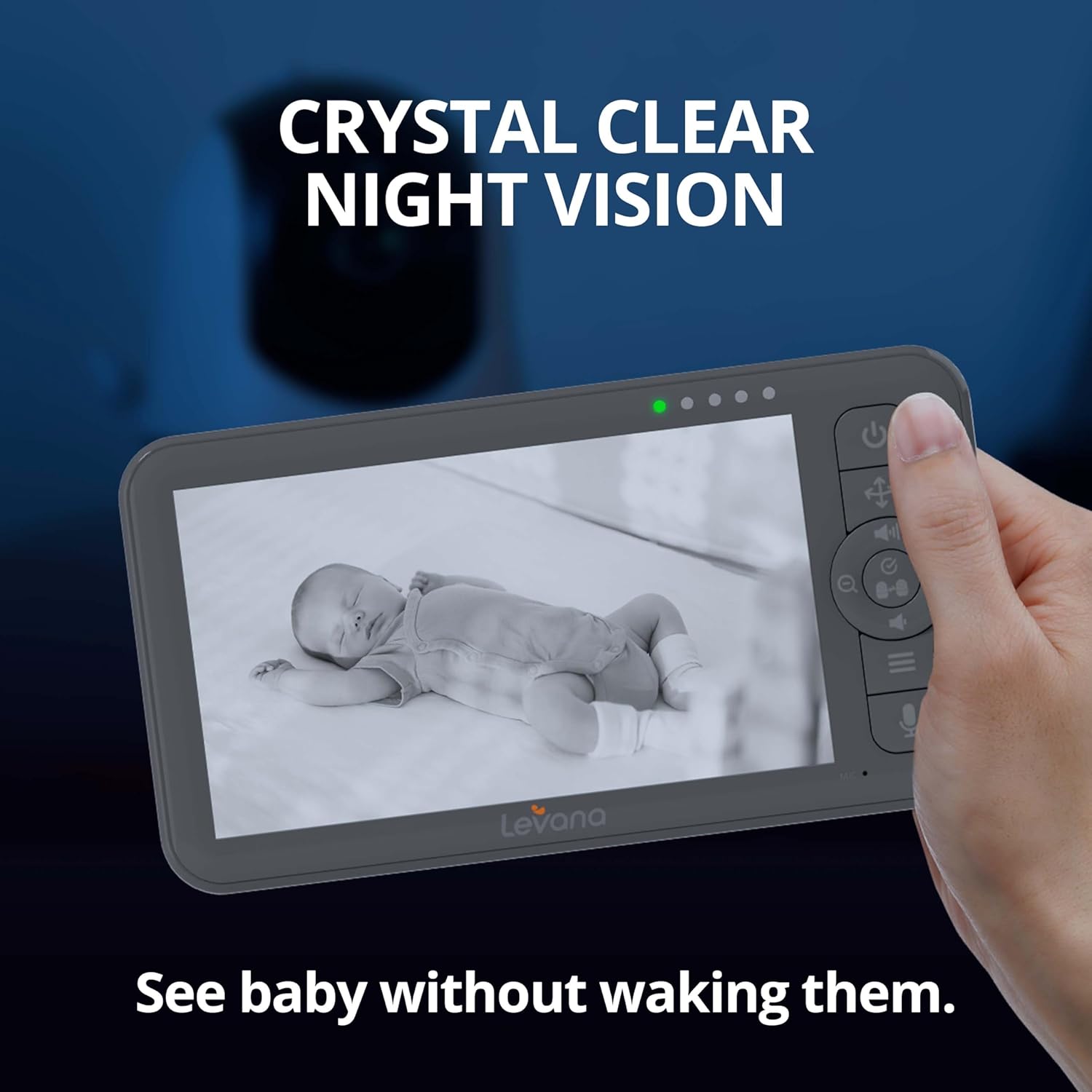
Image: The Levana Nala monitor showcasing its crystal clear night vision capability, allowing monitoring without disturbing the baby.
5.3 Communication bidirectionnelle
To comfort your child, press and hold the Two-Way Talk button on the monitor. Speak clearly into the monitor's microphone. Your voice will be transmitted through the camera's speaker.

Image: The Levana Nala monitor demonstrating the two-way talk feature, allowing parents to soothe their baby remotely.
5.4 Panoramique, inclinaison et zoom (PTZ)
Use the navigation buttons on the monitor to remotely adjust the camera's view:
- Casserole: Déplacez la caméra horizontalement (gauche/droite).
- Inclinaison: Déplacez la caméra verticalement (haut/bas).
- Zoom: Press the dedicated Zoom button to digitally zoom in or out on the image.
5.5 Autonomie de la batterie
The monitor features a powerful 5000mAh rechargeable battery, providing up to 22 hours of continuous video monitoring. Battery life may vary based on usage and settings (e.g., screen brightness, VOX mode).

Image: The Levana Nala monitor highlighting its extended 22-hour battery life for day and night use.
5.6 VOX Mode (Cry Detection)
The monitor can be set to VOX (Voice Operated eXchange) mode, where the screen and/or audio activate only when sound is detected from the camera. This conserves battery and reduces screen light during quiet periods.

Image: The monitor demonstrating its ability to activate when sound is detected, showing a sleeping baby with the screen off and an awake baby with the screen on.
5.7 berceuses
The camera can play built-in lullabies to help soothe your child. Access this feature through the monitor's menu.

Image: A baby sleeping peacefully with musical notes originating from the camera, illustrating the lullaby function.
6. Entretien
- Nettoyage: Use a soft, dry cloth to clean the monitor and camera surfaces. Do not use liquid cleaners or aerosol sprays.
- Entretien de la batterie: To prolong battery life, avoid fully discharging the monitor's battery frequently. Charge the monitor regularly.
- Stockage: If storing the device for an extended period, ensure the battery is partially charged (around 50%) and store in a cool, dry place.
7. Dépannage
| Problème | Cause possible | Solution |
|---|---|---|
| Aucun affichage ni son sur l'écran | Monitor or camera is off; Out of range; Low battery; Not paired. | Ensure both units are powered on and charged. Move monitor closer to camera. Re-pair units if necessary (refer to Section 4.3). |
| Mauvaise qualité d'image | Low light (night vision active); Camera lens dirty; Obstructions. | Ensure adequate lighting if color vision is desired. Clean camera lens. Remove any objects blocking the camera's view. |
| Pas de son ou volume faible | Monitor volume too low; VOX sensitivity too low. | Increase monitor volume. Adjust VOX sensitivity in the menu. |
| L'écran ne charge pas | Chargeur mal connecté ; chargeur/câble défectueux. | Ensure charger is securely plugged into both monitor and outlet. Try a different compatible charger/cable if available. |
| Camera PTZ not responding | Out of range; Interference. | Move monitor closer to the camera. Ensure no large metal objects or other wireless devices are causing interference. |
8. Spécifications
- Taille de l'écran du moniteur : 5.5 pouces
- Résolution vidéo : HD 1080p
- Connectivité : Giga Xtreme Wireless Technology (No Wi-Fi, No Bluetooth)
- Portée sans fil : Jusqu'à 1000 pieds (ligne de mire)
- Caractéristiques de l'appareil photo : Pan, Tilt, Zoom (PTZ), Night Vision, Two-Way Talk
- Zoom optique : Zoom numérique 4x
- Batterie du moniteur : 5000 mAh, up to 22 hours continuous video
- Source d'alimentation : Battery Powered (Monitor), AC Adapter (Camera)
- Utilisation intérieure/extérieure : Intérieur
- Type de montage : Support mural
- Matériel: Plastique
- Voltage: 5 volts
- Dimensions du produit : 6.63 x 3.5 x 0.75 pouces (Moniteur)
- Poids de l'article : 2.75 livres (Poids total du colis)
- Code à barres : 842751005596
- Classement de protection internationale : IP65 (Camera, for dust and water resistance)
9. Garantie et assistance
Your Levana Nala 5.5" HD Video Baby Monitor comes with a Garantie d'un an, covering defects in materials and workmanship under normal use. Additionally, Levana provides Lifetime support pour ce produit.
For warranty claims, technical assistance, or any questions regarding your product, please refer to the contact information provided in your Quick Start Guide or visit the official Levana support website.