1. Introduction
Merci pour votre achatasing the T&G TG-516 Portable Bluetooth Speaker. This device is designed for high-quality audio playback and portability, featuring Bluetooth 5.3 connectivity, TF card and USB drive support, FM radio, and a built-in microphone for hands-free calls. Its waterproof design makes it suitable for various environments. Please read this manual carefully to ensure proper use and to maximize your speaker's performance.
2. caractéristiques du produit
- Portable et léger : Conçu pour un transport et une utilisation faciles en déplacement.
- Connectivité Bluetooth 5.3 : Provides a stable and fast wireless connection up to 10 meters.
- Plusieurs modes de lecture : Supports TF (Micro SD) cards, USB drives, FM radio, and AUX input.
- Appels mains libres : Built-in microphone allows for answering calls directly through the speaker.
- Fonction TWS : Connect two TG-516 speakers wirelessly for enhanced stereo sound.
- Conception imperméable à l'eau: IPX5 rating protects against splashes and light rain, making it suitable for outdoor activities.
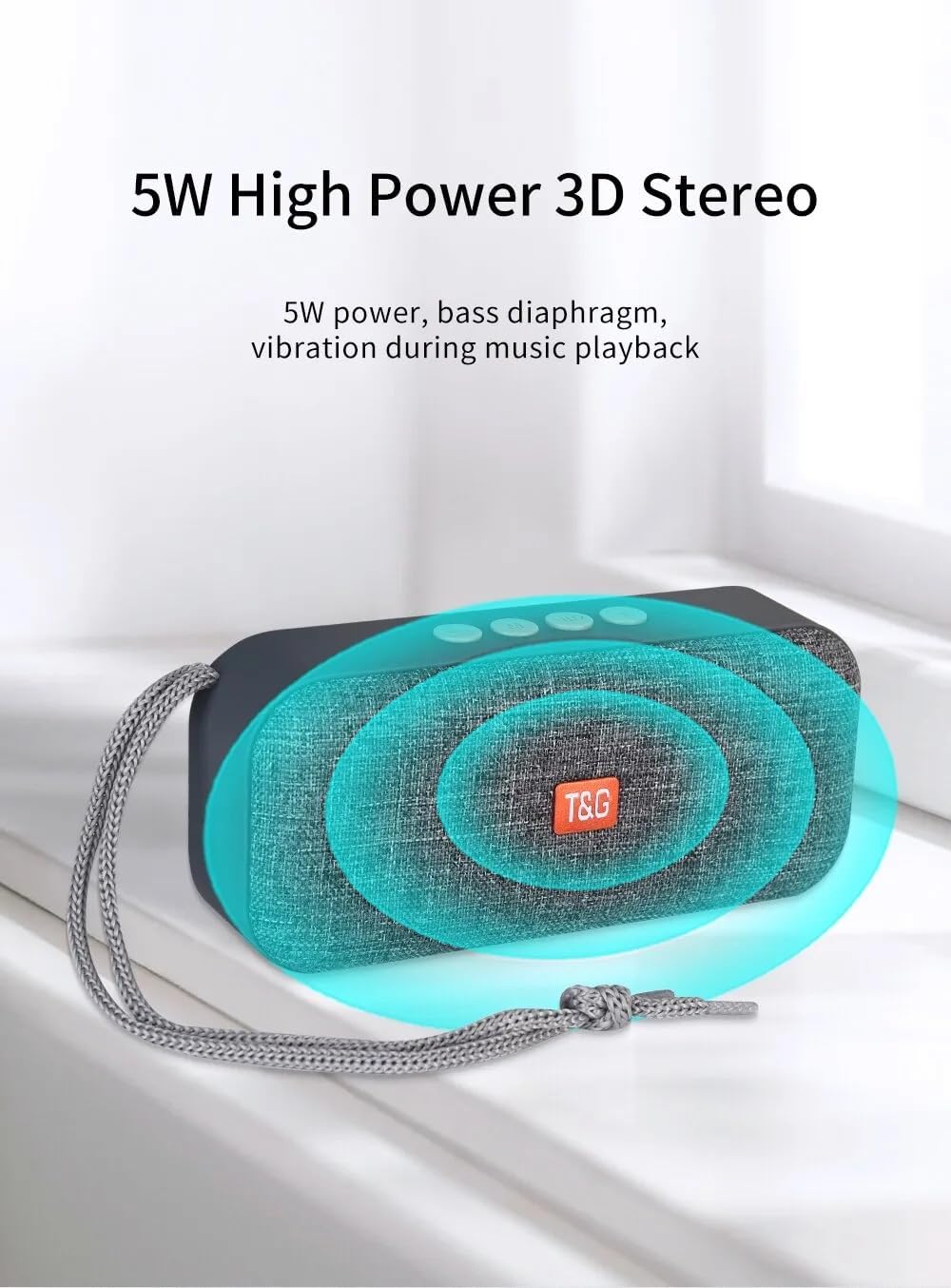
- Stéréo 3D haute puissance 5 W : Delivers clear audio with a bass diaphragm for enhanced sound.
- Batterie longue durée : Integrated 500mAh battery provides approximately 1 hour of playback at moderate volume.

3. Contenu du colis
- 1 x T&G TG-516 Portable Bluetooth Speaker
- 1 x câble de chargement USB
4. Agencement et commandes de l'appareil

- Baisser le volume / Piste précédente : Short press for previous track (in music mode), long press to decrease volume.
- Changement de mode : Short press to switch between modes (USB drive, TF card, FM radio, Bluetooth, LINE IN). Long press for hard searching in FM mode.
- Contrôle de lecture/pause/appel : Short press to play/pause music. In Bluetooth mode, short press to answer a call, long press to end a call. In FM mode, short press to automatically search for radio stations, and short press during search to cancel.
- Augmenter le volume / Piste suivante : Short press for next track (in music mode), long press to increase volume.
- Interrupteur marche / arrêt: Bouton d'alimentation.
- Interface d'alimentation CC 5 V : Port de charge micro-USB.
- Interface d'entrée pour carte TF : Decodes MP3 format audio playback when a TF card is inserted.
- Interface d'entrée AUX : 3.5mm audio jack for external audio input.
- USB Drive Input Interface: Decodes MP3 format audio playback when a USB drive is inserted.
5. Installation et utilisation initiale
5.1 Chargement de l'enceinte
Before first use, fully charge the speaker. Connect the provided USB charging cable to the DC 5V power interface (6) on the speaker and the other end to a USB power source (e.g., computer, USB wall adapter). The charging indicator light will illuminate during charging and turn off when fully charged.

5.2 Mise sous/hors tension
To power on the speaker, slide the ON/OFF switch (5) to the "ON" position. To power off, slide it to the "OFF" position.
5.3 Couplage Bluetooth
- Ensure the speaker is powered on and in Bluetooth mode (indicated by a flashing blue light). If not, short press the Mode Switch button (2) until it enters Bluetooth mode.
- Sur votre appareil mobile (smartphone, tablette, etc.), activez le Bluetooth et recherchez les appareils disponibles.
- Select "TG-516" from the list of devices.
- Une fois l'appairage effectué, l'enceinte émet un son de confirmation et le voyant bleu cesse de clignoter.

Appairage 5.4 TWS (True Wireless Stereo)
To connect two TG-516 speakers for a stereo experience:
- Ensure both TG-516 speakers are powered on and in Bluetooth mode, but not yet paired with any device.
- On one of the speakers (this will be the primary speaker), long press the Play/Pause button (3) for a few seconds until you hear a pairing tone.
- Les deux enceintes se connecteront automatiquement. Une fois la connexion établie, vous entendrez un signal sonore de confirmation.
- Now, pair your mobile device with the primary speaker as described in section 5.3. Audio will play through both speakers in stereo.

6. Mode d'emploi
6.1 Changement de mode de lecture
Short press the Mode Switch button (2) to cycle through available modes: Bluetooth, TF Card, USB Drive, FM Radio, and AUX Input. The speaker will announce the current mode.
6.2 Lecture de musique
- Lecture/Pause : Appuyez brièvement sur le bouton Lecture/Pause (3).
- Piste suivante : Short press the Volume Up / Next Track button (4).
- Piste précédente: Short press the Volume Down / Previous Track button (1).
- Réglage du volume : Long press the Volume Up / Next Track button (4) to increase volume. Long press the Volume Down / Previous Track button (1) to decrease volume.
Fonctionnement de la radio FM 6.3
- Switch to FM Radio mode using the Mode Switch button (2).
- For better reception, connect the USB charging cable to the speaker; it acts as an antenna.
- Recherche automatique des stations : Short press the Play/Pause button (3) to start an automatic search for radio stations. The speaker will scan and save available stations. Short press again during the search to cancel.
- Stations de navigation : Short press the Volume Up / Next Track button (4) or Volume Down / Previous Track button (1) to switch between saved stations.
6.4 Appels mains libres
Une fois connecté à votre téléphone via Bluetooth :
- Répondre à l'appel : Short press the Play/Pause button (3) when an incoming call rings.
- Fin d'appel : Long press the Play/Pause button (3) during a call to end it.
- Rejeter l'appel : Long press the Play/Pause button (3) when an incoming call rings to reject it.

7. Entretien
- Nettoyage: Utilisez un chiffon doux et sec pour nettoyer le haut-parleur. N'utilisez pas de produits chimiques agressifs ni de nettoyants abrasifs.
- Résistance à l'eau : The speaker is IPX5 waterproof, meaning it is protected against low-pressure water jets from any direction. Do not submerge the speaker in water or expose it to heavy rain for extended periods. Ensure all port covers are securely closed before exposure to water.
- Entretien de la batterie: Pour prolonger la durée de vie de la batterie, évitez de décharger complètement l'enceinte fréquemment. Rechargez-la régulièrement, même si vous ne l'utilisez pas pendant une période prolongée. Rangez-la dans un endroit frais et sec.
- Stockage: Lorsqu'il n'est pas utilisé, rangez l'enceinte dans un endroit frais et sec, à l'abri de la lumière directe du soleil et des températures extrêmes.
8. Dépannage
| Problème | Cause possible | Solution |
|---|---|---|
| Le haut-parleur ne s'allume pas. | La batterie est épuisée. | Chargez le haut-parleur à l'aide du câble USB fourni. |
| Impossible de coupler via Bluetooth. | L'enceinte n'est pas en mode appairage ou est trop éloignée de l'appareil. | Ensure speaker is in Bluetooth mode (flashing blue light). Move speaker closer to your device. Turn off and on Bluetooth on your device. |
| Pas de son. | Le volume est trop faible ou coupé. Mode incorrect sélectionné. | Increase volume on both speaker and connected device. Ensure correct playback mode (Bluetooth, TF, USB, AUX) is selected. |
| Mauvaise réception radio FM. | Antenne inexistante ou signal faible. | Connect the USB charging cable to the speaker; it acts as an antenna. Try moving to a location with better signal. |
| L'appairage TWS a échoué. | Speakers already paired to a device or not in TWS pairing mode. | Ensure both speakers are not connected to any device. Follow TWS pairing steps carefully (Section 5.4). |
9. Spécifications
| Modèle: | TG-516 |
| Version Bluetooth : | V5.3 |
| Distance sans fil : | Jusqu'à 10 mètres (33 pieds) |
| Taille du haut-parleur : | 5.2 cm (Woofer) |
| Puissance de sortie : | 5 watts |
| Réponse en fréquence : | 50 Hz - 20 kHz |
| Rapport signal sur bruit: | ≥ 85 dB |
| Batterie: | 3.7 V, 500 mAh |
| Playback Time (moderate volume): | Environ 1 heure |
| Dimensions: | 145 mm x 46.5 mm x 66 mm (5.7 x 1.8 x 2.6 pouces) |
| Poids: | 210 grammes (0.46 livres) |
| Indice d'étanchéité : | IPX5 |
| Médias pris en charge : | Bluetooth, TF Card, USB Drive, AUX, FM Radio |
10. Garantie et assistance
The T&G TG-516 Portable Bluetooth Speaker comes with a manufacturer's warranty. Please refer to your purchase documentation or contact your retailer for specific warranty terms and conditions. For technical support or further assistance, please contact the vendor or manufacturer directly.


