1. Introduction
Thank you for choosing the Segway SP100 Portable Solar Panel. This manual provides essential information for the safe and efficient use of your solar panel. Please read this manual thoroughly before operating the device and retain it for future reference.
The Segway SP100 is a 100-watt portable solar panel designed for outdoor power generation. It features high-efficiency monocrystalline cells, multiple output ports, and a durable, water-resistant design, making it suitable for various applications including RVs, campet la vie hors réseau.
2. Consignes de sécurité
Respectez toujours les consignes de sécurité suivantes afin d'éviter les blessures ou d'endommager le produit.
- Ne tentez pas de démonter, de réparer ou de modifier le panneau solaire. Toute modification non autorisée peut annuler la garantie et présenter des risques pour la sécurité.
- Avoid exposing the solar panel to open flames or extreme heat.
- Do not immerse the solar panel in water. While it is IP65 water-resistant, it is not designed for submersion. Ensure the cable organizer bag is zipped up before exposure to water.
- Avoid using high-pressure water (e.g., a shower) to clean the solar panel, as this may cause damage.
- Do not extrude the solar panel with external force, as this can damage the solar panel chip.
- Avoid using the solar panel in severe weather conditions such as thunderstorms, strong winds, or hail.
- Keep the solar panel away from children and pets.
- Assurez une ventilation adéquate lors du fonctionnement du panneau solaire afin d'éviter toute surchauffe.
3. Produit terminéview
The Segway SP100 Portable Solar Panel is designed for ease of use and portability. Key features include:
- Conception pliable: Compact for transport and storage.
- Haute efficacité : Monocrystalline PV module with up to 22.7% conversion efficiency.
- Béquille intégrée : Features a Solar Angle Guide for optimal sun alignment.
- Plusieurs ports de sortie : Includes USB-A and Type-C ports for direct device charging.
- Construction durable : IP65 water-resistant rating for outdoor use.
- Compatibilité: Designed to work seamlessly with Segway Cube Series Power Stations.

Image: The Segway SP100 Portable Solar Panel in its unfolded state, showcasing its four solar segments and integrated handles.

Image: A visual comparison of the Segway SP100 and SP200 solar panels, highlighting their folded and expanded dimensions and weight for portability.
4. Installation
- Dépliez le panneau solaire : Carefully unfold the Segway SP100 solar panel until all segments are fully extended.
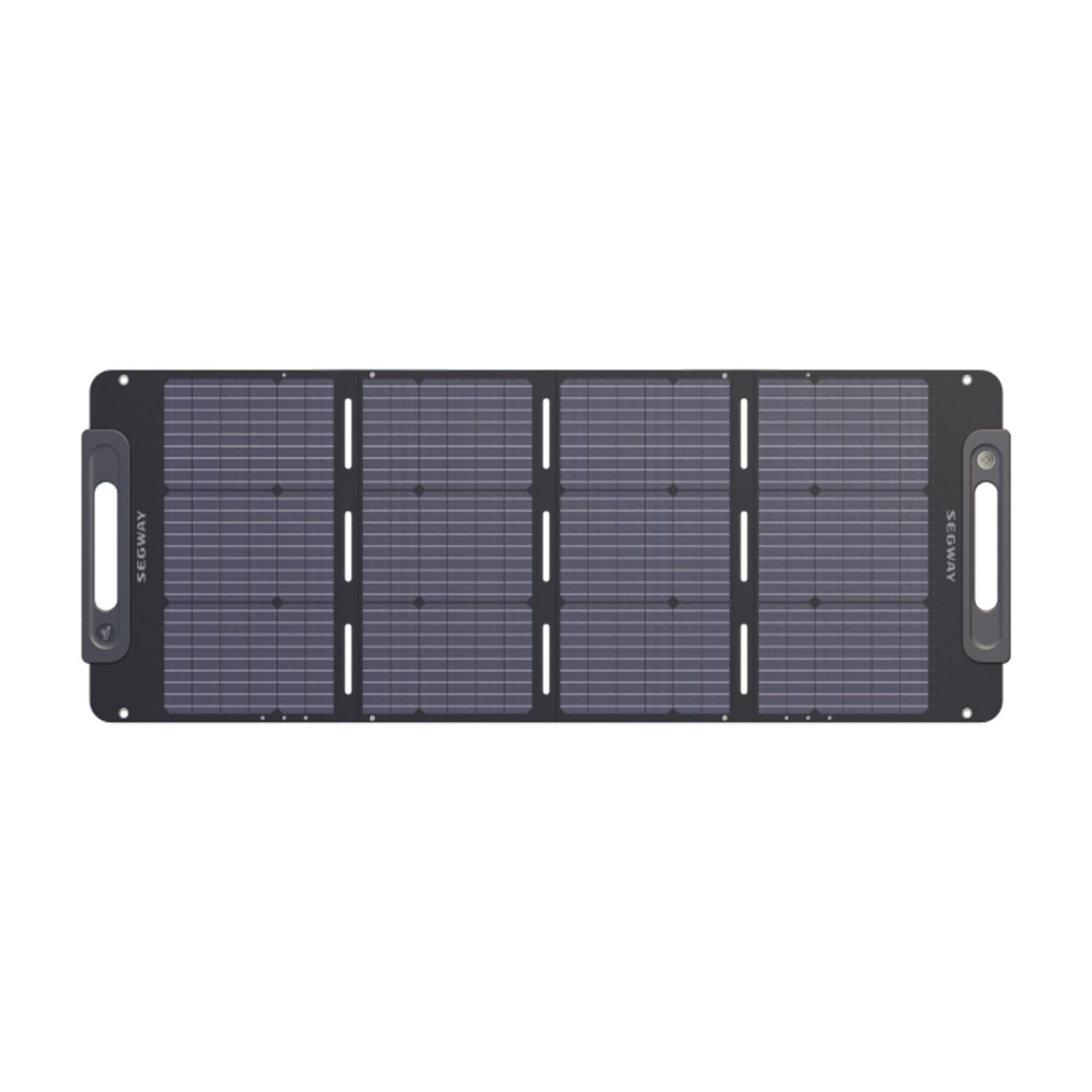
Image: The Segway SP100 solar panel fully unfolded, showing its expanded dimensions of 55.1 x 21.2 inches and a weight of 11.4 lbs.
- Position pour un ensoleillement optimal : Deploy the integrated kickstand on the back of the solar panel. Use the Solar Angle Guide to adjust the panel's angle to face the sun directly. This maximizes charging efficiency.

Image: The Segway SP100 solar panel positioned with its adjustable kickstand, indicating the location of the solar angle meter for optimal sun alignment.
- Connect to Devices/Power Station:
- For direct device charging, connect your USB-A or Type-C compatible devices to the respective output ports on the solar panel.
- To charge a Segway Cube Series Power Station, connect the solar panel's Anderson 30A output to the corresponding input port on your power station.

Image: A user connecting the Segway SP100 solar panel to a Segway Cube power station, demonstrating how to charge the power station outdoors.

Image: A person charging a smartphone directly using the USB-A port on the Segway SP100 solar panel, illustrating its direct device charging capability.
- Expandable Connectivity (Optional): Multiple SP100 panels can be connected in series or parallel to increase power output. Serial and parallel connectors are sold separately.

Image: A diagram illustrating how to connect multiple Segway solar panels in series or parallel to increase total power output, with examples for 200W and 400W configurations.
5. Mode d'emploi
Once the solar panel is set up and connected, it will begin generating power when exposed to sufficient sunlight.
- Surveillance de la charge : If connected to a Segway Cube Series Power Station, monitor the power station's display for charging status and input wattage.
- Chargement direct de l'appareil : When charging devices directly via USB-A or Type-C, ensure your device indicates it is receiving power.
- Optimisation des performances : Periodically check the solar panel's angle throughout the day and adjust it to maintain direct exposure to the sun. Avoid any shadows falling on the panel, as this can significantly reduce efficiency.
6. Entretien
- Nettoyage:
To maintain optimal performance, keep the solar panel surface clean. Dust and debris can reduce efficiency. Use a soft, damp cloth to gently wipe the surface. Avoid abrasive cleaners or high-pressure water.

Image: The Segway SP100 solar panel being sprayed with water, illustrating its IP65 dust and water-resistant rating. Note: Avoid high-pressure water for cleaning.
- Stockage:
When not in use, fold the solar panel and store it in a cool, dry place, ideally within its provided storage bag. The recommended storage temperature is 10°C to 35°C (50°F to 95°F).

Image: The Segway SP100 solar panel folded, alongside its dedicated harness storage bag for cables and a larger solar panel bag for transport and protection.
- Gestion des câbles: Ensure all cables are properly stored and not kinked or damaged.
7. Dépannage
- Q: Why is the charging power of the solar panel low?
A: Several factors can affect charging power:
- Intensité de la lumière du soleil : In cloudy or rainy weather, sunlight intensity is weak, leading to lower charging power.
- Sunlight Area: Ensure no shadows are cast on the solar panel, as blocked areas reduce efficiency.
- Sunlight Angle: The solar panel might not be facing the sun vertically. Adjust its position using the Solar Angle Guide for optimal exposure.
Warning: Avoid extruding the solar panel with external force, otherwise, the solar panel chip might be damaged.
- Q : Le panneau solaire est-il étanche ?
A: The solar panel has an IP65 rating, meaning it is protected against dust and low-pressure water jets from any direction. It can be used outdoors. Make sure the cable organizer bag is zipped up before exposure to water. Clean it with running water, but avoid high-pressure water (such as a shower), as it might be damaged by the pressure.
- Q: Can the solar panel be used in extreme weather?
A: The operating temperature range is -20°C to 60°C (-4°F to 140°F). The storage temperature range is 10°C to 35°C (50°F to 95°F).
Warning: Avoid using it in severe conditions such as thunderstorms, strong winds, and hail, and avoid impact on the surface of the solar panel.
- Q: Can the solar panel store energy?
A: No, the Segway SP100 is a solar panel designed to convert sunlight into electricity; it does not have internal energy storage capabilities. It must be connected to a compatible power station or device to utilize the generated power.
8. Spécifications
| Paramètre | Valeur |
|---|---|
| Nom du produit | Segway Solar Panel SP100 |
| L × l × H (plié) | 21.2 × 15.7 × 2.6 pouces (540 × 400 × 68 mm) |
| L × W × H (unfolded) | 55.1 × 21.2 × 1.2 pouces (1400 × 540 × 32 mm) |
| Poids net | 11.4 livres (5.2 kg) |
| Puissance de fonctionnement | 100W MAX |
| Vol d'exploitationtage | 19.8 V |
| Courant de fonctionnement | 5.05 A |
| Vol en circuit ouverttage | 23.8 V |
| Courant de court-circuit | 5.33 A |
| Sortie Type-C | 5V/3A, 9V/3A, 12V/3A, 15V/3A, 20V/3.25A (MAX 65W) |
| Sortie USB-A1 | 5 V/2.4 A |
| Sortie USB-A2 | 5V/3A, 9V/2A, 12V/1.5A (MAX 18W) |
| Température de fonctionnement | -20°C~60°C (-4°F~140°F) |
| Température de stockage | 10°C~35°C (50°F~95°F) |
| Indice de résistance à l'eau | IP65 |
| Efficacité de conversion | Jusqu'à 22.7% |
| Matériel | Aluminum, Iron, Magnesium |
9. Garantie et assistance
The Segway SP100 Portable Solar Panel is backed by a Garantie de 1 ans, ensuring durability and reliability. This warranty covers manufacturing defects and material flaws under normal use. Please retain your proof of purchase for warranty claims.
For technical support, warranty inquiries, or service requests, please contact Segway customer service through their official website ou les coordonnées fournies avec l'emballage de votre produit.
Fabricant: Ninebot New Energy Technology (Beijing) Co., Ltd.


