Introduction
This manual provides detailed instructions for the safe and effective operation, maintenance, and troubleshooting of your IDEAPLAY J10 Jump Starter. Please read this manual thoroughly before using the device to ensure proper function and safety.
The IDEAPLAY J10 is a powerful and portable 12V car battery jump starter designed for vehicles with up to 8.0L gas and 7.0L diesel engines. It also functions as a portable power bank and features an LED flashlight.
Consignes de sécurité
Respectez toujours les consignes de sécurité suivantes afin d'éviter les blessures ou les dommages à l'appareil et au véhicule :
- Ne court-circuitez pas les bornes du démarreur.
- N'exposez pas l'appareil à des températures extrêmes ou à la lumière directe du soleil.
- Ne pas immerger l'appareil dans l'eau.
- Tenir hors de portée des enfants.
- Assurez une bonne ventilation pendant l'utilisation.
- If the intelligent jumper cables indicate an incorrect connection (buzz sound and blinking red light), disconnect immediately and re-evaluate the connection.
- N'essayez pas de redémarrer une batterie gelée.
- Portez toujours des lunettes de protection lorsque vous travaillez avec des batteries.
Contenu du colis
Vérifiez que tous les éléments sont présents dans le colis :
- 1 x IDEAPLAY J10 Portable Battery Jump Starter
- 1 x Câble de démarrage intelligent Clamps
- 1 câble de charge rapide USB-C
- 1 x étui de transport
- 1 x Manuel d'utilisation

Image: The IDEAPLAY J10 Jump Starter unit, intelligent jumper cable clamps, USB-C charging cable, and a carrying case.
Produit terminéview et spécifications

Image: Diagram showing the different parts of the IDEAPLAY J10 Jump Starter, including the indication display, output ports, ECS output, LED flashlight, and power button.
Caractéristiques principales :
- Courant de pointe: 2000A
- Capacité de la batterie : 20000mAh
- Compatibilité moteur : Up to 8.0L Gas, 7.0L Diesel (12V vehicles)
- Sorties USB : 2 x USB-A 18W Quick Charge, 1 x 30W Two-way USB-C
- Certifications de sécurité : Certifié UL2743
- Fonctions de protection : Short circuit, over-load, over-current, reverse polarity, etc.
- Modes de lampe de poche : Lampe torche, SOS, stroboscope
Spécifications techniques :
| Spécification | Valeur |
|---|---|
| Marque | IDÉAPLAY |
| Modèle | J10 (O7-UX63-LC0V) |
| Dimensions du produit | 3.35"P x 1.47"L x 6.5"H |
| Poids de l'article | 1.16 livres |
| Amprage | 2000 Amps |
| Courant de sortie de crête | 2000 Amps |
| Type de batterie | Batterie lithium-ion (1 incluse) |
| Spécification satisfaite | UL |
Charger le démarreur de secours
Before first use, fully charge the IDEAPLAY J10. It is recommended to recharge the unit every 3-6 months to maintain optimal battery health, especially if not used frequently.
- Connect the provided USB-C Fast Charging Cable to the USB-C IN/OUT port on the jump starter.
- Connectez l'autre extrémité du câble USB-C à un adaptateur secteur USB compatible (non inclus) ou à un port USB alimenté.
- The digital display will show the charging progress. The unit is fully charged when the display shows "100%".
The 30W two-way USB-C port provides a faster charging speed for the J10 Battery Booster Pack.
Instructions d'utilisation : Démarrage d'un véhicule à l'aide de câbles de démarrage
Suivez attentivement ces étapes pour démarrer votre véhicule à l'aide de câbles :
- Préparation:
- Assurez-vous que le démarreur de secours est suffisamment chargé (au moins 50 % recommandé).
- Turn off the vehicle's ignition and all accessories (lights, radio, AC).
- Place the vehicle in park (automatic) or neutral (manual) and engage the parking brake.
- Raccordez les câbles de démarrage au démarreur :
Insert the blue plug of the intelligent jumper cable clamps firmly into the ECS Output port on the jump starter. Ensure a secure connection.

Image: A hand inserting the blue plug of the jumper cables into the jump starter unit.
- Connecter Clamps à la batterie du véhicule :
- Connectez le rouge (+) clamp au positif (+) borne de la batterie du véhicule.
- Connectez le noir (-) clamp au négatif (-) borne de la batterie du véhicule.
If the intelligent jumper cables emit a buzz sound and a red light blinks, it indicates an incorrect connection (e.g., reverse polarity). Disconnect immediately and re-check the connections.

Image: The red and black clamps connected to a car battery, with the jump starter unit nearby.
- Démarrez le véhicule :
Une fois le clamps are correctly connected and the intelligent cable indicator is solid green (or off, depending on model), start the vehicle's engine. If the vehicle does not start on the first attempt, wait at least 30 seconds before trying again.

Image: A hand pressing the engine start button in a car.
- Débranchez les câbles :
Once the vehicle has started, disconnect the black (-) clamp d'abord, puis le rouge (+) clamp from the vehicle battery. Finally, disconnect the jumper cables from the jump starter unit.
Utilisation comme banque d'alimentation portable :
The IDEAPLAY J10 can charge various electronic devices:
- Connect your device's USB charging cable to one of the USB-A (Output 1 or Output 2) or USB-C (IN/OUT) ports on the jump starter.
- Le démarreur de secours commencera automatiquement à charger votre appareil.

Image: The IDEAPLAY J10 unit connected to a smartphone and a tablet for charging, demonstrating its power bank functionality.
Utilisation de la lampe de poche LED :
The built-in LED flashlight has three modes:
- Press the flashlight button once for continuous light mode.
- Press again for SOS strobe mode.
- Press a third time for continuous flash mode.
- Appuyez une quatrième fois pour éteindre la lampe de poche.
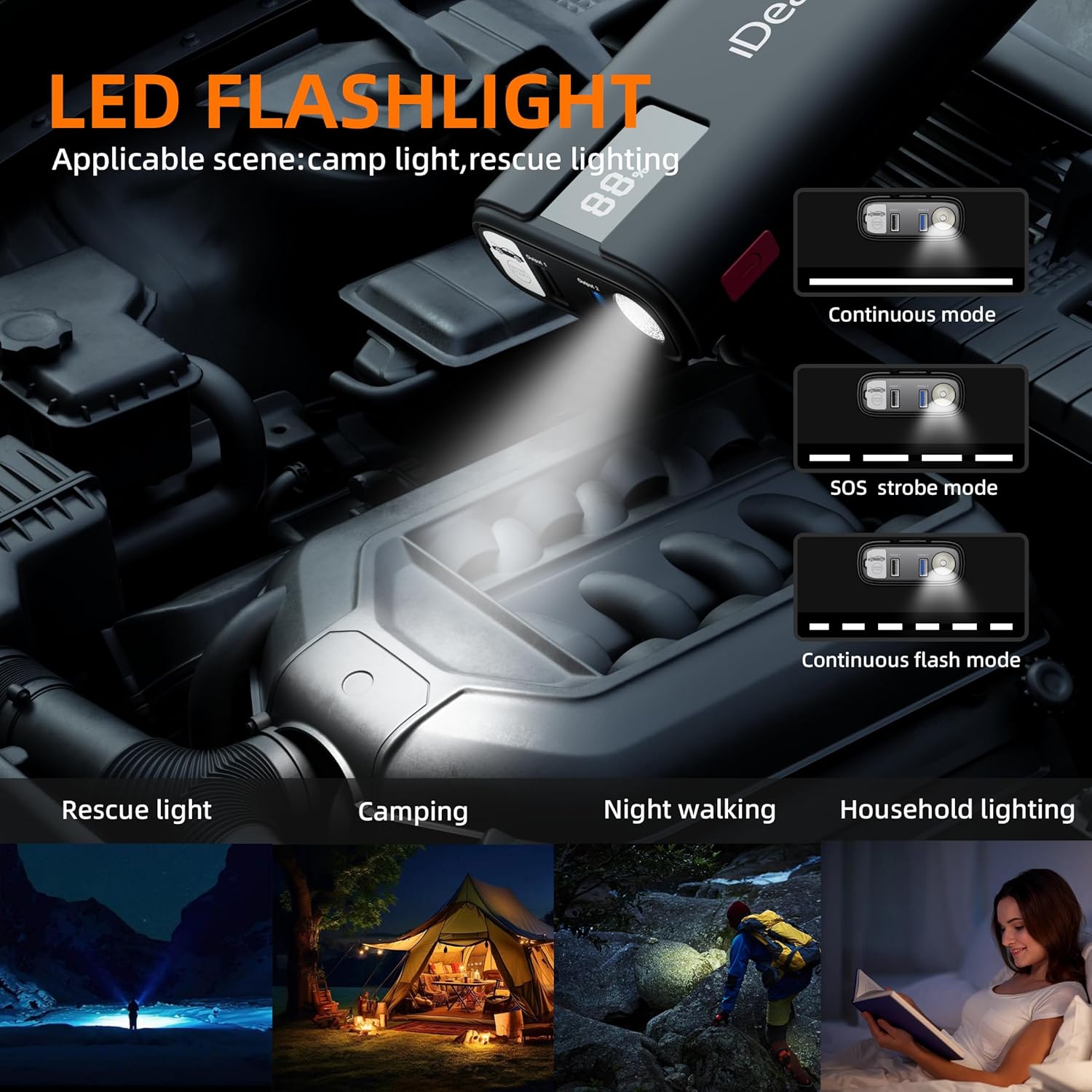
Image: The IDEAPLAY J10's LED flashlight illuminating an engine bay, with illustrations of its continuous, SOS strobe, and continuous flash modes.
Entretien et stockage
- Nettoyez l'appareil avec un chiffon doux et sec. N'utilisez pas de nettoyants abrasifs ni de solvants.
- Store the jump starter in its carrying case in a cool, dry place, away from direct sunlight and moisture.
- Rechargez l'appareil tous les 3 à 6 mois pour préserver la durée de vie de la batterie, même s'il n'est pas utilisé.
- Assurer la clampLes outils sont propres et exempts de corrosion avant et après chaque utilisation.
Dépannage
| Problème | Cause possible | Solution |
|---|---|---|
| Le démarreur ne s'allume pas. | La batterie est complètement déchargée. | Chargez complètement le démarreur. |
| Le véhicule ne démarre pas. | Clé incorrecteamp connection; Jump starter battery too low; Vehicle battery severely damaged; Engine too large for jump starter. | Chèque clamp connections (ensure correct polarity); Recharge jump starter; Consult a mechanic for vehicle battery issues; Verify engine displacement compatibility. |
| Classe intelligenteamps buzz/blink red. | Inversion de polarité ; court-circuit ; surintensité. | Disconnect immediately and re-connect clamps to correct terminals; Check for short circuits; Ensure vehicle engine size is within limits. |
| Jump starter not charging devices. | Jump starter battery low; Incorrect cable/port used; Device not compatible. | Charge the jump starter; Ensure correct USB cable and port are used; Try another device to confirm jump starter functionality. |
Garantie et assistance
The IDEAPLAY J10 Jump Starter comes with a Plan de protection de 2 ans. For any issues or inquiries, please contact IDEAPLAY customer service. IDEAPLAY brand products are designed in the USA and provide 24/7 service.
You can reach IDEAPLAY customer support through their official website ou les coordonnées fournies dans l'emballage de votre produit.

Image: Graphic indicating 24 months of support and 7x24 customer service availability.


