1. Introduction
The ORICO R40 External SSD is a high-performance portable storage device designed for rapid data transfer and reliable storage. It features compatibility with Thunderbolt 3, Thunderbolt 4, and USB4.0 interfaces, offering speeds up to 40Gbps. This manual provides instructions for the proper setup, operation, and maintenance of your ORICO R40 SSD.
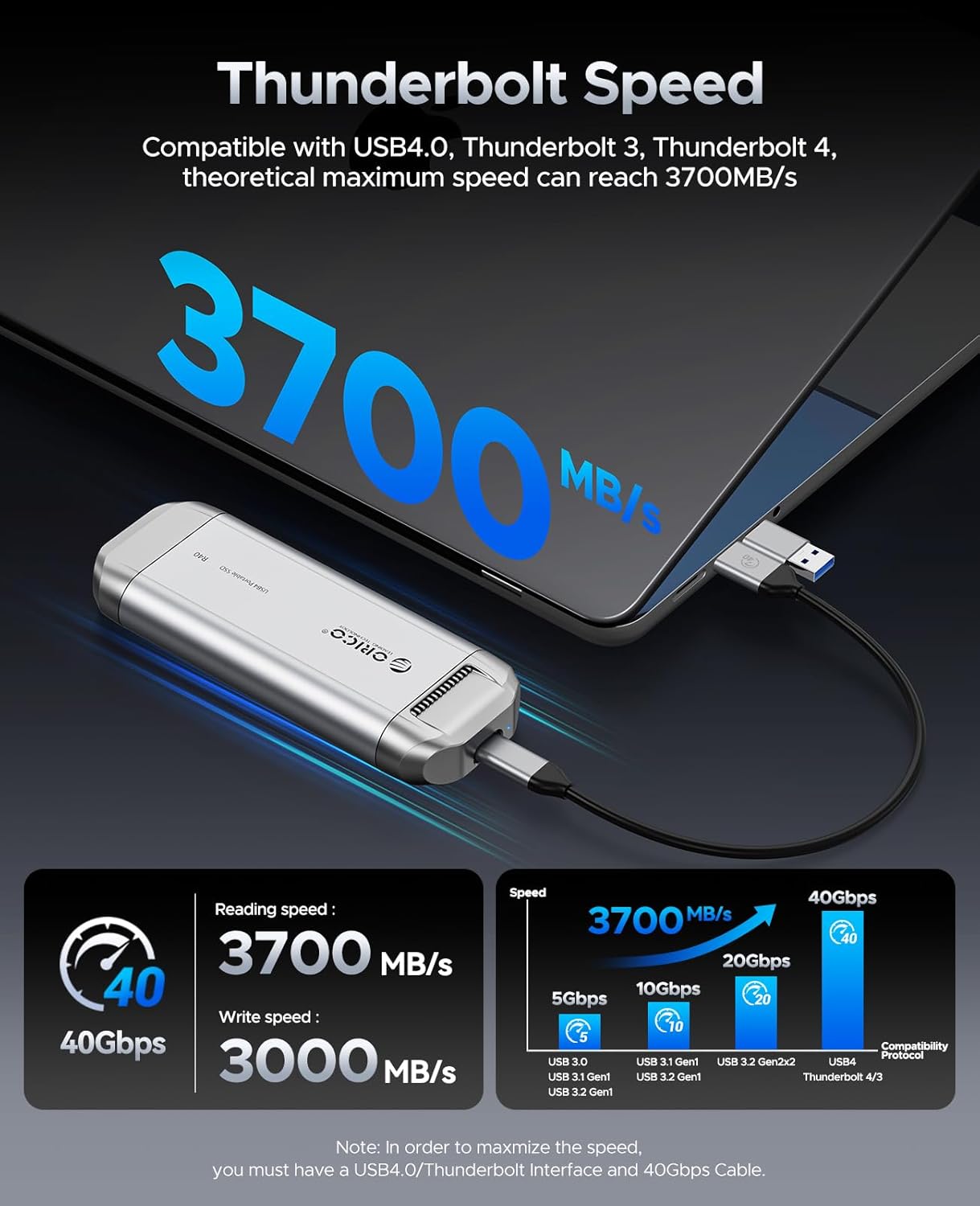
Image: The ORICO R40 External SSD, a compact and durable portable storage device.
2. Contenu du colis
Veuillez vérifier que tous les articles sont présents dans le colis :
- ORICO R40 External SSD (1TB, 2TB, or 4TB model)
- 2-in-1 USB-A and USB-C Cable
- Manuel de l'utilisateur (ce document)
3. Instructions de configuration
3.1 Connexion du SSD
- Locate the 2-in-1 USB-A and USB-C cable provided with your ORICO R40 SSD.
- Connect the USB-C end of the cable to the USB-C port on the ORICO R40 SSD.
- Connect the other end of the cable (USB-C or USB-A, depending on your device) to an available port on your computer, smartphone, tablet, or other compatible device.
- Ensure the connection is secure. The SSD should be recognized by your operating system automatically.

Image: The ORICO R40 SSD connected to a laptop, illustrating its broad compatibility with USB-A and USB-C devices.
3.2 Initializing and Formatting (If Required)
For new SSDs, or if the SSD is not recognized, you may need to initialize and format it. This process varies by operating system:
- Fenêtres : Open Disk Management (Right-click "This PC" > "Manage" > "Disk Management"). Locate the ORICO R40 SSD, initialize it (GPT recommended for larger drives), and then create a new simple volume, formatting it with NTFS or exFAT.
- macOS: Open Disk Utility (Applications > Utilities > Disk Utility). Select the ORICO R40 SSD, click "Erase," choose a name, format (APFS or Mac OS Extended (Journaled)), and scheme (GUID Partition Map).
- Linux: Utilisez des outils de gestion de disque comme GParted ou
fdisk/mkfscommandes pour partitionner et formater le disque.
Note: Formatting an SSD will erase all data on it. Back up any important data before proceeding.
4. Mode d'emploi
4.1 Transfert de données
Transférer files, simply drag and drop them to and from the ORICO R40 SSD, similar to any other external drive. For optimal performance, ensure your host device supports Thunderbolt 3/4 or USB4.0 and use the provided cable.

Image: A user editing video on a laptop, demonstrating the ORICO R40 SSD's capability for fast data transfer in professional workflows.
4.2 Speed and Performance
The ORICO R40 SSD is capable of theoretical maximum speeds of up to 3700MB/s (read) and 3000MB/s (write) when connected to a compatible Thunderbolt 3/4 or USB4.0 port with a 40Gbps cable. Actual speeds may vary based on your system configuration, file types, and operating environment.

Image: Illustration of the ORICO R40 SSD's Thunderbolt speed, showing up to 3700MB/s read and 3000MB/s write speeds.
4.3 Retrait en toute sécurité
Always safely eject the SSD from your operating system before physically disconnecting it to prevent data corruption. This is typically done by right-clicking the drive icon and selecting "Eject" (Windows) or dragging the drive icon to the Trash (macOS).
5. Entretien
5.1 Système de refroidissement
The ORICO R40 SSD incorporates a built-in cooling fan and an aluminum alloy housing to maintain optimal operating temperatures during intensive use. Ensure that the ventilation openings are not obstructed to allow for proper airflow.

Image : Intérieure view of the ORICO R40 SSD highlighting the cooling fan and aluminum alloy shell for efficient heat dissipation.
5.2 Entretien général
- Veillez à ce que le SSD reste propre et exempt de poussière. Utilisez un chiffon doux et sec pour le nettoyer.
- Évitez d'exposer le SSD à des températures extrêmes, à la lumière directe du soleil ou à une forte humidité.
- While the device is designed to be durable, avoid dropping it or subjecting it to strong impacts.
6. Dépannage
SSD 6.1 non reconnu
- Vérifier la connexion du cable: Ensure the 2-in-1 USB-C cable is securely connected to both the SSD and your device. Try a different port on your device.
- Essayez un autre câble : If available, test with another compatible USB4.0 or Thunderbolt cable to rule out a faulty cable.
- Vérifiez la Gestion des disques (Windows) / Utilitaire de disque (macOS) : Verify if the drive appears there. If it does, it might need initialization and formatting (refer to Section 3.2).
- Redémarrer l'appareil : Parfois, un simple redémarrage de votre ordinateur ou de votre appareil peut résoudre les problèmes de reconnaissance.
- Compatibilité: Ensure your device's port supports the required bandwidth (Thunderbolt 3/4 or USB4.0 for optimal performance). Older USB standards may have limited compatibility or performance.
6.2 Vitesses de transfert lentes
- Vérifier le type de port : For maximum speeds (up to 3700MB/s), your device must have a Thunderbolt 3, Thunderbolt 4, or USB4.0 port. Connecting to a standard USB 3.0/3.1/3.2 port will result in lower speeds.
- Utiliser le câble fourni : Always use the original 2-in-1 USB-C cable or another certified 40Gbps cable. Lower quality or incompatible cables can limit speed.
- Charge système : Une utilisation élevée du processeur ou d'autres processus en arrière-plan sur votre ordinateur peuvent affecter les vitesses de transfert.
- File Type et taille : Transfert de nombreux petits fileLe transfert de données est généralement plus lent que le transfert de quelques gros fichiers. files.
- SSD Temperature: While the R40 has a cooling system, prolonged heavy use in a hot environment might lead to thermal throttling, reducing speeds. Ensure proper ventilation.
6.3 Overheating or Fan Noise
- Ventilation: Ensure the SSD is placed on a hard, flat surface and that its ventilation grilles are not blocked.
- Fonctionnement normal : The built-in fan operates to keep the SSD cool during high-performance tasks. Some fan noise is normal. If the noise is excessive or unusual, contact support.
- Déconnectez-vous lorsque vous ne l'utilisez pas : If the fan noise or warmth is bothersome when the drive is idle, disconnect it from your device.
7. Spécifications
| Fonctionnalité | Détail |
|---|---|
| Modèle | R40 Series (R40-1TB, R40-2TB, R40-4TB) |
| Capacité de stockage numérique | 1TB, 2TB, 4TB (depending on model) |
| Interface du disque dur | Coup de tonnerre |
| Technologie de connectivité | Thunderbolt, USB |
| Theoretical Max Read Speed | Jusqu'à 3700 XNUMX Mo/s |
| Theoretical Max Write Speed | Jusqu'à 3000 XNUMX Mo/s |
| Compatibilité | Thunderbolt 3, Thunderbolt 4, USB4.0, USB-C, USB-A (with included cable) |
| Matériel | Alliage d'aluminium, ABS |
| Caractéristiques spéciales | Portable, Built-in Cooling System |
| Poids de l'article | Environ 3.17 onces (90 grammes) |
| Dimensions | Environ 7.28 x 4.25 x 1.26 pouces (18.5 x 10.8 x 3.2 cm) |
8. Garantie et assistance
8.1 Informations sur la garantie
ORICO products typically come with a limited manufacturer's warranty. Please refer to the warranty card included in your product packaging or visit the official ORICO webConsultez le site pour connaître les conditions générales de garantie détaillées spécifiques à votre région et à votre modèle de produit. Conservez votre preuve d'achat pour toute réclamation au titre de la garantie.
8.2 Assistance clientèle
Pour toute assistance technique, dépannage ou question sur les produits, veuillez contacter le service client d'ORICO via son site officiel. website. You can usually find contact information, FAQs, and driver downloads on the support section of the ORICO website.
ORICO officiel Website: www.oricotech.com


