Introduction
Thank you for choosing the Mars Gaming MS-H RGB Flow Gaming Speakers. These compact speakers are designed to provide an immersive audio experience with 3D Surround sound and dynamic RGB Flow lighting. This manual will guide you through the setup, operation, and maintenance of your new speakers.
Contenu du colis
- Mars Gaming MS-H RGB Flow Gaming Speakers (2 units)
- Câble d'alimentation USB intégré
- Integrated 3.5mm Auxiliary Audio Cable
- Manuel d'utilisation
Caractéristiques
- Conception compacte : Space-saving design suitable for any desk setup.
- RGB Flow Lighting: Dynamic LED lighting for an enhanced visual experience.
- Puissance de sortie de 10 W : Offre un son clair et puissant.
- Son surround 3D : Immersive audio experience with an innovative inverted driver system.
- Contrôle du volume intégré : Convenient inline control box for easy volume adjustment.
- Connectivité universelle : Powered via USB and connects to audio sources via a 3.5mm auxiliary jack.
Instructions d'installation
1. Emplacement :
Place the two speakers on a stable, flat surface, ideally on either side of your monitor or listening area for optimal stereo separation.
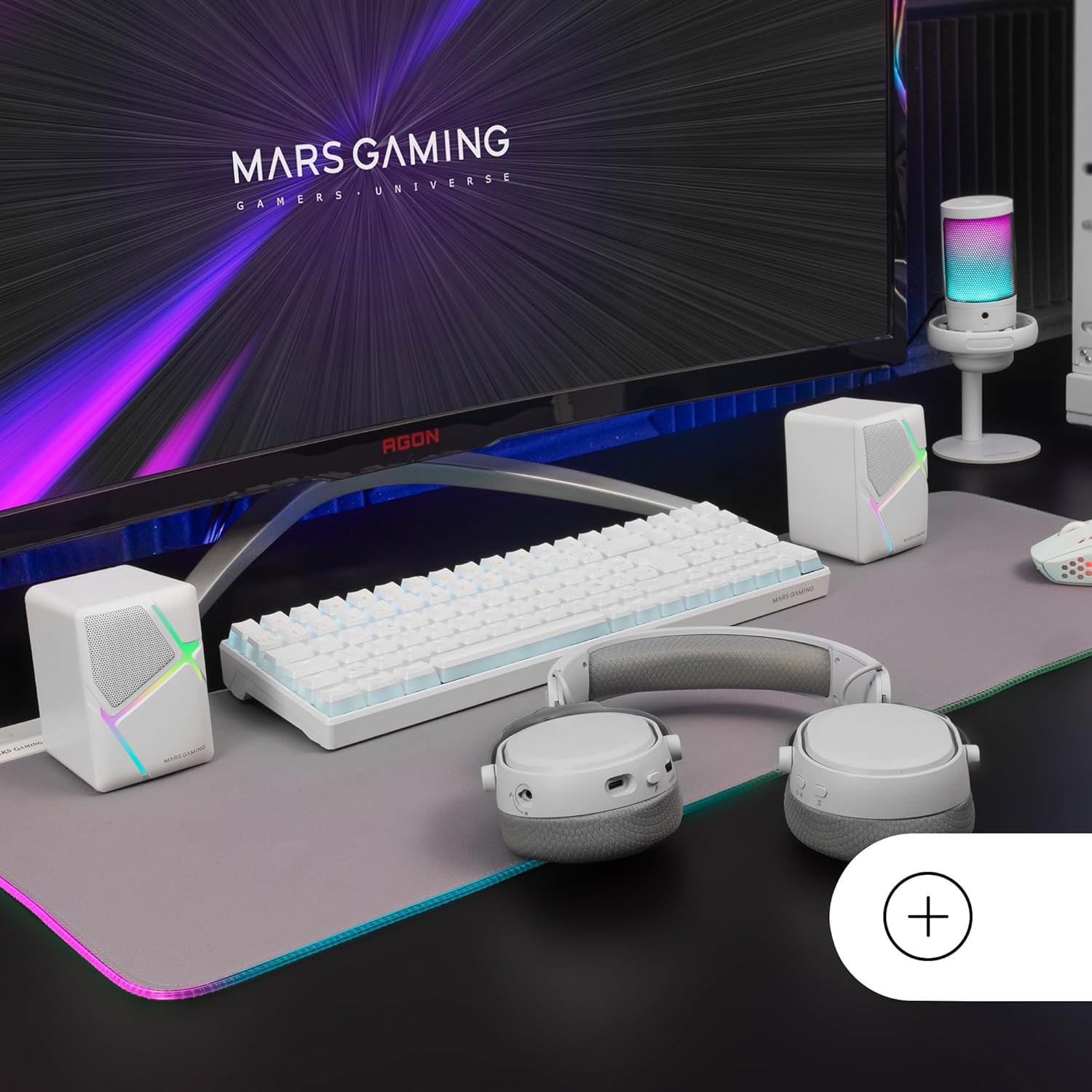
Image: Mars Gaming MS-H speakers set up on a desk with other gaming peripherals.
2. Connect Audio Cable:
Plug the 3.5mm auxiliary audio jack from the speakers into the audio output port of your computer, smartphone, tablet, or music player.

Image: Illustration showing the universal 3.5mm jack connection.
3. Connect USB Power:
Plug the USB-A connector into an available USB port on your computer, a USB wall adapter (not included), or any other compatible USB power source. The speakers will power on and the RGB lighting will activate.
Image: The Mars Gaming MS-H speakers showcasing their RGB Flow lighting feature.
Mode d'emploi
1. Marche/Arrêt :
The speakers power on automatically when the USB cable is connected to a power source. Disconnect the USB cable to power off the speakers.
2. Réglage du volume :
Use the inline volume control box to adjust the audio output level. Rotate the knob clockwise to increase volume and counter-clockwise to decrease it.

Image: The integrated volume control box with a rotary knob.
3. Éclairage RVB :
The RGB Flow lighting activates automatically when the speakers are powered on. The lighting pattern is pre-set and cannot be adjusted or turned off independently.
Entretien
- Keep the speakers away from water, moisture, and direct sunlight.
- Clean the speaker surfaces with a soft, dry cloth. Do not use abrasive cleaners or solvents.
- Évitez de placer des objets lourds sur les haut-parleurs ou les câbles.
- Do not attempt to open or repair the speakers yourself. Contact qualified service personnel for assistance.
Dépannage
| Problème | Cause possible | Solution |
|---|---|---|
| Pas de son |
|
|
| L'éclairage RVB ne fonctionne pas |
|
|
| Son déformé |
|
|
Caractéristiques
| Modèle | MSHW |
| Puissance de sortie | 10 watts |
| Technologie de connectivité | Auxiliary (3.5mm Jack), USB (for power) |
| Mode de sortie audio | Entourer |
| Impédance | 4 Ohms |
| Réponse en fréquence | Jusqu'à 20 kHz |
| Méthode de contrôle | Rotary Knob (Inline Volume Control) |
| Caractéristiques spéciales | RGB Flow LED Lighting |
| Utilisations recommandées | Music player, Computer, Smartphone or tablet |
| Appareils compatibles | Smartphones, tablets, computers, music players |
| Couleur | Blanc |
| Matériel | Acrylonitrile butadiène styrène (ABS) |
| Dimensions du produit (L x l x H) | 10 x 7.9 x 7 cm |
| Poids de l'article | 375 gramme |
| Type de montage | Dessus de table |
| Pays d'origine | Espagne |
Garantie et assistance
Pour obtenir des informations sur la garantie et une assistance technique, veuillez consulter le site officiel du fabricant. webConsultez le site web ou contactez votre revendeur. Conservez votre preuve d'achat pour toute réclamation au titre de la garantie.
Manufacturer: Mars Gaming