1. Introduction
The JTEMAN Cell Phone Stand with Bluetooth Speaker is a versatile 2-in-1 device designed to enhance your mobile experience. It combines a stable, adjustable phone stand with a high-quality Bluetooth speaker and a built-in microphone for hands-free communication. This product allows you to enjoy audio content with improved clarity and volume while keeping your device securely positioned for comfortable viewing.

Image: The JTEMAN Cell Phone Stand with Bluetooth Speaker in pink, showcasing its primary function of holding a smartphone horizontally while playing audio, indicated by musical notes.
2. Contenu de la boîte
Veuillez vérifier le contenu du colis à l'ouverture afin de vous assurer que tous les articles sont présents :
- Bluetooth Speaker Phone Holder
- Manuel d'utilisation
- USB-A to Type C Charger Cable
3. Caractéristiques et composants du produit
The JTEMAN Cell Phone Stand with Bluetooth Speaker integrates multiple functionalities into a compact design:
- Haut-parleur Bluetooth: Provides louder and clearer audio output for your device.
- Support de téléphone : Securely holds smartphones, tablets, and e-readers.
- Microphone intégré : Enables hands-free calls and clear voice communication.
- Angle réglable : Permet plusieurs viewing angles to suit various needs.
- Conception pliable: Ensures portability and easy storage.
- Anti-slip Silicone: Covers the contact surfaces to protect your device and prevent sliding.

Image: The JTEMAN device in a yoga setting, illustrating its combined functions as a Bluetooth speaker, phone stand, and microphone.

Image: A visual representation of the JTEMAN stand's adjustable and foldable design, along with its non-slip base for stability.
4. Installation
4.1 Charge initiale
Before first use, fully charge the device using the provided USB-A to Type C charger cable. Connect the Type C end to the charging port on the speaker and the USB-A end to a compatible power source (e.g., computer USB port, wall adapter).
- Un voyant rouge indique que l'appareil est en charge.
- A green light indicates that the device is fully charged.
La charge prend généralement environ 4 heures.

Image: Visual guide for charging the device, indicating charging time and battery capacity.
4.2 Dépliage du support
Gently unfold the phone stand component from its compact, folded position. Adjust the angle of the phone holder to your desired viewing preference. The stand is designed to be stable at various angles.
5. Mode d'emploi
5.1 Mise sous/hors tension
Locate the power button on the device. Press and hold the power button to turn the speaker on or off. An indicator light will confirm the power status.
5.2 Couplage Bluetooth
Pour connecter votre appareil via Bluetooth :
- Ensure the JTEMAN speaker is powered on.
- On your smartphone, tablet, or e-reader, navigate to the Bluetooth settings.
- Rechercher available devices. The JTEMAN speaker should appear in the list (e.g., as "JTEMAN Speaker" or similar).
- Select the JTEMAN speaker to pair. A confirmation sound or light indicator will signal a successful connection.
L'appareil tentera automatiquement de se reconnecter au dernier appareil apparié lors de sa mise sous tension.
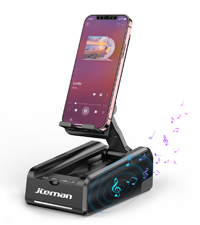
Image: A visual representation of the Bluetooth pairing process on a smartphone.
5.3 Lecture audio
Once paired, audio from your connected device will play through the JTEMAN speaker. The speaker provides loud and clear sound due to its unique design and precision diaphragm technology. Adjust the volume directly from your connected phone or tablet.

Image: The JTEMAN speaker in use, demonstrating its loud and clear sound output during music playback.
5.4 Appels mains libres
The built-in microphone allows for hands-free calling. When a call comes in, the audio will be routed through the speaker, and you can speak into the microphone for clear communication. This feature is particularly beneficial for individuals who may have difficulty hearing phone audio directly.
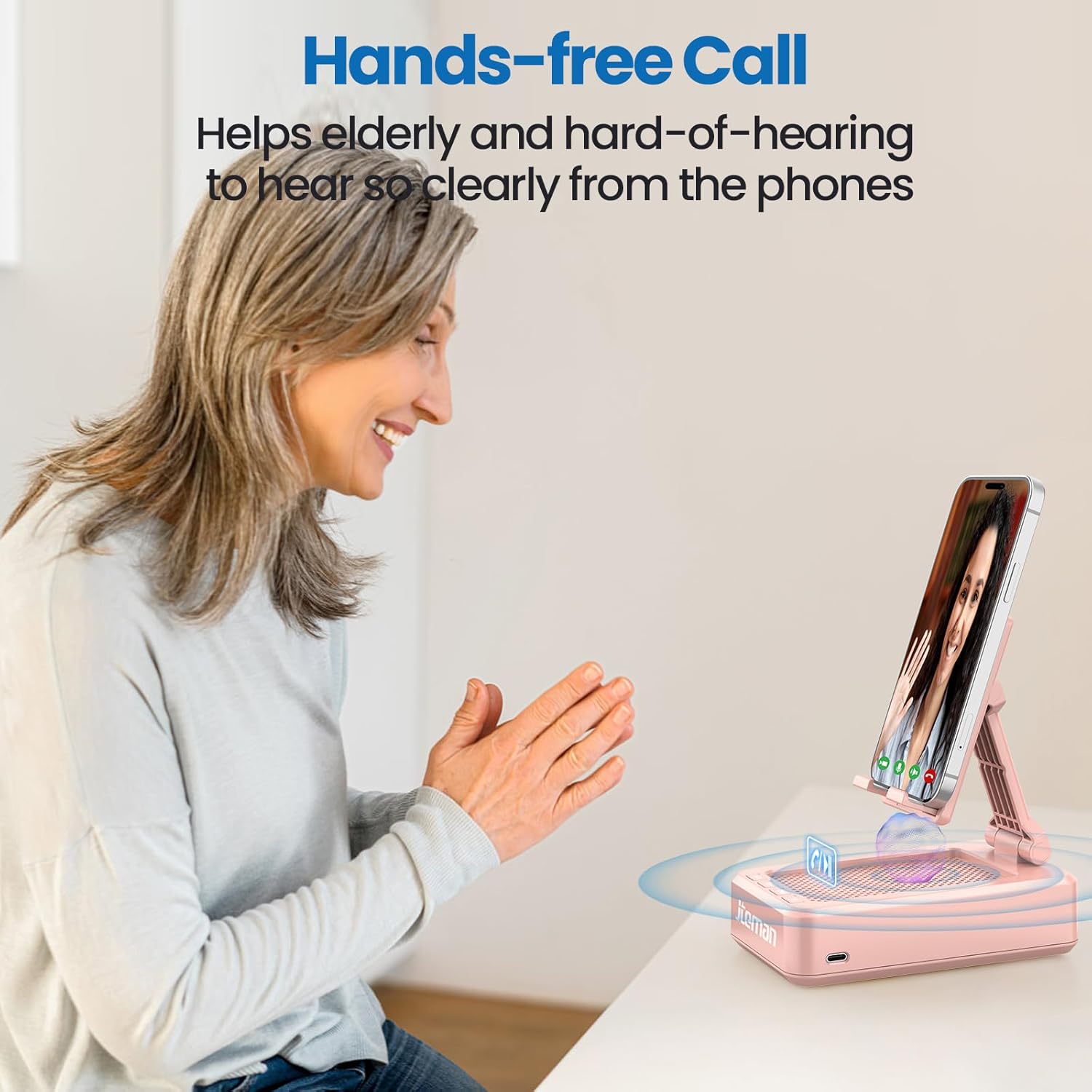
Image: An elderly woman utilizing the JTEMAN device for a hands-free call, highlighting its benefit for clear communication.
5.5 Using the Phone Stand
Place your smartphone, tablet, or e-reader onto the stand. The adjustable hinge allows you to set the device at various viewing angles, making it ideal for watching videos, participating in video calls, or following recipes in the kitchen. The anti-slip silicone ensures your device remains secure.
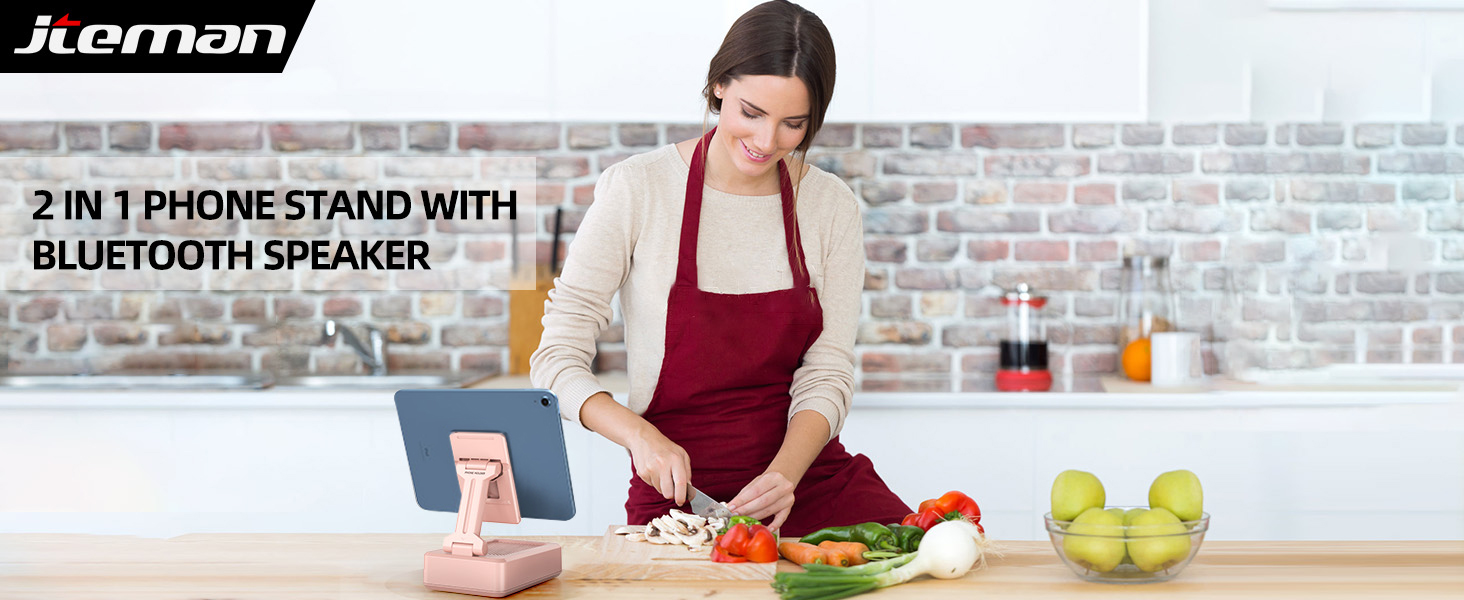
Image: A woman using the JTEMAN device in a kitchen, illustrating its practical use for hands-free viewpendant la cuisson.
6. Compatibilité
The JTEMAN Cell Phone Stand with Bluetooth Speaker is widely compatible with most 4-13 inch smartphones, tablets, and e-readers that support Bluetooth functionality. The device hook can accommodate devices up to 0.59 inches (15 mm) thick.
Les appareils compatibles incluent, sans toutefois s'y limiter :
- Smartphones (e.g., iPhone 16, 15, 14, 13 Pro, XS, 8 Plus; Samsung Galaxy S25, S24, S23, Note 20)
- Tablets (e.g., Mini iPad)
- E-readers with Bluetooth capability

Image: The JTEMAN device demonstrating its ability to hold various sizes of smartphones and tablets, highlighting its wide compatibility.
7. Entretien
To ensure the longevity and optimal performance of your JTEMAN Cell Phone Stand with Bluetooth Speaker, follow these maintenance guidelines:
- Nettoyage: Wipe the device with a soft, dry cloth. For stubborn marks, a slightly damp cloth can be used, but ensure the device is completely dry before use or charging. Avoid using abrasive cleaners or solvents.
- Stockage: When not in use, fold the stand to its compact form to save space and protect the components. Store in a cool, dry place away from direct sunlight and extreme temperatures.
- Protection: The anti-slip silicone surfaces are designed to protect your device. Keep these surfaces clean and free of debris to maintain their grip.
- Évitez les chutes : While durable, avoid dropping the device, as this can damage internal components or the folding mechanism.
8. Dépannage
If you encounter issues with your JTEMAN Cell Phone Stand with Bluetooth Speaker, please refer to the following common solutions:
| Problème | Cause possible | Solution |
|---|---|---|
| L'appareil ne s'allume pas. | Batterie faible | Chargez complètement l'appareil à l'aide du câble USB-C fourni. |
| Impossible de coupler via Bluetooth | Bluetooth not enabled on phone; Device out of range; Speaker not in pairing mode; Interference | Ensure Bluetooth is on for your phone. Move devices closer. Turn the speaker off and on again. Disconnect from other Bluetooth devices. |
| Pas de son ou volume faible | Phone volume too low; Speaker not connected; Audio source issue | Increase volume on your phone. Ensure the speaker is successfully paired. Check if audio is playing from the correct app/source. |
| Audio skipping or distortion | Interférences ; appareil trop éloigné ; batterie faible | Move closer to the speaker. Ensure no strong Wi-Fi signals or other Bluetooth devices are causing interference. Charge the speaker. |
| Phone stand unstable | Device too heavy/thick; Stand not fully extended; Surface uneven | Ensure your device is within the compatible size/thickness. Fully extend and lock the stand into position. Place the stand on a flat, stable surface. |
If the problem persists after trying these solutions, please contact JTEMAN customer support for further assistance.
9. Spécifications
Below are the technical specifications for the JTEMAN Cell Phone Stand with Bluetooth Speaker (Model L9-Pink):
| Fonctionnalité | Détail |
|---|---|
| Dimensions du produit | 5.35 x 3.5 x 1.89 pouces |
| Poids de l'article | 12.3 onces |
| Numéro de modèle | L9-Pink |
| Piles | 1 batterie lithium-ion requise (incluse) |
| Version Bluetooth | Bluetooth 5.0 (inferred from A+ content) |
| Temps de jeu | 8-10 hours (at medium volume) |
| Temps de charge | Environ 4 heures |
| Appareils compatibles | Smartphones, Tablets, E-readers (4-13 inches) |
| Épaisseur maximale de l'appareil | 0.59 pouces (15 mm) |
| Couleur | Rose |
| Facteur de forme | Pliable |
| Fabricant | jteman |
| Date de première disponibilité | 4 décembre 2023 |
Image: Detailed product dimensions for the JTEMAN Cell Phone Stand with Bluetooth Speaker.
10. Garantie et assistance
JTEMAN products are designed for reliability and performance. For information regarding warranty coverage, please refer to the warranty card included with your purchase or visit the official JTEMAN website. If you require technical support or have questions about your device, please contact JTEMAN customer service through their official channels.


