1. Introduction
The SanDisk Ultra Luxe 256GB USB Type-C Flash Drive is designed for efficient and stylish file transfer across various USB Type-C compatible devices. This manual provides essential information for setting up, operating, maintaining, and troubleshooting your flash drive to ensure optimal performance and longevity.
2. Principales caractéristiques
- Compatibilité universelle: Transférer en toute transparence files between your USB Type-C devices, including laptops, tablets, and smartphones.
- Conception haut de gamme : Features a luxurious and durable metal enclosure, offering both style and robust protection for your data.
- Performances à grande vitesse : Experience rapid data access with read speeds of up to 400MB/s, utilizing USB 3.2 Gen 1 technology for quick file transferts.
- Connecteur rétractable : A smooth, retractable USB Type-C connector helps protect the drive from wear and tear when not in use.
- Portabilité améliorée : Equipped with a convenient keyring hole, allowing you to easily attach the drive to your keys or bag for secure transport.
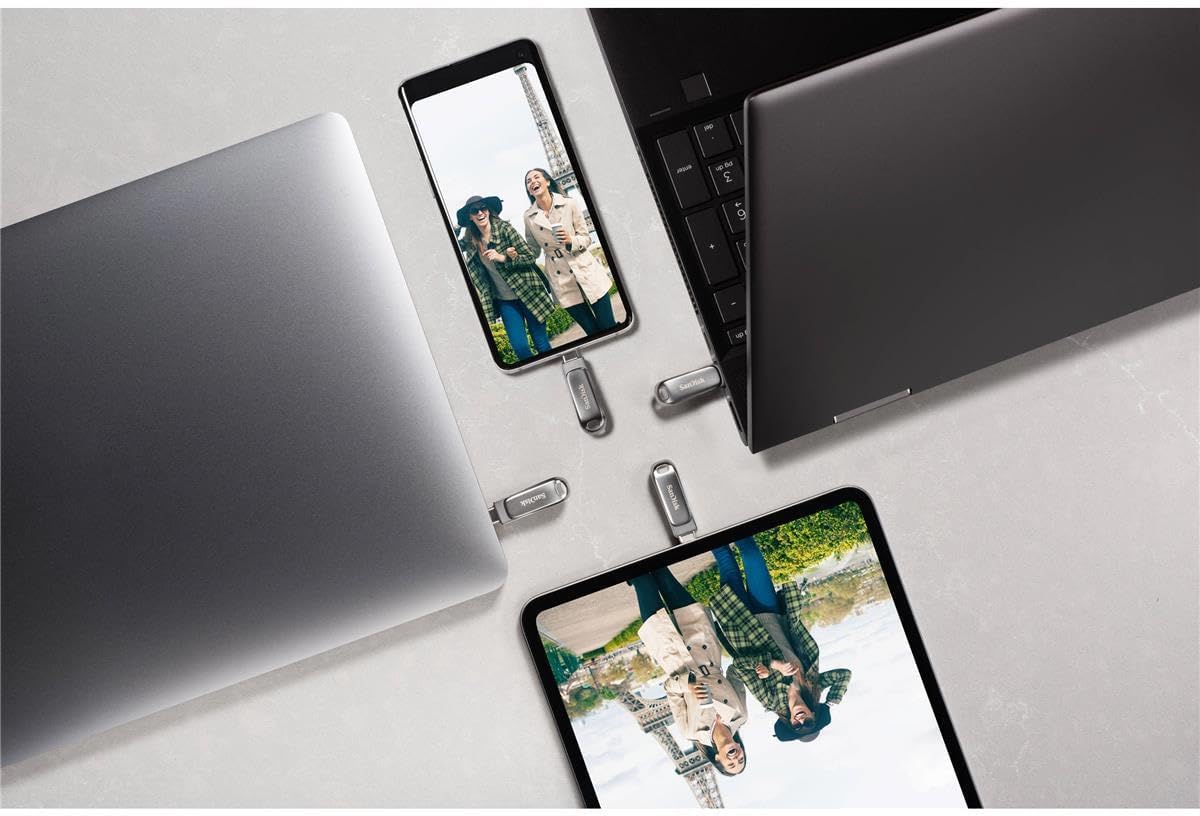


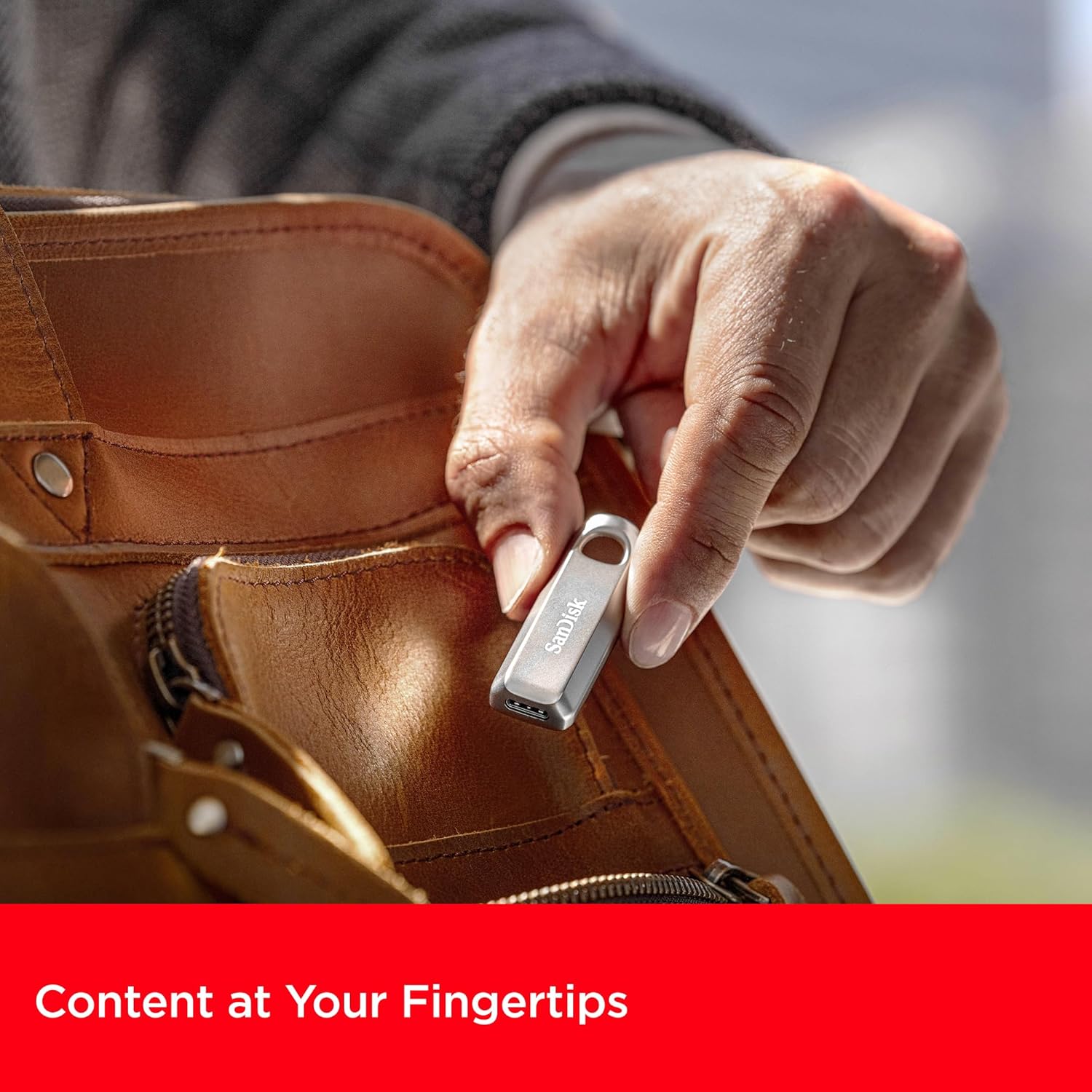
3. Instructions de configuration
The SanDisk Ultra Luxe USB Type-C Flash Drive is designed for plug-and-play functionality, requiring no special software installation for basic use on most operating systems (Windows, macOS, Linux, Android, iOS with compatible devices).
- Déballez le disque : Retirez délicatement la clé USB de son emballage.
- Identify USB Type-C Port: Locate an available USB Type-C port on your computer, tablet, or smartphone.
- Insérez le lecteur : Gently slide the retractable connector out and insert the flash drive into the USB Type-C port. Ensure it is fully seated.
- Reconnaissance automatique : Your device should automatically detect the flash drive and display its contents or prompt you to open it.
4. Mode d'emploi
4.1. Transfert Files
Once the drive is recognized by your device, you can transfer files using standard operating system functions:
- Glisser-déposer : Cliquez et faites glisser files or folders from your device's storage to the flash drive's folder, or vice versa.
- Copier et coller : Cliquez avec le bouton droit (ou appuyez longuement sur les appareils tactiles) sur l'élément souhaité. file(s), select 'Copy', navigate to the destination (flash drive or device storage), right-click (or long-press), and select 'Paste'.

4.2. Safely Ejecting the Drive
Always safely eject the flash drive before physically removing it to prevent data corruption or loss.
- Fenêtres : Right-click the drive icon in 'This PC' or the system tray, then select 'Eject'. Wait for the 'Safe to Remove Hardware' notification.
- macOS: Drag the drive icon from the desktop to the Trash, or click the 'Eject' icon next to the drive in Finder.
- Androïde: Go to 'Settings' > 'Connected devices' > 'USB' and tap 'Eject' or 'Unmount'.

5. Entretien
- Soins physiques : Veillez à ce que le disque dur reste propre et exempt de poussière et de débris. Utilisez un chiffon doux et sec pour le nettoyer.
- Température: Évitez d'exposer le disque dur à des températures extrêmes ou à la lumière directe du soleil.
- Sauvegarde des données : Regularly back up important data stored on the flash drive to another storage medium to prevent accidental loss.
- Mises à jour du micrologiciel : Vérifiez régulièrement le SanDisk webConsultez ce site pour connaître les mises à jour du micrologiciel disponibles pour votre modèle de disque afin de garantir des performances et une compatibilité optimales.
6. Dépannage
6.1. Lecteur non reconnu
- Ensure the drive is fully inserted into the USB Type-C port.
- Try connecting the drive to a different USB Type-C port on your device.
- Test the drive on another compatible device to determine if the issue is with the drive or the original device.
- Redémarrez votre ordinateur ou appareil.
6.2. Vitesses de transfert lentes
- Ensure you are using a USB 3.2 Gen 1 (or higher) compatible port on your device for optimal speeds. Older USB 2.0 ports will result in significantly slower transfers.
- Fermez toutes les applications inutiles qui s'exécutent en arrière-plan et qui pourraient consommer des ressources système.
- Évitez de transférer de nombreux petits montants. files simultanément ; les compresser dans une seule archive peut parfois améliorer la vitesse.
6.3. Corruption ou perte de données
- Always perform a safe ejection of the drive before physically removing it.
- If data appears corrupted, try running a disk check utility on your operating system (e.g., 'Error Checking' on Windows, 'Disk Utility' on macOS).
7. Spécifications
| Attribut | Détail |
|---|---|
| Marque | SanDisk |
| Nom du modèle | SanDisk Ultra Luxe |
| Numéro de modèle de l'article | SDCZ75-256G-G46 |
| Capacité de stockage de la mémoire | 256 Go |
| Interface matérielle | USB Type C |
| Technologie de connectivité | USB |
| Vitesse de lecture | Jusqu'à 400 mégaoctets par seconde |
| Vitesse d'écriture | Jusqu'à 400 XNUMX Mo/s |
| Couleur | Argent |
| Dimensions du produit (L x l x H) | 1.8 x 0.63 x 0.47 pouces |
| Poids de l'article | 0.368 onces |
| Dossier spécial | Transfert de données rapide |
| Code UPC | 619659203511 |
8. Vidéos officielles du produit
9. Garantie et assistance
For detailed warranty information, product registration, and technical support, please visit the official SanDisk webConsultez le site. Conservez votre reçu d'achat comme preuve d'achat pour toute réclamation au titre de la garantie.
Support en ligne: www.sandisk.com/support