1. Introduction
Thank you for choosing the MOJOGEAR Wireless Powerbank 10,000 mAh. This portable power bank is designed to provide convenient and efficient charging for your mobile devices, featuring both wireless magnetic charging capabilities and traditional wired charging ports. It includes an integrated stand for enhanced usability.
Veuillez lire attentivement ce manuel avant d'utiliser le produit afin d'assurer son bon fonctionnement et d'en maximiser la durée de vie.
2. Contenu du colis
- MOJOGEAR Wireless Powerbank 10,000 mAh
- MagSafe Compatible Magnetic Ring
- USB-A to USB-C Cable (25 cm)
3. Produit terminéview
The MOJOGEAR Wireless Powerbank offers a versatile charging experience. Key features include:
- Capacité de 10,000 XNUMX mAh : Provides 1.5 to 4 full charges for most smartphones, depending on the model.
- Chargement sans fil magnétique: Compatible with MagSafe devices (iPhone 12 series and newer) for secure and cable-free charging up to 15W (7.5W for iPhone).
- Recharge filaire : Equipped with a USB-C port (20W output, 18W input) and a USB-A port (22.5W output) for fast charging multiple devices simultaneously.
- Support pliable intégré : Allows the power bank to function as a desktop stand, enabling hands-free viewpendant la charge.
- Conception compacte : Dimensions of 10.6 x 7 x 1.6 cm and a weight of 202 grams make it highly portable.
- Recharge directe : Charge your device while the power bank itself is being recharged.

Image: The MOJOGEAR Wireless Powerbank demonstrating wireless charging with a phone on its integrated stand.
4. Installation
4.1 Charge initiale de la batterie externe
- Avant la première utilisation, chargez complètement la batterie externe.
- Connect the supplied USB-A to USB-C cable to the power bank's USB-C port.
- Connectez l'autre extrémité du câble à un adaptateur mural USB compatible (non inclus).
- The LED indicators on the bottom of the power bank will illuminate to show the charging status. All four LEDs will be solid when fully charged.
5. Mode d'emploi
5.1 Recharge sans fil (compatible MagSafe)
- Ensure your device is compatible with MagSafe or wireless charging.
- Align your MagSafe-compatible smartphone (e.g., iPhone 12, 13, 14, 15 series) with the magnetic charging pad on the power bank. The magnets will automatically snap the phone into place.
- Charging will begin automatically. The power bank delivers up to 15W wireless charging (7.5W for iPhones).
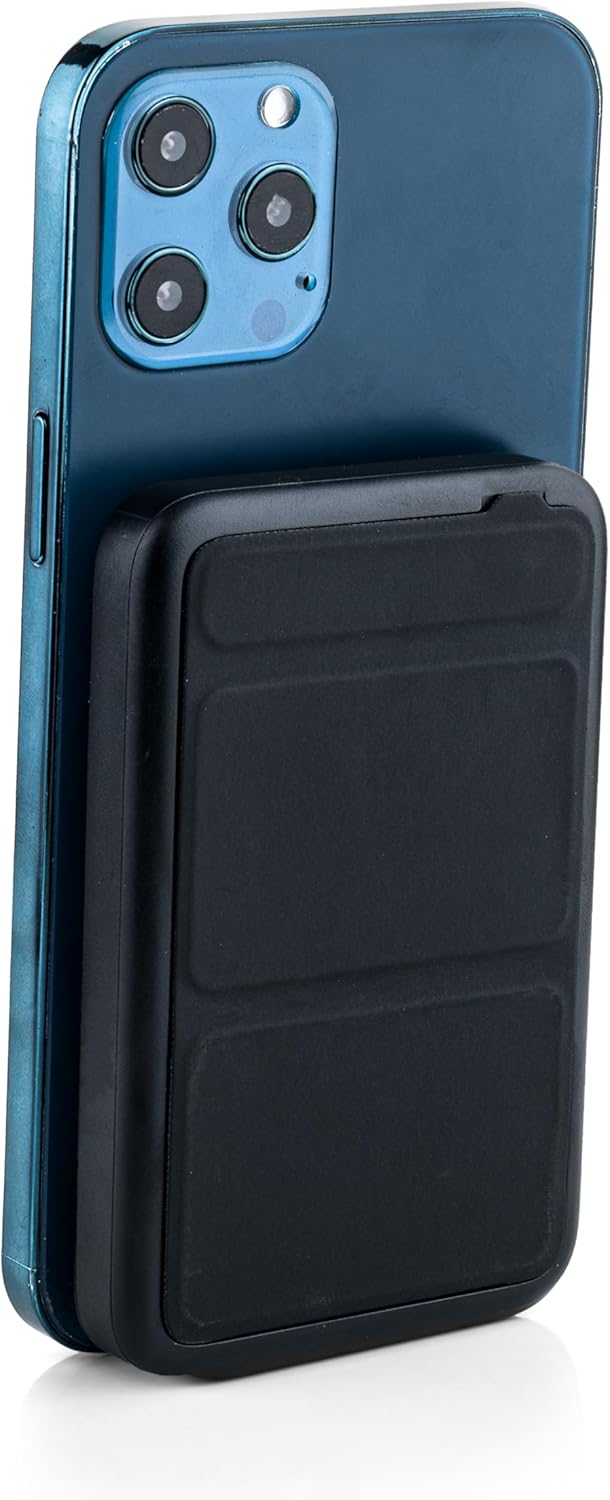
Image: The power bank magnetically attached to the back of a smartphone for wireless charging.
5.2 Wired Charging (USB-C and USB-A)
- Connect your device's charging cable to either the USB-C port (output up to 20W) or the USB-A port (output up to 22.5W) on the power bank.
- Connect the other end of the cable to your smartphone, tablet, e-reader, action camera, or wireless headphones.
- The power bank can charge up to three devices simultaneously (one wirelessly, two wired).
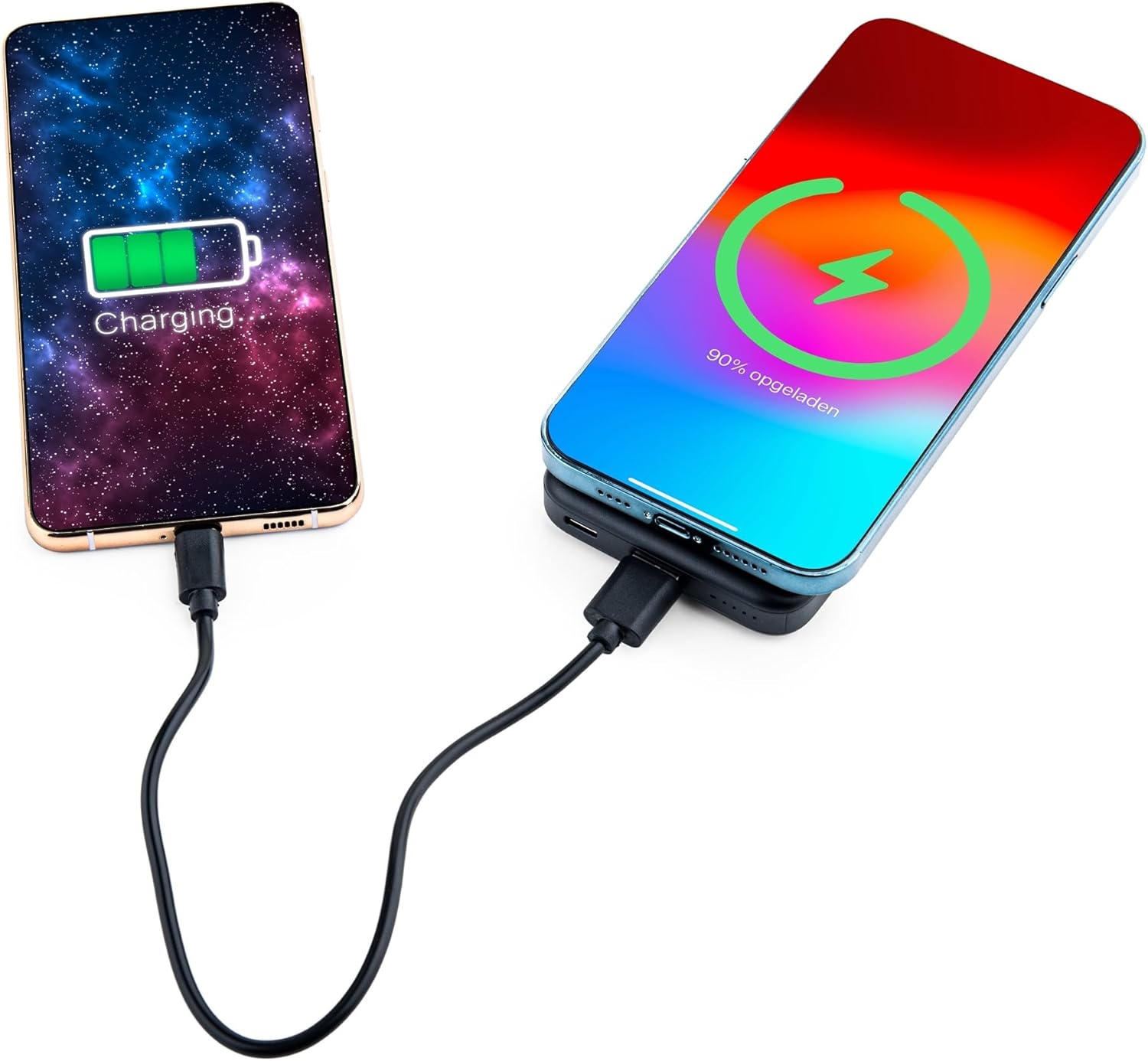
Image: Demonstrating simultaneous charging of two devices, one wirelessly and one via cable.
5.3 Utilisation du support intégré
- Repérez le support pliable à l'arrière de la batterie externe.
- Gently pull out the stand to deploy it. It can be adjusted to two different viewangles d'inclinaison.
- Attach your MagSafe-compatible phone to the power bank's magnetic surface. The stand allows you to prop up your phone for hands-free viewpendant la charge.

Image: A smartphone positioned on the power bank's stand for convenient viewing during wireless charging.
5.4 État de l'indicateur LED
The power bank features four LED status lights on the bottom to indicate the remaining battery level and charging status:
- 4 LED fixes : 75-100% chargé
- 3 LED fixes : 50-75% chargé
- 2 LED fixes : 25-50% chargé
- 1 LED fixe : 0-25% chargé
- LED clignotantes : Indique que la batterie externe est en cours de charge.
6. MagSafe Compatibility for Non-MagSafe Devices
If your smartphone does not have built-in MagSafe compatibility, you can still utilize the magnetic attachment feature using the included magnetic ring:
- Nettoyez soigneusement la surface arrière de votre téléphone ou de sa coque.
- Décollez délicatement le film adhésif de l'anneau magnétique.
- Center the magnetic ring on the back of your phone or phone case. Ensure it does not obstruct any cameras or sensors.
- Press firmly to secure the ring.
- Once the ring is attached, your phone can magnetically connect to the power bank for wireless charging.
7. Consignes de sécurité
Pour garantir un fonctionnement sûr et éviter tout dommage, veuillez respecter les consignes suivantes :
- N’exposez pas la batterie externe à des températures extrêmes, à la lumière directe du soleil ou au feu.
- Évitez de faire tomber, de démonter ou de modifier l'appareil.
- Tenir à l'écart de l'eau et d'une forte humidité.
- Ne pas utiliser si la batterie externe est endommagée ou gonflée.
- Tenir hors de portée des enfants.
- This power bank is tested and protected against overcharge, over-discharge, overcurrent, and short circuits.
- The power bank is suitable for air travel.
8. Entretien
To maintain the performance and longevity of your power bank:
- Nettoyez la batterie externe avec un chiffon doux et sec. N'utilisez pas de produits chimiques agressifs ni de matériaux abrasifs.
- Conserver dans un endroit frais et sec lorsqu'il n'est pas utilisé.
- Recharge the power bank at least once every three months if unused for extended periods to preserve battery health.
9. Dépannage
- L'appareil ne se charge pas sans fil :
- Ensure your device supports wireless charging and is correctly aligned with the power bank's charging pad.
- Retirez toute coque de téléphone épaisse susceptible d'interférer avec la recharge sans fil.
- Vérifiez si la batterie externe est suffisamment chargée.
- L'appareil ne se charge pas par câble :
- Vérifiez que le câble est bien connecté à la fois à la batterie externe et à votre appareil.
- Essayez un autre câble ou port pour exclure un câble ou un port défectueux.
- Vérifiez si la batterie externe est suffisamment chargée.
- La batterie externe ne charge pas :
- Ensure the charging cable is properly connected to the power bank's USB-C input and a working power source.
- Try a different wall adapter or cable.
10. Spécifications
| Numéro de modèle | MG-PB-8-BLACK |
| Capacité de la batterie | 10,000 mAh |
| Entrée USB-C | Max 18 W |
| Sortie USB-C | Max 20 W |
| Sortie USB-A | Max 22.5 W |
| Sortie sans fil | Max 15W (iPhone Max 7.5W) |
| Dimensions | 10.6 x 7 x 1.6 cm |
| Poids | 202 grammes |
| Matériel | Plastique, Métal |
| Couleur | Noir |
| Caractéristiques spéciales | MagSafe Compatible, Integrated Stand, Wireless Charging, Pass-Through Charging, Air Travel Approved |
11. Garantie et assistance
The MOJOGEAR Wireless Powerbank 10,000 mAh comes with a Garantie de 2 ans À compter de la date d'achat, cette garantie couvre les défauts de fabrication et assure le bon fonctionnement du produit dans des conditions normales d'utilisation.
For technical support, warranty claims, or any questions regarding your product, please contact MOJOGEAR customer service through the retailer where you purchased the product or visit the official MOJOGEAR website pour les coordonnées.


