Introduction
This manual provides essential instructions for setting up, operating, and maintaining your KALOC Fitness Tracker. Please read this guide thoroughly to ensure proper use and to maximize the device's features.
Qu'y a-t-il dans la boîte
Lors du déballage, vérifiez que tous les articles sont présents :
- KALOC Fitness Tracker (main unit)
- Bande de montre
- Câble de chargement
- Manuel d'utilisation
Installation
1. Chargement de l'appareil
Before first use, fully charge your fitness tracker. Connect the charging cable to the charging port on the back of the device and to a USB power source. The screen will indicate charging status.

Image: The KALOC Fitness Tracker displaying a '100% Fully charged' message while connected to its charging cable.
2. Installation et appairage de l'application
To utilize all features and synchronize data, download the companion application to your smartphone. The app is compatible with Android 6.0 and iOS 12.0 or above, and requires Bluetooth 4.0.
- Scan the QR code in the quick guide or search for the app name (usually mentioned in the quick guide or packaging) in your phone's app store.
- Installer l'application.
- Open the app and follow the on-screen instructions to create an account and pair your fitness tracker via Bluetooth. Ensure Bluetooth is enabled on your phone.
- Allow necessary permissions for the app to function correctly (e.g., location, notifications).
Mode d'emploi
Affichage et navigation
The KALOC Fitness Tracker features a 1.58-inch AMOLED touch display. Navigate through menus and functions by swiping up, down, left, or right, and tapping to select options.

Image: The 1.58-inch AMOLED screen of the KALOC Fitness Tracker, highlighting its resolution and brightness capabilities.
Fonctions de base
- Heure et date : Automatically synchronizes with your paired smartphone.
- Regarder les visages: Customize your watch face through the companion app or directly on the device.

Image : Examples of personalized watch faces available for the KALOC Fitness Tracker.
Fonctionnalités de suivi de la santé
The KALOC Fitness Tracker provides comprehensive health monitoring throughout the day.
- Surveillance de la fréquence cardiaque Surveille en continu votre fréquence cardiaque. View real-time data on the device or detailed trends in the app.
- Mesure de l'oxygénation sanguine (SpO2) : Mesure votre taux de saturation en oxygène dans le sang.
- Surveillance du sommeil : Analyse vos cycles de sommeil, notamment le sommeil profond, le sommeil léger et les périodes d'éveil.
- Suivi du niveau de stress : Monitors your stress levels and provides insights into your mental well-being.
- Podomètre et compteur de calories : Records daily steps, distance covered, and estimated calories burned.

Image: The KALOC Fitness Tracker displaying 24-hour health tracking data, including heart rate, sleep, and stress.

Image: The KALOC Fitness Tracker tracking daily fitness data, including steps, distance, calories, and activity time.
Modes sportifs
The fitness tracker supports over 100 sports modes to accurately track your workouts. Select the appropriate mode before starting an activity for precise data collection.
- Examples include outdoor walking, running, cycling, strength training, yoga, and various ball games.
- Access sports modes from the device menu and select your desired activity.
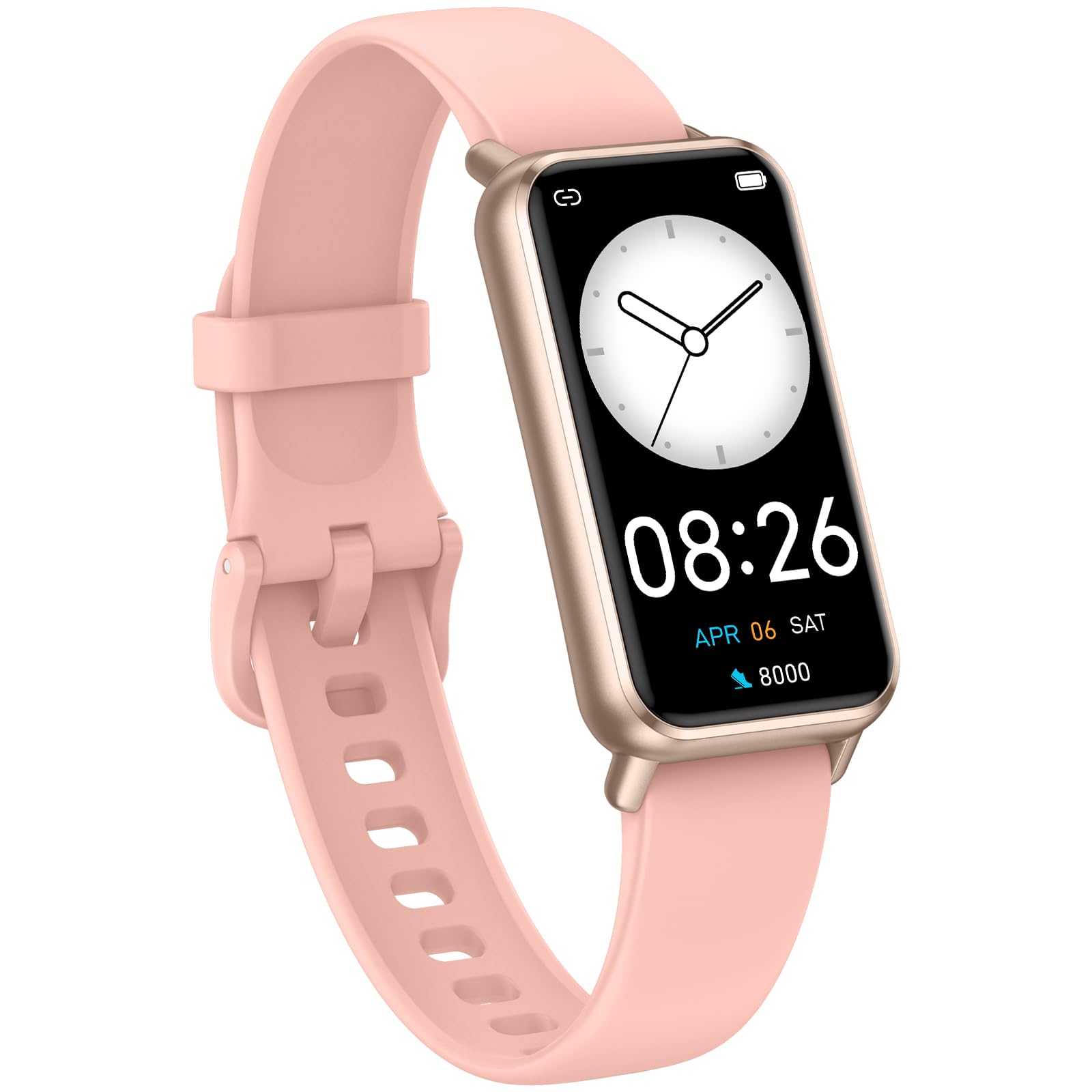
Image: The KALOC Fitness Tracker highlighting its support for over 100 sports modes.
Résistance à l'eau
The KALOC Fitness Tracker is 50-meter waterproof, making it suitable for various water activities.
- Suitable for washing hands, showering, swimming, and shallow water activities.
- Not recommended for diving, hot water activities, or high-pressure water exposure.

Image: The KALOC Fitness Tracker demonstrating its 50-meter waterproof feature during swimming.
Autonomie de la batterie
The device offers an extended battery life, providing up to 14 days of typical use or 30 days of standby time on a single charge.

Image: The KALOC Fitness Tracker highlighting its 14-day battery life.
Notifications intelligentes
Receive notifications for calls, messages, and app alerts directly on your wrist when paired with your smartphone.

Image: The KALOC Fitness Tracker receiving smart notifications from various applications.
Autres fonctions
The KALOC Fitness Tracker includes several additional useful features:
- Contrôle de la caméra : Contrôlez à distance l'appareil photo de votre téléphone.
- Contrôle de la musique : Manage music playback on your paired phone.
- Prévisions météorologiques: View Conditions météorologiques actuelles et prévisions.
- Rappel de consommation : Programmez des rappels pour bien vous hydrater.
- Rappel sédentaire : Vous alerte pour que vous puissiez bouger après des périodes d'inactivité.
- Réveil: Set alarms directly on your device.
- Entraînement respiratoire : Exercices de respiration guidée pour aider à gérer le stress.

Image: The KALOC Fitness Tracker showcasing its multiple functions.
Entretien
To ensure the longevity and optimal performance of your KALOC Fitness Tracker, follow these maintenance guidelines:
- Nettoyage: Nettoyez régulièrement l'appareil et le bracelet avec un chiffon doux et sec.amp Tissu. Évitez les produits chimiques agressifs et les matériaux abrasifs.
- Chargement : Utilisez uniquement le câble de charge fourni. N’exposez pas les contacts de charge à l’eau ou à des liquides corrosifs.
- Stockage: Rangez l'appareil dans un endroit frais et sec lorsqu'il n'est pas utilisé. Évitez les températures extrêmes.
- Exposition à l'eau : While waterproof, it is advisable to dry the device thoroughly after exposure to water to prevent skin irritation and ensure proper sensor function.
Dépannage
If you encounter issues with your KALOC Fitness Tracker, refer to the following common solutions:
- L'appareil ne s'allume pas : Assurez-vous que l'appareil est complètement chargé. Branchez-le au chargeur pendant au moins 30 minutes.
- Impossible de jumeler avec le téléphone :
- Assurez-vous que Bluetooth est activé sur votre téléphone.
- Assurez-vous que le traceur se trouve à portée Bluetooth de votre téléphone.
- Redémarrez votre téléphone et votre bracelet connecté.
- Check if the app has the necessary permissions.
- Données inexactes :
- Ensure the tracker is worn snugly on your wrist, about one finger's width from your wrist bone.
- Clean the sensors on the back of the device.
- Update the device firmware via the app if available.
- Notifications non reçues :
- Verify that notifications are enabled in both the tracker's app and your phone's settings.
- Assurez-vous que l’application s’exécute en arrière-plan.
If problems persist, consult the support section of the companion app or contact customer support.
Caractéristiques
| Numéro de modèle | 529d841c-3537-4f97-bf0f-2a0c001c6b1e |
| Taille de l'écran | Écran AMOLED de 1.58 pouces |
| Résistance à l'eau | 50 mètres |
| Autonomie de la batterie | Jusqu'à 14 jours (utilisation typique) |
| Connectivité | Bluetooth 4.0 |
| Compatibilité | Android 6.0+ / iOS 12.0+ |
| Poids de l'article | 2.82 onces |
| Dimensions du produit | 6.4 x 3 x 0.7 pouces |
Garantie et assistance
For warranty information and customer support, please refer to the documentation included with your purchase or visit the official KALOC webConsultez le site. Conservez votre reçu d'achat comme preuve d'achat pour toute réclamation au titre de la garantie.


