1. Introduction
Thank you for choosing the IMILAB C20 Pro Home Security Camera. This manual provides detailed instructions for setting up, operating, and maintaining your camera to ensure optimal performance. The C20 Pro offers 2K crystal clear images, 360° free rotation, infrared night vision, human detection, and two-way audio communication for comprehensive home monitoring.

Figure 1.1: IMILAB C20 Pro Home Security Camera
Veuillez lire attentivement ce manuel avant utilisation et conservez-le pour référence future.
2. Contenu du colis
Lors du déballage, veuillez vérifier que tous les éléments suivants sont inclus :
- IMILAB C20 Pro Home Security Camera
- Adaptateur secteur
- Câble USB
- Wall Mounting Accessories (screws, wall plugs)
- Manuel d'utilisation
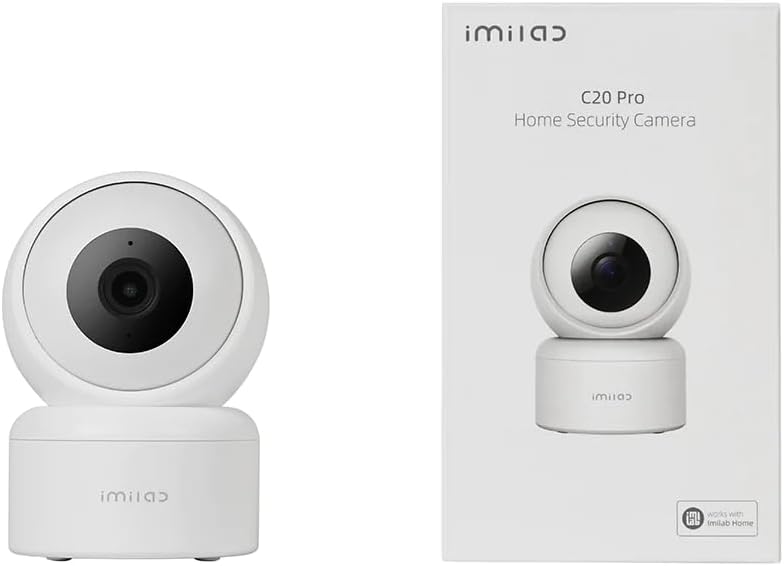
Figure 2.1: Camera and typical packaging contents. Actual packaging may vary.
3. Produit terminéview
Familiarize yourself with the various components of your IMILAB C20 Pro camera.

Figure 3.1 : Côté View

Figure 3.2 : Retour View (showing power port, reset button, and Micro SD card slot)
- Lentille: Capture une vidéotage.
- Voyant lumineux : Shows camera status (e.g., blue for connected, orange for waiting for connection).
- Microphone: Pour l'entrée audio et la communication bidirectionnelle.
- Conférencier: Pour la sortie audio et la communication bidirectionnelle.
- Emplacement pour carte micro SD : Pour le stockage vidéo local (prend en charge jusqu'à 64 Go, carte non incluse).
- Bouton de réinitialisation : Press and hold to reset the camera to factory settings.
- Port d'alimentation: Se connecte à l'adaptateur secteur.
4. Installation
Follow these steps to set up your IMILAB C20 Pro camera.
- Download the IMILAB Home App: Rechercher 'IMILAB Home' in your smartphone's app store (Google Play Store or Apple App Store) and install the application.
- Créer un compte: Open the IMILAB Home app and follow the on-screen instructions to register a new account or log in if you already have one.
- Allumez la caméra : Connect the provided USB cable to the camera's power port and the power adapter, then plug the adapter into a power outlet. The camera's indicator light will turn orange and blink, indicating it is ready for connection.
- Ajouter un appareil : In the IMILAB Home app, tap the '+' icon to add a new device. Select 'IMILAB C20 Pro' from the list of available devices.
- Se connecter au Wi-Fi : Follow the app's instructions to connect the camera to your 2.4GHz Wi-Fi network. You will be prompted to scan a QR code generated by the app using the camera's lens. Hold your phone approximately 15-20 cm (6-8 inches) from the camera lens until you hear a voice prompt confirming successful scanning.
- Placement et installation :
The camera can be placed on a flat surface or mounted on a wall or ceiling. For ceiling mounting, the camera supports inverted installation.

Figure 4.1 : Example of Inverted Installation
If mounting, use the provided mounting accessories. Ensure the camera is securely fastened. In the app settings, you can enable 'Inverted Image' if the camera is mounted upside down to correct the video orientation.
5. Mode d'emploi
Once your camera is set up, you can access its features through the IMILAB Home app.
5.1 En direct View et commande panoramique/inclinaison
Open the IMILAB Home app and select your C20 Pro camera to view the live feed. You can use the on-screen controls to pan (horizontal) and tilt (vertical) the camera lens, providing a 360° coverage of the area.

Figure 5.1: 360° Free Rotation Capability
5.2 Communication audio bidirectionnelle
The camera supports two-way audio, allowing you to speak through the camera and hear audio from its vicinity. Tap the microphone icon in the live view interface to activate this feature.
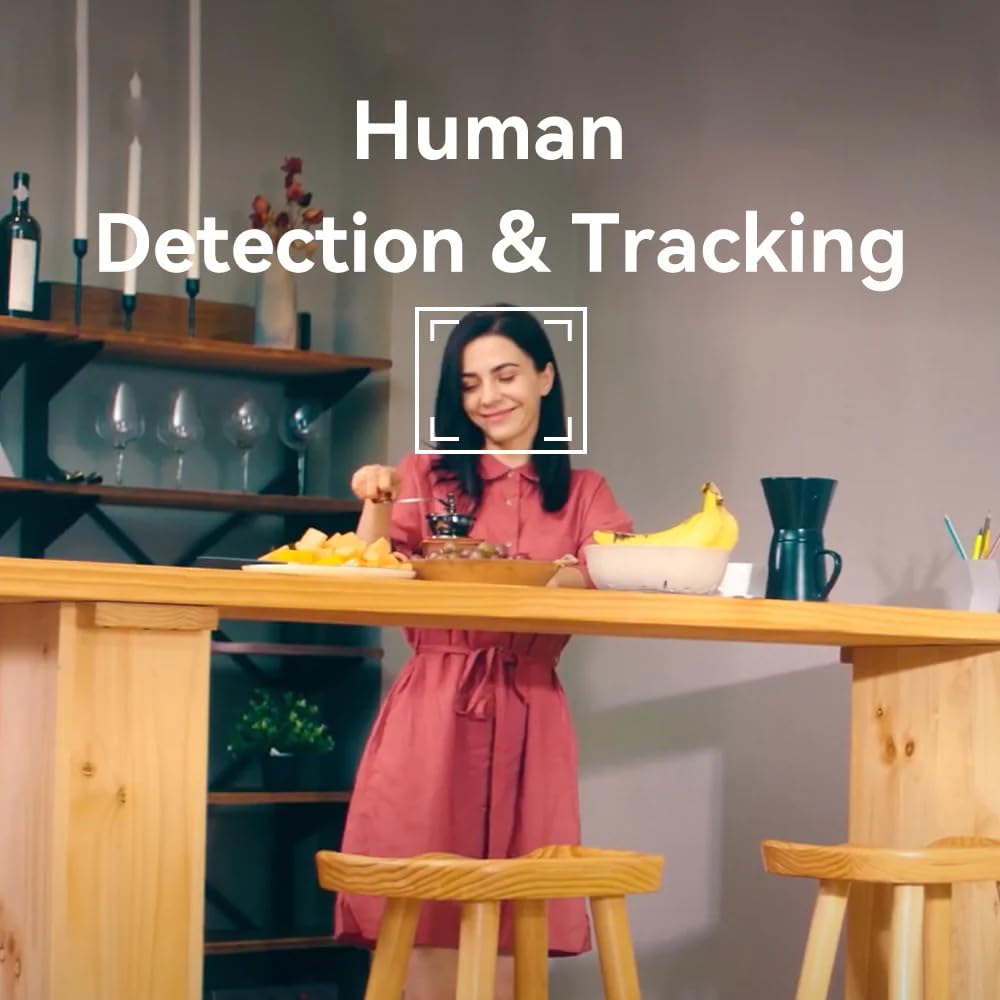
Figure 5.2: Two-Way Video Talk Feature
5.3 Human Detection & Tracking
The C20 Pro can detect human figures and track their movement within its field of view. Enable this feature in the app settings to receive alerts and automatically record relevant events.

Figure 5.3: Human Detection & Tracking in action
Vision nocturne infrarouge 5.4
La caméra bascule automatiquement en vision nocturne infrarouge en conditions de faible luminosité, fournissant des images vidéo nettes en noir et blanc.tage up to a certain distance.
5.5 Enregistrement et stockage vidéo
La caméra prend en charge l'enregistrement continu ou l'enregistrement déclenché par un événement. Footage can be stored on a Micro SD card (purchased separately) or via cloud storage services (subscription may be required). The camera provides 2K (3MP) high-resolution video for detailed monitoring.

Figure 5.4: 2K High Resolution Video Quality
6. Entretien
Un entretien régulier garantit la longévité et les performances optimales de votre appareil photo.
- Nettoyage: Essuyez délicatement l'objectif et le boîtier de l'appareil photo avec un chiffon doux et sec. Évitez d'utiliser des produits chimiques agressifs ou des matériaux abrasifs qui pourraient endommager la surface.
- Mises à jour du micrologiciel : Periodically check the IMILAB Home app for available firmware updates. Keeping your camera's firmware up-to-date ensures you have the latest features and security enhancements.
- Conditions environnementales : Ensure the camera is used within its specified operating temperature and humidity ranges. Avoid exposing it to extreme temperatures, direct sunlight, or excessive moisture.
7. Dépannage
If you encounter issues with your IMILAB C20 Pro camera, refer to the following common problems and solutions:
| Problème | Cause possible | Solution |
|---|---|---|
| Caméra hors ligne | No power, Wi-Fi disconnected, poor Wi-Fi signal | Vérifiez la connexion électrique. Redémarrez la caméra et le routeur. Assurez-vous que la caméra se trouve à portée du réseau Wi-Fi. |
| Impossible de se connecter au Wi-Fi | Mot de passe Wi-Fi incorrect, réseau 5 GHz, caméra trop éloignée du routeur | Verify Wi-Fi password. Ensure you are connecting to a 2.4GHz network. Move camera closer to router. Reset camera and try again. |
| Mauvaise qualité vidéo | Insufficient bandwidth, dirty lens | Check internet speed. Clean the camera lens. Adjust video resolution in app settings. |
| No audio or two-way talk issues | Microphone/speaker blocked, app settings | Ensure nothing is obstructing the microphone or speaker. Check audio settings in the IMILAB Home app. |
| Carte microSD non reconnue | Card not inserted correctly, incompatible card, faulty card | Reinsert the card. Ensure it is a compatible Micro SD card (Class 10 or higher, up to 64GB). Try formatting the card in the app or with a computer. |
If the problem persists after trying these solutions, please contact IMILAB customer support.
8. Spécifications
| Fonctionnalité | Détail |
|---|---|
| Nom du modèle | CMSXJ56B C20 Pro |
| Marque | IMILAB |
| Résolution | 3 MP (2K) |
| Technologie de connectivité | Sans fil (Wi-Fi 2.4 GHz) |
| Panoramique/Inclinaison | Rotation libre à 360° |
| Vision nocturne | Vision nocturne infrarouge |
| Caractéristiques spéciales | Human Detection & Tracking, Two-Way Call, Motion & Human Alerts, Sounds Detection, Inverted Installation |
| Options de stockage | Stockage cloud, carte micro SD (jusqu'à 64 Go) |
| Compression vidéo | H.265/H.264 |
| Source d'énergie | Électrique avec fil |
| Utilisation recommandée | Sécurité intérieure |
| Dimensions du produit | 50 x 4999.99 x 50 cm; 250 g |
9. Garantie et assistance
IMILAB products are designed for reliability and performance. For specific warranty information, please refer to the warranty card included with your product or visit the official IMILAB website. For technical support, frequently asked questions, or to report an issue, please contact IMILAB customer service through their official channels.
Officiel Website: www.imilab.com
10. Consignes de sécurité
- Do not disassemble, repair, or modify the camera.
- Use only the provided power adapter and cable to avoid damage or fire.
- Tenez l'appareil photo éloigné de l'eau, du feu et des températures extrêmes.
- Évitez de placer la caméra à proximité de champs électromagnétiques puissants.
- Assurez-vous que la caméra est correctement installée pour éviter qu'elle ne tombe.
- This product is intended for indoor use only, despite some specifications mentioning 'Outdoor' usage, the primary recommended use is 'Indoor Security'.


