1. Introduction
Thank you for choosing the DOOMAY Digital Alarm Clock. This compact and modern alarm clock is designed for convenience and reliability, featuring an LCD display, adjustable volume, snooze function, weekend mode, and indoor temperature display. This manual provides detailed instructions to help you set up and operate your new alarm clock effectively.

Figure 1 : Face avant view of the DOOMAY Digital Alarm Clock.
2. Contenu du colis
- DOOMAY Digital Alarm Clock (1 unit)
- Piles AAA (2 unités)
- Manuel d'instructions (ce document)
3. Installation
3.1 Installation de la batterie
The DOOMAY Digital Alarm Clock is powered by two AAA batteries. These batteries are included in the package.
- Repérez le couvercle du compartiment à piles à l'arrière du réveil.
- Faites glisser le couvercle vers le bas pour ouvrir le compartiment.
- Insérez deux piles AAA en veillant à respecter la polarité (+ et -) indiquée à l'intérieur du compartiment.
- Remettez en place le couvercle du compartiment à piles en le faisant glisser vers le haut jusqu'à ce qu'il s'enclenche.

Figure 2 : Retour view avec compartiment à piles et boutons de commande.
Note: When the display flashes '8888' and the clock beeps, it indicates that the batteries are low and need to be replaced.
4. Mode d'emploi
The DOOMAY Digital Alarm Clock offers various functions for timekeeping, alarming, and environmental monitoring. Refer to the buttons on the back of the clock for settings.
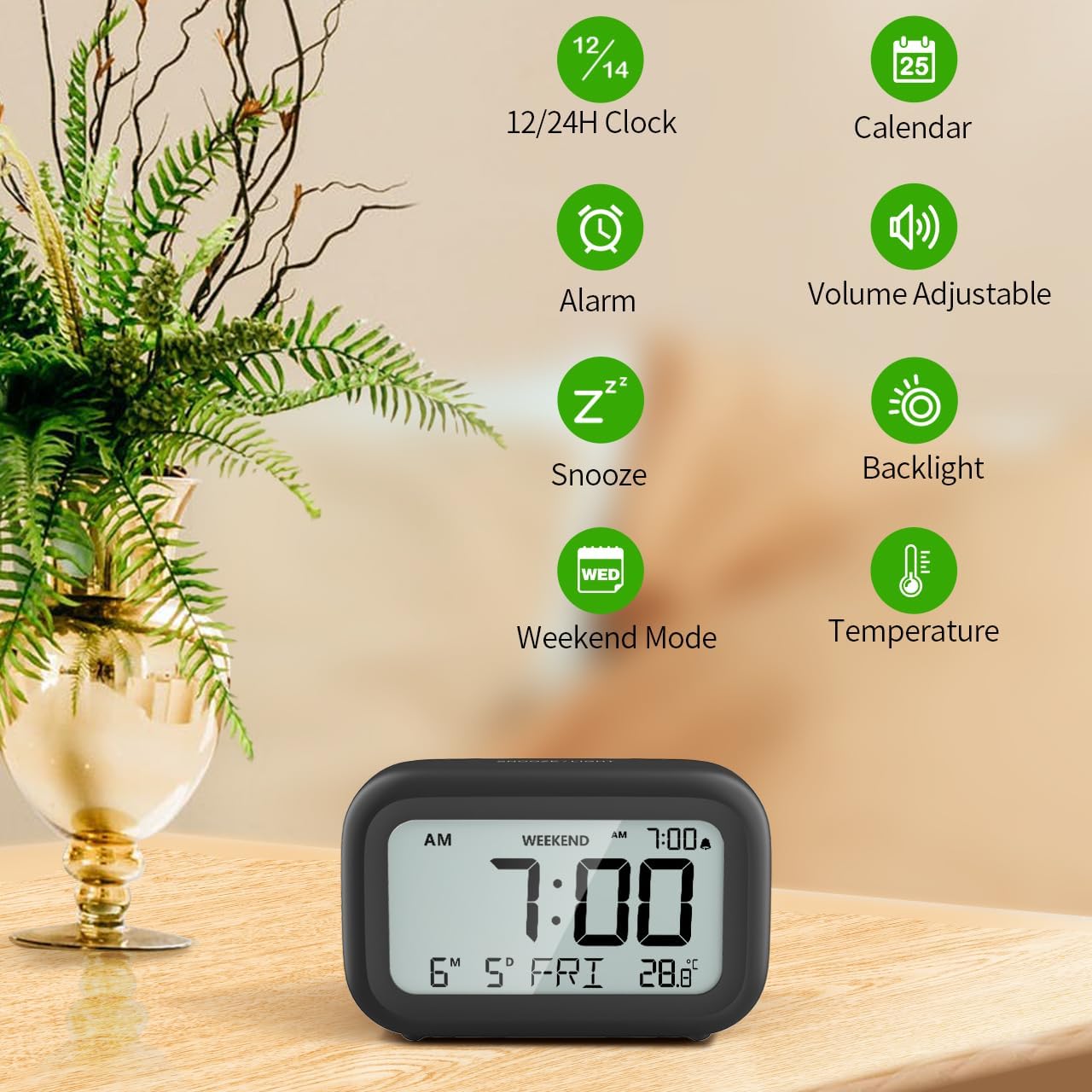
Figure 3 : Plusview of clock features.
4.1 Réglage de l'heure et de la date
Pour régler la date et l'heure actuelles :
- Appuyez et maintenez enfoncé le ENSEMBLE button (usually represented by a clock icon or '12/24H' button) on the back of the clock until the numbers on the display begin to flash.
- Utilisez le + et - buttons to adjust the flashing value (Year, Month, Day, Hour, Minute).
- Appuyez sur le ENSEMBLE button again to confirm the setting and move to the next value.
- Once all values are set, the display will stop flashing. The day of the week will automatically update based on the date.
For a visual guide, refer to the video below, specifically from 0:18 for Date Setting et 0:32 for Time Setting.
4.2 Réglage de l'alarme
To set your alarm time:
- Appuyez sur le ALARME button (bell icon) on the back of the clock. The alarm time will appear and flash.
- Utilisez le + et - buttons to adjust the desired alarm hour and minute.
- Appuyez sur le ALARME button again to confirm the alarm setting.
- To turn the alarm ON or OFF, simply press the ALARME button once. An alarm icon will appear on the display when the alarm is active.
For a visual guide, refer to the video below, specifically from 0:13 for turning alarm ON/OFF et 0:37 for Alarm Setting.
4.3 Fonction de répétition
When the alarm sounds, gently touch the SNOOZE / LUMIÈRE button located on the top of the clock. This will activate the snooze function, providing an additional 9 minutes of sleep before the alarm sounds again. You can repeat this process multiple times.

Figure 4 : Activation de la fonction de répétition d'alarme.
To turn off the alarm completely after it sounds, press any button on the back of the clock.
For a visual guide, refer to the video below, specifically from 0:46 for Snooze function.
4.4 Mode Week-end
The Weekend Mode allows you to set the alarm to only sound from Monday to Friday, preventing it from disturbing you on weekends.
- Appuyez sur le FIN DE SEMAINE button (calendar icon) on the back of the clock to toggle Weekend Mode ON or OFF.
- When Weekend Mode is active, 'WEEKEND' will be displayed on the screen, and the alarm will be automatically disabled on Saturday and Sunday.

Figure 5: Weekend Mode and Alarm Volume Levels.
For a visual guide, refer to the video below, specifically from 0:50 for Weekend Mode ON/OFF.
4.5 Fonction de rétroéclairage
The clock features a convenient 5-second on-demand backlight for viewprendre le temps dans des conditions de faible luminosité.
- Simply touch the SNOOZE / LUMIÈRE button on the top of the clock to activate the backlight.
- The backlight will illuminate for approximately 5 seconds and then automatically turn off to conserve battery life.

Figure 6: Backlight in use.
For a visual guide, refer to the video below, specifically from 0:54 for 5 Seconds Backlight.
4.6 Affichage de la température
The clock displays the indoor temperature. You can switch between Celsius (°C) and Fahrenheit (°F) units.
- Appuyez sur le ° C / ° F button on the back of the clock to toggle between Celsius and Fahrenheit.

Figure 7: Indoor Temperature Display.
4.7 12/24 Hour Time Format
You can switch the time display between 12-hour (with AM/PM indicator) and 24-hour formats.
- Appuyez sur le 12/24H button on the back of the clock to switch between the two formats.
For a visual guide, refer to the video below, specifically from 0:58 for 12/24Hr Time Format Switchable.
4.8 Réglage du volume de l'alarme
The alarm clock offers two volume levels for the alarm sound: LOW (70dB) and HIGH (85dB).
- While setting the alarm, or when the alarm is sounding, you can cycle through the volume levels by pressing the appropriate button (often the + or - button, or a dedicated volume button if available). Refer to the icons on the back of your clock.
For a visual guide, refer to the video below, specifically from 0:42 for 2 Levels of Volume Adjustable.
Operating Instructions Video Guide
Video 1: Comprehensive guide on setting up and operating the DOOMAY Digital Alarm Clock. This video demonstrates battery installation, setting time and date, alarm functions, snooze, weekend mode, backlight, and volume adjustment.
5. Entretien
- Nettoyage: Essuyez l'horloge avec un chiffon doux et sec. N'utilisez pas de produits nettoyants abrasifs ni de solvants.
- Remplacement de la batterie : Replace batteries when the low battery indicator appears (flashing '8888' and beeping). Always use new AAA batteries.
- Stockage: Si vous rangez l'horloge pendant une période prolongée, retirez les piles pour éviter les fuites.
6. Dépannage
| Problème | Cause possible | Solution |
|---|---|---|
| L'affichage de l'horloge est éteint ou faiblement lumineux. | Les piles sont mortes ou mal installées. | Remplacez les piles par des piles AAA neuves, en veillant à respecter la polarité. |
| L'alarme ne sonne pas. | Alarm is not activated or Weekend Mode is ON. | Press the ALARM button to activate. Check if Weekend Mode is active and disable if necessary. |
| L'heure/la date est incorrecte. | Not set correctly or batteries were removed. | Suivez les instructions de la section 4.1 pour réinitialiser la date et l'heure. |
| Le rétroéclairage ne reste pas allumé. | C'est un fonctionnement normal. | The backlight is designed to illuminate for 5 seconds to conserve battery life. It is not a continuous backlight. |
7. Spécifications
- Modèle: 5293B
- Type d'affichage : LCD numérique
- Source d'alimentation : 2 piles AAA (incluses)
- Dimensions du produit : 4.29"W x 2.72"H (approx. 10.9cm x 6.9cm)
- Matériel: Acrylonitrile butadiène styrène (ABS)
- Caractéristiques: Alarm, Snooze, Weekend Mode, Indoor Temperature (°C/°F), 12/24H Time Format, 5-second Backlight
- Volume de l'alarme : 2 niveaux (70 dB, 85 dB)
- Poids de l'article : 4.48 onces (environ 127 g)
8. Garantie et assistance
DOOMAY products are manufactured with high-quality materials and craftsmanship. For any questions, concerns, or technical support regarding your DOOMAY Digital Alarm Clock, please contact the seller or refer to the product listing on the platform where it was purchased. Please retain your proof of purchase for warranty claims.


