1. Introduction
Welcome to the user manual for your new Weiser Powerbolt 3 Electronic Door Lock. This keyless entry deadbolt offers a convenient and secure way to manage access to your home or property. Designed for ease of use and installation, the Powerbolt 3 provides reliable performance with features like customizable user codes, auto-locking, and enhanced security.
Les principales caractéristiques comprennent :
- Convenient keyless entry with a 10-button keypad.
- Ability to customize up to 25 user codes and 5 one-time user codes.
- Optional Auto-Lock feature with adjustable timings (30 seconds, 1, 3, 5, or 10 minutes).
- Vacation Mode to temporarily disable the keypad for enhanced security when away.
- SmartKey Technology for easy re-keying and advanced break-in protection.
- Easy installation requiring only a screwdriver, supported by the BILT App for 3D video and voice guidance.
2. Produit terminéview
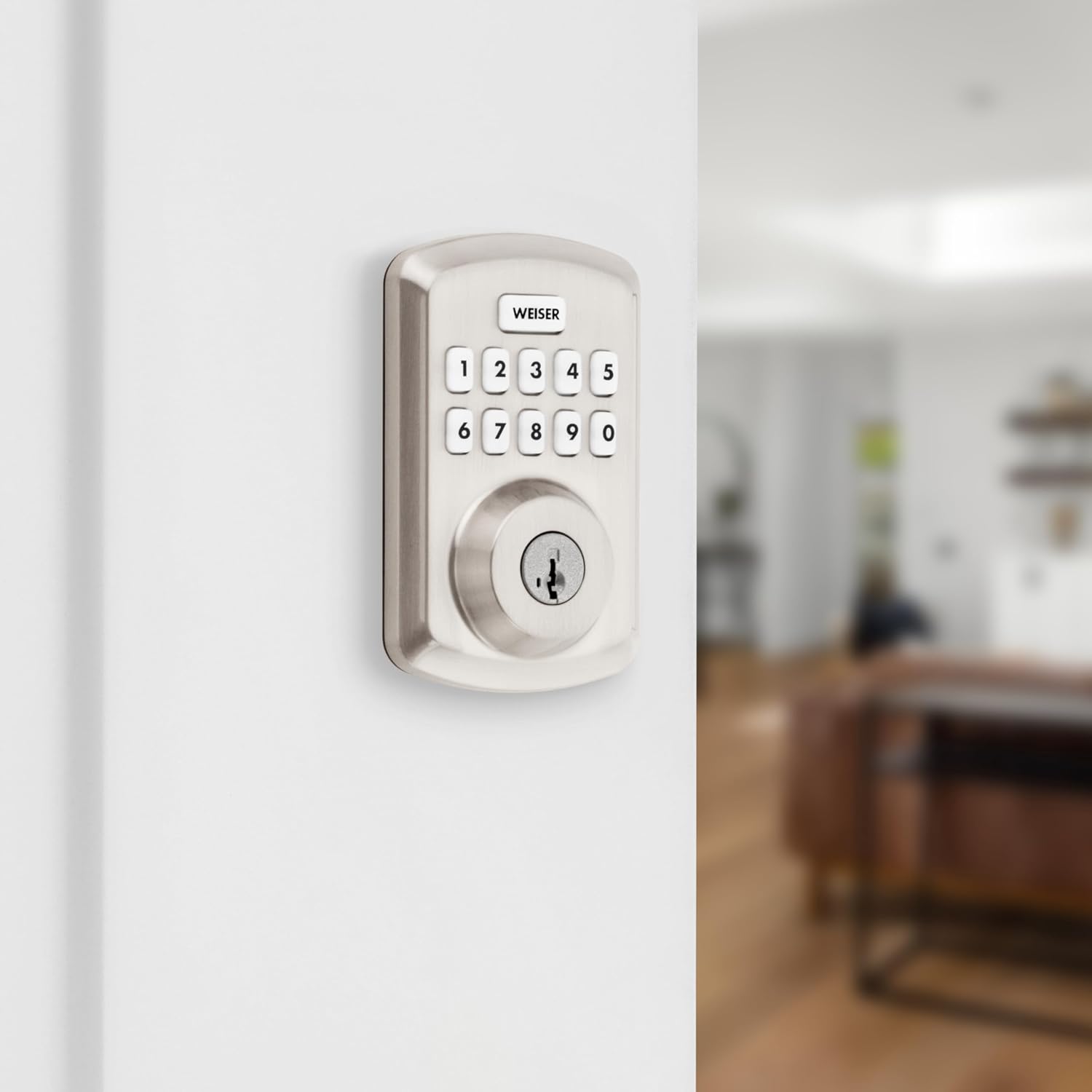
The Weiser Powerbolt 3 is an electronic deadbolt designed for various door types, offering a modern and secure access solution. Its sleek design integrates seamlessly with most home decors.

This image displays the complete Weiser Powerbolt 3 electronic deadbolt, showing both the exterior keypad unit with its 10-button layout and keyhole, and the interior unit with its thumb-turn and battery cover. Both components are finished in satin nickel.
The Powerbolt 3 is versatile and suitable for various applications, including:
- Front, back, or side doors
- Portes de garage
- Shed or storage doors
- Office doors

This image illustrates various common applications for the Weiser Powerbolt 3, including an entry door, a shed door, a side door, and a garage door, highlighting its adaptability for different access points.
3. Contenu de la boîte
Avant de commencer l'installation, veuillez vérifier que tous les composants sont présents dans votre colis :
- Ensemble de verrouillage extérieur
- Ensemble de verrouillage intérieur
- Loquet réglable
- Plaque de frappe
- Plaque de montage
- Matériel de montage (vis)
- 2 clés Weiser
- Outil SmartKey
- Collier d'entraînement
- Guide d'installation (Manuel)

This image displays all the components included in the Weiser Powerbolt 3 package, laid out for easy identification. It shows the exterior and interior lock assemblies, keys, SmartKey tool, latch, strike plate, mounting plate, and various screws.
4. Configuration et installation
The Weiser Powerbolt 3 is designed for simple installation, requiring only a screwdriver. For detailed, step-by-step 3D video and voice-guided instructions, it is highly recommended to use the BILT App.
4.1 Préparation de la porte
Assurez-vous que votre porte réponde aux spécifications suivantes :
- Cross Bore Hole Diameter: 1-1/2 inches or 2-1/8 inches
- Épaisseur de la porte : 1-3/8 inches to 1-3/4 inches standard
- Entraxe du loquet réglable : 2-3/8 pouces à 2-3/4 pouces

This diagram provides detailed dimensions for the Weiser Powerbolt 3 exterior and interior units, along with an illustration of the adjustable latch backset, crucial for proper door preparation and installation.
4.2 Étapes d'installation (Généralités)view)
- Installez le loquet sur le bord de la porte.
- Installez le clavier extérieur.
- Installez la plaque de montage.
- Installez l'ensemble intérieur.
- Installez la gâche sur le cadre de la porte.
- Insert 4 AA batteries (not included) into the interior assembly.
- Effectuez la procédure de réglage du sens d'ouverture de la porte pour calibrer la serrure à votre porte.
For detailed visual and audio guidance, download the BILT App on your smartphone or tablet.
5. Mode d'emploi
5.1 Entrée sans clé
Pour déverrouiller la porte à l'aide du clavier numérique :
- Saisissez votre code utilisateur à 4-8 chiffres.
- The deadbolt will retract, and the door can be opened.
This image shows a person using the Weiser Powerbolt 3 keypad to gain keyless entry into a home, demonstrating the convenience and security of the system.
5.2 One-Touch Motorized Locking
To lock the door from the exterior, simply press the Lock button (the 'Weiser' button) on the keypad. The deadbolt will extend automatically. From the interior, turn the thumb-turn to lock the door.
5.3 Low Light Code Entry
The keypad features bright LED lights that illuminate the buttons, making it easy to enter your user code at night or in low-light conditions. Simply tap the keypad to activate the lights.

This image highlights the backlit keypad of the Weiser Powerbolt 3, showing how the illuminated buttons make it easy to enter codes even in dark environments, such as at night.
6. Programmation des codes utilisateur
The Powerbolt 3 allows for easy management of access codes. You can program up to 25 unique user codes for regular access and 5 one-time user codes for temporary access.
This image illustrates the easy code management feature of the Weiser Powerbolt 3, showing how up to 25 regular user codes and 5 one-time user codes can be programmed, with visual representations of different user types.
Refer to your detailed installation guide for specific steps on adding, deleting, or modifying user codes and the master code.
7. Fonctionnalités avancées
7.1 verrouillage automatique
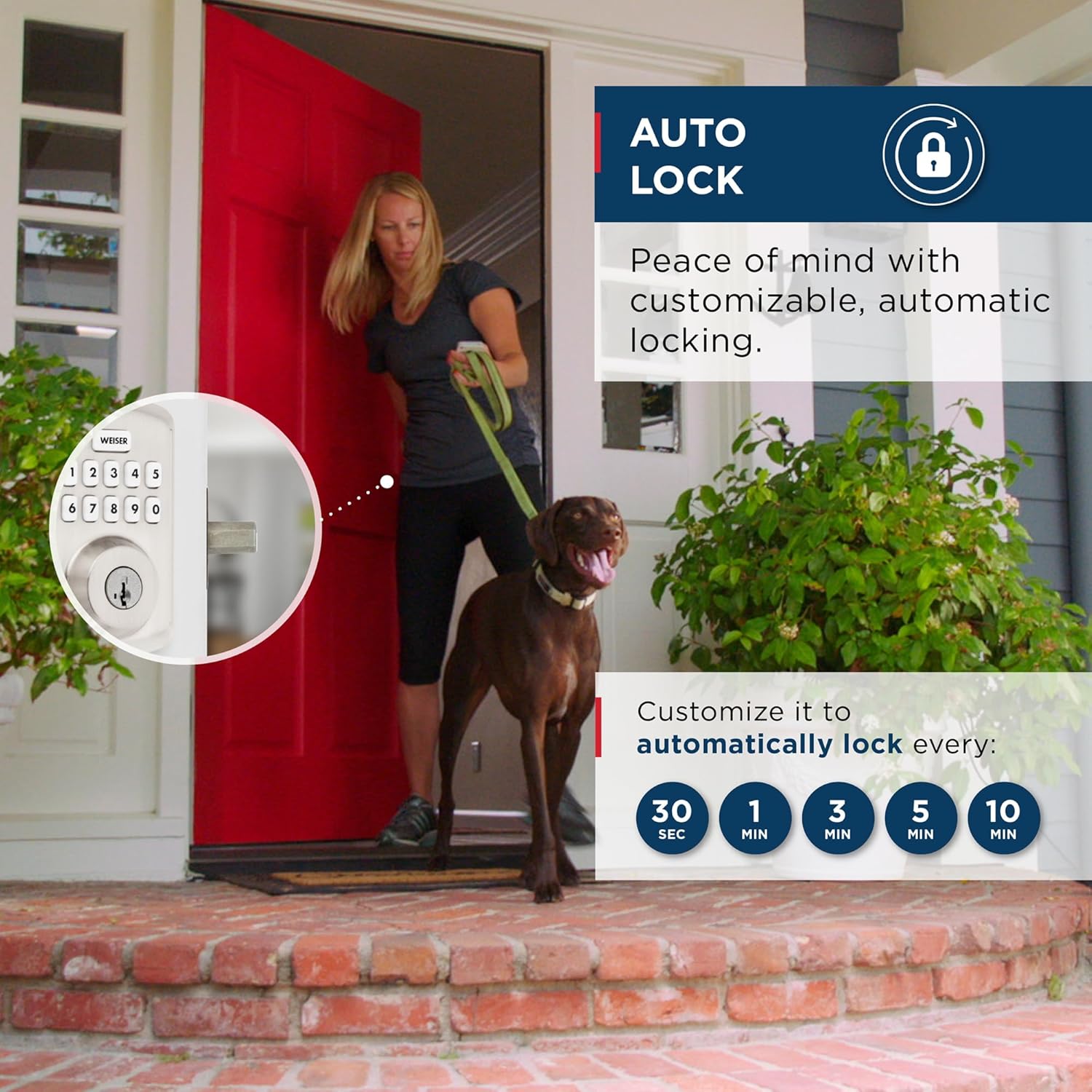
For added security and peace of mind, the Powerbolt 3 can be set to automatically lock after a specified delay. This feature ensures your door is always secured, even if you forget to lock it manually.
- Customizable auto-lock timings: 30 seconds, 1 minute, 3 minutes, 5 minutes, or 10 minutes.

This image demonstrates the auto-lock feature of the Weiser Powerbolt 3, showing a person leaving a house with a dog, and the lock automatically engaging after a customizable time delay, providing peace of mind.
7.2 Mode Vacances
Activate Vacation Mode to temporarily disable the keypad. This feature is ideal when you are away for an extended period, ensuring no one can operate your door lock via the keypad.

This image depicts a couple walking through an airport, symbolizing travel, while showcasing the Weiser Powerbolt 3's Vacation Mode feature, which temporarily disables the keypad for enhanced security when the user is away.
7.3 SmartKey Technology
Weiser's SmartKey Security™ provides advanced protection against common break-in techniques and allows you to re-key your lock yourself in seconds. This means you can easily re-key the lock to any Kwikset (KW1) key, making lost or unreturned keys obsolete.

This image illustrates the SmartKey Security™ technology, showing a cutaway view of the lock cylinder and highlighting its resistance to advanced break-in techniques like picking and bumping, along with the re-keying process.
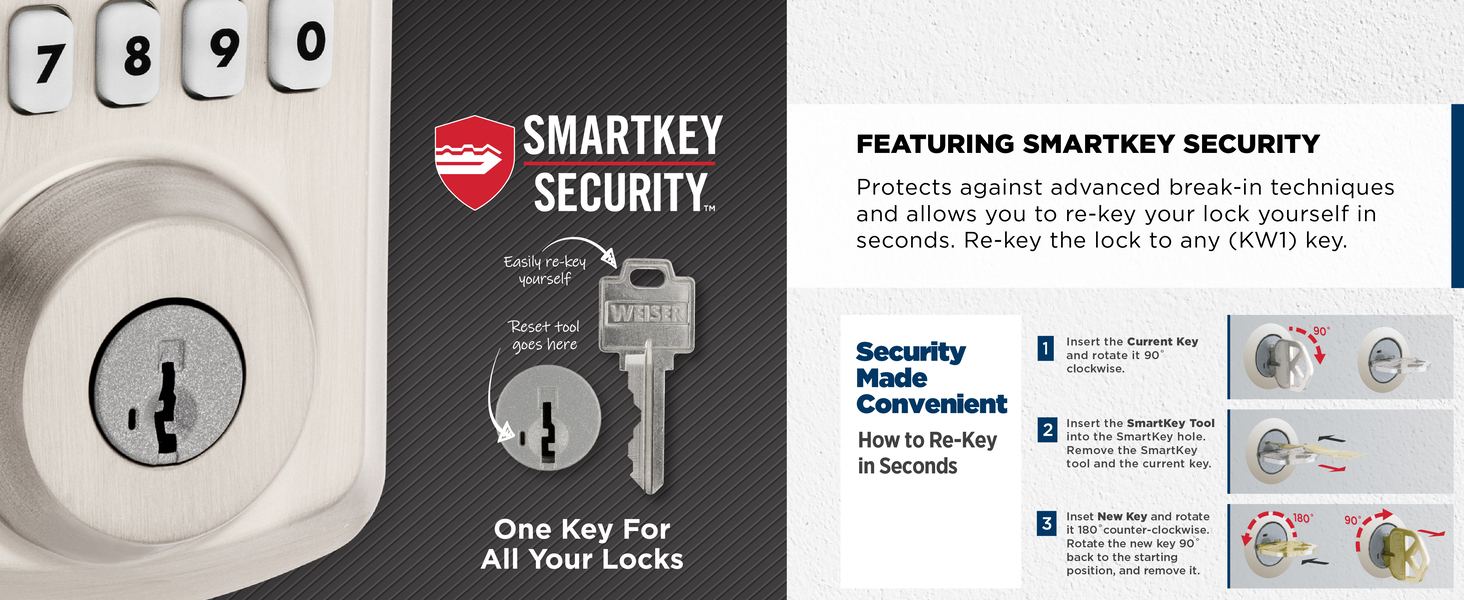
This image provides a step-by-step visual guide on how to re-key the Weiser Powerbolt 3 using the SmartKey tool, demonstrating the simplicity of the process for users to change their lock's keying themselves.
7.4 Alerte intrusion
If three consecutive incorrect user code attempts are made, the lock will sound an alarm and disable the keypad for 1 minute to prevent tampering. This feature enhances security by deterring unauthorized access attempts.

This image illustrates the intrusion alert feature of the Weiser Powerbolt 3, showing the keypad flashing red and sounding an alarm after three incorrect user code attempts, indicating a security breach attempt.
8. Entretien
The Weiser Powerbolt 3 is designed for low maintenance. The lock operates on 4 AA alkaline batteries (not included) and provides approximately 12 months of battery life under normal usage. When batteries are low, the lock will provide an audible and visual indicator. Replace all four batteries simultaneously when prompted.
Pour nettoyer la serrure, utilisez un chiffon doux.amp cloth. Avoid abrasive cleaners or solvents, as they may damage the finish or electronic components.
9. Dépannage
If you encounter issues with your Weiser Powerbolt 3, please refer to the following common troubleshooting tips:
- La serrure ne répond pas : Check battery levels and replace if necessary. Ensure the battery pack is correctly seated.
- Le clavier ne s'allume pas : Tap the keypad to activate the backlight. If it still doesn't light up, check batteries.
- Verrouillage/déverrouillage impossible : Ensure the door is properly closed and aligned with the strike plate. Re-perform the door handing process if the lock was recently installed or if the door alignment has changed.
- User code not working: Verify the user code is correct. Ensure the lock is not in Vacation Mode or disabled due to multiple incorrect entries (Intrusion Alert).
- Lock beeps continuously: This may indicate low battery. Replace batteries immediately.
For more detailed troubleshooting steps or persistent issues, please consult the full installation guide or contact Weiser customer support.
10. Spécifications
| Fonctionnalité | Détail |
|---|---|
| Fabricant | Weiser |
| Numéro de modèle | 9GED92500-002 |
| Couleur | Nickel satiné |
| Style | Boulon de puissance 3 |
| Finition | Brossé |
| Matériel | Métal, plastique |
| Dimensions du produit | 2.46 x 7.14 x 11.66 cm; 907.18 g |
| Poids de l'article | 907 g |
| Type de serrure | Verrou de sécurité, clavier numérique |
| Caractéristiques spéciales | Auto-Lock, BHMA/ANSI Grade 3, Motorized Locking, SmartKey Technology, Vacation Mode (Disable Keypad) |
| Source d'énergie | 4 piles AA (non incluses) |
| Autonomie de la batterie | Environ 12 mois |
| Compatibilité en termes d'épaisseur de porte | 1-3/8" to 1-3/4" standard |
| Cross Bore Hole Compatibility | 1-1/2" or 2-1/8" diameter |
| Pays d'origine | Chine |
11. Garantie et assistance
11.1 Informations sur la garantie
The Weiser Powerbolt 3 comes with the following warranty coverage:
- 1-Year Limited Electronics Warranty: Covers defects in materials and workmanship of the electronic components.
- Lifetime Limited Mechanical & Finish Warranty: Covers defects in materials and workmanship of the mechanical components and the finish of the lock.
Please retain your proof of purchase for warranty claims. For full warranty details and conditions, refer to the documentation included with your product or visit the official Weiser website.
11.2 Assistance clientèle
For technical assistance, troubleshooting, or warranty inquiries, please contact Weiser customer support. You can find contact information on the official Weiser website ou dans l'emballage de votre produit.
Visitez le Weiser Store on Amazon Pour plus de produits et d'informations.


