1. Produit terminéview
The SJCAM C300 is a compact and versatile action camera designed to capture high-quality video and photos in various environments. Featuring 4K video recording, 6-axis gyro stabilization, and a waterproof design, it is suitable for a wide range of activities.
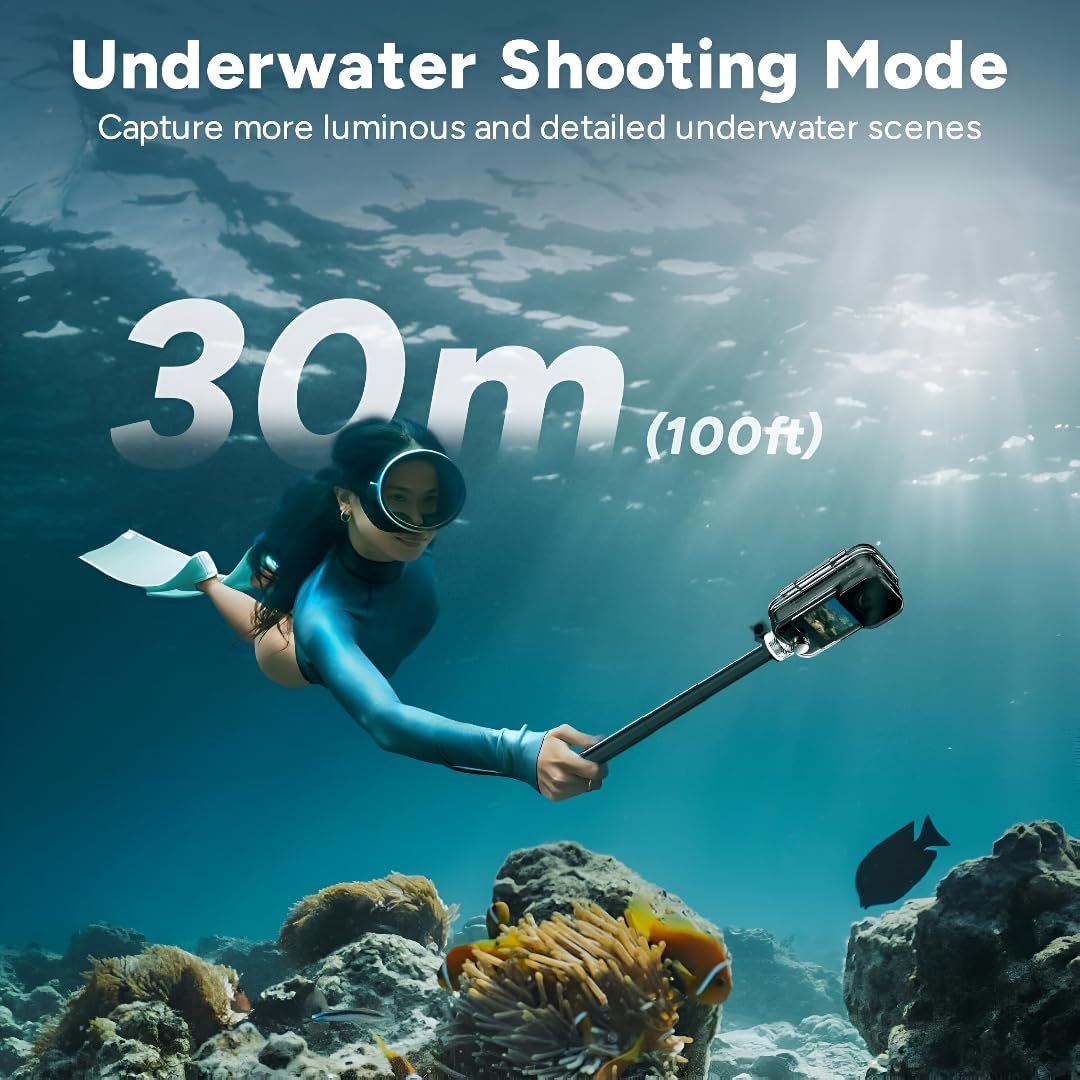
Figure 1: SJCAM C300 Action Camera in various usage scenarios, highlighting its versatility for activities like cycling, skiing, hiking, and vlogging.
Caractéristiques principales :
- Haute résolution 4K : Captures delicate 4K images at 30 frames per second, restoring true color.
- Stabilisation gyroscopique à 6 axes : Built-in stabilizer for clear and stable images, even during dynamic action.
- 30m Waterproof with Case: Achieves IP68 diving waterproof grade with the included waterproof case, also drop-proof, dust-proof, and shock-proof.
- 1.3″ Dual Touch Color Screen: Front and back touchscreens for flexible shooting positions and easy control.
- 154° Large Wide Angle: Wide-angle lens with aspherical optics to control image distortion and capture broad scenes.
2. Contenu du colis
Ensure all items are present in your SJCAM C300 package:
- 1 x C300 Camera
- 1 x Retour Clip
- 1 x support de base
- 1 x Flat Bottom Bracket
- 2 x Base de casque
- 1 x vis
- 1 x boîtier étanche
- 1 x cordon
- Autocollant 2 x 3M
- 2 x Sjcam Stickers
3. Composants de l'appareil photo
Familiarize yourself with the main components of your SJCAM C300 Action Camera:

Figure 2 : Face avant View
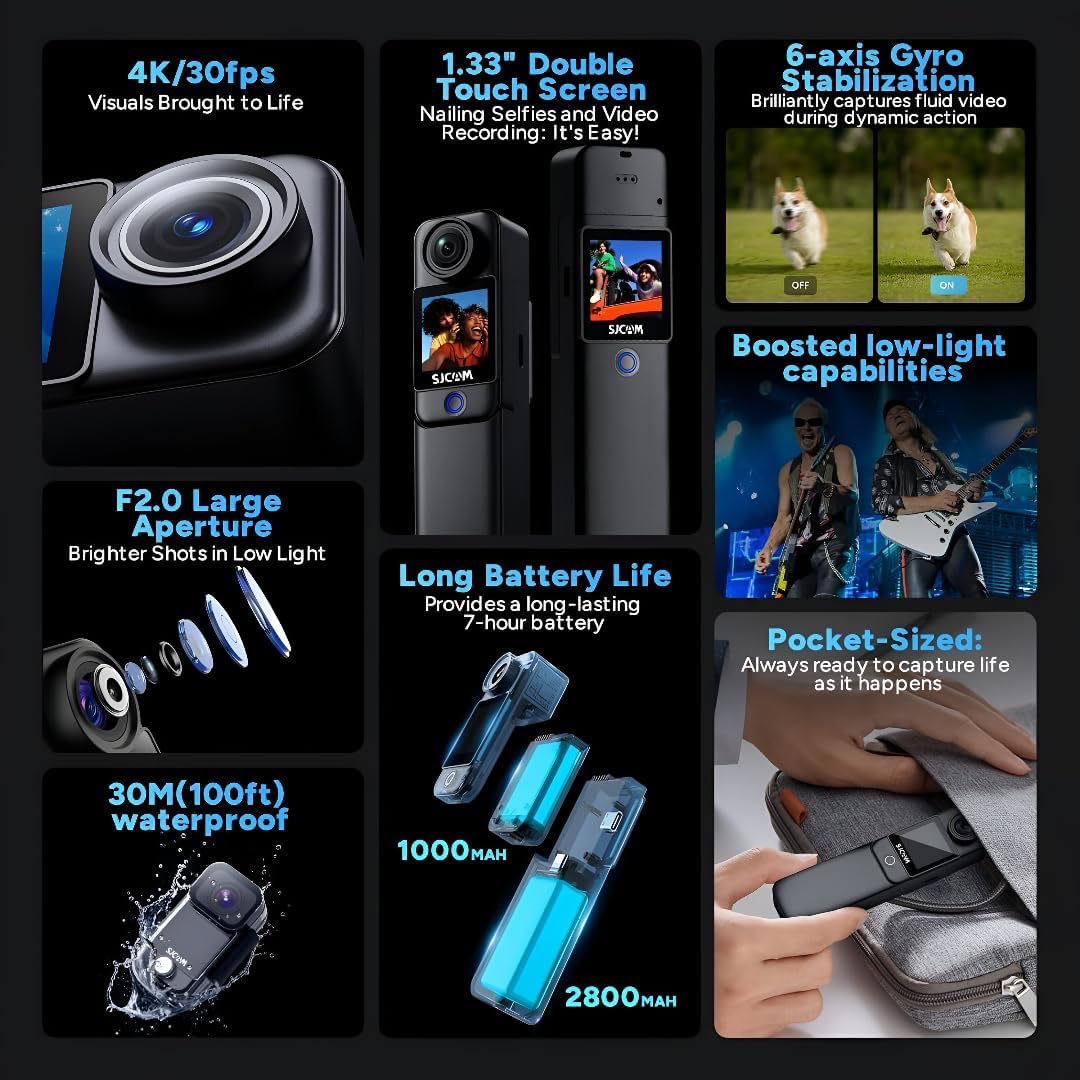
Figure 3 : Côté View (Port USB-C)

Figure 4 : Retour View (Emplacement Micro SD)
Conception modulaire :
The C300 features a modular design, allowing you to attach different battery packs for extended use. The standard module includes a 1000mAh battery, while an optional larger module provides a 2800mAh battery and a secondary screen.

Figure 5: Long Battery Life with Modular Attachments
4. Installation
4.1. Insertion d'une carte micro SD
- Open the battery compartment on the back of the camera.
- Insert a Micro SD card (up to 128GB, not included) into the designated slot until it clicks into place.
- Fermez soigneusement le compartiment à piles.
4.2. Charger la caméra
- Connect the camera to a 5V2A power source using the provided USB Type-C cable.
- Le voyant de charge indiquera l'état de charge.
4.3. Attaching Battery Modules and Accessories
- To attach the larger battery module, align the connectors and slide it onto the main camera unit until it locks.
- Use the included back clip, base mount, flat bottom bracket, or helmet bases to attach the camera to various surfaces or gear.
4.4. Utilisation de l'étui étanche
- Insert the camera (without the larger battery module) into the waterproof case.
- Ensure the case is properly sealed before submerging the camera in water. The waterproof case allows for diving up to 30 meters (100 feet).

Figure 6: Underwater Shooting with Waterproof Case
5. Mode d'emploi
5.1. Mise sous/hors tension
- Press and hold the power button (usually located on the front or side) to turn the camera on or off.
5.2. Navigation sur l'écran tactile
- Swipe left/right or up/down to navigate through menus and settings.
- Tap on icons to select options or confirm actions.
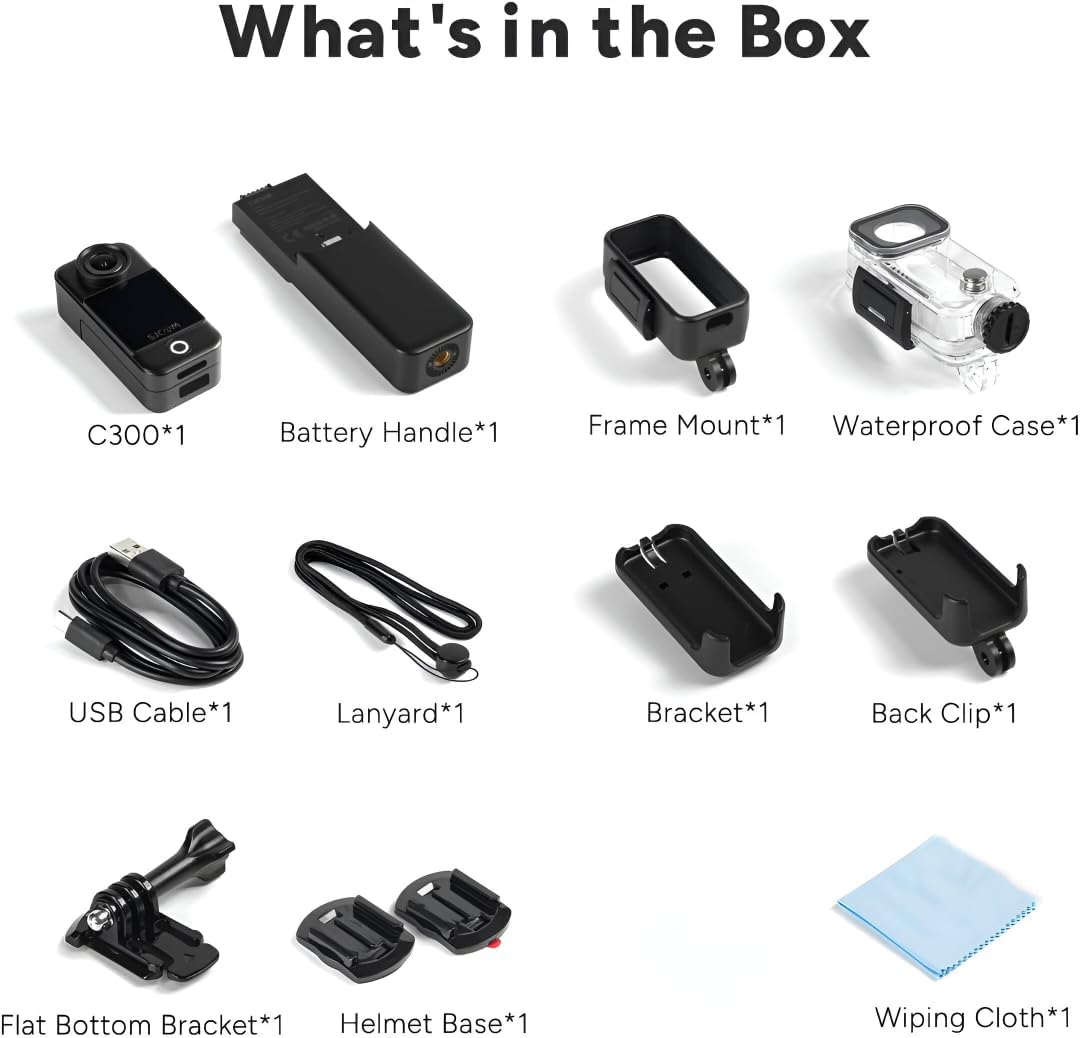
Figure 7: Dual Touchscreens in Operation
5.3. Video and Photo Modes
- Résolution vidéo : Select from 4K 30FPS, 2K 60/30FPS, 1080P 120/60/30FPS, or 720P 120/60/30FPS.
- Résolution photo : Choose from 20M, 16M, 14M, 12M, 10M, 8M, 5M, 3M, 2M.
- Modes de prise de vue : Includes Burst mode, Timed shooting, Quick shooting, Photo lapse, Slow motion, Motion detection, Video lapse, and Car mode.
5.4. 6-Axis Gyro Stabilization
- Enable the 6-axis gyro image stabilization in the settings menu for smoother footage, especially during movement. This feature is available up to 4K 30FPS.
5.5. Connectivité
- Wifi: Connect to the SJCAM Zone app via 2.4GHz/5GHz Wi-Fi for remote control and file transfert.
- Diffusion en direct : The camera supports live streaming functionality.
- Télécommande: The camera supports remote control accessories.
6. Entretien
6.1. Nettoyage
- Utilisez un chiffon doux non pelucheux pour nettoyer le boîtier et les écrans de l'appareil photo.
- Pour la lentille, utilisez un chiffon et une solution de nettoyage spécialisés pour éviter les rayures.
- Ensure the waterproof case is clean and free of debris before and after use.
6.2. Entretien de la batterie
- Chargez complètement la batterie avant la première utilisation.
- Évitez d'exposer la batterie à des températures extrêmes.
- En cas de stockage prolongé, chargez la batterie à environ 50 % et stockez-la dans un endroit frais et sec.
6.3. Stockage
- Rangez l'appareil photo dans un endroit sec et à l'abri de la poussière.
- Retirez la carte Micro SD si vous ne l'utilisez pas pendant une période prolongée.
7. Dépannage
7.1. La caméra ne s'allume pas
- Assurez-vous que la batterie est chargée. Branchez-la à une source d'alimentation et réessayez.
- Vérifiez si la batterie est correctement insérée.
7.2. SD Card Errors
- Utilisez une carte Micro SD haute vitesse (classe 10 ou supérieure) d'une marque réputée.
- Formatez la carte SD à l'aide du menu des paramètres de l'appareil photo.
- Vérifiez que la carte SD est correctement insérée.
7.3. Mauvaise qualité audio
- When recording yourself (selfie mode), ensure the microphone is not obstructed. The microphone is located on the back of the camera.
- In windy conditions, consider using external wind reduction accessories if available.
7.4. Video Stabilization Issues
- Ensure 6-axis Gyro Stabilization is enabled in the camera settings.
- Note that stabilization may not be available at all resolutions or frame rates (e.g., 1080P 120FPS).
8. Spécifications
| Fonctionnalité | Spécification |
|---|---|
| Modèle | C300 |
| Résolution vidéo | 4K 30FPS; 2K 60/30FPS; 1080P 120/60/30FPS; 720P 120/60/30FPS |
| Taille de l'image | 20M, 16M, 14M, 12M, 10M, 8M, 5M, 3M, 2M |
| Écran | 1.3″ HD display with touch (main) |
| Écran secondaire | 1.3″ HD display with touch (on larger battery module) |
| Angle de la caméra | 154° |
| Battery (Main) | 1000mAh (amovible) |
| Battery (Larger Module) | 2800mAh (amovible) |
| Wi-Fi | 2.4 GHz/5 GHz |
| Anti-tremblements | Six-axis gyro image stabilization |
| Format d'encodage | H.264/H.265 |
| Format vidéo | MP4 |
| Format d'image | JPG |
| Diffusion en direct | Soutenu |
| Télécommande | Soutenu |
| Interface USB | TYPE-C |
| Puissance d'entrée | 5V2A |
| Support de stockage | MICRO SD card, maximum support 128G |
| Température de fonctionnement | -10 °C ~ 45 °C |
| Taille du produit | 130.0 x 32.0 x 22.2 mm |
| Poids de l'article | 14.4 onces |
9. Garantie et assistance
Pour obtenir des informations sur la garantie et une assistance technique, veuillez consulter le site officiel de SJCAM. webou contactez directement leur service client. Conservez votre reçu d'achat pour toute réclamation sous garantie.


