Introduction
This manual provides detailed instructions for the safe and proper installation, operation, and maintenance of your Atlantic Full-Motion Wall Mount. Please read all instructions carefully before beginning installation and retain this manual for future reference.
The Atlantic Full-Motion Wall Mount is designed to securely hold televisions ranging from 47 to 86 inches, with a maximum weight capacity of 121 lbs (55 kg). It offers versatile viewing options including tilt, swivel, and extension capabilities to optimize your viewexpérience de travail.
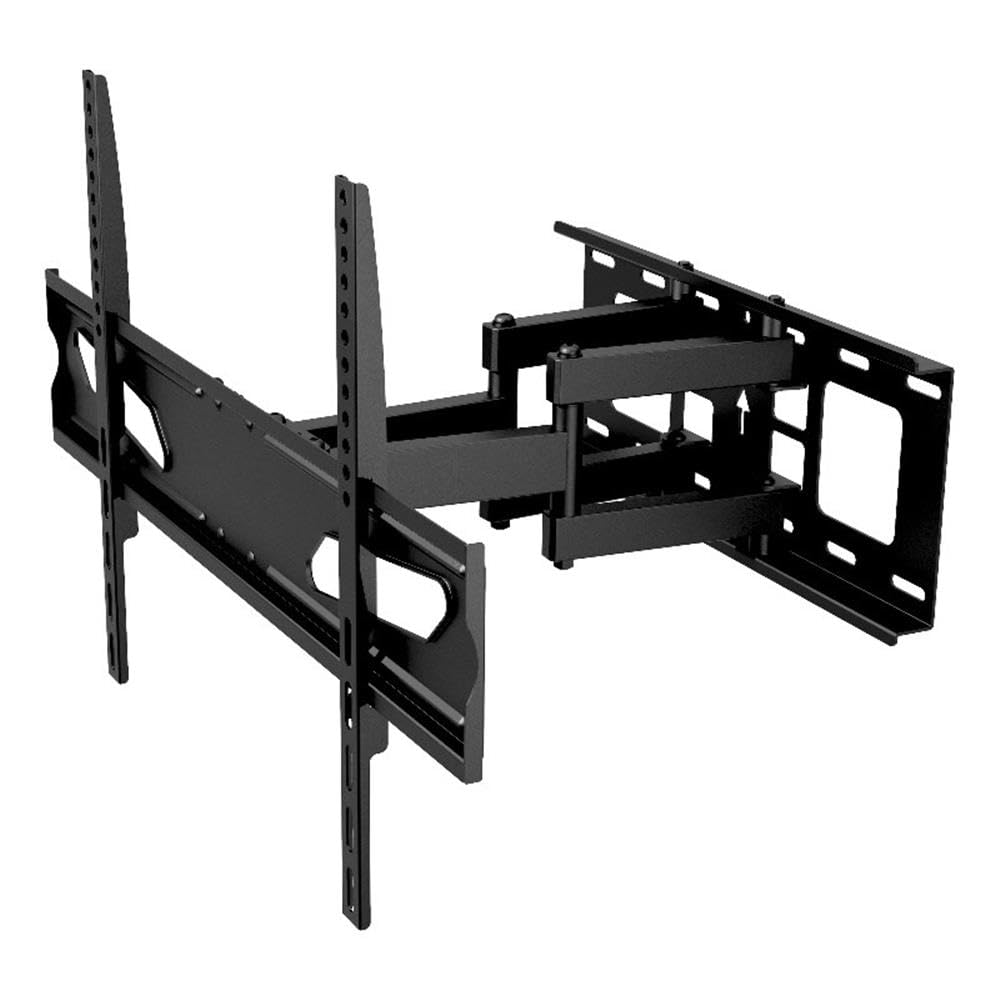
Image: The Atlantic Full-Motion TV Wall Mount, highlighting its ability to tilt ±20°, swivel ±45°, and extend up to 15.5 inches from the wall. It is suitable for TVs from 47 to 86 inches, supporting up to 121 lbs (55 kg).
Consignes de sécurité
AVERTISSEMENT : Le non-respect de ces instructions peut entraîner des blessures graves, des dommages matériels ou l'annulation de votre garantie.
- Capacité de poids : Ne pas dépasser la capacité de charge maximale de 55 kg (121 lb). Ce support est conçu pour être utilisé uniquement avec les poids maximums indiqués. L'utilisation avec des produits plus lourds que les poids maximums indiqués peut entraîner une instabilité et des risques de blessure.
- Taille du téléviseur: This mount is designed for TVs between 47 and 86 inches. Ensure your TV falls within this range.
- Structure du mur : The wall mount must be securely fastened to a solid wall stud (wood or metal) or concrete/brick wall. Do not install on drywall alone. If unsure about your wall structure, consult a qualified professional.
- Outils: Utilisez les outils appropriés pour l'installation. Assurez-vous que toutes les vis sont bien serrées, mais sans excès.
- Enfants: Tenir les enfants éloignés pendant l'installation. Les petites pièces peuvent présenter un risque d'étouffement.
- Installation professionnelle : If you have any doubts about installing this product, please contact a professional installer.
Contenu du colis
Please verify that all components are present and undamaged before installation. Refer to the parts list included in your product packaging for a complete inventory. If any parts are missing or damaged, do not proceed with installation and contact customer support.
Configuration et installation
Proper installation is critical for the safety and stability of your TV. Follow these steps carefully.
1. Prepare the Wall and Locate Studs
Identify the exact location on your wall where you intend to mount the TV. Use a stud finder to locate the center of the wall studs. Mark these locations clearly. For concrete or brick walls, use a masonry drill bit and appropriate anchors (not always included, check your package).
2. Fixez la plaque murale au mur.
Position the wall plate against the wall, aligning the mounting holes with the marked stud centers. Use a level to ensure the plate is perfectly horizontal. Drill pilot holes as recommended in your specific hardware kit, then secure the wall plate using the provided lag bolts and washers. Ensure it is firmly attached.
3. Fixez les supports de télévision au téléviseur.
Lay your TV face down on a soft, clean surface to prevent scratches. Identify the VESA mounting holes on the back of your TV. Select the appropriate screws, washers, and spacers from the hardware kit that fit your TV's VESA pattern. Attach the two vertical TV brackets to the back of your TV. Ensure they are securely fastened and evenly spaced.

Image: A diagram illustrating the TV mounting pattern (VESA compatibility) ranging from minimum 75mm/3 inches to maximum 600mm/23.6 inches horizontally and 410mm/16.1 inches vertically. Also shows overall mount dimensions.
4. Fixez le téléviseur à la plaque murale
With assistance, carefully lift the TV and hook the attached TV brackets onto the wall plate. Ensure the brackets are properly seated and locked into place. Most mounts include safety screws or locking mechanisms to prevent accidental dislodgement. Secure these as per the instructions in your hardware kit.

Image : Un côté view of the wall mount, illustrating its extension capabilities. The mount can extend from 2.7 inches (profile from wall) to 15.5 inches from the wall.
Mode d'emploi
Once installed, your full-motion mount allows for flexible TV positioning.
- Extension: Gently pull the TV away from the wall to extend the arm. The mount can extend up to 15.5 inches from the wall.
- Pivot: Carefully push or pull the TV horizontally to swivel it left or right. The mount offers a ±45° swivel range.
- Inclinaison: Adjust the vertical angle of the TV by gently pushing the top or bottom of the TV. The mount allows for a ±20° tilt (20° downward and upward). This can help reduce glare.
- Réglage du niveau de l'écran : The mounting plate allows for a ±3° rotation for last-minute level adjustments after installation.

Image: An illustration demonstrating the ±45° swivel range of the TV wall mount, allowing for flexible viewangles d'inclinaison.

Image: A living room setting demonstrating the full-motion capability, specifically the swivel range, to find the perfect viewangle de vue.

Image: A living room scene showing a TV mounted on the wall, tilted ±20° to avoid unwanted glare and improve viewconfort.

Image: This image indicates the mount fits TVs up to a maximum of 86 inches (47-86 inches) and highlights the ±3° screen level adjustment feature.
Entretien
Un entretien régulier garantit la longévité et le bon fonctionnement de votre support TV.
- Nettoyage: Essuyez le support avec un chiffon doux et sec. Évitez les nettoyants abrasifs ou les solvants qui pourraient endommager la finition.
- Vérifier les connexions : Periodically check all screws and bolts to ensure they remain tight. Over time, vibrations or adjustments can cause them to loosen. Do not overtighten.
- Inspecter l'usure : Inspect the mount for any signs of wear, damage, or corrosion. If any issues are found, discontinue use and contact customer support.
Dépannage
If you encounter issues with your TV mount, refer to the following common solutions.
- Le téléviseur n'est pas de niveau : Use the ±3° screen level adjustment feature to fine-tune the horizontal alignment. If this does not resolve the issue, re-check the wall plate installation to ensure it was level.
- Difficulty moving the TV (tilt/swivel/extend): Ensure no cables are snagged or obstructing movement. Check if any adjustment knobs or bolts are overtightened. Loosen slightly if necessary, but ensure the TV remains secure.
- La montagne semble instable : Immediately remove the TV from the mount. Re-check all wall plate and TV bracket connections. Ensure the mount is securely fastened to wall studs or appropriate concrete/brick anchors. Verify that your TV's weight and size are within the mount's specifications. If instability persists, contact a professional installer.
Caractéristiques
| Fonctionnalité | Spécification |
|---|---|
| Numéro de modèle | 63607415 |
| Compatibilité de la taille du téléviseur | 47" – 86" |
| Capacité de poids | 121 livres (55 kg) |
| Profile du mur | 2.7" |
| Extension du mur | Jusqu'à 15.5 pouces |
| Plage d'inclinaison | ±20° (20° downward and upward) |
| Gamme de pivot | ±45° |
| Réglage du niveau de l'écran | ±3° |
| Compatibilité VESA | 200x100 à 600x400 mm |
| Matériel | Construction en acier durable |
| Poids de l'article | 10.8 livres |
| Dimensions du produit | 15.43 x 25.98 x 16.93 pouces |
| Code UPC | 031742074158 |
Informations sur la garantie
This Atlantic Full-Motion Wall Mount comes with a Garantie constructeur limitée de 1 ans. This warranty covers defects in materials and workmanship under normal use. It does not cover damage resulting from improper installation, misuse, abuse, accident, or unauthorized modifications. Please retain your proof of purchase for warranty claims.
Assistance clientèle
For technical assistance, missing parts, or warranty inquiries, please contact Atlantic customer support. You can typically find contact information on the manufacturer's official websur votre site ou sur l'emballage de votre produit.
Website: www.atlantic-inc.com (Veuillez consulter le site officiel) web(Voir le site pour les coordonnées les plus récentes.)


