1. Introduction
Thank you for choosing the Ambrane Wireless Gaming Controller OP-WLGC01. This controller is designed to provide an immersive gaming experience across multiple platforms, including PC (Windows), PS3 Console, and Android TV. Featuring 2.4GHz wireless technology, dual vibration motors, and dynamic RGB lighting, this manual will guide you through its setup, operation, and maintenance.

Image 1.1: The Ambrane Wireless Gaming Controller OP-WLGC01, showcasing its transparent design and illuminated elements.
2. Produit terminéview
The Ambrane OP-WLGC01 controller combines advanced features with a unique aesthetic. Key components and features include:
- Conception transparente : A visually distinct transparent casing.
- Technologie sans fil 2.4 GHz : Ensures stable and responsive connectivity.
- Integrated Dual Intensity Motor: Offre un retour haptique pour une expérience de jeu immersive.
- Illuminated Pad (RGB Lighting): Features 16.8 million colors with breathing RGB effects.
- Conception ergonomique : Easy-to-hold body for comfortable extended gaming sessions.
- Boutons de fonction spéciale : Dedicated Turbo and Clear buttons for enhanced gameplay.

Image 2.1: Illustration of the dual vibrating motors providing haptic feedback.

Image 2.2: The controller displaying its dynamic 16.8 million color breathing RGB lighting effect.
3. Installation
3.1 Charger le contrôleur
Before initial use, fully charge the controller. The integrated 800mAh battery provides up to 12 hours of gameplay on a full charge.
- Connect the provided Type-C charging cable to the charging port on the controller.
- Connectez l'autre extrémité du câble à une source d'alimentation USB (par exemple, un port USB d'ordinateur, un adaptateur secteur USB).
- Les voyants lumineux de la manette indiqueront l'état de charge et s'éteindront ou changeront de couleur une fois la charge complète.

Image 3.1: The controller highlighting its Type-C charging port and other features.
3.2 Connexion aux appareils
The controller utilizes 2.4GHz wireless technology for connection. It is compatible with PC (Windows systems, supporting X-Input & D-Input modes), PS3 consoles, and Android TV devices.
- Insert the 2.4GHz USB receiver (dongle) into an available USB port on your PC, PS3 console, or Android TV.
- Turn on the controller by pressing the MODE button.
- The controller will automatically pair with the receiver. The indicator lights will stabilize once connected.
- For PC, ensure the correct input mode (X-Input or D-Input) is selected if prompted by your game or system.

Image 3.2: The controller demonstrating its compatibility with PS3 Console, Windows System, Android TV, and PC.
4. Mode d'emploi
4.1 Disposition et fonctions des boutons
Familiarisez-vous avec la disposition des boutons de la manette pour une expérience de jeu optimale.

Image 4.1: Detailed diagram of the controller's buttons, including joysticks, directional pad, action buttons (A, B, X, Y), shoulder buttons (L1, L2, R1, R2), SELECT, START, TURBO, CLEAR, MODE, and RGB Control.
- Joysticks gauche/droite : For analog movement and camera control.
- Directional Button (D-Pad): Pour une saisie directionnelle précise.
- Boutons d'action (A, B, X, Y) : Actions de jeu standard.
- Boutons d'épaule (L1, L2, R1, R2) : Pour diverses fonctions en jeu.
- SÉLECTIONNER/DÉMARRER : Menu and pause functions.
- Bouton MODE : Power on/off and mode switching.
- Contrôle RVB : Button or combination for adjusting RGB lighting effects.
4.2 mode turbo
The Turbo mode allows for rapid and continuous actions by repeatedly pressing a single button. This can be useful for certain in-game scenarios.
- Appuyez sur le bouton d'action souhaité et maintenez-le enfoncé (par exemple, A, B, X, Y, L1, R1).
- Tout en maintenant le bouton d'action enfoncé, appuyez sur TURBO Appuyez une fois sur le bouton.
- Release both buttons. The selected action button will now perform rapid presses when held down.
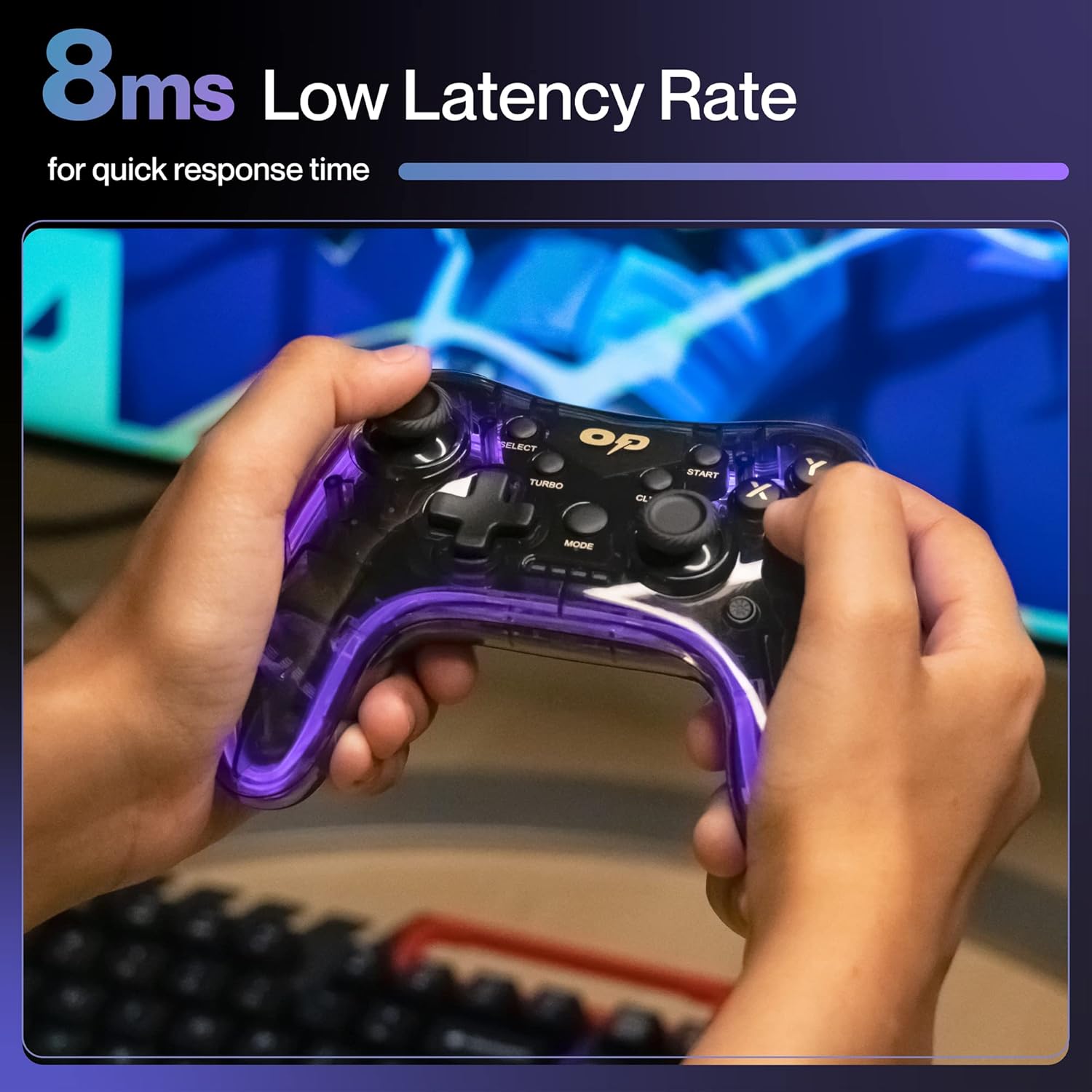
Image 4.2 : Gros plan view of the TURBO and CLEAR special function buttons.
4.3 Clearing Turbo Mode
To deactivate Turbo mode for a specific button:
- Press and hold the action button for which Turbo mode is active.
- Tout en maintenant le bouton d'action enfoncé, appuyez sur CLAIR Appuyez une fois sur le bouton.
- Release both buttons. Turbo mode for that button is now deactivated.
To clear all Turbo settings, press and hold the CLAIR pendant environ 3 secondes.
5. Entretien
Un entretien approprié garantit la longévité et les performances optimales de votre contrôleur.
- Nettoyage: Utilisez un chiffon doux et sec pour essuyer la manette. Pour les saletés tenaces, frottez légèrement avec un chiffon doux et sec.ampNettoyez le chiffon avec de l'eau. Évitez les produits chimiques agressifs et les matériaux abrasifs.
- Stockage: Rangez la manette dans un endroit frais et sec, à l'abri de la lumière directe du soleil et des températures extrêmes.
- Entretien de la batterie: Avoid fully discharging the battery frequently. If storing for an extended period, charge the controller to about 50% to prolong battery life.
- Évitez les chutes : Protégez la manette des chocs physiques, qui peuvent endommager ses composants internes.
6. Dépannage
| Problème | Cause possible | Solution |
|---|---|---|
| La manette ne s'allume pas. | Batterie faible. | Chargez la manette à l'aide du câble Type-C fourni. |
| La manette ne se connecte pas à l'appareil. | USB receiver not properly inserted or out of range. | Ensure the USB receiver is securely plugged in. Move closer to the receiver (within 10 meters). Re-pair by turning the controller off and on. |
| Les boutons ou les joysticks ne répondent pas. | Bug logiciel ou obstruction physique. | Restart the controller and the connected device. Check for any physical debris around buttons/joysticks. |
| La fonction vibration ne fonctionne pas. | Le jeu ne prend pas en charge les vibrations ou cette fonctionnalité est désactivée. | Check in-game settings for vibration options. Ensure the game supports haptic feedback. |
7. Spécifications
| Fonctionnalité | Détail |
|---|---|
| Numéro de modèle | OP-WLGC01 |
| Connectivité | 2.4GHz sans fil |
| Compatibilité | PC (Windows X-Input/D-Input), PS3 Console, Android TV |
| Capacité de la batterie | Batterie au lithium 800 mAh |
| Batterie de secours | Jusqu'à 12 XNUMX heures |
| Port de chargement | Type C |
| Vibration | Dual Intensity Motor |
| Éclairage | 16.8M Colours Breathing RGB |
| Plage de fonctionnement | Jusqu'à 10 mètres |
| Dimensions (L x l x H) | 16.9 x 15.9 x 9 cm |
| Poids de l'article | 195 g |
8. Garantie et assistance
This Ambrane product comes with a 365-day (1 Year) brand warranty against any manufacturing-related issues.
For warranty claims, technical support, or any inquiries, please contact Ambrane customer service:
- E-mail: Care@ambraneindia.com
Veuillez conserver votre reçu d'achat pour la validation de la garantie.


