Introduction
The CDN Digital Probe Cooking, Cooling Thermometer, Smoker Oven Grill Candy Deep Frying, Multifunctional Thermometer/Timer/Clock (Model DTTC-W) is a versatile tool designed to assist in precise temperature monitoring for various cooking and cooling applications. This manual provides detailed instructions for setup, operation, maintenance, and troubleshooting to ensure optimal performance and longevity of your device.
Consignes de sécurité
- Always handle the stainless steel probe with care as it can become very hot during use. Use oven mitts or heat-resistant gloves when removing the probe from hot food or ovens.
- Do not immerse the main thermometer unit in water or any other liquid. The unit is not waterproof. Clean only the probe and cable.
- Ensure the probe cable is not pinched or damaged by oven doors or grill grates, as this can affect accuracy and damage the cable.
- Gardez l’appareil hors de portée des enfants.
- Ne pas utiliser le thermomètre dans un four à micro-ondes.
- Only use the specified battery type (1 AAA).
Composants
Your CDN DTTC-W package includes the following components:
- Digital Thermometer/Timer/Clock Unit
- Stainless Steel Probe with High-Heat Sensor Cable
- Pince à pot
- 1 pile AAA (incluse)

Image: The CDN Digital Probe Thermometer DTTC-W unit, showing the main display, control buttons, the stainless steel probe, and the pot clip.
Installation
- Installation de la batterie :
Locate the battery compartment on the back of the main unit. Open the compartment cover and insert one AAA battery, ensuring correct polarity (+/-). Close the cover securely.
- Connexion de la sonde :
Insert the plug of the stainless steel probe cable into the jack located on the side of the main unit. Ensure it is fully inserted for proper connection.

Image : Un gros plan view of the stainless steel probe and its high-heat sensor cable, ready for connection to the main unit.
- Placement des unités :
The DTTC-W offers two mounting options:
- Dos magnétique : The unit has magnetic strips on its back, allowing it to be securely attached to metal surfaces like a refrigerator door or oven exterior.
- Support dépliable : A hinge allows the unit to sit upright on a countertop or stovetop for easy viewing.
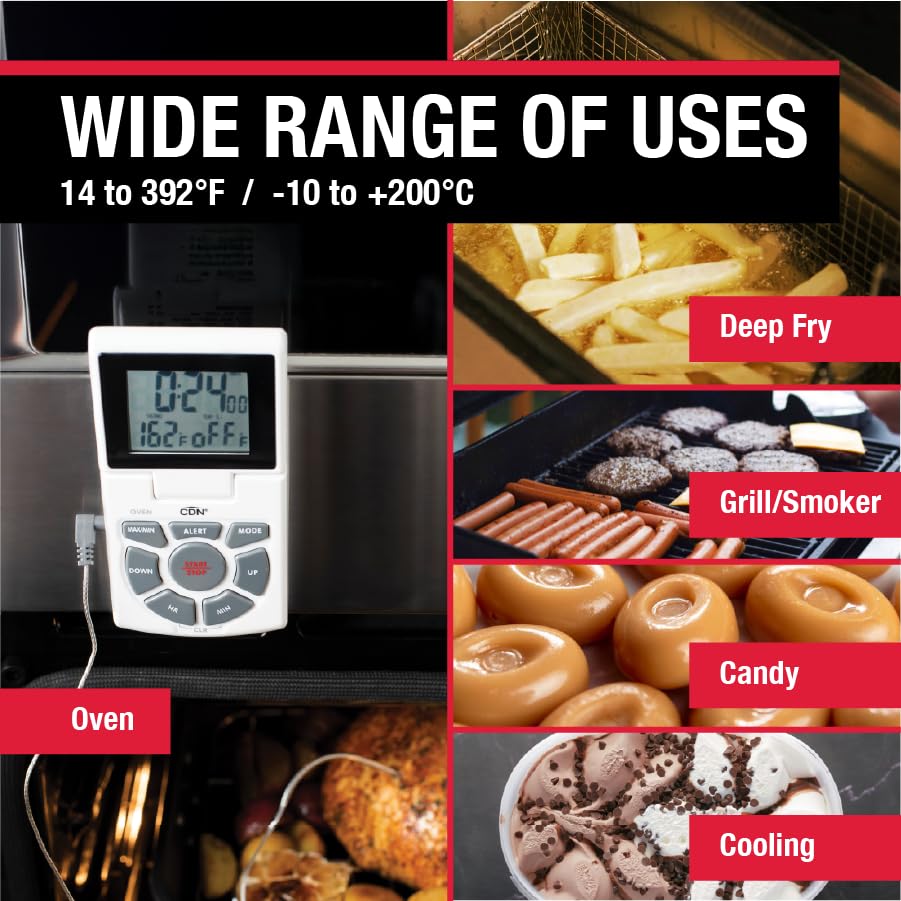
Image: The thermometer unit attached to an oven door via its magnetic back, demonstrating the magnetic mounting option.
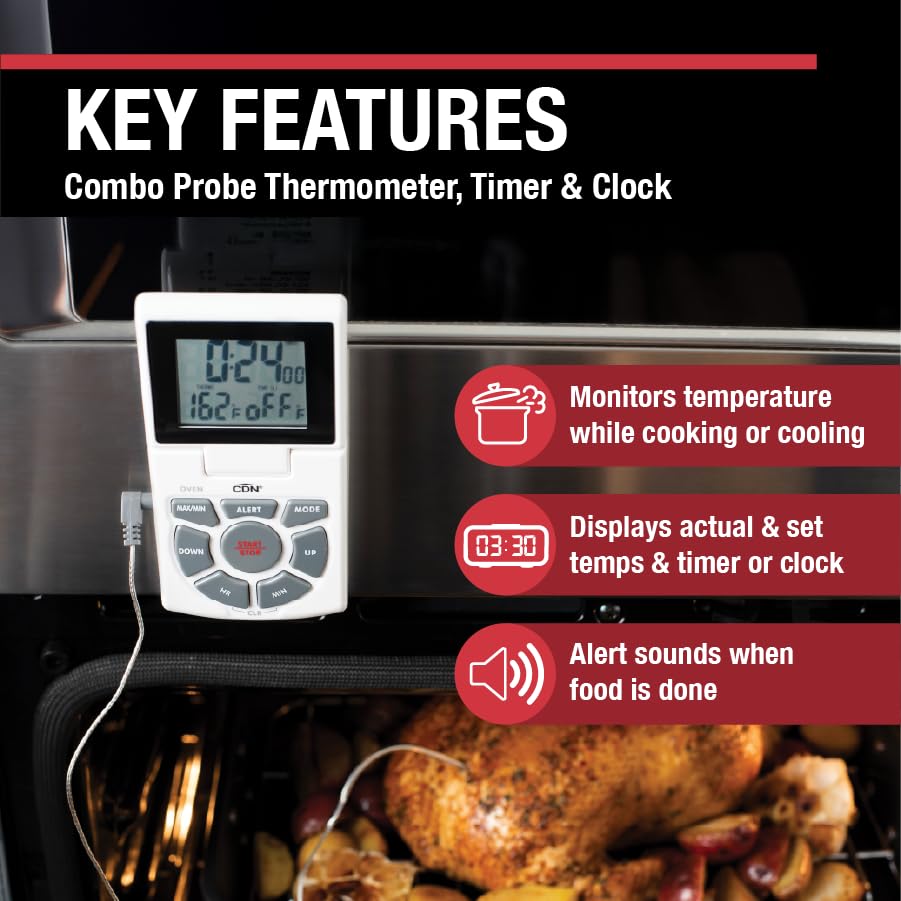
Image: The thermometer unit standing upright on a countertop using its integrated fold-out stand.
Mode d'emploi
The DTTC-W features a clear LED screen displaying time, current food temperature, and set temperature. Buttons are clearly marked for ease of use.
Modes de fonctionnement:
Appuyez sur le MODE button to cycle through the three main modes: Thermometer, Timer, and Clock.
1. Thermometer Mode:
- Mesure de température: Insert the stainless steel probe into the thickest part of the food, avoiding bone or gristle. The current internal temperature will be displayed on the screen.
- Setting Temperature Alert:
- Appuyez sur le ALERTE button. The set temperature will flash.
- Utilisez le UP et VERS LE BAS boutons permettant de régler la température cible souhaitée.
- Presse ALERTE à nouveau pour confirmer le réglage.
- When the food reaches the set temperature, an alarm will sound. Press any button to silence the alarm.
- Sélection Fahrenheit/Celsius : Use the switch on the back of the unit to toggle between Fahrenheit (°F) and Celsius (°C) temperature scales.
- Using the Pot Clip: For deep frying or candy making, attach the pot clip to the side of your saucepan. Insert the probe through the clip, ensuring the probe tip is submerged in the liquid but not touching the bottom of the pan.
Image: The pot clip securely attached to the rim of a saucepan, holding the probe in place for accurate temperature monitoring during cooking.
2. Timer Mode:
- Réglage du compte à rebours :
- Appuyez sur le HR et MIN boutons permettant de régler la durée du compte à rebours souhaité.
- Presse DÉMARRER/ARRÊTER pour commencer le compte à rebours.
- Pour faire une pause, appuyez sur DÉMARRER/ARRÊTER Appuyez de nouveau pour reprendre.
- Pour effacer la minuterie, appuyez sur CLR.
- An alarm will sound when the timer reaches zero. Press any button to silence.
- Compte à rebours :
From Timer mode, ensure the timer is set to 0:00. Press DÉMARRER/ARRÊTER to begin counting up. Press DÉMARRER/ARRÊTER mettre en pause/reprendre, et CLR pour réinitialiser.
3. Clock Mode:
- Réglage de l'horloge :
- En mode Horloge, appuyez et maintenez la touche enfoncée. MODE appuyer sur le bouton jusqu'à ce que les chiffres de l'heure clignotent.
- Utilisez le HR et MIN buttons to set the hour and minute respectively.
- Presse MODE pour confirmer chaque réglage.
- The clock displays 12-hour or 24-hour time.

Image: The thermometer probe accurately measuring the internal temperature of a chicken roasting inside an oven.

Image: The thermometer probe inserted into chicken breasts cooking on a grill, demonstrating its use for outdoor cooking.
Entretien
- Nettoyage:
The stainless steel probe and cable can be cleaned with a damp cloth and mild detergent. Rinse thoroughly and dry immediately. The main unit should be wiped clean with a damp cloth only. Do not immerse the main unit in water.

Image: The thermometer unit and probe resting on a wooden cutting board, illustrating the ease of access for cleaning after use.
- Remplacement de la batterie : Replace the AAA battery when the display dims or the unit stops functioning correctly.
- Stockage: Store the thermometer in a clean, dry place when not in use. Avoid extreme temperatures or direct sunlight.
Dépannage
| Problème | Cause possible | Solution |
|---|---|---|
| Aucun affichage ou affichage faible. | Batterie morte ou mal installée. | Remplacez la pile AAA en respectant la polarité. |
| Lectures de température inexactes. | Probe not fully inserted, damaged probe/cable, or probe tip touching bone/pan. | Ensure probe is fully inserted. Check cable for damage. Reposition probe to avoid bone/pan. If issues persist, the probe may need replacement. |
| L'alarme ne sonne pas. | Alarm volume too low (if adjustable, though this model doesn't specify), or alarm setting incorrect. | Verify alarm temperature is set correctly. Ensure the unit is not in a location where the sound is muffled. |
| Unit resets or freezes. | Batterie faible ou dysfonctionnement interne. | Remplacez la batterie. Si le problème persiste, contactez le service client. |
Caractéristiques
- Plage de mesure : 14 to 392°F / -10 to +200°C
- Gamme de minuterie: Up to 24 hours by hr/min
- Longueur de la sonde : 5.5 pouces (14.0 cm)
- Longueur du câble du capteur : 3 pieds (91.4 cm)
- Sensor Cable Heat Resistance: Jusqu'à 600°F / 315°C
- Source d'alimentation : 1 x 1.5V AAA IEC LR03 Alkaline Battery (included)
- Type d'affichage : LCD numérique
- Options de montage : Magnetic back, Fold-out stand
- Matériels: Stainless Steel probe, Plastic unit casing
- Dimensions du produit : 10.5 x 6 x 1.3 pouces ; 4 once (environ)
Garantie
The CDN Digital Probe Cooking Thermometer (DTTC-W) is covered by a two-year warranty against defects in materials and workmanship from the date of purchase. This warranty does not cover damage resulting from misuse, abuse, accident, or unauthorized alteration or repair. Please retain your proof of purchase for warranty claims.
Soutien
For technical assistance, warranty claims, or general inquiries, please contact CDN Customer Service. Refer to the official CDN website pour les informations de contact les plus récentes.
Website: www.cdn-timeandtemp.com