1. Introduction
This manual provides essential information for the setup, operation, maintenance, and troubleshooting of your HISTTON H6 Fanless Industrial Mini PC. This compact and powerful system features an Intel Core i7-10810U processor, 16GB DDR4 RAM, and a 512GB M.2 SSD, running Windows 11 Pro. It is designed for various applications requiring stable performance and multiple connectivity options.

Image 1.1: The HISTTON H6 Fanless Industrial Mini PC.
2. Contenu de la boîte
Vérifiez que tous les éléments sont présents dans le colis :
- 1 x HISTTON H6 Mini PC
- 1 x adaptateur secteur
- 1 x Manuel d'utilisation
- 1 x câble HDMI
- 1 support VESA
- 8 x Screws for VESA Mount/Storage
- 2 x antennes WiFi
- 2 x SATA Cables (for 2.5-inch drive installation)

Image 2.1: Package contents including the Mini PC, power adapter, cables, antennas, and VESA mount.
3. Produit terminéview
3.1 Principales caractéristiques
- Processeur: Intel Core i7-10810U (10th Gen, 6 Cores, 12 Threads, up to 4.90 GHz)
- Graphique: Intel UHD Graphics for 10th Gen Processors, supporting 4K resolution.
- Mémoire: 16GB DDR4 RAM (expandable up to 64GB via 2 SO-DIMM slots)
- Stockage: 512GB M.2 NVMe PCIe 3.0x4 / SATA 3 SSD, with an additional 2.5-inch SATA HDD/SSD slot.
- Affichage de sortie : Dual HD (HDMI) and one DP (DisplayPort) for triple 4K display support.
- Réseau: Dual Gigabit Ethernet LAN (RJ-45), Dual-band 2.4G+5.0G WiFi (WIFI5), Bluetooth 4.2.
- Ports: 4x USB 3.0, 2x HD, 1x DP, 2x RS232/RS485 COM, 1x 14 Pin GPIO, 1x SPK (Audio Out), 1x MIC (Audio In).
- Refroidissement: Fanless design for silent operation and excellent heat dissipation.
- Système opérateur: Pre-installed Windows 11 Pro 64-bit (activated).
3.2 Composants internes

Image 3.1: Internal layout highlighting the M.2 2280 slot, DDR4 RAM slots, and SATA 3.0 slot.
The internal design allows for easy upgrades of RAM and storage. The system supports up to 64GB DDR4 RAM and includes slots for both M.2 NVMe/SATA SSDs and 2.5-inch SATA HDDs/SSDs.
3.3 Aménagement du port

Image 3.2 : Détail view of the front and rear ports, including USB, HD, DP, LAN, COM, and GPIO.
The Mini PC offers a comprehensive set of ports for various industrial and personal applications. The front panel includes the power button, USB 3.0 ports, and GPIO/COM ports. The rear panel features audio jacks, Gigabit LAN ports, HD (HDMI) ports, a DisplayPort, USB 2.0 ports, and the DC power input.
4. Instructions de configuration
4.1 Connexion initiale
- Connecter les antennes : Screw the two WiFi antennas onto the corresponding connectors on the rear of the Mini PC.
- Connecter l'écran : Connect your monitor(s) to the HD (HDMI) and/or DP (DisplayPort) outputs using the provided HDMI cable or a compatible DP cable. The device supports up to three displays simultaneously.
- Connectez les périphériques : Branchez votre clavier et votre souris USB sur les ports USB disponibles.
- Connexion au réseau (facultatif) : For a wired connection, connect an Ethernet cable to one of the Gigabit LAN ports.
- Connecter l'alimentation : Branchez l'adaptateur secteur au port DC IN du Mini PC, puis connectez l'adaptateur à une prise de courant.
4.2 Mise sous tension
Press the power button located on the front panel of the Mini PC. The system will boot up, and Windows 11 Pro will load automatically.
4.3 Montage VESA (en option)
The Mini PC can be mounted to the back of a VESA-compatible monitor or to a wall using the included VESA mount and screws. Attach the VESA bracket to the Mini PC, then secure the bracket to your desired mounting location.
5. Mode d'emploi
Système d'exploitation 5.1
Your HISTTON H6 Mini PC comes with Windows 11 Pro pre-installed and activated. Follow the on-screen prompts for initial Windows setup, including user account creation and network configuration.

Image 5.1: The Mini PC running Windows 11 Pro.
5.2 Configuration à trois écrans
The Mini PC supports connecting up to three independent displays simultaneously via its two HD (HDMI) ports and one DP (DisplayPort). To configure multiple displays:
- Connectez tous les moniteurs souhaités aux ports de sortie vidéo disponibles.
- Faites un clic droit sur le bureau et sélectionnez « Paramètres d'affichage ».
- Windows should detect all connected displays. You can arrange them, change their resolution, and set their orientation.
- Choose between "Extend these displays" to have a larger desktop area or "Duplicate these displays" to mirror content.
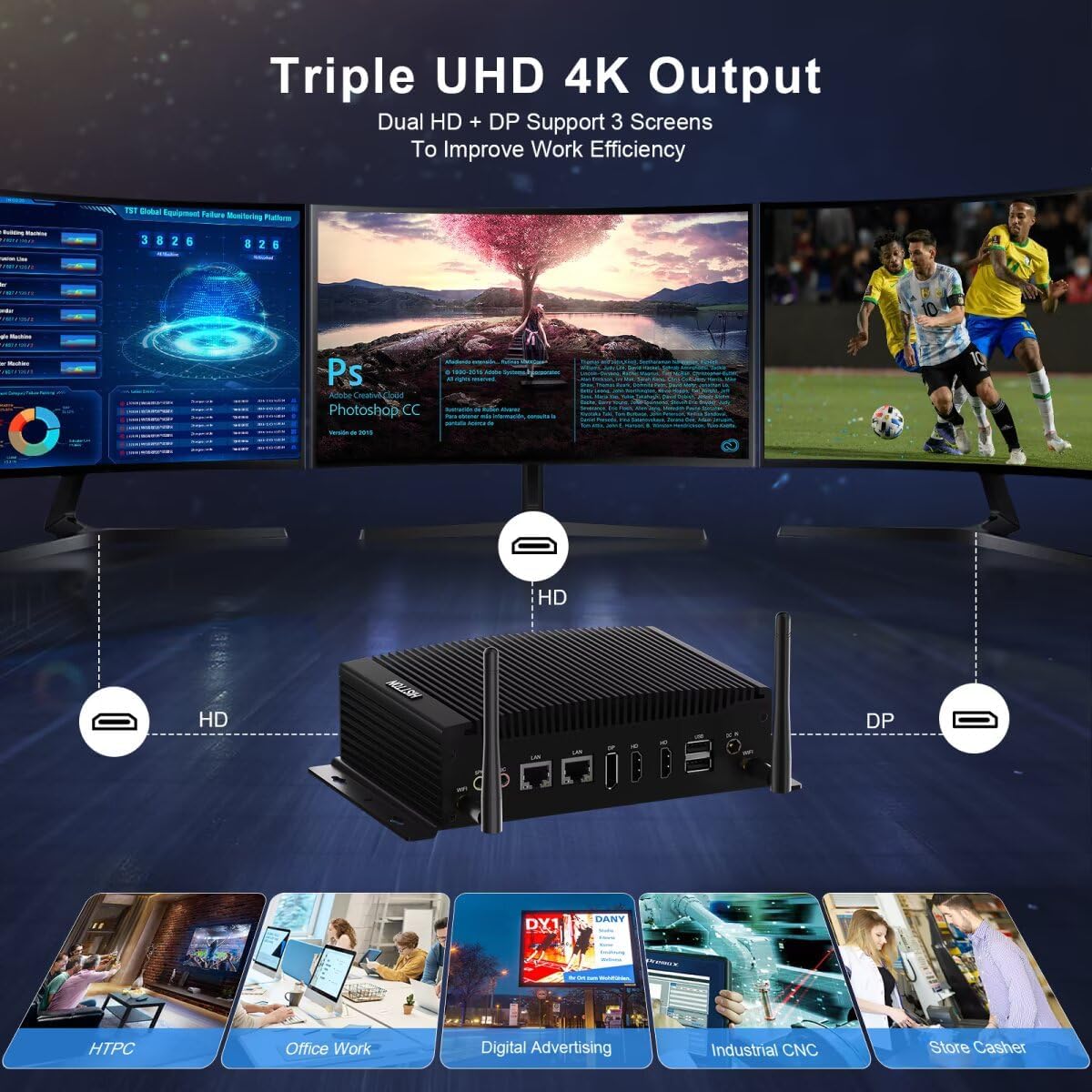
Image 5.2: Triple 4K display output configuration.
5.3 Connectivité réseau
Le mini PC offre des options de réseau filaire et sans fil :
- LAN filaire: Connect an Ethernet cable to either of the two Gigabit LAN ports for a stable, high-speed internet connection.
- Wifi: The built-in Dual-band (2.4G+5.0G) Wi-Fi 5 module provides wireless internet access. To connect, click the Wi-Fi icon in the system tray, select your network, and enter the password.
- Bluetooth : Bluetooth 4.2 allows connection to compatible wireless peripherals such as keyboards, mice, and headphones. Access Bluetooth settings via the Windows Settings menu.

Image 5.3: High-speed network capabilities including Wi-Fi and Gigabit Ethernet.
5.4 GPIO and COM Ports
The 14-pin GPIO and 2x RS232/RS485 COM ports are designed for industrial applications and specialized peripheral connections. Refer to the specific documentation for your industrial equipment or custom applications for proper configuration and usage of these ports.
6. Entretien
6.1 Nettoyage
- Assurez-vous que l'appareil est éteint et débranché avant le nettoyage.
- Utilisez un chiffon doux et sec pour essuyer l'extérieur du Mini PC.
- Avoid using liquid cleaners or sprays directly on the device.
6.2 Mises à jour logicielles
Mettez régulièrement à jour votre système d'exploitation Windows et vos pilotes pour garantir des performances et une sécurité optimales. Accédez à Windows Update via le menu Paramètres.
6.3 Mises à niveau du stockage et de la RAM
The Mini PC supports upgrades for both RAM and storage. If you plan to upgrade, ensure the device is powered off and unplugged. Refer to the internal component diagram (Image 3.1) for slot locations. Use compatible DDR4 SO-DIMM modules and M.2 2280 NVMe/SATA SSDs or 2.5-inch SATA drives.
7. Dépannage
- Pas d'alimentation : Assurez-vous que l'adaptateur secteur est bien branché à la fois au mini PC et à une prise de courant fonctionnelle. Testez la prise avec un autre appareil.
- Pas d'affichage : Verify that the monitor is powered on and correctly connected to the Mini PC. Try a different video cable or monitor if available. Ensure the correct input source is selected on your monitor.
- Pas de connexion Internet: For wired connections, check the Ethernet cable and router status. For Wi-Fi, ensure antennas are attached, Wi-Fi is enabled in Windows, and you are connected to the correct network with the right password.
- Ralentissement du système : Check Task Manager for high CPU or RAM usage by specific applications. Ensure sufficient free storage space. Consider performing a disk cleanup or system scan for malware.
- Périphérique non détecté : Essayez de connecter le périphérique à un autre port USB. Assurez-vous que les pilotes sont installés si nécessaire.
8. Spécifications
| Fonctionnalité | Spécification |
|---|---|
| Processeur | Intel Core i7-10810U (1.1 GHz base, up to 4.90 GHz) |
| Graphique | Carte graphique Intel UHD pour processeurs Intel de 10e génération |
| BÉLIER | 16 GB DDR4 (2x SO-DIMM slots, max 64GB) |
| Stockage | 512 GB M.2 NVMe PCIe 3.0x4 / SATA 3 SSD, 1x 2.5-inch SATA HDD/SSD slot |
| Système opérateur | Windows 11 Pro |
| Résolution d'écran maximale | 3840 x 2160 pixels (4K) |
| Sorties vidéo | 2x HD (HDMI), 1x DP (DisplayPort) |
| Ports USB | 4x USB 3.0, 2x USB 2.0 |
| Réseau | 2x Gigabit Ethernet (RJ-45), Dual-band 2.4G+5.0G WiFi (WIFI5), Bluetooth 4.2 |
| Ports série | 2x RS232/RS485 COM |
| GPIO | 1x 14 Pin GPIO |
| Audio | 1x SPK (Audio Out), 1x MIC (Audio In) |
| Alimentation électrique | CC 12 V 5 A |
| Dimensions (L x l x H) | 8.07 x 4.92 x 2.09 pouces (20.5 x 12.5 x 5.3 cm) |
| Poids | 2.64 livres (1.2 kg) |
9. Garantie et assistance
HISTTON provides customer support for its products. For technical assistance, warranty claims, or general inquiries, please use the following contact methods:
- Assistance Amazon : For purchases made through Amazon, you can contact support by logging into your Amazon account, navigating to "Your Orders," and selecting "Ask Product Question" for your HISTTON Mini PC.
- Assistance après-vente : You may also send an email directly to the HISTTON after-sales team for dedicated support.

Image 9.1: Support contact options for HISTTON products.
9.1 Vidéo officielle du produit
Vidéo 9.1 : Un overview of the HISTTON Mini PC, showcasing its features and potential applications with Windows 11 Pro and Linux/Ubuntu support.


