1. Introduction
This manual provides detailed instructions for the operation and maintenance of your Soundmaster DAB280SW Portable DAB+ and FM RDS Digital Radio. The DAB280SW is a versatile portable radio featuring DAB+ and FM RDS reception, a headphone jack, and a practical carrying handle. It offers excellent sound quality and user-friendly controls, including preset station memory and alarm functions.
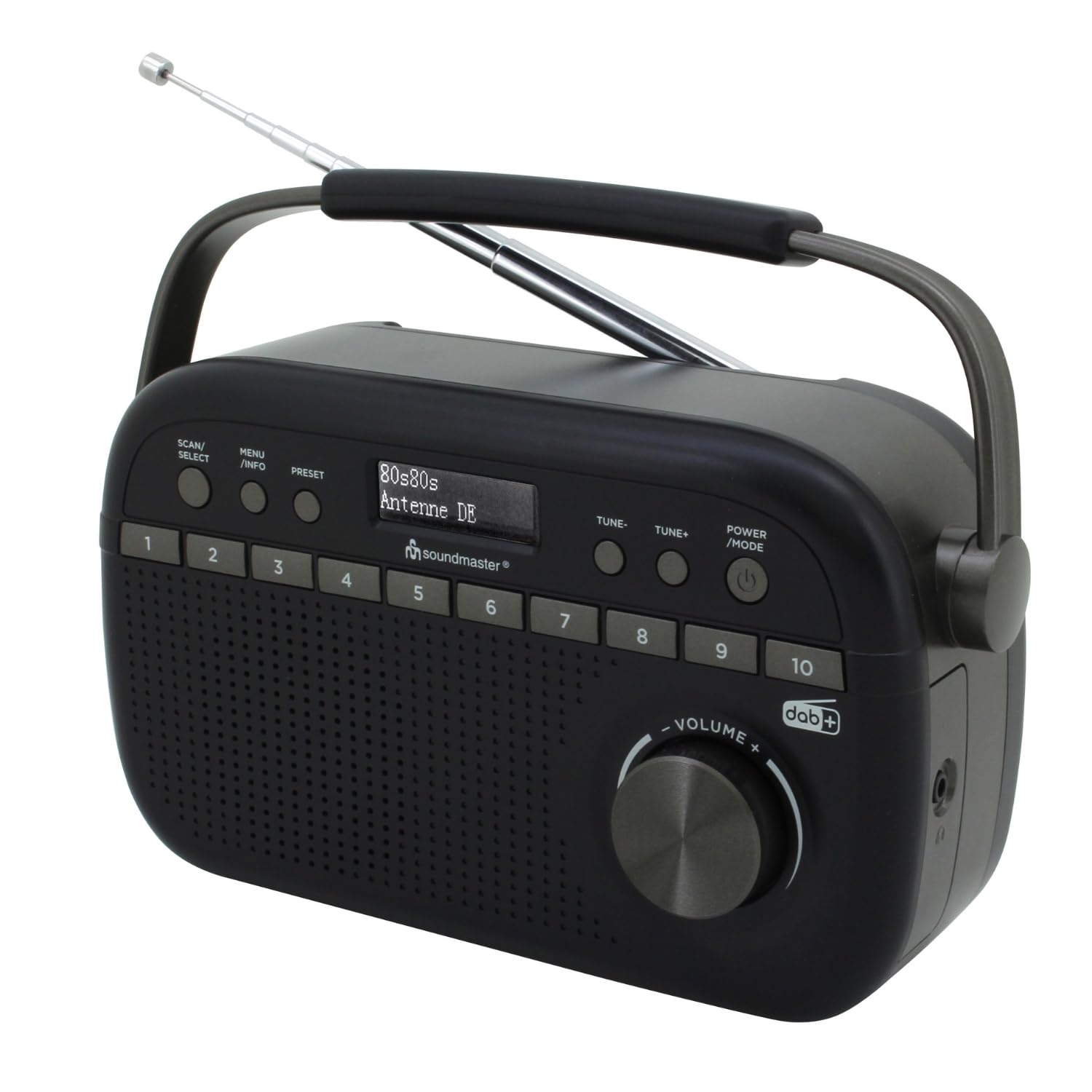
Image 1.1: The Soundmaster DAB280SW Portable DAB+ and FM RDS Digital Radio, showcasing its compact design and carrying handle.
2. Consignes de sécurité
- Lisez attentivement toutes les instructions avant d'utiliser l'appareil.
- Ne pas exposer l'appareil à la pluie ou à l'humidité afin d'éviter tout risque d'incendie ou d'électrocution.
- Assurez une ventilation adéquate autour de l'appareil. Ne bloquez pas les ouvertures de ventilation.
- Utilisez uniquement l'adaptateur secteur ou les piles spécifiés.
- N'ouvrez pas le casing. Confiez toutes les interventions de maintenance à un personnel qualifié.
- Tenez l'appareil à l'écart de la lumière directe du soleil, des sources de chaleur et des champs magnétiques puissants.
- Jetez les piles de manière responsable, conformément à la réglementation locale.
3. Contenu du colis
Veuillez vérifier que tous les articles sont présents :
- Soundmaster DAB280SW Portable Radio
- AC Power Adapter (if included)
- Manuel d'utilisation
4. caractéristiques du produit
- DAB+ Digital Radio Tuner
- FM - RDS Radio Tuner
- 10 preset station memory buttons for quick access
- Total of 40 presets available (20 DAB+, 20 FM)
- Dual alarm times
- Fonctions Sommeil et Répétition
- Prise casque 3.5 mm
- Portable design with carrying handle
- Battery or AC powered operation
5. Commandes et affichage
Familiarize yourself with the controls on your radio:
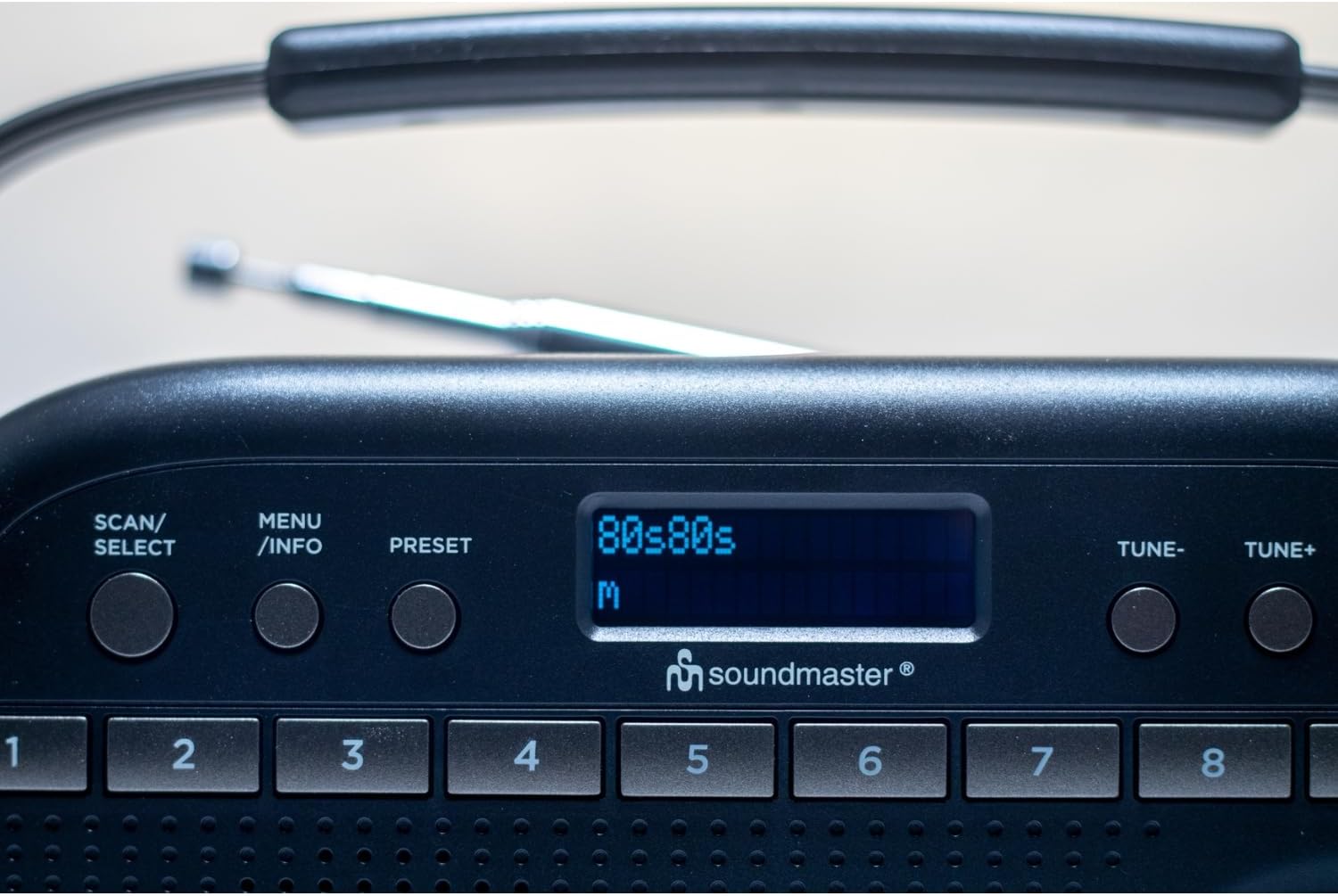
Image 5.1 : Haut view of the radio showing the display, SCAN/SELECT, MENU/INFO, PRESET buttons, and preset buttons 1-8.
- POWER/MODE Button: Press to turn the unit on or off. Press repeatedly to switch between DAB+ and FM modes.
- Boutons TUNE- / TUNE+ : Used to manually tune frequencies in FM mode or navigate through DAB+ stations/menu options.
- Bouton SCAN/SÉLECTION : Initiates a scan for stations in DAB+ or FM mode. Also confirms selections in menu.
- Bouton MENU/INFO : Accesses the menu settings. Press repeatedly to cycle through information display (e.g., program type, signal strength).
- Bouton PRESET : Used to save and recall favorite stations.
- Boutons préréglés (1-10) : Direct access buttons for your stored favorite stations.
- Bouton VOLUME : Tournez pour régler le niveau de sortie audio.
- Afficher: Shows station information, time, menu options, and other relevant data.
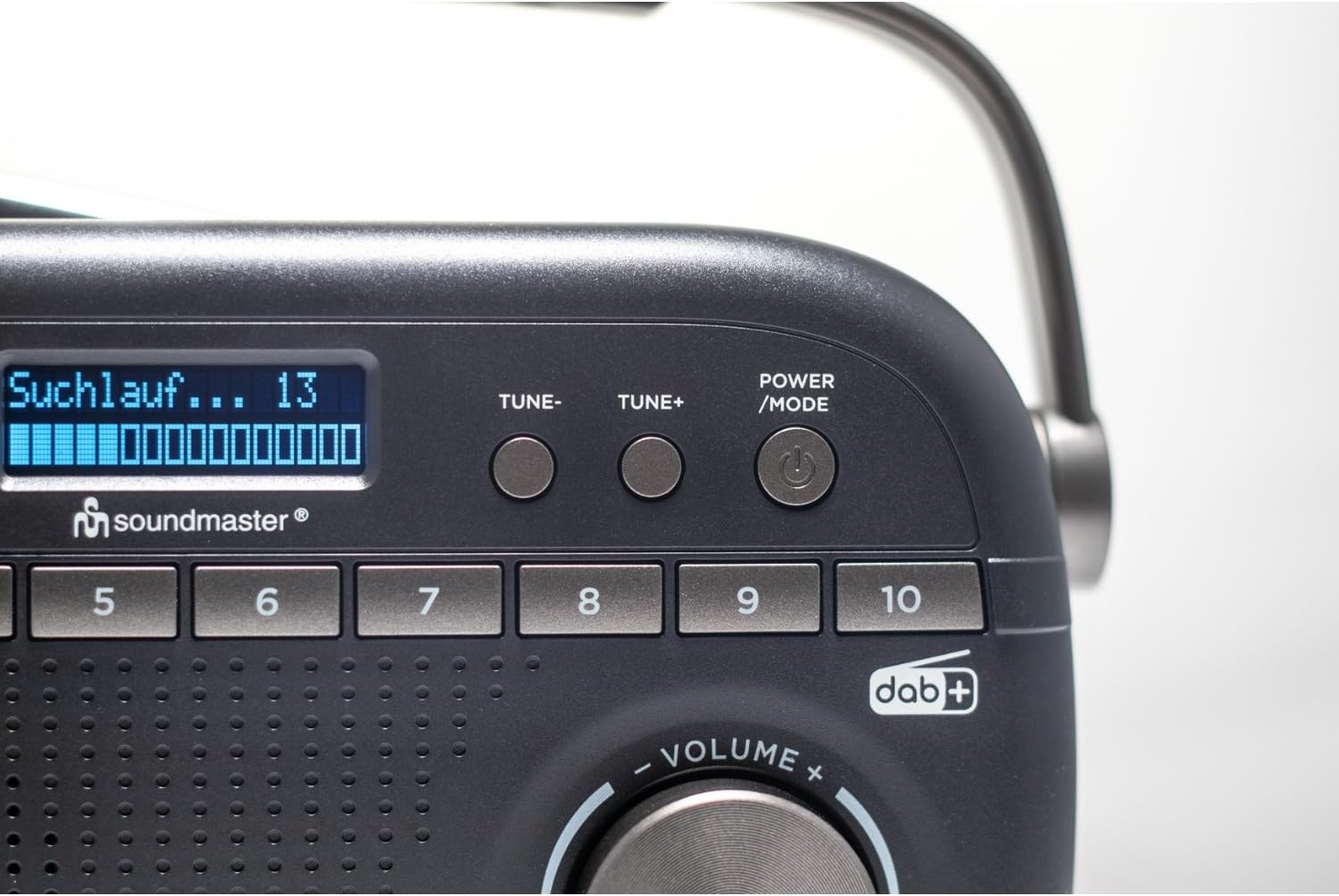
Image 5.2: Close-up of the radio display showing a 'Suchlauf...' (scanning) message, indicating station search in progress.
6. Installation
6.1 Alimentation de l'unité
The DAB280SW can be powered by either the included AC power adapter or batteries.
- Alimentation secteur : Connect the AC power adapter to the DC IN jack on the rear of the unit and plug the other end into a standard wall outlet.
- Puissance de la batterie : Open the battery compartment on the rear of the unit. Insert the required number of batteries (type not specified, typically C or AA) ensuring correct polarity (+/-). Close the battery compartment securely.

Image 6.1 : Arrière view of the radio, illustrating the battery compartment cover and the AC power input socket.
6.2 Réglage de l'antenne
For optimal reception, fully extend the telescopic antenna located on the rear of the unit. Adjust its position and angle to achieve the best signal quality for both DAB+ and FM broadcasts.
7. Mode d'emploi
7.1 Mise sous/hors tension
Appuyez sur le ALIMENTATION/MODE button to turn the radio on. Press and hold the ALIMENTATION/MODE bouton pour éteindre la radio.
7.2 Selecting DAB+ or FM Mode
Radio allumée, appuyez sur ALIMENTATION/MODE button repeatedly to cycle between DAB+ and FM radio modes. The current mode will be displayed on the screen.
7.3 Fonctionnement de la radio DAB+
- Configuration initiale : When you first power on the radio in DAB+ mode, it will automatically perform a full scan for available stations. This may take a few minutes.
- Analyse manuelle : To initiate a full scan at any time, press the NUMÉRISER / SÉLECTIONNER bouton.
- Sélection des stations : After a scan, use the RÉGLER- or RÉGLER+ buttons to scroll through the list of available DAB+ stations. Press NUMÉRISER / SÉLECTIONNER pour confirmer votre sélection.

Image 7.1: The official DAB+ digital radio logo, indicating support for digital audio broadcasting.
Fonctionnement de la radio FM 7.4
- Scan automatique: En mode FM, appuyez sur la touche NUMÉRISER / SÉLECTIONNER button to automatically scan for and stop at the next available strong station.
- Réglage manuel: Utilisez le RÉGLER- or RÉGLER+ buttons to manually adjust the frequency in small increments. Press and hold these buttons for faster tuning.
7.5 Enregistrement et rappel des préréglages
The radio allows you to store up to 20 DAB+ and 20 FM stations as presets.
- Pour enregistrer un préréglage : Syntonisez la station souhaitée. Appuyez et maintenez enfoncé le bouton PRÉRÉGLAGE button until 'Preset Store' appears on the display. Use the RÉGLER- or RÉGLER+ buttons to select a preset number (1-10 for direct access, or 11-20 via menu). Press NUMÉRISER / SÉLECTIONNER to confirm. Alternatively, for direct access presets (1-10), press and hold the desired numbered preset button.
- Pour rappeler un préréglage : Appuyez brièvement sur la touche PRÉRÉGLAGE bouton, puis utilisez RÉGLER- or RÉGLER+ to select the desired preset number and press NUMÉRISER / SÉLECTIONNER. For direct access presets (1-10), simply press the corresponding numbered preset button.
7.6 Fonctions Alarme, Sommeil et Répétition
The DAB280SW includes dual alarm times, a sleep timer, and a snooze function. Refer to the detailed menu options for setting these features:
- Réglage des alarmes : Appuyez sur le MENU/INFOS button to enter the menu. Navigate to the 'Alarm' option using RÉGLER- or RÉGLER+ et appuyez sur NUMÉRISER / SÉLECTIONNER. Follow the on-screen prompts to set Alarm 1 and Alarm 2, including time, source (DAB/FM/Buzzer), and duration.
- Minuterie de veille: In the menu, select 'Sleep'. Choose a duration (e.g., 15, 30, 60 minutes) after which the radio will automatically turn off.
- Répéter: When an alarm sounds, press any button (except POWER/MODE) to activate the snooze function, which will temporarily silence the alarm for a short period.
7.7 Utilisation des écouteurs
To listen privately, plug 3.5mm stereo headphones into the headphone jack located on the side of the unit. The internal speaker will automatically mute.
8. Entretien
- Nettoyage: Essuyez l'appareil avec un chiffon doux et sec. N'utilisez pas de nettoyants abrasifs ni de solvants.
- Remplacement de la batterie : If using batteries, replace them when the low battery indicator appears on the display or when performance degrades. Ensure to use fresh batteries of the correct type and dispose of old batteries properly.
- Stockage: Si vous rangez la radio pendant une période prolongée, retirez les piles pour éviter les fuites.
9. Dépannage
- Pas d'alimentation : Check if the AC adapter is securely connected or if batteries are inserted correctly and are not depleted.
- Mauvaise réception : Fully extend and adjust the telescopic antenna. Try moving the radio to a different location, away from other electronic devices that may cause interference. Perform a full scan for stations.
- Pas de son : Vérifiez le niveau du volume. Assurez-vous qu'aucun écouteur n'est branché si vous comptez utiliser le haut-parleur.
- DAB+ Stations Missing: Perform a full DAB+ scan. DAB+ coverage may vary by location; check local availability.
- L'affichage ne fonctionne pas : Essayez d'éteindre puis de rallumer l'appareil. Si le problème persiste, contactez le service client.
10. Spécifications
| Fonctionnalité | Spécification |
|---|---|
| Modèle | DAB280SW |
| Technologie d'accordeur | DAB+, FM RDS |
| Bandes radio prises en charge | FM (up to 108 MHz) |
| Stations préréglées | 40 (20 DAB+, 20 FM) |
| Sortie audio | Prise casque 3.5 mm |
| Source d'énergie | AC Power Adapter, Battery Powered |
| Dimensions du produit (L x l x H) | 25 x 6 x 12 cm |
| Poids de l'article | 0.6 kilogrammes |
| Caractéristiques spéciales | Portable, Dual Alarm, Sleep/Snooze |

Image 10.1: The Soundmaster DAB280SW radio with its approximate dimensions (25cm length, 6cm width, 12cm height) indicated.
11. Garantie et assistance
Your Soundmaster DAB280SW radio comes with a standard manufacturer's warranty. Please refer to the warranty card included in your package for specific terms and conditions. For technical support, troubleshooting assistance, or warranty claims, please contact your retailer or the Soundmaster customer service department. Contact information can typically be found on the manufacturer's website ou sur l'emballage du produit.


