1. Introduction
The JLab Epic Cam USB HD Webcam delivers high-definition video quality for all your communication needs. Featuring full 2K video resolution at 30 frames per second and a 5-megapixel camera, it ensures a clear and sharp image. Equipped with auto-focus, dual omni-directional microphones, and adjustable zoom and exposure levels, this webcam is designed for versatile use in various environments.
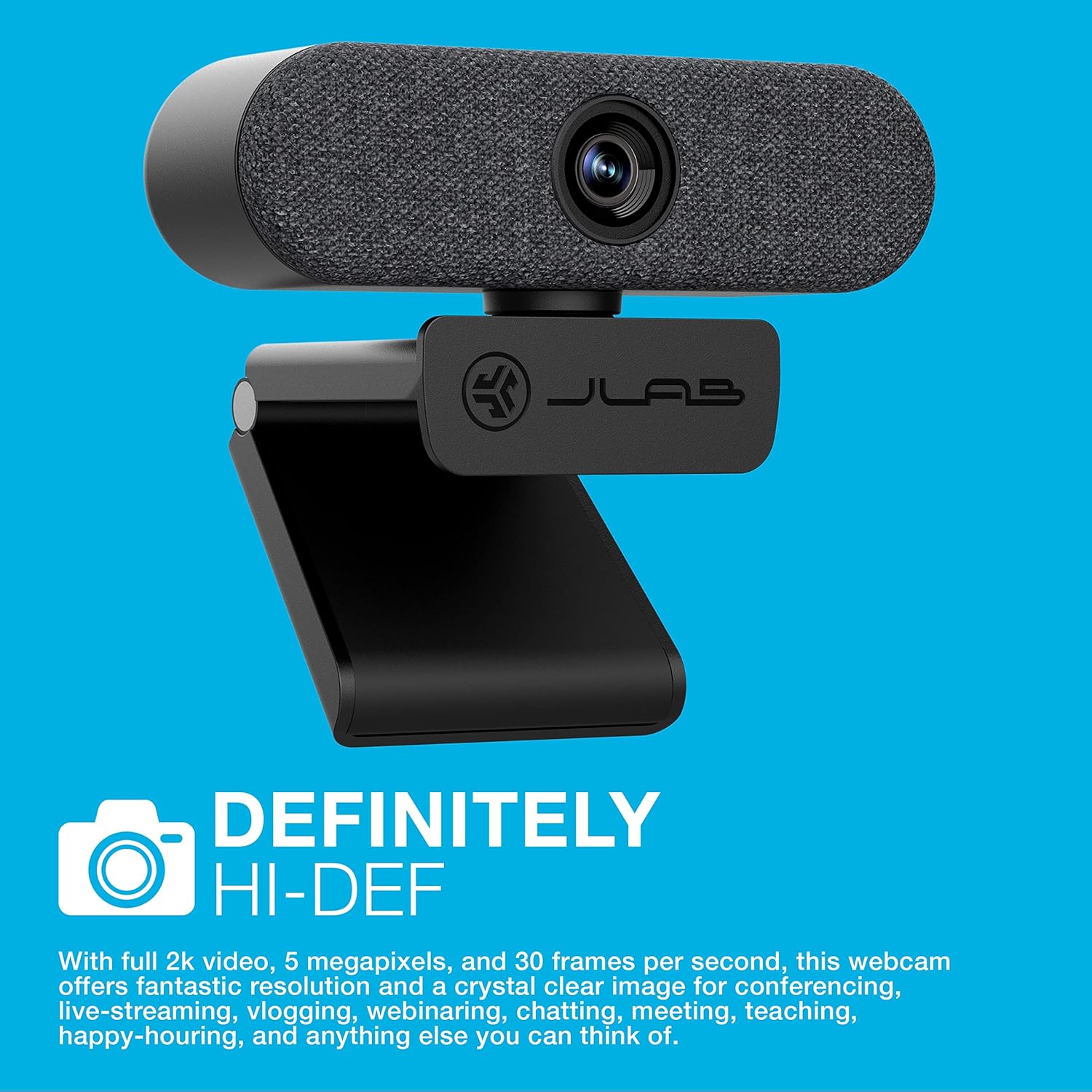
Image: The JLab Epic Cam USB HD Webcaméra, spectacleasing its sleek black design with a grey fabric faceplate, securely mounted on top of a computer monitor.

Image: A close-up of the JLab Epic Cam USB HD Webcam, highlighting its high-definition capabilities with a text overlay stating 'DEFINITELY HI-DEF'.
Produit terminéview Vidéo
Video: An official JLab product overview, demonstrating the key features and benefits of the Epic Cam USB HD Webcam as part of the Work Series.
2. Contenu de la boîte
Your JLab Epic Cam USB HD WebLe forfait cam comprend les éléments suivants :
- JLab Epic Cam USB HD Webcame
- Removable Face Plates (Black and White)
- Guide de démarrage rapide

Image: The JLab Epic Cam USB HD Webcam, its USB cable, two interchangeable fabric faceplates (black and light grey), and the Quick Start Guide, laid out on a wooden surface.
3. Installation
The JLab Epic Cam is designed for easy plug-and-play setup, ensuring you can start using it quickly with minimal effort.
3.1 Connexion du Webcame
- Connectez-vous à votre appareil : Plug the integrated USB-A cable from the Epic Cam into an available USB port on your PC, Mac, or Chromebook. The device is automatically recognized, and no additional drivers are typically required.
- Positionnez le Webcame: Use the universal adjustable clip to securely mount the webcam on top of your monitor or laptop screen. The clip is designed to provide a stable fit without causing damage.
- Montage sur trépied: For alternative placement, the webcam's base includes a standard tripod thread, allowing it to be mounted on a tripod (not included) for more flexible positioning.

Image: A hand gently adjusting the JLab Epic Cam, demonstrating its flexible mounting and positioning on a monitor.
3.2 Compatibilité
The JLab Epic Cam is broadly compatible with various operating systems and devices:
- PC (Windows)
- Mac (macOS)
- Chromebook (Chrome OS)

Image: The JLab Epic Cam displayed alongside logos for Mac, Windows, Android, and Linux, indicating its broad compatibility across different operating systems.
4. Utilisation du Webcame
The Epic Cam offers intuitive controls and features to enhance your video calls and recordings.
4.1 Video Quality and Field of View
- Résolution: Enjoy crisp 2K (2560x1440) video at 30 frames per second, or 1080p at 30 FPS, with a 5-megapixel camera for high-quality visuals.
- Domaine de View: The 90-degree wide-angle lens provides a broad perspective, ideal for individual use or including multiple participants in a conference room.
- Auto-Focus & Light Correction: Le webcam automatically adjusts focus and corrects lighting conditions to ensure you always look your best, even in varying light environments.

Image : Un gros plan view of the JLab Epic Cam mounted on a monitor, with a hand interacting with the touch-sensitive controls on top of the webcame.
4.2 Fonctionnalités audio
- Dual Omni-Directional Microphones: Integrated dual microphones capture clear audio from all directions, ensuring your voice is heard naturally during calls and recordings.

Image: The JLab Epic Cam featuring a white fabric faceplate, accompanied by the text 'SOUND ON POINT', emphasizing its superior audio capabilities.
4.3 Commandes intégrées à l'appareil
The Epic Cam features touch-sensitive buttons on its top surface for quick adjustments:
- Zoom: Adjust the zoom level to frame yourself perfectly.
- Exposition: Toggle between 15 exposure settings to optimize your appearance in various lighting conditions without needing external software.

Image: A hand pressing one of the touch-sensitive buttons on the top of the JLab Epic Cam, illustrating the ease of adjusting settings directly on the device.
Personnalisation 4.4
- Interchangeable Face Plates: Le webcam comes with magnetic, removable fabric face plates in black and white, allowing you to match your desk aesthetic.

Image : Une explosion view of the JLab Epic Cam, illustrating its main body and the two interchangeable fabric faceplates (black and light grey) that can be swapped to customize its appearance.
5. Entretien
To ensure the longevity and optimal performance of your JLab Epic Cam, follow these simple maintenance guidelines:
- Nettoyage des lentilles : Gently wipe the camera lens with a soft, lint-free cloth to remove dust or smudges. Avoid using harsh chemicals or abrasive materials.
- Nettoyage général : Utilisez un chiffon sec ou légèrement sec.amp cloth to clean the body of the webcam. Ensure no moisture enters the device.
- Stockage: Lorsqu'il n'est pas utilisé, rangez le webConserver dans un endroit propre et sec, à l'abri des températures extrêmes et de la lumière directe du soleil.
6. Dépannage
If you encounter any issues with your JLab Epic Cam, refer to the following common troubleshooting steps:
- Pas de vidéo/audio : Assurez-vous que le câble USB est bien connecté aux deux webcam and your computer. Try a different USB port. Verify that the webcam is selected as the primary video and audio input device in your application settings (e.g., Zoom, Teams, Windows Camera app).
- Mauvaise qualité d'image : Check your lighting conditions. Use the on-device exposure controls to adjust brightness. Ensure the lens is clean and free from obstructions.
- Auto-Focus Issues: Make sure there are no objects too close to the lens that might interfere with the auto-focus mechanism.
- Le microphone ne fonctionne pas : Confirmez que le webcam's microphone is enabled and set as the default input device in your computer's sound settings and the application you are using.
- Problèmes de compatibilité : Ensure your operating system is up to date. While plug-and-play, some systems may benefit from a restart after initial connection.
7. Spécifications
| Fonctionnalité | Détail |
|---|---|
| Nom de marque | JLab |
| Poids de l'article | 5.9 onces |
| Dimensions du produit | 1.99 x 3.62 x 1.99 pouces |
| Numéro de modèle de l'article | WEPICCAMRBLK124 |
| Nom de la couleur | Noir |
| Caractéristiques spéciales | Faible luminosité |
| Technologie de capteur photo | CMOS |
| Résolution de capture vidéo | 2K |
| Distance focale maximale | 3.5 millimètres |
| Ouverture maximale | 30 f |
| Type de mémoire flash | Micro SD |
| Format de capture vidéo | MP4 |
| Format audio pris en charge | CAA, MP3 |
| Taille de l'écran | 2.8 pouces |
| Technologie de connectivité | USB |
8. Garantie et assistance
JLab stands by the quality of its products. The Epic Cam USB HD Webcam typically comes with a 2-year manufacturer's warranty.
8.1 Plans de protection prolongée
Des plans de protection supplémentaires sont disponibles à l'achat pour étendre la couverture au-delà de la garantie standard :
- Plan de protection de 2 ans : Disponible pour 6.99 $ (paiement unique).
- Plan de protection de 3 ans : Disponible pour 8.99 $ (paiement unique).
- Protection complète : A monthly plan for $16.99 covering all eligible past and future purchases.
8.2 Assistance clientèle
For technical assistance, warranty claims, or further information, please visit the official JLab support website ou contactez leur service client.


