1. Introduction
The XPG Levante X 360 is an All-in-One (AIO) ARGB CPU Liquid Cooler designed to provide efficient and reliable thermal management for high-performance CPUs. This cooler features a 360mm radiator equipped with three 120mm Fluid Dynamic Bearing (FDB) ARGB fans and an Asetek-powered pump, ensuring optimal heat dissipation and quiet operation. This manual provides essential information for the proper installation, operation, and maintenance of your XPG Levante X 360 liquid cooler.
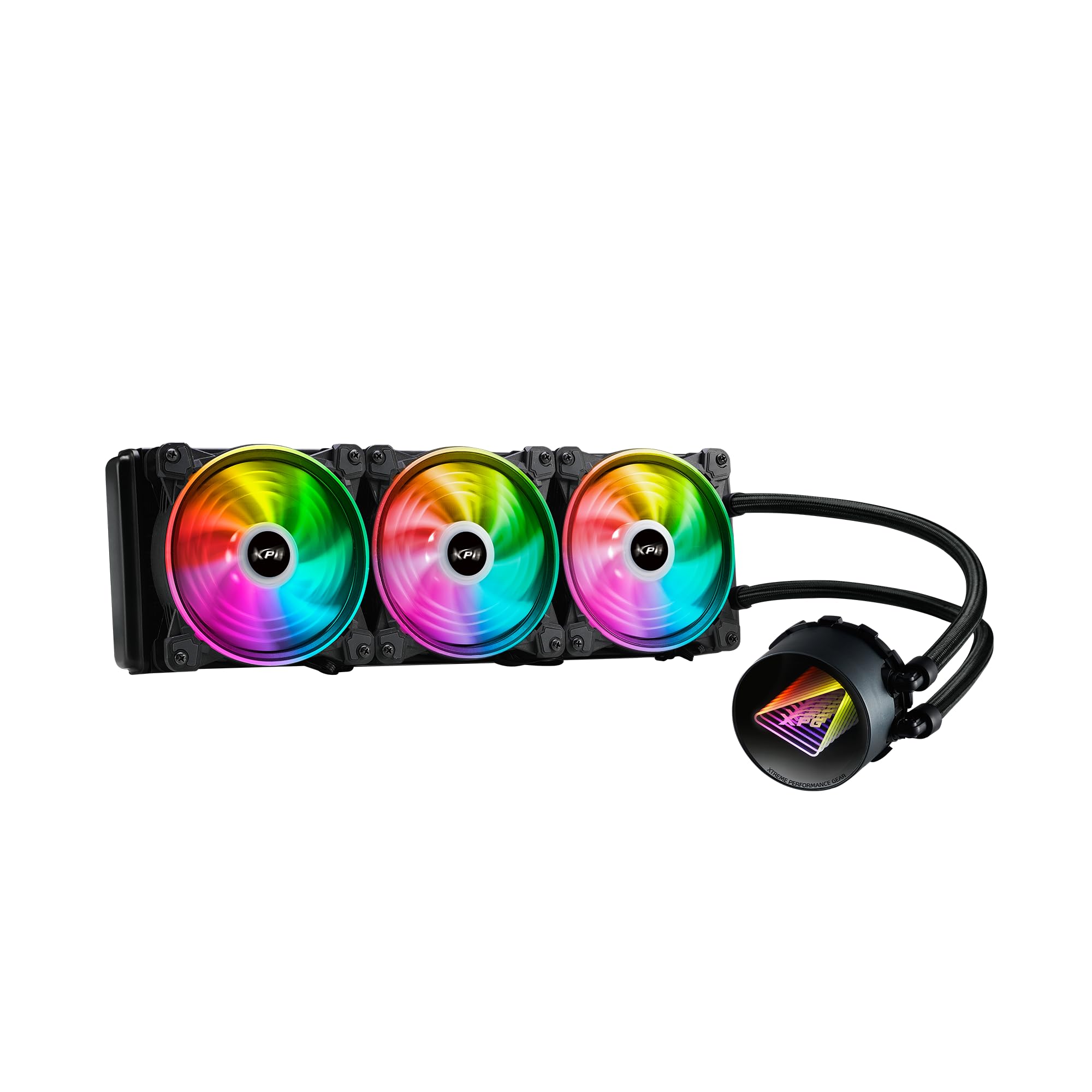
Image 1.1: XPG Levante X 360 All-in-One ARGB CPU Liquid Cooler. This image displays the complete liquid cooler unit, including the 360mm radiator, three 120mm ARGB fans, and the pump/cold plate assembly with braided tubing.
2. Contenu du colis
Verify that all components are present and in good condition before proceeding with installation.
- XPG Levante X 360 CPU Liquid Cooler (Radiator, Pump, Tubing, 3x 120mm ARGB Fans)
- Mounting Bracket Kit for Intel (LGA 1700, 1200, 115X, 2066, 2011-3, 2011)
- Mounting Bracket Kit for AMD (AM5, AM4, TR4)
- Vis de ventilateur et vis de radiateur
- ARGB Controller/Cables
- Pâte thermique (pré-appliquée ou en tube)
- Manuel de l'utilisateur (ce document)

Image 2.1: Package contents. This image shows the radiator with fans, pump, various mounting brackets, screws, and cables included in the box.
3. Consignes de sécurité
Please read and understand the following safety precautions before installing or operating the XPG Levante X 360 liquid cooler.
- Coupure de courant : Débranchez toujours l'alimentation de votre ordinateur avant d'effectuer toute installation ou maintenance.
- Décharge électrostatique (ESD) : Take precautions against ESD by grounding yourself before handling components.
- Manipulation des liquides : While the cooler is a sealed unit, handle it with care to prevent damage to the tubing or radiator, which could lead to leaks.
- Bouts pointus: Be aware of sharp edges on computer cases and cooler components during installation.
- Ventilation: Ensure adequate airflow within your computer case for optimal cooling performance.
- Compatibilité: Verify compatibility with your CPU socket and computer case before installation.
4. Configuration et installation
The XPG Levante X 360 is designed for hassle-free installation. Follow these steps carefully for proper setup.
4.1 Préparez votre système
- Éteignez votre ordinateur et débranchez tous les câbles.
- Ouvrez le boîtier de votre ordinateur pour accéder à la carte mère et à la zone du processeur.
- Retirez tout système de refroidissement du processeur existant. Nettoyez soigneusement la surface du processeur pour éliminer toute trace de pâte thermique.
4.2 Installer le matériel de montage
Select the appropriate mounting bracket for your CPU socket (Intel or AMD). The cooler supports LGA 1700, 1200, 115X, 2066, 2011-3, 2011 for Intel, and AM5, AM4, TR4 for AMD.
- Attach the correct backplate to the rear of your motherboard (for Intel sockets). AMD AM4/AM5 typically uses the stock backplate.
- Secure the standoffs to the motherboard through the CPU cooler mounting holes.
- Attach the chosen CPU bracket to the pump head.

Image 4.1: Key features highlighting support for LGA 1700 and AM5 sockets, along with low noise fan, aluminum radiator, high quality low noise pump, and hassle-free installation.
4.3 Installation du radiateur et des ventilateurs
Determine the optimal mounting location for the 360mm radiator within your case (e.g., front, top).
- If not pre-attached, mount the three 120mm ARGB fans to the radiator using the provided fan screws. Ensure correct airflow direction (intake or exhaust) based on your case's ventilation strategy.
- Secure the radiator assembly to your chosen mounting location in the PC case using the longer radiator screws.
4.4 Install the Pump Head
Carefully place the pump head onto the CPU, aligning the mounting holes with the standoffs.
- If thermal paste is not pre-applied, apply a small pea-sized amount to the center of the CPU's integrated heat spreader (IHS).
- Place the pump head onto the CPU, ensuring even contact.
- Tighten the thumbscrews or nuts in a diagonal pattern until snug. Do not overtighten.
4.5 câbles de connexion
Connect the pump and fan cables to your motherboard or ARGB controller.
- Connectez le câble d'alimentation à 3 ou 4 broches de la pompe à l'en-tête CPU_FAN ou AIO_PUMP de la carte mère.
- Connect the 4-pin PWM fan cables from the three 120mm fans to available fan headers on your motherboard or to a fan hub/controller.
- Connect the ARGB cables from the fans and pump head to an ARGB header on your motherboard (5V 3-pin) or to the included ARGB controller.

Image 4.2: The XPG Levante X 360 cooler installed inside a computer case, showcasing the illuminated pump head and ARGB fans.
5. Mode d'emploi
Once installed, the XPG Levante X 360 operates automatically to cool your CPU.
- Mise sous tension initiale : After installation, power on your computer. The pump and fans should start operating. Check for any unusual noises or leaks.
- Fan and Pump Control: The 4-pin PWM fans and pump allow for speed control via your motherboard's BIOS/UEFI settings or dedicated software. Adjust fan curves to balance cooling performance and noise levels.
- Éclairage ARGB : The Addressable RGB (ARGB) lighting on the fans and pump head can be controlled via your motherboard's ARGB software (e.g., ASUS Aura Sync, MSI Mystic Light Sync, GIGABYTE RGB Fusion, ASRock Polychrome Sync) or through the included ARGB controller.

Image 5.1 : Un gros plan view of the XPG Levante X 360's ARGB fans and pump, illustrating the vibrant lighting effects.
6. Entretien
Un entretien régulier contribue à garantir des performances optimales et une longue durée de vie à votre système de refroidissement liquide.
- Élimination de la poussière : Nettoyez régulièrement la poussière accumulée sur les ailettes du radiateur et les pales du ventilateur à l'aide d'air comprimé ou d'une brosse douce. Un excès de poussière peut entraver la circulation de l'air et réduire l'efficacité du refroidissement.
- Inspecter les tubes : Occasionally check the tubing for any signs of kinks, cracks, or leaks.
- Fonctionnement du ventilateur: Ensure all fans are spinning freely and quietly. Replace any fans that become excessively noisy or stop functioning.
- Fonctionnement de la pompe: Listen for any unusual noises from the pump. A properly functioning pump should operate quietly.
7. Dépannage
If you encounter issues with your XPG Levante X 360, refer to the following common problems and solutions.
| Problème | Cause possible | Solution |
|---|---|---|
| Surchauffe du processeur | Poor thermal paste application, pump not running, fans not spinning, insufficient mounting pressure. | Reapply thermal paste, check pump and fan connections, ensure pump head is securely mounted. Verify fan direction. |
| Les ventilateurs ne tournent pas | Loose fan cable connection, incorrect fan header, faulty fan. | Check fan cable connections to motherboard/controller. Ensure correct fan headers are used. Test fans individually if possible. |
| La pompe ne fonctionne pas | Loose pump power cable, incorrect pump header, faulty pump. | Verify pump power cable is securely connected to the CPU_FAN or AIO_PUMP header. Check BIOS settings for pump control. |
| L'éclairage ARGB ne fonctionne pas. | Loose ARGB cable connection, incorrect ARGB header (5V vs 12V), software issue. | Ensure ARGB cables are connected to a 5V 3-pin ARGB header. Check motherboard ARGB software. Verify connections to the ARGB controller. |
| Bruit excessif | Fan speed too high, pump noise, air bubbles in the loop. | Adjust fan curves in BIOS/software. Orient radiator to ensure pump is not the highest point to minimize air bubbles. |
8. Spécifications
Detailed technical specifications for the XPG Levante X 360 All-in-One ARGB CPU Liquid Cooler.
- Modèle: LEVANTEX360-BKCWW
- Cooler Type: All-in-One Liquid CPU Cooler
- Dimensions du radiateur : 360 mm
- Taille du ventilateur: 120mm (x3)
- Type de ventilateur : ARGB Fluid Dynamic Bearing (FDB) Fans
- Connecteur de ventilateur : 4-Pin PWM
- Vitesse de rotation maximale : 2000 tr/min
- Capacité de débit d'air : 61.5 pieds cubes par minute (CFM)
- Niveau de bruit : 18.17 Decibels (dBA)
- Type de pompe: Asetek-powered High-Performance Pump
- Volume pompetage: 12 volts
- Méthode de refroidissement : Liquide
- Matériel: Aluminium (radiateur), cuivre (plaque froide)
- Sockets de processeur compatibles :
- Intel: LGA 1700, 1200, 115X, 2066, 2011-3, 2011
- AMD: AM5, AM4, TR4
- Dimensions du produit (emballage) : 18.9 x 5.91 x 7.48 pouces
- Poids de l'article : 4.71 livres
- Code à barres : 842243029062
- Fabricant: Adata

Image 8.1: Graph illustrating the relationship between PWM duty cycle, fan speed (RPM), fan air flow (CFM), and fan noise (dBA) for the XPG Hurricane 120 ARGB PWM fans.
9. Garantie et assistance
XPG products are manufactured to the highest quality standards. For warranty information, technical support, or service inquiries, please refer to the official XPG webConsultez leur site web ou contactez leur service client. Conservez votre preuve d'achat pour toute réclamation au titre de la garantie.
Official XPG Website: www.xpg.com


