Introduction
This manual provides essential information for the installation, operation, and maintenance of your Hikvision DS-2CD1043G0-IUF 4MP IP Bullet Camera. Please read it thoroughly before using the product to ensure correct and safe operation.
The Hikvision DS-2CD1043G0-IUF is a 4-megapixel IP bullet camera designed for both indoor and outdoor surveillance. It features a 2.8mm lens, built-in microphone, 30-meter night vision, and Power over Ethernet (PoE) capability for simplified installation.
Consignes de sécurité
- Assurer l'alimentation voltage is correct before connecting the camera.
- Do not expose the camera to extreme temperatures, dust, or moisture.
- Avoid pointing the lens directly at strong light sources.
- Use only Hikvision-approved accessories.
- Confiez toute intervention d'entretien à du personnel qualifié.
Contenu du colis
Vérifiez que tous les articles sont présents et en bon état :
- Hikvision DS-2CD1043G0-IUF IP Bullet Camera
- Vis de fixation et chevilles
- Connecteur étanche pour câble réseau
- Guide de démarrage rapide (le cas échéant)
Produit terminéview
The DS-2CD1043G0-IUF camera features a robust metal enclosure, suitable for various environments.
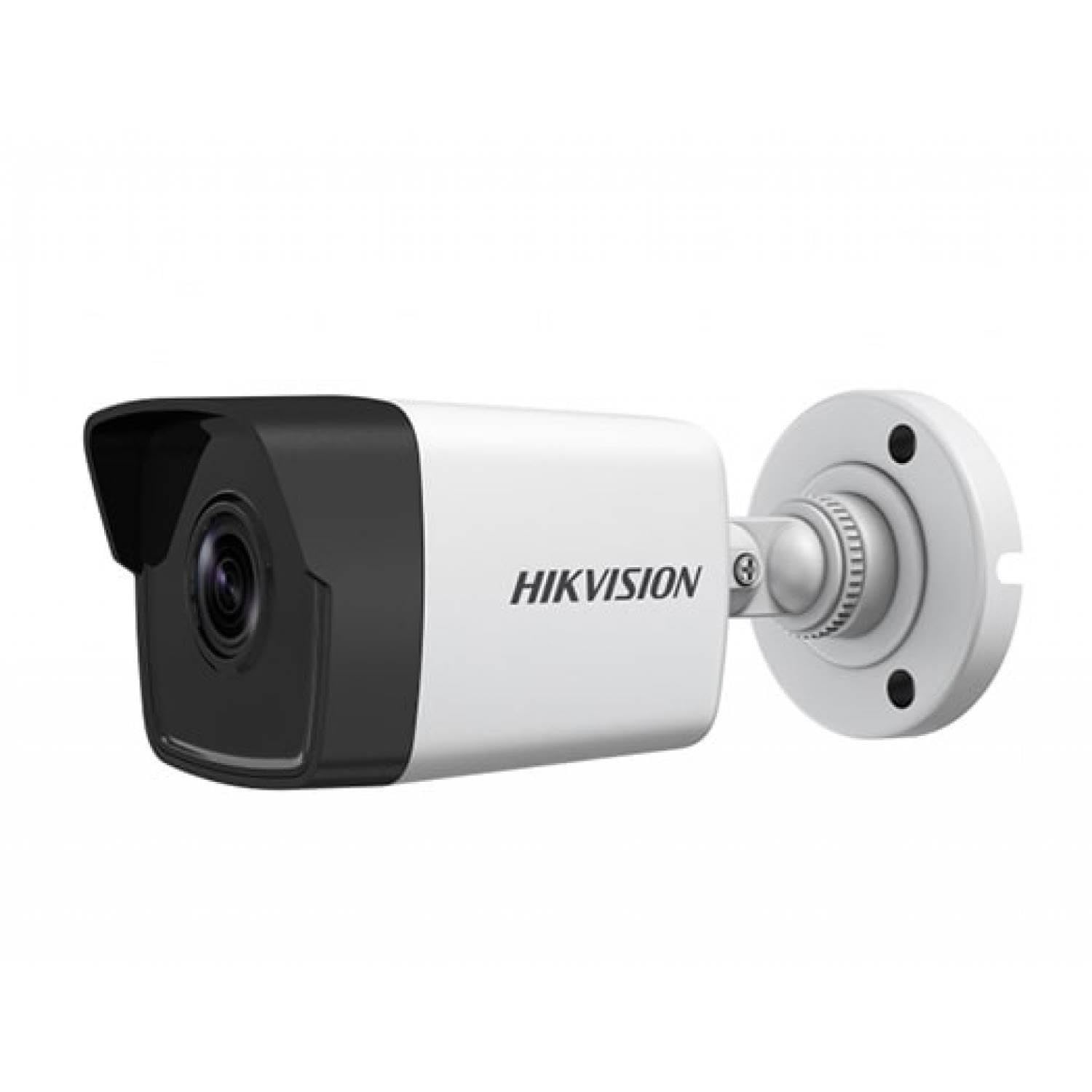
Figure 1: Hikvision DS-2CD1043G0-IUF 4MP IP Bullet Camera. This image shows the front view of the bullet-style camera, highlighting its lens and robust casing.
Composants clés :
- Lentille: Objectif fixe de 2.8 mm pour grand angle viewing.
- LED infrarouges : Pour la vision nocturne jusqu'à 30 mètres.
- Microphone: Intégré pour la capture audio.
- Network Port (RJ45): Supports Power over Ethernet (PoE).
- Puissance d'entrée : For optional 12V DC power supply (if not using PoE).
Installation
1. Montage de la caméra
The camera is designed for both indoor and outdoor use and has an IP67 waterproof rating. Choose a suitable location that provides the desired surveillance coverage.
- Mark the positions for drilling using the provided mounting template (if included).
- Percez des avant-trous et insérez des chevilles si vous effectuez le montage sur de la maçonnerie.
- Fixez la base de la caméra à la surface de montage à l'aide des vis fournies.
- Ajustez l'angle de la caméra pour une viewing.
2. Alimentation électrique et connexion réseau
The camera supports Power over Ethernet (PoE) for simplified installation, allowing both power and data to be transmitted over a single Ethernet cable. Alternatively, it can be powered via a 12V DC power adapter (sold separately).
- Connexion PoE : Connect an Ethernet cable from a PoE-enabled switch or NVR to the camera's network port.
- Connexion non PoE : Connect a 12V DC power adapter to the camera's power input and an Ethernet cable from your router/switch to the camera's network port.
- Use the waterproof connector for the network cable when installing outdoors to protect against moisture.
3. Configuration initiale
After connecting the camera, you will need to activate and configure it using the Hikvision client software or mobile application.
- Download and install the Hik-Connect app or iVMS-4200 client software on your device.
- Ensure your device is on the same local network as the camera.
- Follow the on-screen instructions in the app/software to discover and activate the camera. You will be prompted to set a strong password.
- Once activated, you can access the live view et configurez divers paramètres.
Utilisation de l'appareil photo
En direct View
Access the live video feed through the Hik-Connect app or iVMS-4200 software. This allows real-time monitoring of the camera's view.
Enregistrement
The camera can record video to a Network Video Recorder (NVR) or a MicroSD card (if supported by the specific model and installed). Configure recording schedules and modes (continuous, motion-triggered) via the client software or app.
Vision nocturne
The camera automatically switches to night vision mode in low-light conditions, utilizing its infrared LEDs to provide clear black-and-white images up to 30 meters. The "Night Color" feature, if enabled and supported, may provide enhanced color images in very low light.
Détection de mouvement
Configure motion detection settings to trigger alerts and recordings only when movement is detected within the camera's field of view. Adjust sensitivity and detection zones to minimize false alarms.
Microphone intégré
The integrated microphone allows for audio monitoring of the surveillance area. Ensure local regulations permit audio recording before enabling this feature.
Entretien
Nettoyage
Nettoyez régulièrement l'objectif et le boîtier de l'appareil photo avec un chiffon doux et sec. Pour les saletés tenaces, utilisez un détergent doux et ajoutez-y un produit nettoyant.amp cloth, then wipe dry. Do not use strong chemicals or abrasive cleaners.
Mises à jour du firmware
Consultez régulièrement le site officiel de Hikvision. webConsultez le site web ou votre logiciel client pour vérifier les mises à jour du micrologiciel disponibles. Maintenir le micrologiciel de votre caméra à jour garantit des performances optimales, une sécurité renforcée et l'accès aux nouvelles fonctionnalités.
Dépannage
| Problème | Cause possible | Solution |
|---|---|---|
| Aucun flux d'images/vidéos | No power; Network connection issue; Incorrect IP address | Check power supply/PoE connection; Verify network cable and router; Ensure correct IP settings. |
| Mauvaise qualité d'image | Dirty lens; Insufficient lighting; Incorrect camera settings | Clean the lens; Ensure adequate lighting or enable night vision; Adjust image settings (brightness, contrast). |
| La détection de mouvement ne fonctionne pas | Detection zone not configured; Sensitivity too low; Firmware outdated | Configure detection zones; Increase sensitivity; Update firmware. |
| Cannot connect to camera via app | Network issues; Camera not activated; Incorrect login credentials | Verify network connectivity; Activate the camera; Double-check username/password. |
Caractéristiques
| Fonctionnalité | Détail |
|---|---|
| Modèle | DS-2CD1043G0-IUF |
| Résolution de capture vidéo | 4 MP |
| Lentille | 2.8 mm |
| Technologie de connectivité | Wireless (IP), Corded Electric (PoE) |
| Utilisation intérieure/extérieure | Intérieur, extérieur |
| Gamme de vision nocturne | 30 mètres |
| Dossier spécial | Night Vision, Built-in Microphone |
| Source d'énergie | Alimentation électrique filaire (PoE) |
| Indice d'étanchéité | IP67 |
| Matériau de l'enceinte | Métal |
| Type d'alerte | Mouvement seulement |
| Méthode de contrôle | Application |
| Technologie de capteur photo | CMOS |
Garantie et assistance
Pour obtenir des informations sur la garantie et l'assistance technique, veuillez consulter le site officiel de Hikvision. webConsultez notre site web ou contactez votre revendeur Hikvision agréé. Conservez votre reçu d'achat comme preuve d'achat pour toute réclamation au titre de la garantie.
Ressources en ligne : Visit the official Hikvision support page for FAQs, software downloads, and additional documentation.