1. Introduction
The megacom DuoMon Egg is an advanced accessory designed to enhance your mobile gaming experience by providing automatic catching and spinning functionalities. This device supports dual accounts, allowing two users to connect simultaneously, and features voice notifications for real-time updates. Its compact design and stable wireless connection make it an ideal companion for players on the go.

Figure 1: The megacom DuoMon Egg device.
2. Produit terminéview Et que contient la boîte ?
The DuoMon Egg comes with everything you need to get started. Familiarize yourself with the device and its components.
- megacom DuoMon Egg Device
- Porte-clés
- Sangle de suspension
- Sac à cordon
- Manuel d'instructions (ce document)

Figure 2: The megacom DuoMon Egg with its packaging and accessories.

Figure 3: The megacom DuoMon Egg with its included drawstring bag.
3. Principales caractéristiques
The megacom DuoMon Egg offers several features designed for convenience and efficiency:
- Faster Auto Catching & Spinning: Automatically catches monsters and spins PokéStops, speeding up collection.
- Dual Account Support: Connects to two accounts simultaneously, ideal for multiple players.
- Notifications vocales : Provides real-time audio alerts for caught monsters, spun stops, lost connection, and full item bags.
- Connexion sans fil stable : Maintains a reliable Bluetooth connection up to 20 meters (65 feet).
- Batterie longue durée : Offers approximately 600 hours of battery life with two AAA batteries.
- Conception compacte et portable : Easy to carry with the included keychain and strap.
4. Installation
Follow these steps to set up your DuoMon Egg for first use:
- Insérez les piles : Ouvrez le compartiment à piles et insérez deux piles AAA en respectant la polarité.
- Mise sous tension : Locate the On/Off switch on the device and slide it to the 'On' position. The device will emit a sound and an LED light will indicate it is powered on.
- Activer Bluetooth : Ensure Bluetooth is enabled on your smartphone(s).
- Jumelage : Open the game application on your smartphone. Navigate to the settings menu and select 'Pokémon GO Plus'. The DuoMon Egg should appear in the list of available devices. Tap on it to pair. The device will confirm successful pairing with a voice notification and a specific LED pattern. Repeat for a second device if using dual accounts.

Figure 4: Easy pairing and automatic functions of the DuoMon Egg.
5. Mode d'emploi
Once paired, the DuoMon Egg will automatically begin its functions. It prioritizes catching monsters before spinning PokéStops.
5.1 Fonctions automatiques
- Auto Catch: The device will attempt to catch nearby monsters using standard Poké Balls.
- Auto Spin: When within range of a PokéStop or Gym, the device will automatically spin it to collect items.
5.2 Reconnexion
The device is designed for stable connection. If disconnected (e.g., after 1 hour of continuous use as per game limitations, or if the app is closed), simply tap the Pokémon GO Plus icon within the game application on your smartphone to reconnect. There is no need to physically interact with the DuoMon Egg device itself for reconnection.

Figure 5: One-touch reconnection and portability.
5.3 Connexion stable
The DuoMon Egg maintains a strong Bluetooth connection, allowing you to keep your phone in your pocket or bag while the device operates in the background. The effective connection range is approximately 20 meters (65 feet).

Figure 6: Stable connection and background operation.
6. Customizing Notifications
The DuoMon Egg provides customizable voice and LED notifications to keep you informed without constantly checking your phone. You can adjust settings for sound, vibration, and new monster alerts.
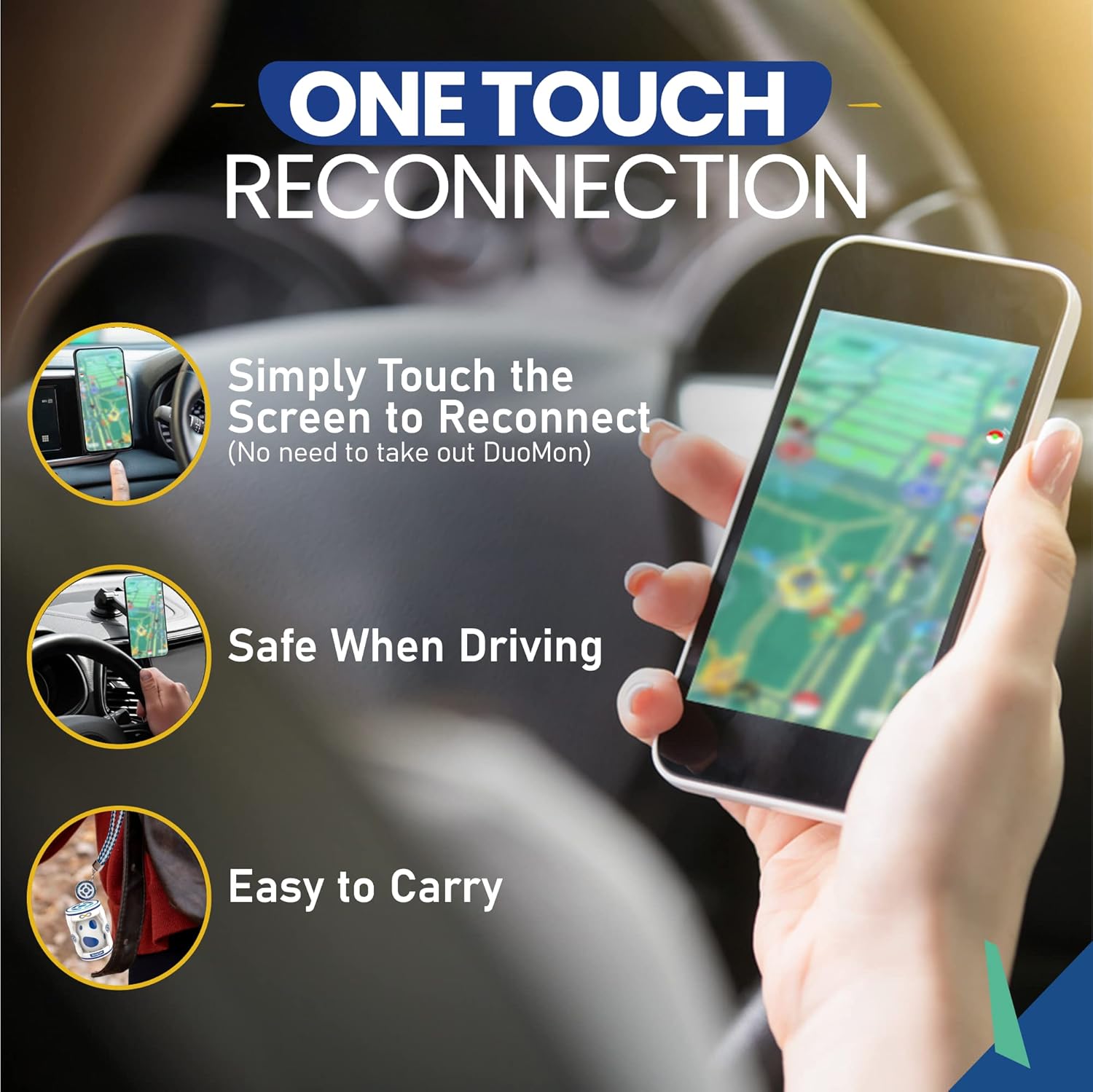
Figure 7: Customization options for notifications.
6.1 Live Broadcast Notifications
The device will provide voice prompts for various events:
- Quantity Caught/Spun: Announces the number of monsters caught or stops spun.
- Lost Connection: Alerts you if the connection to your smartphone is lost.
- Item Bag Full: Notifies you when your in-game item bag is full, preventing further item collection from stops.

Figure 8: Live broadcast notification types.
7. Informations sur la batterie
The megacom DuoMon Egg requires two AAA batteries for operation. With typical usage, a fresh set of batteries can provide approximately 600 hours of continuous use. When the battery level is low, the device will provide an audible alert and/or a specific LED indication.
To replace batteries, slide open the battery compartment cover, remove the old batteries, and insert new AAA batteries, observing the correct polarity (+/-). Close the compartment cover securely.
8. Dépannage
If you encounter issues with your DuoMon Egg, refer to the following common problems and solutions:
| Problème | Cause possible | Solution |
|---|---|---|
| L'appareil ne s'allume pas. | Les piles sont déchargées ou mal insérées. | Remplacez les piles par des piles AAA neuves, en veillant à respecter la polarité. |
| Device does not connect or frequently disconnects. | Bluetooth is off, device is out of range, or game app disconnected. | Ensure Bluetooth is on. Move closer to the device (within 20m). Tap the Pokémon GO Plus icon in the game app to reconnect. The game app automatically disconnects after 1 hour. |
| No voice notifications. | Voice notification setting is off or volume is too low. | Refer to Section 6 to adjust sound settings. Ensure device volume is not muted. |
| Device is not catching or spinning. | No Poké Balls, item bag is full, or device is disconnected. | Ensure you have sufficient Poké Balls. Check if your item bag is full. Reconnect the device if necessary. |
9. Spécifications
- Numéro de modèle : mc-010377
- Dimensions du produit : 1.57 x 1.57 x 2.36 pouces
- Poids de l'article : 1.06 onces
- Piles : 2 piles AAA (nécessaires)
- Fabricant: SPERRY Corporation
- Âge recommandé : 13 mois et plus
10. Garantie et assistance
For warranty information and technical support, please refer to the contact details provided with your purchase documentation or visit the official megacom webConsultez le site. Conservez votre preuve d'achat pour toute réclamation au titre de la garantie.


