1. Introduction
This manual provides essential information for the installation, operation, and maintenance of the Comelit PAC 1952N Audio-Video Porter Switchboard. This device is designed for use within an IP VIP System, offering advanced audio and video communication capabilities with a user-friendly touch screen and alphanumeric keypad.
2. Installation
2.1 Déballage
Carefully unpack the Comelit PAC 1952N switchboard and verify that all components are present and undamaged. Retain the original packaging for future transport or storage.
2.2 Alimentation
The Comelit PAC 1952N requires a 12 VDC power supply. This can be provided either by using Comelit Art. 43082 or directly from the ViP Ethernet network (Power over Ethernet - PoE), if supported by your network infrastructure.
- Option 1 : Connect the 12 VDC power adapter (Art. 43082, sold separately) to the designated power input port on the rear of the unit.
- Option 2 : If using a ViP Ethernet network with PoE capabilities, connect the Ethernet cable to the network port. The device will draw power directly from the network.
2.3 Connexions
Connect the Comelit PAC 1952N to your IP VIP System network using a standard Ethernet cable. Ensure the network connection is stable and properly configured for IP communication.
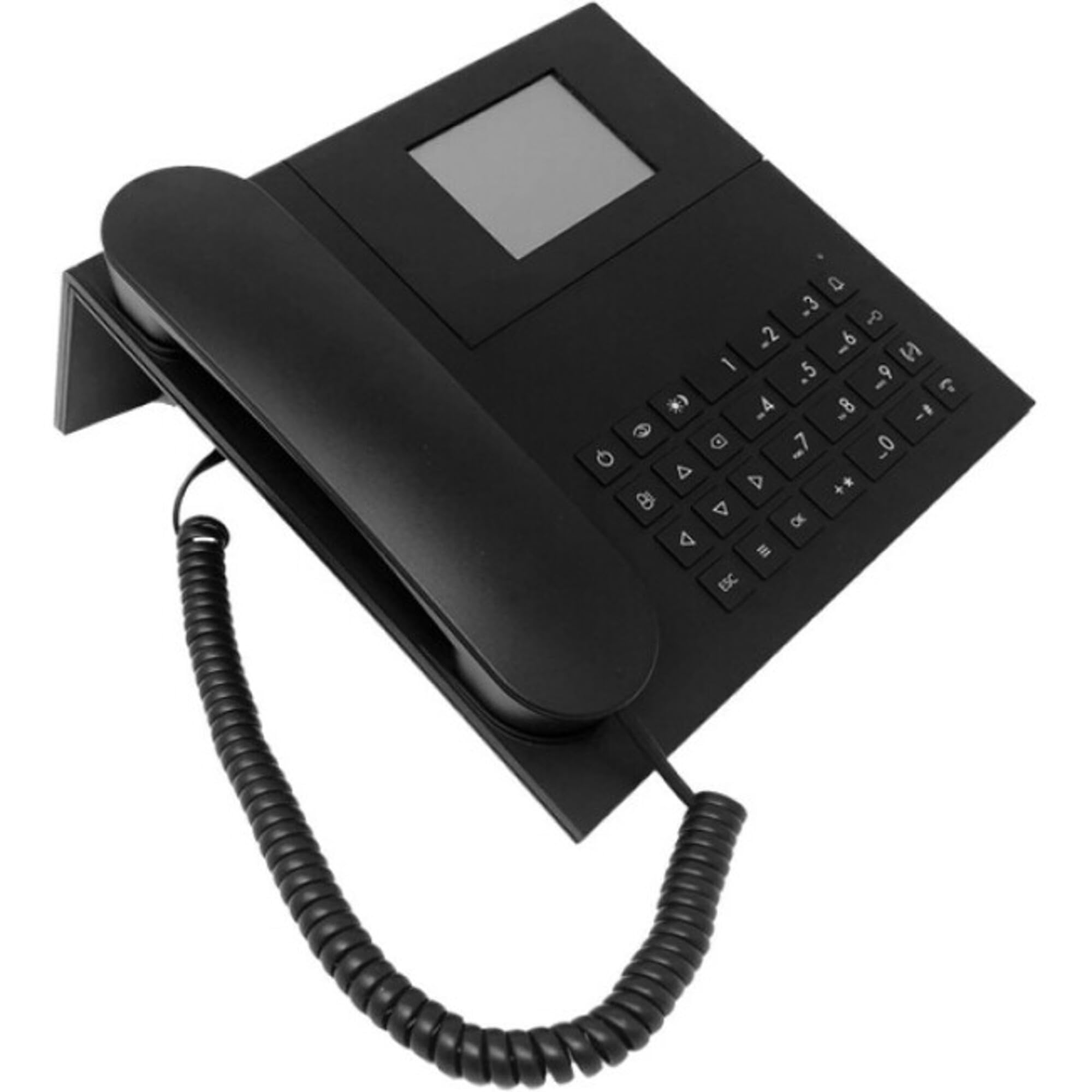
Figure 1 : Devant view of the Comelit PAC 1952N Audio-Video Porter Switchboard, showing the touch screen and alphanumeric keypad. This image illustrates the primary user interface for operation and interaction within the VIP system.
3. Mode d'emploi
3.1 Fonctions de base
The Comelit PAC 1952N features a touch screen and an alphanumeric keypad for intuitive control. Upon startup, the main interface will display options for managing calls and system functions.
- Visitor Images: When a visitor calls, their image will be displayed on the touch screen.
- Identification de l'utilisateur : The name of the user being called will be clearly displayed.
- Mode jour/nuit : The system supports configurable day and night modes, which can alter call routing or display settings.
- User-to-User Intercom: Initiate direct audio and video calls between different users within the VIP system.
3.2 Intercom Service
To initiate an intercom call to another user within the system, use the alphanumeric keypad to enter the user's extension or select them from a directory displayed on the touch screen. Follow the on-screen prompts to establish the connection.
4. Entretien
4.1 Nettoyage
To clean the touch screen and alphanumeric keypad, use a soft, lint-free cloth slightly dampened with water or a mild, non-abrasive cleaning solution. Avoid using harsh chemicals, solvents, or abrasive materials, as these can damage the surfaces.
4.2 Mises à jour logicielles
Consultez régulièrement le site officiel de Comelit. website or consult your system administrator for available software updates. Keeping the device's firmware updated ensures optimal performance, security, and access to new features.
5. Dépannage
This section provides solutions to common issues you might encounter with your Comelit PAC 1952N switchboard.
| Problème | Cause possible | Solution |
|---|---|---|
| L'appareil ne s'allume pas. | Incorrect power connection or no power. | Verify that the 12 VDC power adapter is correctly connected or that the PoE Ethernet cable is providing power. Check power source. |
| No video feed from outdoor station. | Network connectivity issue or outdoor station malfunction. | Check Ethernet cable connection. Ensure the outdoor station is powered and functioning correctly. Consult network administrator. |
| Intercom calls fail. | Incorrect user extension or network configuration. | Verify the entered user extension. Ensure the IP VIP System network is properly configured for intercom services. |
| L'écran tactile ne répond pas. | Problème logiciel temporaire ou dommage physique. | Restart the device by disconnecting and reconnecting power. If the issue persists, contact technical support. |
6. Spécifications
- Numéro de modèle : 1952N
- Fabricant: Cômelit
- Poids de l'article : 2.2 livres
- Source d'alimentation : Corded Electric (12 VDC or PoE)
- Matériel: Plastique
- Identification de l'appelant : Oui
- Type de téléphone : Corded (for system integration)
- ASIN: B0B184LSBF
- Première date disponible : 6 novembre 2022
7. Garantie et assistance
Pour obtenir des informations sur la garantie et une assistance technique, veuillez consulter le site officiel de Comelit. website or contact your authorized Comelit dealer. Keep your purchase receipt as proof of purchase for warranty claims.


