1. Introduction
Thank you for choosing the Aspen A40 Portable Oscillating Tower Fan. This manual provides essential information for the safe and efficient operation of your new fan. Please read it thoroughly before use and keep it for future reference.
The Aspen A40 tower fan is designed to provide quiet comfort with a powerful and consistent breeze. Its unique detachable tower allows for easy cleaning and customization. Featuring multiple wind speeds, various timer settings, LED night lights, and a 60-degree oscillation angle, it delivers refreshing air in any environment. The innovative design and elegant two-tone color scheme make it a stylish and functional addition to your home.
2. Contenu de la boîte
Upon opening your Aspen A40 Tower Fan package, please ensure all the following components are present:
- (1) Tower Fan Unit
- (1) Detachable Fan Base
- (1) Magnetic Remote Control
- (1) Manuel d'utilisation (ce document)

Image: Aspen A40 Tower Fan components including the main unit, detachable base, and remote control.
3. Configuration et assemblage
Follow these steps to assemble your Aspen A40 Tower Fan:
- Retirez soigneusement tous les composants de l'emballage.
- Assemble the two halves of the detachable fan base. Ensure they click securely into place.
- Thread the power cord through the center opening of the assembled base.
- Align the main tower fan unit with the assembled base. Gently push down and twist clockwise until the unit is firmly seated and locked into the base.
- Route the power cord through the designated channel on the underside of the base to prevent wobbling.
- Placez le ventilateur sur une surface plane et stable.
- Plug the power cord into a standard electrical outlet (120 Volts CA).
Video: General demonstration of a tower fan's features, including remote control, speeds, oscillation, and powerful airflow. This video is provided by a seller and illustrates common tower fan functionalities.
Video: Assembly guide for a tower fan, demonstrating how to attach the base and secure the unit. While this video features a different brand, the assembly steps are generally applicable to similar tower fan designs.
4. Mode d'emploi
Your Aspen A40 Tower Fan can be operated using the control panel on top of the unit or the included magnetic remote control.
Fonctions du panneau de commande et de la télécommande :
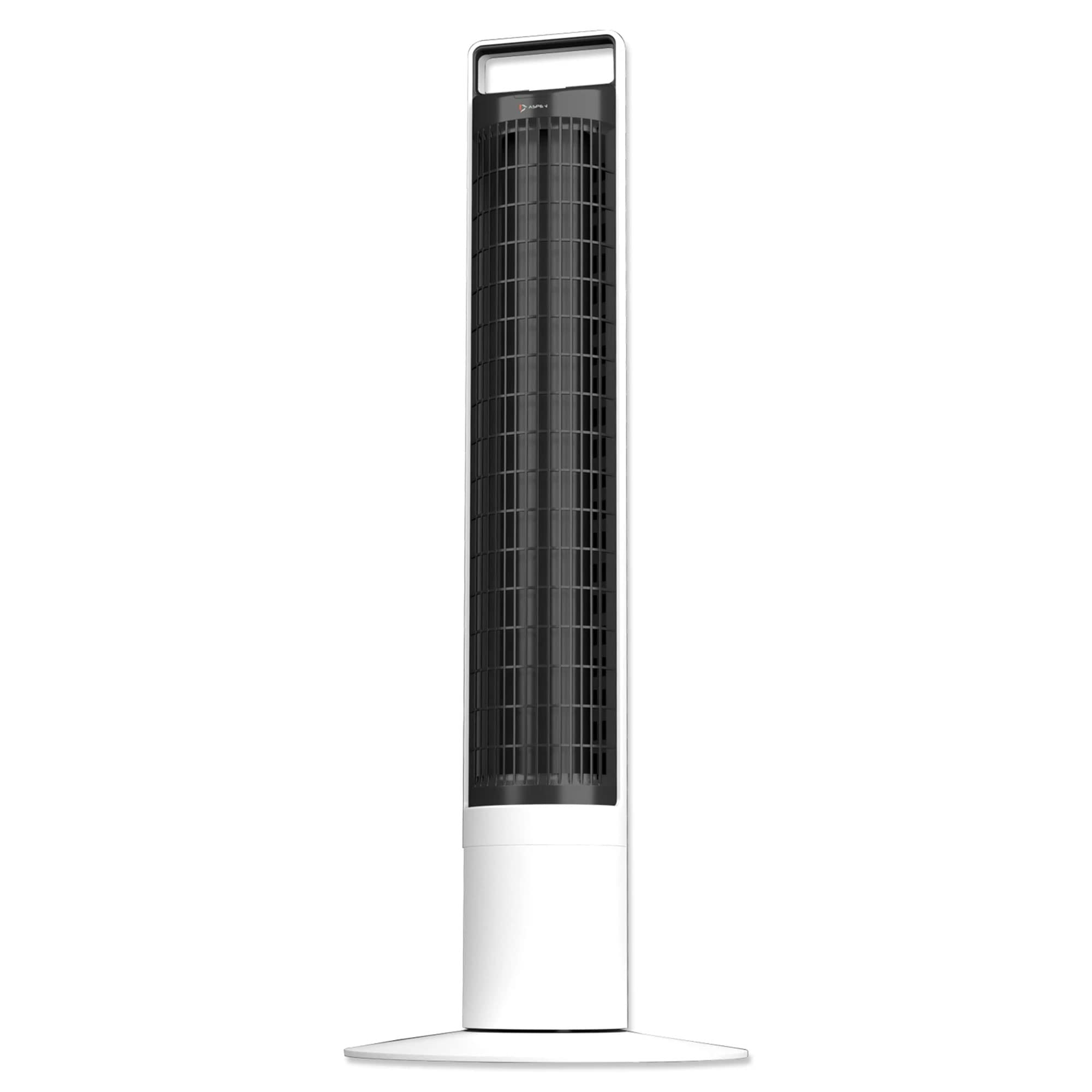
Image: Close-up of the magnetic remote control for the Aspen A40 Tower Fan, showing its intuitive button layout.

Image : Haut view of the Aspen A40 Tower Fan's control panel, featuring an LED display and touch-sensitive buttons for various functions.
- Marche/Arrêt : Appuyez sur le bouton d'allumage (⏻) pour allumer ou éteindre le ventilateur.
- Vitesse du ventilateur : Select from 3 fan speeds to customize airflow intensity.
- Oscillation: Activate the 60-degree oscillation function for wider air distribution.
- Minuteur: Set the fan to operate for a specific duration with 4 different timer options.
- Veilleuse: Utilize the night light function with 3 different LED colors for ambient lighting.
The magnetic remote control conveniently attaches to the top of the fan for easy storage and access.
5. Caractéristiques et avantages
- Fonctionnement silencieux : Enjoy silent comfort with powerful and consistent airflow.
- Detachable Fan Tower: The unique detachable tower design allows for easy cleaning. Simply lift the tower and soak it in water for thorough cleaning. Ensure the tower is completely dry before reattaching it to the main unit.
- Télécommande magnétique : A small, ergonomically designed remote control magnetically attaches to the top of the fan for convenient storage.
- Paramètres personnalisables : Features 4 separate timers, 3 fan speeds, and 3 LED night light colors.
- Optimal Oscillation: Utilizes a narrower 60-degree oscillation angle for more focused and effective cooling compared to standard 90-degree angles.

Image: The Aspen A40 Tower Fan positioned in a living space, highlighting its modern and space-saving design.

Image: A display of several Aspen A40 Tower Fans, illustrating the variety of LED night light color options available.
6. Entretien
Regular maintenance ensures the longevity and optimal performance of your Aspen A40 Tower Fan.
- Cleaning the Fan Tower: The unique detachable tower design allows for easy cleaning. Simply lift the tower and soak it in water for thorough cleaning. Ensure the tower is completely dry before reattaching it to the main unit.
- Nettoyage extérieur : Essuyez les surfaces extérieures du ventilateur avec un chiffon doux et sec.amp chiffon. N'utilisez pas de nettoyants abrasifs ou de solvants.
- Stockage: When not in use for extended periods, unplug the fan, clean it, and store it in a cool, dry place.
7. Dépannage
If you encounter any issues with your Aspen A40 Tower Fan, please refer to the following common troubleshooting tips:
- Le ventilateur ne s'allume pas :
- Assurez-vous que le cordon d'alimentation est correctement branché dans une prise électrique fonctionnelle.
- Vérifiez si la prise est alimentée en y branchant un autre appareil.
- Verify that the power button on the fan or remote control has been pressed.
- Faible flux d’air :
- Augmentez la vitesse du ventilateur.
- Ensure the fan tower is clean and free from dust or obstructions.
- Fan Not Oscillating:
- Appuyez sur le bouton d'oscillation du panneau de commande ou de la télécommande.
- Assurez-vous que le ventilateur est placé sur une surface plane et stable.
- La télécommande ne fonctionne pas :
- Vérifiez et remplacez les piles de la télécommande.
- Ensure there are no obstructions between the remote control and the fan's sensor.
If the problem persists after trying these steps, please contact Aspen customer support for further assistance.
8. Spécifications
| Fonctionnalité | Détail |
|---|---|
| Marque | Tremble |
| Modèle | A40 |
| Couleur | Blanc |
| Matériel | Plastique ABS |
| Nombre de vitesses | 3 |
| Caractéristiques spéciales | Oscillating, Portable, Detachable Tower, Night Light Function, Magnetic Remote Control |
| Poids du produit | 5.72 kilogramme (environ 12.6 lb) |
| Dimensions hors tout | 12 pouces (L) x 12 pouces (P) x 41 pouces (H) |
| Angle d'oscillation | 60 degrés |
9. Garantie et assistance
The Aspen A40 Portable Oscillating Tower Fan comes with a limited 1-year warranty from Aspen. Please retain your proof of purchase for warranty claims.
For returns, a 30-day free return policy is available. For further assistance, technical support, or warranty inquiries, please refer to the contact information provided with your purchase or visit the official Aspen website.