Introduction
The WOLFBOX i07 is a high-performance 3-channel dash camera system designed to provide comprehensive video surveillance for your vehicle. It simultaneously records footage from the front, interior, and rear of your car, ensuring 360-degree protection. Equipped with advanced features such as 4K resolution, infrared night vision, built-in GPS, Wi-Fi connectivity, and multiple parking modes, the i07 offers reliable evidence collection and enhanced driving safety.

Image : Terminéview of the WOLFBOX i07 Dash Cam system, including the main unit, rear camera, and mobile app interface.
Qu'y a-t-il dans la boîte
Veuillez vérifier que tous les composants sont présents et en bon état lors du déballage :
- i07 Dash Cam (Main Unit)
- 1080P IP68 Rear Camera
- Module GPS
- Carte MicroSD 32 Go
- 20-foot Rear Camera Cable
- Type-C Power Supply Cable with Car Charger
- Manuel d'utilisation
- Autocollant électrostatique
- Outil de coupe de fil de voiture

Image: Contents of the WOLFBOX i07 package.
Installation
1. Insertion de la carte mémoire
Before initial use, insert the provided 32GB MicroSD card into the dash cam's card slot. Ensure the card is inserted correctly until it clicks into place. It is recommended to format the card within the dash cam's settings before first use.

Image: Inserting the 32GB MicroSD card.
2. Installation de l'unité principale
- Nettoyez la zone du pare-brise où sera installée la caméra embarquée.
- Apply the electrostatic sticker to the clean windshield.
- Attach the main unit onto the electrostatic sticker using the adhesive mount. Ensure it does not obstruct your driving view.
- Connect the Type-C power cable to the dash cam and route it along the windshield edge and A-pillar to the car's cigarette lighter socket.
3. Installation de la caméra arrière
- Installez la caméra de recul sur la lunette arrière, en veillant à ce qu'elle soit bien dégagée. view.
- Connect the 20-foot rear camera cable to the main unit and route it discreetly along the vehicle's interior trim to the rear camera.
- Ensure the rear camera's headphone jack is firmly inserted for proper detection.

Image: Easy installation and cable routing for the dash cam and rear camera.
Mode d'emploi
1. Marche/Arrêt
The dash cam will automatically power on and begin recording when connected to the car's power supply and the vehicle is started. It will power off automatically when the car is turned off.
2. Modes d'enregistrement
The WOLFBOX i07 supports various recording configurations:
- Enregistrement sur 3 canaux : Simultaneously records Front (2.5K), Interior (1080P), and Rear (1080P) footage.
- Enregistrement à double canal : Records Front (4K UHD) and Interior (1080P FUD) footage.

Image: Triple Channel Recording overview.

Image: Dual Channel Recording overview.
3. Vision nocturne infrarouge
The interior camera features 6 infrared LED lights and advanced STARVIS technology to capture clear and balanced video in low-light conditions, ensuring visibility inside the cabin even at night.

Image: Infrared Night Vision capability.
4. Parking Modes (24/7 Protection)
The i07 offers two parking monitoring modes for continuous vehicle protection:
- Enregistrement du démarrage en cas de collision : The dash cam will automatically power on and record when an impact is detected while the vehicle is parked.
- Enregistrement en accéléré : Captures 24-hour time-lapse footage at 1 frame per second (FPS) when the vehicle is parked. Note: Collision Boot Recording does not function in Time-Lapse Mode.
A hardwire kit (sold separately) is required for 24/7 parking monitoring functionality.

Image: Parking Modes (Collision Boot Recording and Time-Lapse).
5. Built-in GPS & Wi-Fi
The integrated GPS module accurately records driving routes, speeds, and times, embedding this data into video files for evidence. Built-in Wi-Fi allows you to connect the dash cam to your smartphone via the WOLFBOX app for easy management, video playback, editing, and sharing.

Image: Built-in Wi-Fi and GPS features with app connectivity.
6. Capteur G et enregistrement en boucle
- Capteur G : Détecte les chocs ou collisions soudains et verrouille automatiquement le flux vidéo actuel.tage pour empêcher qu'il ne soit écrasé.
- Enregistrement en boucle : Continuously records video in short segments. When the memory card is full, the oldest unlocked footage is automatically overwritten by new recordings.
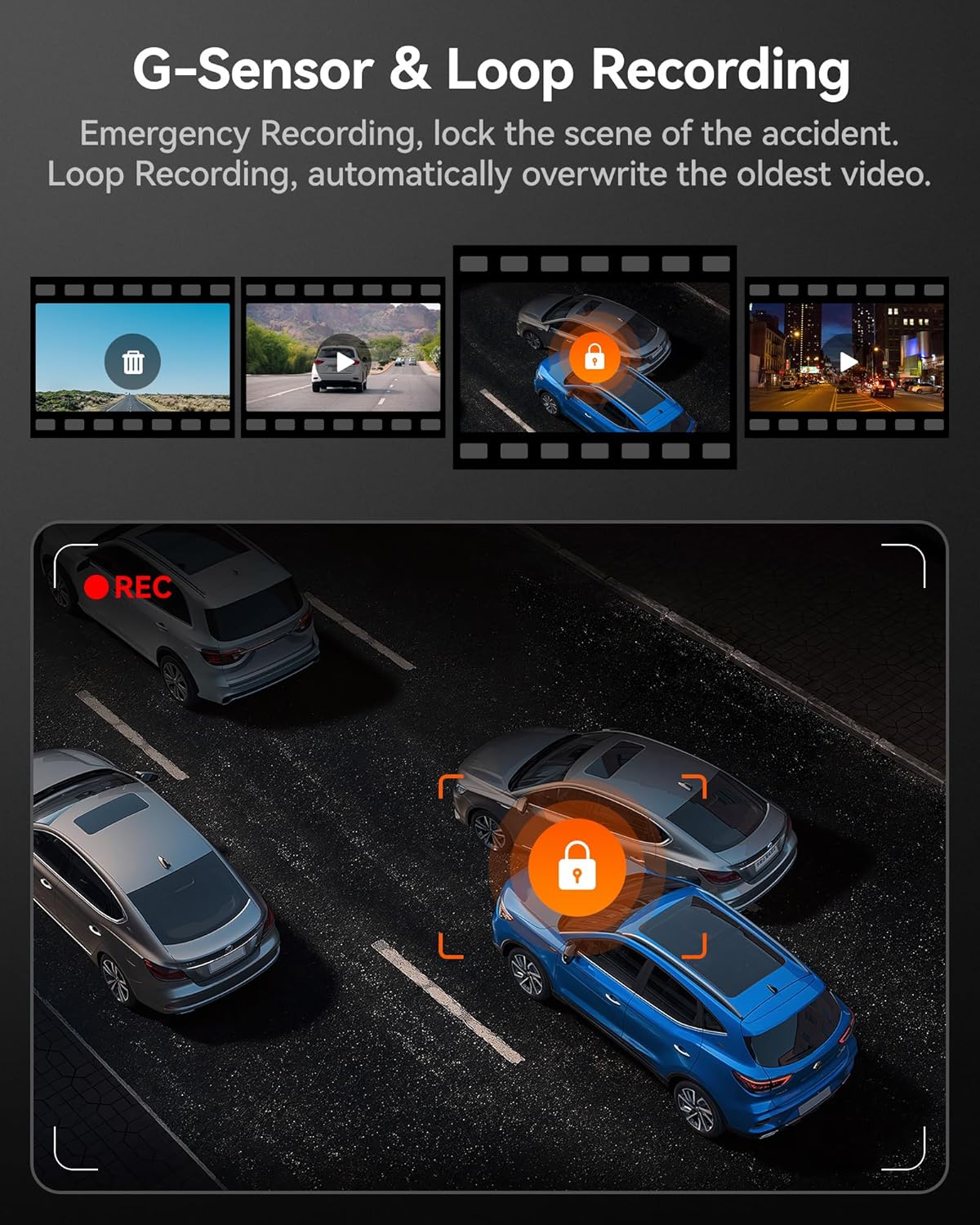
Image: G-Sensor and Loop Recording functionality.
Entretien
- Formatage standard : To maintain optimal performance and prevent data corruption, it is recommended to format the MicroSD card every 2-4 weeks using the dash cam's settings.
- Nettoyage des lentilles : Nettoyez délicatement les lentilles de la caméra avec un chiffon doux non pelucheux pour garantir une qualité vidéo optimale. Évitez les matériaux abrasifs.
- Mises à jour du micrologiciel : Consultez le WOLFBOX officiel webConsultez régulièrement ce site pour les mises à jour du micrologiciel afin de vous assurer que votre caméra embarquée dispose des dernières fonctionnalités et corrections de bugs.
- Considérations relatives à la température : The dash cam is designed to operate within a wide temperature range due to its supercapacitor. However, extreme prolonged heat or cold can affect battery life (if applicable) and overall longevity.
Dépannage
| Problème | Cause possible | Solution |
|---|---|---|
| La caméra embarquée ne s'allume pas. | Pas d'alimentation électrique ; câble défectueux ; problème de chargeur de voiture. | Check power connection; try a different USB port or car charger; ensure vehicle's ignition is on. |
| L'enregistrement s'arrête ou se fige. | Memory card full/corrupted; low-quality SD card; firmware issue. | Format the SD card; use a high-speed (Class 10 or U3) MicroSD card; update firmware. |
| Caméra arrière non détectée. | Loose connection; damaged cable. | Ensure the rear camera cable's headphone jack is firmly inserted into the main unit. Check cable for damage. |
| Problèmes de connexion Wi-Fi. | Incorrect app usage; interference. | Ensure Wi-Fi is enabled on the dash cam and your phone; restart both devices; try connecting in a different location. |
| Le GPS ne capte pas de signal. | Poor satellite reception; GPS module obstructed. | Assurez-vous que le module GPS dispose d'un signal clair. view of the sky; move the vehicle to an open area. |
Caractéristiques
| Fonctionnalité | Détail |
|---|---|
| Nom du modèle | i07 |
| Dimensions du produit | 4.72 x 1.38 x 3.07 pouces |
| Poids de l'article | 5 onces |
| Résolution de la caméra frontale | Up to 4K (2160p) |
| Résolution de la caméra intérieure | 1080P |
| Résolution de la caméra arrière | 1080P |
| Afficher | Écran ACL de 3 pouces |
| Lens Angle (Front/Interior/Rear) | 150 ° / 160 ° / 155 ° |
| Vision nocturne | 6 Infrared LEDs (Interior Camera) |
| Source d'énergie | Type-C Power Input, Supercapacitor |
| Connectivité | Wi-Fi intégré, GPS intégré |
| Stockage | Supports MicroSD Card (32GB included) |
| Caractéristiques spéciales | 4K HDR, 3-channel All-round Protection, App Control, Parking Monitor, Compact Design, WDR, G-Sensor, Loop Recording |
| Type de service de véhicule | Autobus, voiture, minifourgonnette, camion |
Garantie et assistance
WOLFBOX s'engage à fournir des produits de haute qualité et un excellent service client.
- Garantie: The WOLFBOX i07 Dash Cam comes with a 12-month assurance from the date of purchase.
- Politique de retour: A 7-day return policy is available for defects.
- Service client: For any queries, technical support, or warranty claims, please contact our dedicated after-sale service team.
E-mail: service@wolfbox.com
Téléphone: +1 888 296 8399
Veuillez vous munir du modèle de votre produit et des informations relatives à votre achat lorsque vous contactez le support.


