1. Plus deview
The FIFINE K669PRO2 is a USB condenser microphone designed for various applications including podcasting, gaming, streaming, voice-overs, and online meetings. It features RGB lighting, a tap-to-mute function, a gain control knob, and a cardioid pickup pattern for clear audio capture. This manual provides instructions for setting up, operating, and maintaining your microphone.
2. Contenu du colis
Veuillez vérifier le contenu du colis pour vous assurer que tous les éléments sont présents :
- FIFINE K669PRO2 USB Condenser Microphone with Pop Filter
- USB-C to USB-A Cable (6.5ft / 2m)
- Support trépied
- Manuel d'utilisation

Figure 2.1: Package Contents. Includes the microphone with pop filter, USB cable, tripod stand, and user manual.
3. Guide de configuration
Follow these steps to set up your FIFINE K669PRO2 microphone:
3.1 Assemblage physique
- Attach the Tripod Stand: Screw the microphone onto the included tripod stand. Ensure it is firmly attached and stable on your desk.
- Installez le filtre anti-pop : Attach the pop filter to the microphone's shock mount. This helps reduce plosive sounds for clearer audio.

Figure 3.1: Plug and Play setup. The microphone connects directly to your computer via the provided USB cable.
3.2 Connexion à votre appareil
- Connectez le câble USB : Plug the USB-C end of the cable into the microphone and the USB-A end into an available USB port on your computer (PC/Mac) or gaming console (PS4/PS5).
- Reconnaissance du système : Your operating system should automatically detect and install the necessary drivers. The microphone is plug-and-play, requiring no additional software installation.
- Sélectionner comme périphérique d'entrée :
- Fenêtres : Accéder à Paramètres sonores > Saisir and select "FIFINE K669PRO2" as your input device.
- macOS: Accéder à Préférences système > Son > Saisir and select "FIFINE K669PRO2".
- PS4/PS5 : Accéder à Paramètres > Appareils > Appareils audio and select "FIFINE K669PRO2" as your input device.
4. Mode d'emploi
4.1 Contrôle de gain
The microphone features a gain control knob on the front. Rotate the knob to adjust the microphone's input sensitivity. Turn clockwise to increase gain and counter-clockwise to decrease it. Adjust the gain to achieve optimal audio levels without distortion.

Figure 4.1: Front panel controls, including the gain knob for volume adjustment.
4.2 Fonction muet
Tap the mute button on the front of the microphone to instantly mute or unmute your audio. The LED indicator will change color to show the mute status (e.g., green for active, red for muted), providing a visual reminder.
Figure 4.2: Front panel controls, highlighting the tap-to-mute button.
4.3 Contrôle de l'éclairage RVB
The microphone features customizable RGB lighting. Use the RGB control key on the back of the microphone to cycle through different lighting modes and colors. There are three lighting modes and over nine color options available.

Figure 4.3: RGB lighting in action, showcasing dynamic solid-color, dynamic multi-color, and static solid color modes.

Figure 4.4 : Arrière view of the microphone, indicating the RGB control button.
4.4 Diagramme de captation cardioïde
The K669PRO2 utilizes a cardioid polar pattern. This means the microphone primarily picks up sound from the front, reducing unwanted noise from the sides and rear. Position the microphone directly towards the sound source (e.g., your mouth) for optimal voice capture.
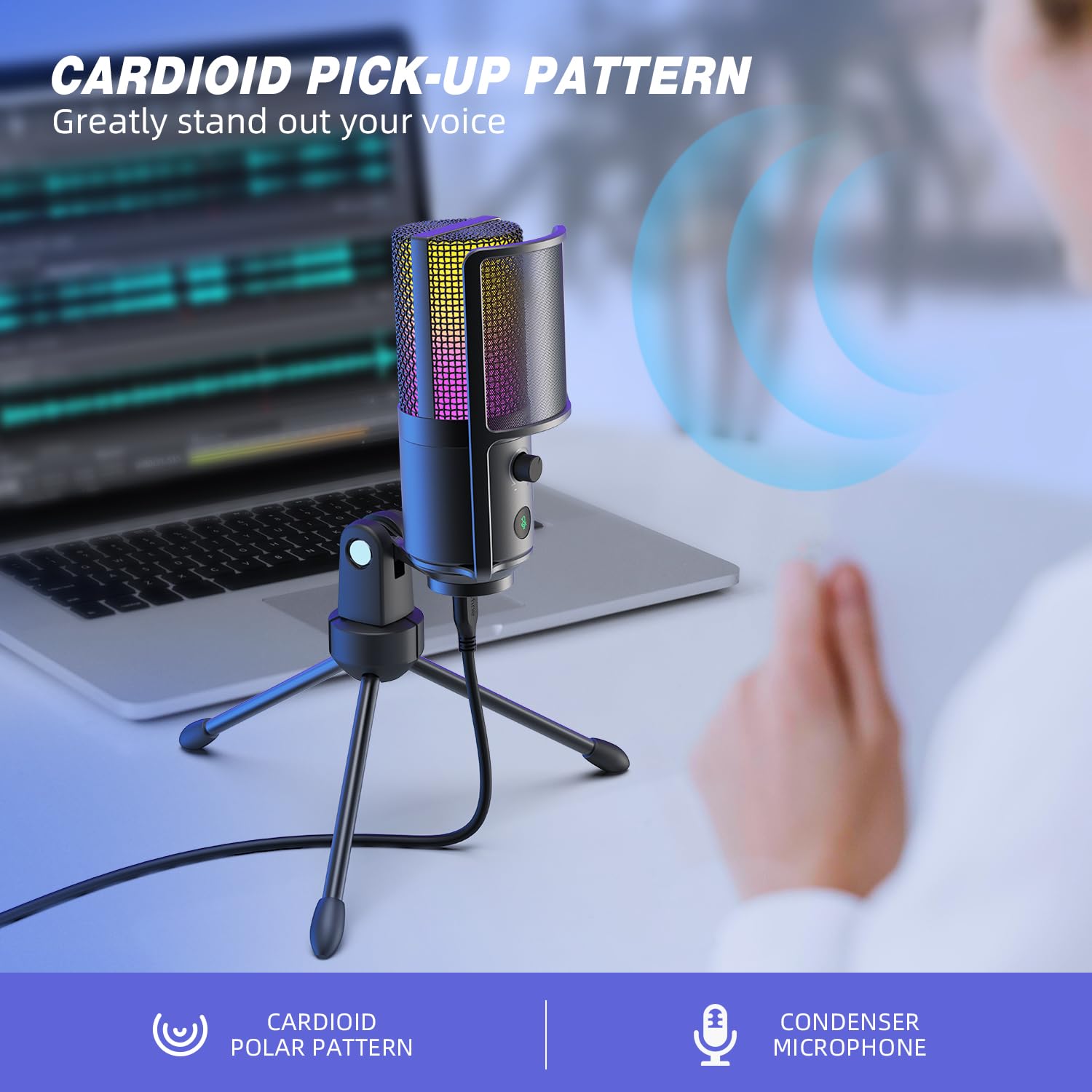
Figure 4.5: Cardioid pickup pattern illustration, demonstrating focused sound capture.
5. Entretien
- Nettoyage: Use a soft, dry cloth to clean the microphone's exterior. Avoid using liquid cleaners or solvents, as they may damage the device.
- Stockage: Lorsqu'il n'est pas utilisé, rangez le microphone dans un endroit sec et exempt de poussière.
- Manutention: Manipulez le microphone avec précaution. Évitez de le faire tomber ou de le soumettre à des chocs violents, qui pourraient affecter son fonctionnement.
6. Dépannage
| Problème | Cause possible | Solution |
|---|---|---|
| Aucun son n'est émis par le microphone. |
|
|
| Low volume or weak audio. |
|
|
| Son déformé ou inaudible. |
|
|
| L'éclairage RGB ne fonctionne pas. |
|
|
7. Spécifications
| Modèle | K669PRO2 |
| Diagramme polaire | Unidirectionnel (cardioïde) |
| Technologie de connectivité | USB |
| Type de connecteur | USB-C (on mic), USB-A (on cable) |
| Appareils compatibles | PC, Mac, PS4, PS5 |
| Matériel | Métal |
| Réponse en fréquence | 20 Hz - 20 kHz |
| Signal-to-Noise Ratio | 70 dB |
| Source d'énergie | Électrique filaire (alimenté par USB) |
| Poids de l'article | 508 g |
| Composants inclus | Microphone, USB Cable, Tripod Stand, Pop Filter |
8. Garantie et assistance
Pour toute information relative à la garantie, à l'assistance technique ou au service client, veuillez consulter le site officiel de FIFINE. webConsultez le site web ou contactez directement le service client. Vous trouverez généralement ces informations sur l'emballage du produit ou sur les plateformes en ligne officielles du fabricant.
You can visit the FIFINE store for more information: Boutique officielle FIFINE


