1. Introduction
The ACT AC7049 Dual Monitor Docking Station transforms your laptop into a complete workstation. This versatile 11-in-1 docking station allows you to connect up to two Full HD displays (max. 2048 x 1152 resolution) to your laptop via HDMI, using a single USB-C/A cable. It expands your laptop's connectivity with a Gigabit LAN port, microphone and headphone jacks, and six additional USB ports. Featuring DisplayLink® technology, it ensures advanced screen display on both MacOS and Windows computers.
2. Principales caractéristiques
- Prise en charge de deux moniteurs : Connect up to two external displays with HDMI ports, supporting resolutions up to 2048x1152@60Hz.
- Compatibilité universelle: Works with laptops featuring a USB-C or USB-A 3.2 Gen1 (USB 3.0) port, compatible with MacOS and Windows thanks to DisplayLink technology.
- Connectivité étendue : Includes 2x HDMI, 1x Gigabit Ethernet, 3x USB-A 3.2 Gen 1 (one with fast charging), 4x USB-A 2.0, and 3.5mm audio jacks for microphone and headphones.
- Placement flexible : Designed for both vertical and horizontal placement to optimize desk space and port accessibility.
- Port de charge USB: Dedicated USB port for charging smartphones and tablets.
3. Contenu du colis
Veuillez vérifier que le colis contient les éléments suivants :
- ACT AC7049 Docking Station
- USB-C/A 3.2 Gen1 Connection Cable (USB-A to USB-C)
- Adaptateur secteur
- Stand vertical
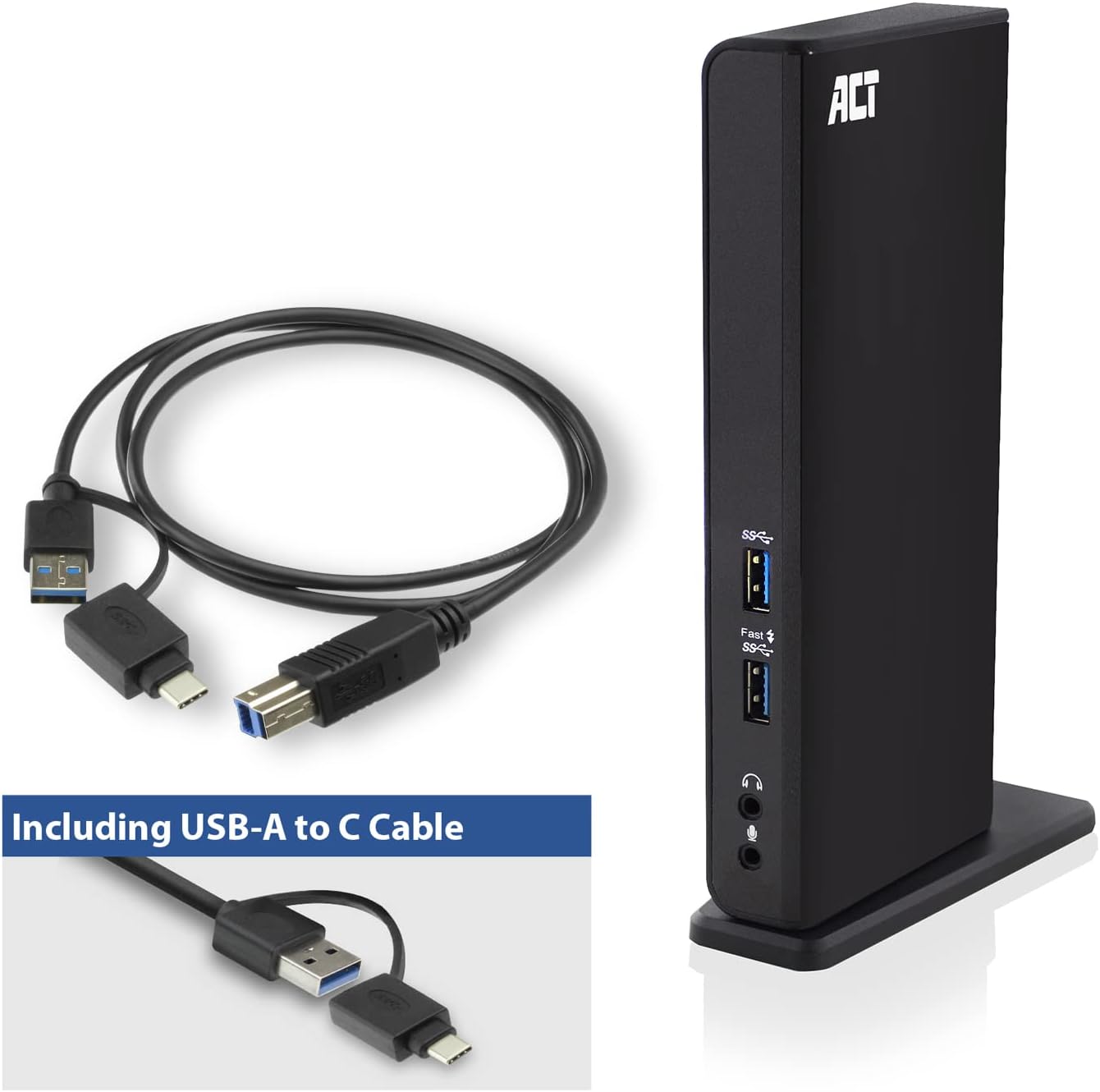
Image: The ACT AC7049 Docking Station shown with its included USB-A to USB-C connection cable and power adapter, highlighting the components provided in the package.
4. Guide de configuration
4.1. Branchement de l'adaptateur secteur
- Connect the power adapter to the DC 5V input port on the back of the AC7049 docking station.
- Plug the power adapter into a wall outlet. The docking station will power on.
4.2. Connexion à votre ordinateur portable
- Use the provided USB-C/A 3.2 Gen1 connection cable. Connect the USB-B end to the corresponding port on the docking station.
- Connect the other end (USB-A or USB-C, depending on your laptop's port) to an available USB 3.2 Gen1 (USB 3.0) or USB-C port on your laptop.
4.3. Driver Installation (DisplayLink)
The AC7049 utilizes DisplayLink technology for extended monitor functionality. Drivers are typically installed automatically on most operating systems. If not, please follow these steps:
- Visitez le site officiel de DisplayLink website (www.displaylink.com/downloads) to download the latest drivers for your operating system (Windows or MacOS).
- Install the downloaded driver package and follow the on-screen instructions.
- Redémarrez votre ordinateur si vous y êtes invité.

Image: The official DisplayLink 'Plug and Display' logo, indicating the technology used for multi-monitor support.
5. Mode d'emploi
5.1. Connexion d'écrans externes
- Connect your HDMI monitors to the two HDMI ports on the back of the docking station.
- Once connected, your operating system should detect the new displays. You can configure display settings (extend, mirror, primary display) through your computer's display settings.

Image: A visual representation of the docking station enabling both 'Mirror your content' and 'Extend your content' display modes across a laptop and two external monitors.
5.2. Connecting USB Peripherals
- Ports USB avant : Two USB-A 3.2 Gen1 ports (one with fast charging capability) are located on the front for easy access to frequently used devices like USB drives, smartphones, or tablets.
- Rear USB Ports: Four USB-A 2.0 ports are located on the back for connecting peripherals such as keyboards, mice, printers, or other less frequently connected devices.
5.3. Connexion réseau
Connect an Ethernet cable from your router or network switch to the Gigabit Ethernet port on the docking station. Your laptop will automatically gain wired network access.
5.4. Connexions audio
Connect your headphones and/or microphone to the dedicated 3.5mm audio jacks on the front of the docking station.

Image: An isometric diagram showcasing the comprehensive connectivity of the ACT AC7049, demonstrating how a laptop, two monitors, a keyboard, mouse, network cable, headphones, and a smartphone can all be connected simultaneously.
6. Options de placement
The ACT AC7049 docking station offers flexible placement options to suit your workspace:
- Placement vertical : Use the included stand to position the docking station vertically. This saves desk space and provides easy access to all ports.
- Placement horizontal : The docking station can also be placed horizontally if preferred.

Image: The ACT AC7049 Docking Station positioned vertically on its stand, highlighting its compact design and accessible ports.
7. Entretien
To ensure optimal performance and longevity of your ACT AC7049 Docking Station, follow these maintenance guidelines:
- Nettoyage: Utilisez un chiffon doux et sec pour nettoyer l'extérieur de la station d'accueil. Évitez d'utiliser des nettoyants liquides ou des aérosols, car ils pourraient endommager l'appareil.
- Ventilation: Veillez à placer la station d'accueil dans un endroit bien ventilé afin d'éviter toute surchauffe. Ne bloquez aucune ouverture de ventilation.
- Stockage: Lorsqu'elle n'est pas utilisée pendant une période prolongée, rangez la station d'accueil dans un endroit frais et sec, à l'abri de la lumière directe du soleil et des températures extrêmes.
- Gestion des câbles: Veillez à ce que les câbles soient bien rangés et exempts de nœuds ou de courbures excessives afin d'éviter d'endommager les câbles et les ports.
8. Dépannage
If you encounter issues with your ACT AC7049 Docking Station, please refer to the following common troubleshooting steps:
- Aucune sortie d'affichage :
- Ensure the docking station is powered on and correctly connected to your laptop.
- Vérifiez que les câbles HDMI sont correctement connectés à la fois à la station d'accueil et aux moniteurs.
- Check your laptop's display settings to ensure the external monitors are detected and configured correctly (e.g., extended or mirrored).
- Reinstall or update the DisplayLink drivers from www.displaylink.com/downloads.
- Essayez de connecter un moniteur à la fois pour isoler le problème.
- Les périphériques USB ne fonctionnent pas :
- Assurez-vous que la station d'accueil est correctement connectée à votre ordinateur portable et alimentée.
- Try connecting the USB device directly to your laptop to confirm it is functional.
- Connect the USB device to a different USB port on the docking station.
- Redémarrez votre ordinateur portable.
- Aucune connexion réseau :
- Vérifiez que le câble Ethernet est correctement connecté à la fois à la station d'accueil et à votre routeur/commutateur.
- Check your laptop's network settings to ensure the wired connection is enabled.
- Si possible, testez le câble Ethernet avec un autre appareil.
- Le son ne fonctionne pas :
- Ensure headphones/microphone are fully plugged into the correct 3.5mm jacks.
- Check your laptop's sound settings to ensure the docking station's audio output/input is selected as the default device.
9. Spécifications
| Fonctionnalité | Spécification |
|---|---|
| Numéro de modèle | AC7049 |
| Marque | ACTE |
| Couleur | Noir |
| Technologie de connectivité | USB-A, USB-C |
| Sortie vidéo | 2 x HDMI (Max. 2048 x 1152 @ 60Hz) |
| Ports USB | 3 x USB-A 3.2 Gen 1 (5Gbps, 1x Fast Charging), 4 x USB-A 2.0 (480Mbps) |
| Port réseau | 1 ports Ethernet Gigabit (RJ45) |
| Ports audio | 1 x 3.5mm Headphone Jack, 1 x 3.5mm Microphone Jack |
| Appareils compatibles | Laptop, Computer (with USB 3.2 Gen1 / USB 3.0 or USB-C port) |
| Prise en charge du système d'exploitation | Windows, MacOS (via DisplayLink) |
| Dimensions (L x l x H) | 10.9 x 6 x 18.1 cm (environ) |
| Poids de l'article | 317 gramme |
10. Garantie et assistance
ACT products are designed for reliability and adhere to international standards and EU legislation. The ACT AC7049 Docking Station comes with a manufacturer's warranty, typically ranging from 2 to 5 years. For specific warranty details and support, please refer to the official ACT webou contactez votre revendeur.
For technical support or further inquiries, please visit the official ACT connectivity website: www.act-connectivity.com


