DAREU EK807G

DAREU EK807G Wireless TKL Mechanical Keyboard User Manual

Model: EK807G | Brand: DAREU

1. Introduction

This manual provides comprehensive instructions for the DAREU EK807G Wireless TKL Mechanical Keyboard. Designed for office use, this keyboard features an aluminum alloy panel, function keys, and stable 2.4G wireless connectivity, compatible with PC, Mac, and Windows systems. Please read this manual thoroughly to ensure proper use and longevity of your device.

Qu'y a-t-il dans la boîte

  • DAREU EK807G Wireless TKL Mechanical Keyboard
  • Récepteur USB (2.4 GHz)
  • Extracteur de capuchon
  • Manuel d'utilisation
DAREU EK807G Wireless TKL Mechanical Keyboard on a desk setup

Image 1.1: The DAREU EK807G Wireless TKL Mechanical Keyboard in a typical office setup.

2. Installation

2.1 Inserting Batteries and USB Receiver

The DAREU EK807G keyboard requires two AAA batteries (not included) for operation. The 2.4G USB receiver is conveniently stored within the keyboard's battery compartment.

  1. Repérez le couvercle du compartiment à piles sous le clavier.
  2. Remove the cover to access the battery slots and the stored USB receiver.
  3. Carefully remove the 2.4G USB receiver from its storage slot.
  4. Insert two AAA batteries into the compartment, ensuring correct polarity (+/-).
  5. Remettez le couvercle du compartiment à piles.
Underside of DAREU EK807G keyboard showing battery compartment and USB receiver

Image 2.1: The battery compartment and USB receiver storage on the keyboard's underside.

2.2 Connexion à votre appareil

The keyboard uses a 2.4G wireless connection for stable and reliable performance.

  1. Branchez le récepteur USB 2.4 GHz sur un port USB disponible de votre ordinateur, ordinateur portable ou tablette.
  2. Locate the ON/OFF switch on the upper side of the keyboard.
  3. Faites glisser l'interrupteur sur la position « ON ».
  4. Your device should automatically detect and connect to the keyboard. No additional drivers are typically required.
DAREU EK807G keyboard overview with 2.4G wireless icon

Image 2.2: The keyboard features 2.4G wireless connectivity.

3. Mode d'emploi

3.1 Basic Typing and Ergonomics

The DAREU EK807G features a classic TKL (Tenkeyless) 87-key layout, providing a comfortable typing experience. The keyboard is designed with an ergonomic 5° optimum slope when the folding holder is used, preventing wrist strain during long typing sessions. Anti-slide pads ensure stability.

This model is equipped with DAREU Red Switches, known for their linear and quiet operation, making them suitable for office and study environments where minimal noise is preferred.
Close-up of DAREU Red Switches on the keyboard

Image 3.1: The DAREU EK807G features quiet Red Switches for comfortable typing.

3.2 Function (Fn) Key Shortcuts

The keyboard includes 12 hotkeys accessible via the Fn key, allowing for quick access to various functions.

  • Fn + F1: Mon ordinateur
  • Fn + F2: Page d'accueil
  • Fn + F3: E-mail
  • Fn + F4: Calculatrice
  • Fn + F5: Arrêter (Média)
  • Fn + F6: Last Song (Media)
  • Fn + F7: Play/Pause (Media)
  • Fn + F8: Next Song (Media)
  • Fn + F9: Baisser le volume
  • Fn + F10: Augmenter le volume
  • Fn + F11: Muet
  • Fn + F12: Switch Left Win & Left Alt keys
Diagram showing Fn key combinations for shortcuts

Image 3.2: Shortcut keys activated by pressing the Fn key in combination with F1-F12.

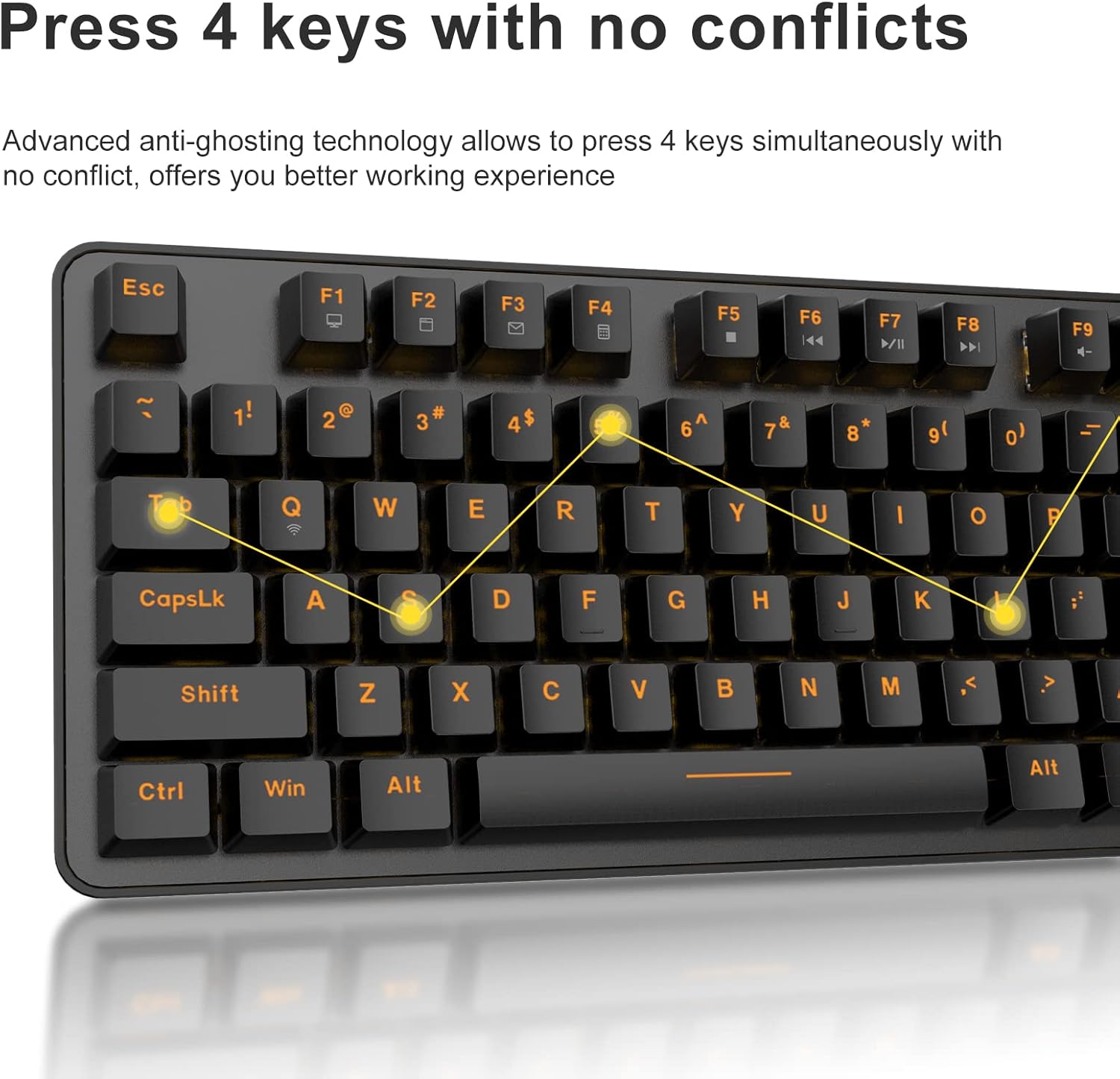
3.3 Anti-Ghosting Technology

The DAREU EK807G features advanced anti-ghosting technology, allowing up to 6 keys to be pressed simultaneously without conflict. This ensures all your commands are registered accurately, improving efficiency.

Diagram illustrating anti-ghosting technology on the keyboard

Image 3.3: Anti-ghosting technology ensures multiple key presses are registered accurately.

3.4 Économie d'énergie automatique

To conserve battery life, the keyboard enters an automatic sleeping mode after 6 seconds of inactivity. To wake the keyboard, simply press any key. With this feature, the keyboard can last approximately 90 days of continuous use, and up to half a year between battery changes.

Image depicting long battery life and automatic sleep mode

Image 3.4: The keyboard features automatic power saving for extended battery life.

4. Entretien

4.1 Nettoyage du clavier

Un nettoyage régulier permet de préserver les performances et l'apparence du clavier.

  • Nettoyage général : Utilisez un chiffon doux et sec pour essuyer la surface du clavier. Pour les saletés tenaces, un chiffon légèrement plus sec peut être utile.amp On peut utiliser un chiffon imbibé de savon doux, en veillant à ce qu'aucun liquide ne pénètre dans le clavier.
  • Nettoyage des touches : The DAREU EK807G features removable double-shot keycaps, which are resistant to fading and easy to clean. Use the included keycap puller to carefully remove keycaps. Clean them with a soft brush or a damp Chiffon. Assurez-vous que les touches soient complètement sèches avant de les remettre en place.
  • Panneau en alliage d'aluminium : The aluminum alloy panel is designed to be sweat-resistant and anti-rust. Wipe it with a soft cloth to keep it clean.

5. Dépannage

5.1 Problèmes de connectivité

  • Le clavier ne répond pas :
    • Ensure the keyboard's ON/OFF switch is in the "ON" position.
    • Vérifiez que les piles AAA sont correctement insérées et suffisamment chargées. Remplacez-les si nécessaire.
    • Vérifiez que le récepteur USB 2.4 GHz est bien branché sur un port USB fonctionnel de votre appareil. Essayez un autre port USB.
    • Redémarrez votre ordinateur ou appareil.
  • Connexion intermittente :
    • Ensure the keyboard is within the operating distance of 33 feet (10m) from the USB receiver.
    • Avoid placing the keyboard near strong electromagnetic interference sources (e.g., Wi-Fi routers, other wireless devices).

5.2 Principaux problèmes de fonctionnalité

  • Clés non reconnues ou fantômes :
    • While the keyboard has anti-ghosting for up to 6 keys, excessive simultaneous presses beyond this limit may not register.
    • Ensure keycaps are properly seated. If a key feels stuck, gently remove the keycap with the puller and reattach it.
    • Clean any debris under the keycaps (refer to Maintenance section).
  • Fn key shortcuts not working:
    • Ensure you are pressing the Fn key simultaneously with the desired F-key.
    • If Fn + F12 (Switch L-Win & L-Alt) was accidentally activated, press it again to revert the key functions.

6. Spécifications

MarqueDAREU
Numéro de modèleEK807G
Description du clavierMechanical (Red Switch)
Technologie de connectivitéSans fil 2.4G
Distance de fonctionnementJusqu'à 33 pieds (10 m)
Appareils compatiblesLaptop, PC, Tablet (Mac, Windows, Chromebook)
Source d'énergie2 piles AAA (non incluses)
MatérielPanneau en alliage d'aluminium
Dimensions du produit14.17 po L x 5.31 po l x 1.57 po H (36.0 x 13.5 x 4.0 cm)
Poids de l'article1.65 livres (0.75 kg)
Caractéristiques spécialesErgonomic design, Hotkeys, Multimedia Keys, Anti-ghosting, Removable Double-shot Keycaps

7. Garantie et assistance

7.1 Service de garantie

DAREU provides a 180-day warranty service for the EK807G Wireless TKL Mechanical Keyboard from the date of purchase. This warranty covers manufacturing defects and issues arising from normal use.

7.2 Assistance clientèle

If you encounter any problems during the use of your DAREU keyboard, please contact DAREU customer support. Our team is available to assist you with troubleshooting, product inquiries, and warranty claims.

Please refer to the contact information provided on the product packaging or the official DAREU website regroupant les canaux d'assistance les plus récents.

Documents connexes - EK807G

Préview Manuel d'utilisation du clavier Dareu EK807G
Manuel d'utilisation du clavier Dareu EK807G, détaillant le produit views, instructions de configuration, raccourcis clavier, spécifications et informations de conformité FCC.
Préview Manuel d'utilisation et guide du clavier mécanique Dareu Z82
Manuel d'utilisation complet pour le clavier mécanique Dareu Z82, détaillant la configuration, les options de connectivité (2.4G, Bluetooth, filaire), l'installation du pilote et les fonctionnalités clés pour des performances optimales.
Préview Manuel d'utilisation du clavier DAREU EK75 - Caractéristiques et spécifications
Manuel d'utilisation du clavier DAREU EK75, détaillant le contenu de la boîte, les spécifications physiques et électriques, ainsi que les informations sur le produit. viewet une explication détaillée des touches de fonction combinées et des paramètres de rétroéclairage personnalisés.
Préview Manuel d'utilisation du clavier mécanique DAREU série A87
Manuel d'utilisation du clavier mécanique DAREU série A87, contenant des informations de base et des détails sur le produit.view, les modes d'éclairage, la configuration, l'installation et l'utilisation du pilote.
Préview Manuel d'utilisation du clavier mécanique triple mode DAREU A87
Guide complet du clavier mécanique triple mode DAREU A87 : configuration, connexion, fonctionnalités et remplacement des commutateurs. Informations sur la garantie incluses.
Préview Manuel d'utilisation de la manette de jeu sans fil Bluetooth Dareu H101X
Découvrez le manuel d'utilisation de la manette de jeu sans fil Bluetooth Dareu H101X, qui fournit des instructions complètes sur la connectivité, les fonctionnalités et l'installation sur PC, Switch, iOS, Mac et Android. Découvrez son gyroscope 6 axes, sa fonction Turbo et ses modes Xinput/Dinput pour une expérience de jeu optimisée.