1. Introduction
Thank you for choosing the MAXTOP T5 Smartwatch. This device is designed to help you monitor your health and fitness activities, receive notifications, and manage various daily functions. Please read this manual carefully to ensure proper use and optimal performance.

Image: The MAXTOP T5 Smartwatch in use during a run, highlighting its fitness and health tracking capabilities.
2. Contenu du colis
Vérifiez que tous les articles sont présents dans le colis :
- MAXTOP T5 Smartwatch Head
- Bracelet de montre
- Câble de charge magnétique
- Manuel d'utilisation
3. Installation et utilisation initiale
3.1. Recharge de la montre connectée
Avant la première utilisation, chargez complètement la montre connectée.
- Connectez le câble de chargement magnétique aux points de chargement situés à l'arrière de la montre connectée.
- Connectez l'extrémité USB du câble à un adaptateur secteur USB standard (5V/1A recommandé) ou au port USB d'un ordinateur.
- L'écran de la montre indiquera l'état de charge. Une charge complète prend généralement environ 2 heures.
Note: The battery life is approximately 3 to 5 days with normal use and up to 7 days in standby mode. Actual battery life may vary based on usage.
3.2. Installation et appairage de l'application
To access all features and synchronize data, download and install the companion app on your smartphone.
- Scan the QR code in the manual or search for "MAXTOP" or "H BAND" in your smartphone's app store (Google Play Store for Android, Apple App Store for iOS).
- Téléchargez et installez l'application.
- Assurez-vous que Bluetooth est activé sur votre smartphone.
- Open the app and follow the on-screen instructions to create an account and pair your MAXTOP T5 Smartwatch.
- During pairing, select "T5" from the list of available devices.
Compatibilité: Requires iOS 9.0 or higher, or Android 6.0 or higher.
4. Utilisation de la montre connectée
4.1. Navigation de base
- Écran tactile : Balayez vers la gauche/droite, vers le haut/bas pour naviguer dans les menus et les fonctions. Appuyez pour sélectionner.
- Bouton latéral: Appuyez pour revenir à l'écran d'accueil ou sortir l'appareil de veille.

Image: The MAXTOP T5 Smartwatch showing its main display with time, steps, distance, and calories.
4.2. Suivi de la condition physique
The smartwatch tracks various fitness metrics throughout the day.
- Compteur de pas : Automatically records your daily steps.
- Distance: Calcule la distance parcourue en fonction de vos pas.
- Calories brûlées : Estimation de la dépense calorique.

Image: A visual representation of the smartwatch's 24-hour tracking feature, showing steps, distance, and calorie data.
4.3. Modes sportifs
The smartwatch offers 10 exercise modes to track specific workouts.
- Access the "Sports" menu on the watch.
- Select your desired activity (e.g., Running, Walking, Cycling).
- The watch will record duration, distance, and calories for the selected activity.

Image: A man running, with icons representing the 10 available sports modes on the MAXTOP T5 Smartwatch.

Image: A man exercising with weights, illustrating the 10 sports modes available on the smartwatch.
4.4. Surveillance de la santé
La montre connectée assure un suivi continu des principaux indicateurs de santé.
- Moniteur de fréquence cardiaque : Measures your heart rate in real-time. Access this function from the watch menu or view données dans l'application.
- Tensiomètre : Provides blood pressure readings. For medical accuracy, consult a professional medical device.
- Suivi du sommeil : Monitors your sleep patterns, including deep sleep, light sleep, and awake time. View detailed analysis in the app to adjust sleep habits.
- Suivi du cycle menstruel : Pour les utilisatrices, l'application permet de suivre et de prédire les cycles menstruels.

Image: A man sleeping, with the smartwatch displaying heart rate and icons indicating deep sleep, light sleep, and awake time tracking.

Image: The smartwatch screen showing sleep data, including duration and quality.

Image: The smartwatch displaying a heart rate reading.

Image: The smartwatch displaying a blood pressure reading.

Image: A woman wearing the smartwatch, with an overlay showing the menstrual period management feature.
4.5. Notifications
Receive call and message notifications directly on your smartwatch when paired with your phone.
- Appels entrants : The watch will vibrate and display caller ID. You can reject calls from the watch.
- Alertes de message : Receive notifications from SMS, Facebook, WhatsApp, Twitter, Instagram, LinkedIn, etc.
Important: The smartwatch cannot answer calls or reply to messages.
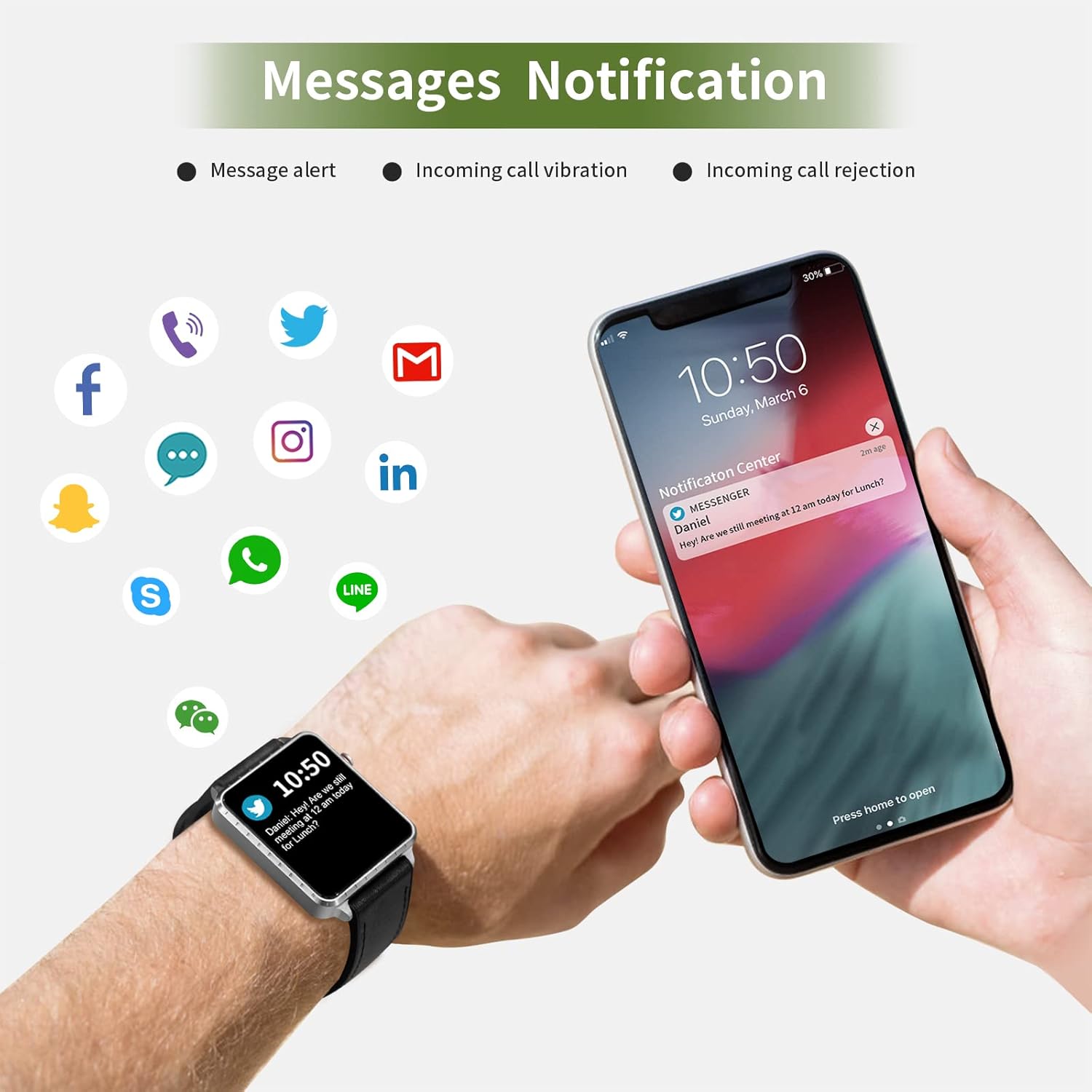
Image: The smartwatch and a smartphone displaying message notifications from social media and communication apps.

Image: The smartwatch screen showing icons for various social media and communication app notifications.
4.6. Fonctionnalités supplémentaires
- Contrôle de la musique : Contrôlez la lecture de musique sur votre smartphone (lecture, pause, passage au morceau suivant) directement depuis la montre.
- Télécommande de la caméra : Utilisez la montre comme déclencheur à distance pour l'appareil photo de votre smartphone.
- Réveil: Set alarms through the app, and the watch will vibrate to alert you.
- Chronomètre/Minuteur : Fonctions de base de chronométrage.
- Trouver un téléphone : Locate your paired smartphone by triggering an alert sound from the watch.
- Rappel sédentaire : The app can remind you to move if you've been inactive for too long.
- Cadrans de montre personnalisables : Choose from various watch faces via the app.

Image: The smartwatch screen showing the camera icon, indicating its remote camera control function.

Image: The smartwatch screen showing music control icons (play, pause, skip).

Image: A collage of different watch faces available for the MAXTOP T5 Smartwatch.
5. Entretien
5.1. Indice d'étanchéité (IP68)
The MAXTOP T5 Smartwatch is IP68 waterproof, meaning it is dust-tight and protected against continuous immersion in water up to 1.5 meters for a maximum of 30 minutes.
- You can wear the watch while washing hands, running in the rain, or swimming in shallow water.
- Ne pas immerse the watch in seawater, hot water, or use it in hot springs or saunas.
- Avoid exposing the watch to high-pressure water jets.
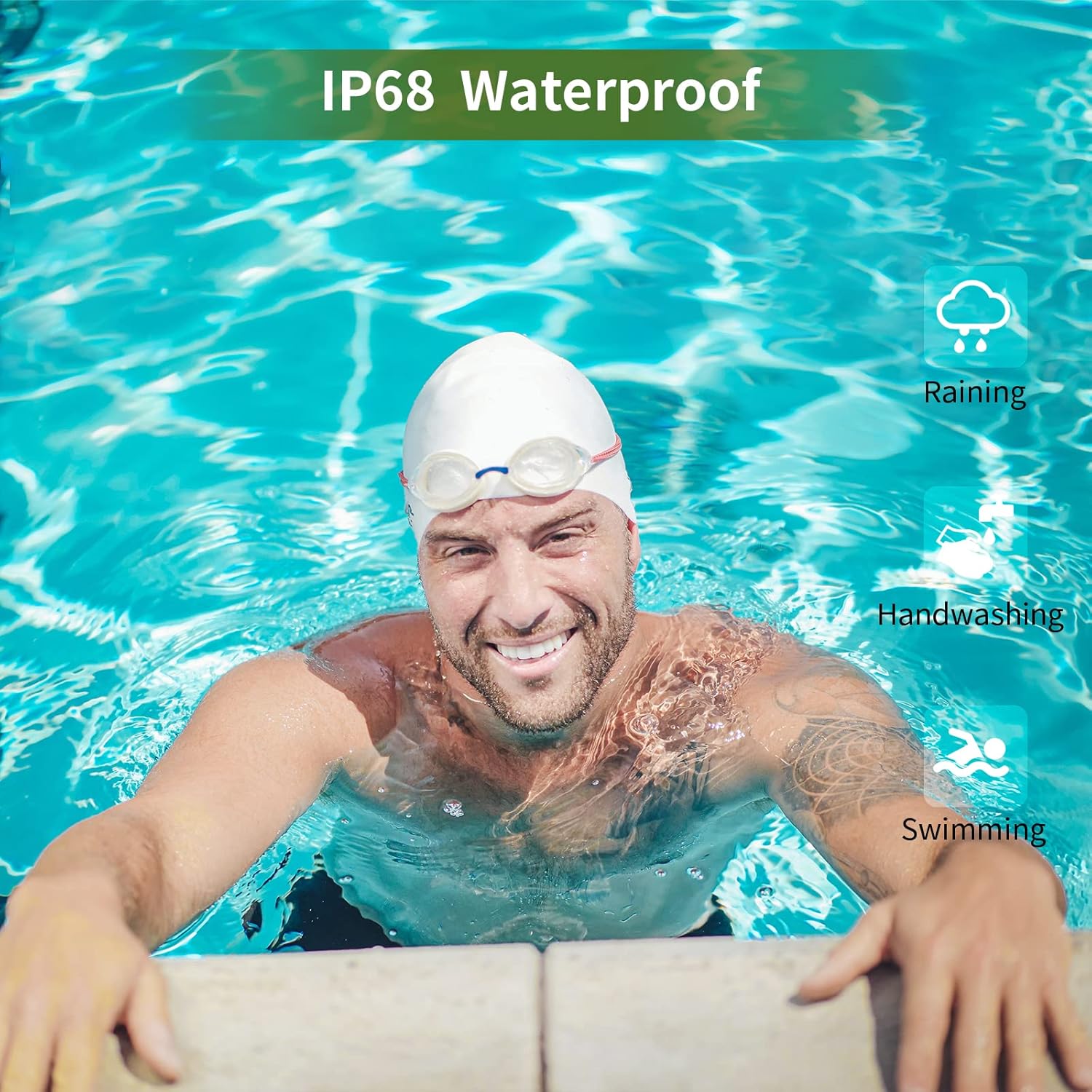
Image: A man swimming, demonstrating the IP68 waterproof capability of the MAXTOP T5 Smartwatch.

Image: The smartwatch with water droplets, visually confirming its IP68 waterproof rating.
5.2. Nettoyage
Essuyez régulièrement la montre et le bracelet avec un chiffon doux et sec. Si nécessaire, utilisez un chiffon légèrement humidifié.amp Essuyez soigneusement avec un chiffon. Évitez les produits chimiques agressifs.
6. Dépannage
- La montre ne s'allume pas : Assurez-vous que la montre est complètement chargée. Branchez-la au chargeur pendant au moins 10 minutes.
- Impossible de connecter le smartphone :
- Assurez-vous que Bluetooth est activé sur votre téléphone.
- Assurez-vous que la montre se trouve à portée Bluetooth (généralement 10 mètres).
- Redémarrez la montre et votre smartphone.
- Vérifiez si l'application est mise à jour vers la dernière version.
- Si l'appareil a déjà été jumelé, essayez de le dissocier des paramètres Bluetooth de votre téléphone et de le jumeler à nouveau via l'application.
- Données sanitaires inexactes :
- Veillez à ce que la montre soit bien ajustée à votre poignet, ni trop serrée ni trop lâche.
- Évitez les mouvements excessifs pendant les mesures.
- Environmental factors can affect readings. For medical accuracy, consult a professional medical device.
- Notifications non reçues :
- Check app permissions on your smartphone to ensure the app has access to notifications.
- Verify that notification settings are enabled within the MAXTOP/H BAND app.
- Assurez-vous que la montre est connectée via Bluetooth.
- Autonomie courte de la batterie :
- L'utilisation fréquente de fonctionnalités telles que la surveillance continue de la fréquence cardiaque, un écran lumineux et de nombreuses notifications peut réduire l'autonomie de la batterie.
- Reduce screen brightness and notification frequency if extended battery life is desired.
7. Spécifications

Image: Detailed physical dimensions of the MAXTOP T5 Smartwatch, including watch face and strap measurements.
| Fonctionnalité | Détail |
|---|---|
| Marque | MAXTOP |
| Modèle | T5 |
| Taille de l'écran | 1.54 pouces |
| Dimensions | 4.5 x 3.8 x 1 cm |
| Poids | 250 g |
| Indice d'étanchéité | IP68 |
| Connectivité | Bluetooth |
| Système opérateur | iOS (9.0 and above), Android (6.0 and above) |
| Type de batterie | Lithium Polymère |
| Temps de charge | Environ 2 heures |
| Autonomie de la batterie (utilisation typique) | 3-5 jours |
| Autonomie de la batterie (en veille) | Jusqu'à 7 jours |
| Composants inclus | Watch head, strap, magnetic charging cable, manual |
8. Garantie et assistance
For warranty information and customer support, please refer to the warranty card included in your package or visit the official MAXTOP website.
Clause de non-responsabilité: The health monitoring features of this device are for general wellness and fitness purposes only and are not intended for medical diagnosis, treatment, or prevention of any disease. Always consult a medical professional for health-related concerns.


