Produit terminéview
The Link2Home Space Saver Pop Up Socket is a versatile power solution designed for various environments such as kitchen countertops, conference rooms, and office tables. It features a retractable design for a clean aesthetic, providing convenient access to power outlets and USB charging ports when needed. This unit includes 3 grounded outlets, 1 USB-A port, and 1 USB-C port, offering a total of 3.0 Amp charging capability. Its splash-resistant construction ensures durability and safety in areas prone to moisture.

Image: The Link2Home Pop Up Socket seamlessly integrates into diverse environments, providing power in kitchens, workshops, office spaces, and communal areas.
Caractéristiques principales
- Conception peu encombrante : Fully retractable unit that sinks to only 4.0 inches beneath the countertop when concealed.
- Plusieurs options d'alimentation : Equipped with 3 grounded AC outlets, 1 USB-A port, and 1 USB-C port for comprehensive charging.
- Charge rapide : USB ports provide a total of 3.0 Amp output for efficient device charging.
- Résistant aux éclaboussures : Designed to withstand splashes, making it suitable for kitchen and other moisture-prone areas.
- Construction durable : Features a stainless-steel finish for a sleek appearance and long-lasting use.
- Protection contre les surcharges : Integrated safety features to protect connected devices from power surges.
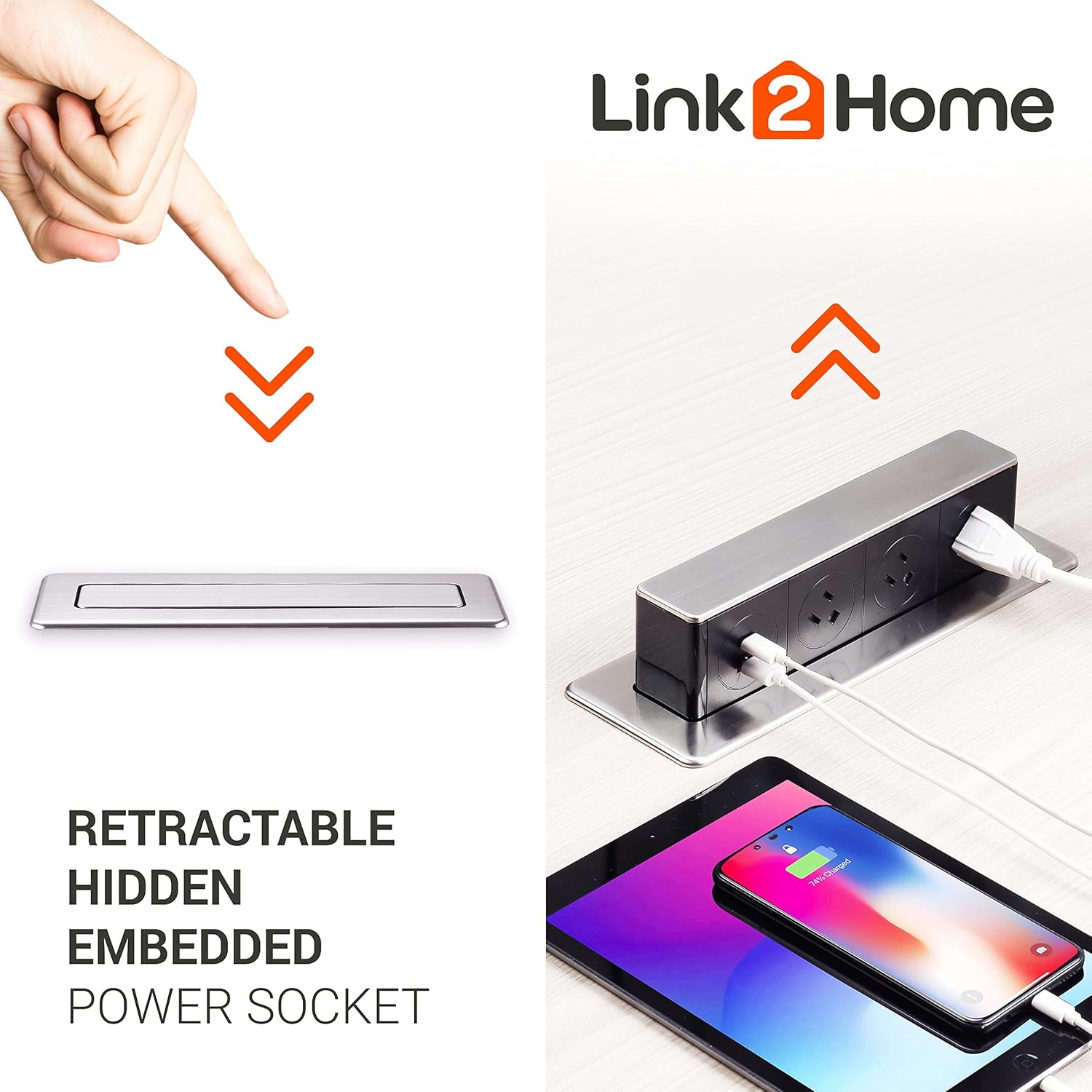
Image: The retractable design allows the power socket to be hidden when not in use, maintaining a clean surface. It pops up to reveal outlets and USB ports for charging multiple devices.
Configuration et installation
Installation of the Link2Home Space Saver Pop Up Socket requires basic tools and adherence to safety guidelines. Ensure power is disconnected before beginning installation.
Étapes d'installation :
- Préparez l'ouverture : Drill a rectangular hole with dimensions of 9.72 inches by 2.36 inches (approximately 24.7 cm x 6 cm) in your desired surface (e.g., countertop, desk) using a jigsaw. Ensure the location allows for the unit to fully retract and for the power cable to reach an existing outlet.
- Insérer l'unité : Feed the power cable through the prepared hole. Slide the main body of the pop-up socket from the top into the opening.
- Sécurisez l'appareil : From underneath the surface, push up the locking clips firmly to secure the device in place. Ensure the unit is flush with the surface.
- Connecter l'alimentation : Plug the unit's power cord into a standard wall outlet. The cable length is 6 feet (14 AWG).
Video: This official seller video demonstrates the installation process of the Link2Home Pop Up Socket, including drilling the opening, inserting the unit, securing it, and connecting the power. It also highlights key features like the stainless steel finish, 3 grounded outlets, 2 USB ports, and overload protection.

Image: The Link2Home Pop Up Socket shown with its integrated power cord, ready for installation and connection to a power source.
Mode d'emploi
The Link2Home Pop Up Socket is designed for simple and intuitive operation.
To Extend the Socket:
- Gently press down on the top surface of the concealed unit. The unit will slowly rise, revealing the power outlets and USB ports.
To Retract the Socket:
- Once you are finished using the outlets, unplug all devices.
- Gently push down on the top surface of the extended unit until it locks into its concealed position, flush with the surface.
Using the Outlets and USB Ports:
- Plug your AC-powered devices into the 3 grounded outlets.
- Connect your USB-A or USB-C compatible devices to the respective USB ports for charging.

Image: The Link2Home Pop Up Socket in use on an office desk, providing convenient power access for a computer and other devices.
Entretien
To ensure the longevity and proper functioning of your Link2Home Pop Up Socket, follow these maintenance guidelines:
- Nettoyage: Regularly wipe the exposed surfaces with a soft, damp cloth. Avoid abrasive cleaners or solvents that could damage the finish. Ensure the unit is dry before retracting or using.
- Résistance aux éclaboussures : While the unit is splash-resistant, it is not waterproof. Avoid submerging the unit or exposing it to excessive amounts of liquid. In case of spills, unplug the unit immediately and allow it to dry completely before reuse.
- Vérification du mécanisme : Periodically check the pop-up mechanism for smooth operation. If it becomes stiff or difficult to operate, ensure there are no obstructions. Do not force the mechanism.

Image: The splash-proof design of the Link2Home Pop Up Socket provides protection against accidental water splashes, making it suitable for kitchen environments.
Dépannage
If you encounter issues with your Link2Home Pop Up Socket, refer to the following common problems and solutions:
| Problème | Cause possible | Solution |
|---|---|---|
| Unit does not pop up or retract smoothly. | Obstruction in the mechanism; debris; improper installation. | Check for any foreign objects obstructing the movement. Ensure the locking clips underneath are not overly tightened or misaligned. |
| Aucune alimentation provenant des prises secteur ou des ports USB. | Unit not plugged in; tripped circuit breaker; internal fault; overload protection activated. | Verify the main power cord is securely plugged into a live wall outlet. Check your home's circuit breaker. Reduce the number of connected devices to avoid overloading. If the issue persists, contact customer support. |
| La charge USB est lente ou ne fonctionne pas. | Damaged USB cable; device incompatibility; excessive power draw. | Try a different USB cable and device. Ensure the device is compatible with standard USB charging. The total USB output is 3.0 Amp; charging multiple high-power devices simultaneously may reduce individual charging speed. |
| Unit does not sit flush when retracted. | Installation incorrecte ; obstruction. | Re-check the installation steps, ensuring the locking clips are correctly engaged and no cables are preventing full retraction. |
Caractéristiques
- Dimensions du produit : 2.26 x 5.96 x 10.75 pouces
- Poids de l'article : 2.53 livres
- Prises de courant totales : 3
- Ports USB : 1 USB-A, 1 USB-C (Total 3.0 Amp)
- Voltage: 240 Volts (Note: Product title mentions 3 outlets, USB, Type-C, and the specifications list 240 Volts. Please verify compatibility with your local electrical standards if different from 120V.)
- Dossier spécial : USB Slot, Splash Resistant
- Longueur du câble : 6 ft. / 14 AWG
- Couleur: Black (with Stainless-Steel finish)
Garantie et assistance
The Link2Home Space Saver Pop Up Socket comes with a Garantie d'un an à compter de la date d'achat, couvrant les défauts de fabrication dans des conditions normales d'utilisation.
For technical support, warranty claims, or any questions regarding your product, please contact Link2Home customer service. Refer to the product packaging or the official Link2Home website pour les informations de contact les plus récentes.


