1. Produit terminéview
The Xtrem Bots Mazzy is an interactive and programmable robotics kit designed to introduce users to the fundamentals of robotics and programming. This kit allows for the construction of two distinct forms: a robot and a vehicle, offering versatile play and learning experiences. Mazzy features two programming modes, an obstacle detector, and a dance mode, encouraging creativity and logical thinking.

Caractéristiques principales
- Construction 2 en 1 : Assemble Mazzy as either a humanoid robot or a tracked vehicle.
- Dual Programming Modes: Program directly from the control panel or via the dedicated mobile application.
- Fonctions interactives : Performs up to 200 actions and displays 20 unique facial expressions.
- Détection d'obstacles : Equipped with sensors to detect and react to obstacles in its path.
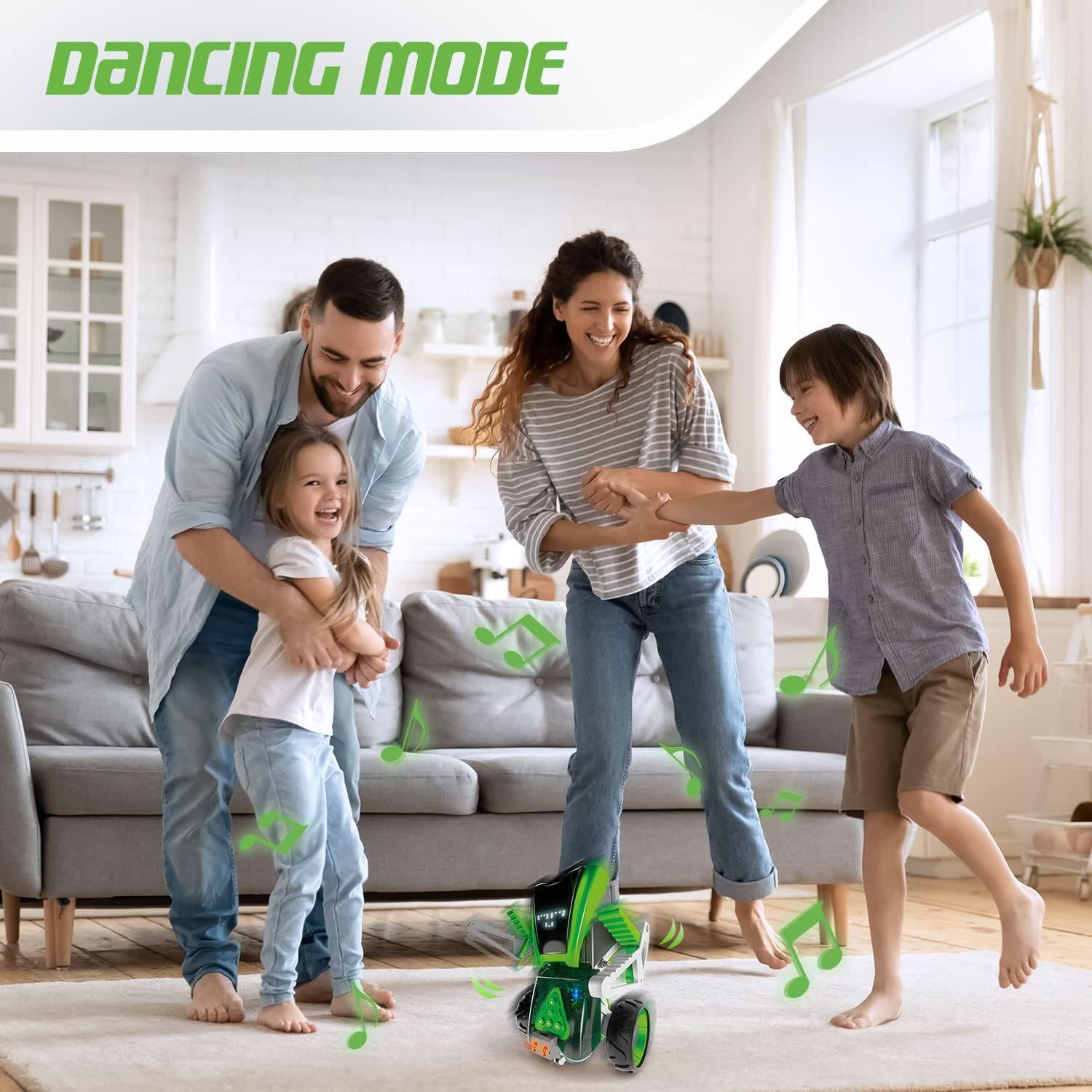
- Mode danse : Features a pre-programmed dance mode with accompanying sounds.
- Connectivité Bluetooth : Connects wirelessly to compatible devices for app control.
- Lumières LED : Integrated LED lights enhance visual interaction.

Avantages éducatifs
Mazzy is designed to foster critical STEM skills through hands-on engagement:
- Robotics Fundamentals: Introduces basic concepts of robotic construction and function.
- Digital Literacy: Enhances understanding of the digital world through app-based interaction.
- Programming Skills: Develops foundational programming logic and planning abilities.
- Résolution de problèmes : Encourages analytical thinking and problem-solving during assembly and programming.
- Créativité: Supports imaginative play and customization through different build options and programming sequences.

2. Instructions de montage
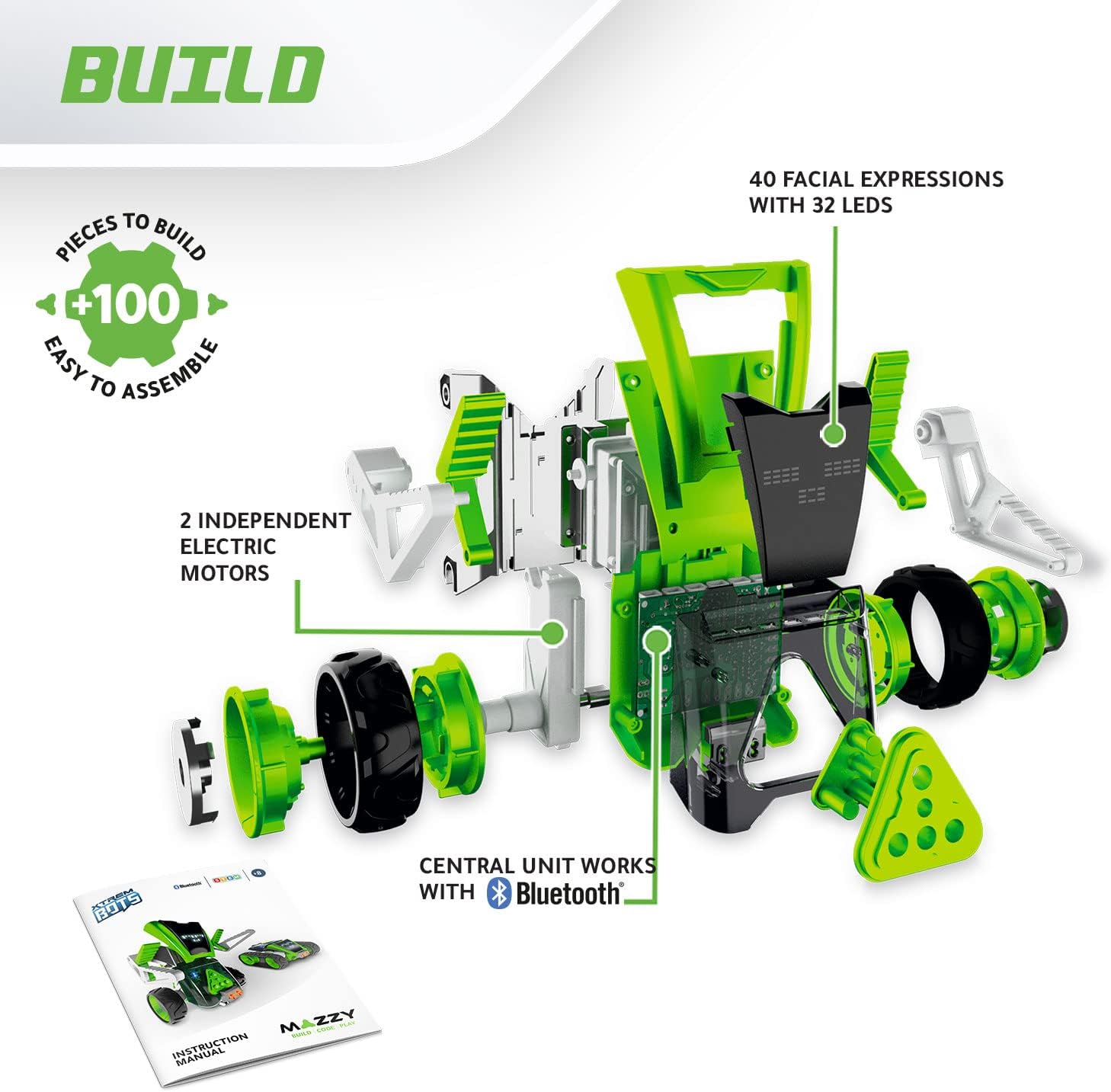
The Mazzy kit includes over 100 pieces, allowing you to construct your robot in one of two forms: a robot or a vehicle. Detailed assembly instructions are provided in the included manual. Adult assistance may be beneficial for younger users.
2.1 Déballage et identification des pièces
Carefully unpack all components from the box. Refer to the parts list in the included instruction manual to identify each piece. Ensure all more than 100 pieces are present before beginning assembly.
2.2 Construction Options
Mazzy offers two primary construction options:
- Forme robotique : Assemble the components to create the humanoid robot.
- Forme du véhicule : Assemble the components to create the tracked vehicle.
Follow the step-by-step diagrams and instructions in the physical manual for your chosen configuration.
2.3 Installation de la batterie
Mazzy requires 4 piles AA et 1 pile 9V (not included). Locate the battery compartments on the main unit. Insert the batteries, ensuring correct polarity. Secure the battery compartment covers.
3. Operating Your Mazzy Robot
Once assembled and powered, Mazzy can be operated through its onboard control panel or via the dedicated mobile application.
3.1 Mise sous/hors tension
Locate the power switch on the main unit of Mazzy. Flip the switch to the 'ON' position to power on the robot. To power off, flip the switch to the 'OFF' position.
3.2 Connexion à l'application (Bluetooth)
Download the official Xtrem Bots Mazzy app from your device's app store (compatible with iOS and Android). Enable Bluetooth on your mobile device. Open the app and follow the on-screen instructions to pair with your Mazzy robot. The app allows for advanced control and programming.

3.3 Modes de programmation
Mazzy offers two ways to program its actions:
- Control Panel Programming: Use the buttons on Mazzy's body to input simple command sequences.
- Programmation d'applications : Utilize the visual programming interface within the app to create complex sequences of up to 200 actions.
3.4 Facial Expressions
Mazzy can display 20 different facial expressions using its LED screen. These can be programmed via the app to correspond with specific actions or emotions.

3.5 Modes spéciaux
- Mode danse : Activate the dance mode for Mazzy to perform a series of movements accompanied by sounds.
- Détection d'obstacles : In certain modes, Mazzy will automatically detect obstacles and adjust its movement to avoid collisions.
4. Entretien
Proper maintenance ensures the longevity and optimal performance of your Mazzy robot.
4.1 Entretien de la batterie
- Always use fresh batteries of the specified type (4 AA and 1 9V).
- Remove batteries if the robot will not be used for an extended period to prevent leakage.
- Ne mélangez pas des piles anciennes et neuves, ou différents types de piles.
4.2 Nettoyage
Wipe the robot's surface with a soft, dry cloth. Avoid using harsh chemicals or abrasive cleaners. Do not immerse the robot in water.
4.3 Stockage
Store Mazzy in a cool, dry place away from direct sunlight and extreme temperatures.
5. Dépannage
If you encounter issues with your Mazzy robot, please refer to the following common solutions:
- Le robot ne s'allume pas : Ensure batteries are correctly installed and fully charged. Check the power switch position.
- Robot does not move: Verify that the robot is in an operating mode and not paused. Check for any obstructions to its movement. Ensure motors are properly connected during assembly.
- Problèmes de connexion à l'application : Make sure Bluetooth is enabled on your device and Mazzy is powered on. Try restarting both the app and the robot. Ensure your device meets the app's compatibility requirements.
- Incorrect movements or commands: Review your programmed sequences in the app or on the control panel for errors.
- Parts falling off: Re-examine the assembly steps for any loose connections or incorrectly attached pieces.
Si les problèmes persistent après avoir essayé ces solutions, veuillez contacter le service client.
6. Spécifications
| Fonctionnalité | Détail |
|---|---|
| Dimensions du produit | 7.4 x 35.1 x 50.1 cm |
| Poids | 1.2 kg |
| Âge recommandé | 8 ans et plus |
| Valeur éducative | Programming and Robotics |
| Numéro de modèle | 843659803 |
| Nombre de pièces | 100+ |
| Assemblage requis | Oui |
| Piles requises | Yes (4 AA and 1 9V) |
| Piles incluses | Non |
| Type de matériau | Plastique |
| Couleur | Noir, Vert |
7. Assistance et garantie
For technical assistance, missing parts, or any other inquiries regarding your Xtrem Bots Mazzy robot, please refer to the contact information provided in the product packaging or visit the official Xtrem Bots website.
7.1 Informations sur la garantie
This product is covered by a standard manufacturer's warranty against defects in materials and workmanship. Please retain your proof of purchase for warranty claims. Specific warranty terms and conditions may vary by region; refer to the documentation included with your product for full details.


