Introduction
Thank you for choosing the Xgody 3-Channel Dash Cam. This manual provides detailed instructions for the installation, operation, and maintenance of your new dash camera. Please read this manual thoroughly before using the product to ensure proper function and to maximize your user experience. Keep this manual for future reference.
Produit terminéview et que contient la boîte
The Xgody 3-Channel Dash Cam is designed to record video from the front, inside, and rear of your vehicle simultaneously, providing comprehensive coverage. It features high-definition recording, infrared night vision, G-sensor for emergency locking, loop recording, and parking monitoring.
Contenu du colis :
- Xgody Dash Cam Unit
- Arrière View Camera (6M cable)
- Chargeur de voiture
- Câble de données USB
- Manuel d'utilisation
- Carte SD 64 Go
- Autocollant adhésif
- Carte Pin
- Screws (for rear camera installation)
- 3M Glue Stick Card Line
- Pied-de-biche (pour le passage des câbles)

Figure 1: Xgody Dash Cam and Included Accessories
Caractéristiques principales
Three-Channel Recording
The dash cam simultaneously records video from three perspectives: front (1080p), inside (720p), and rear (720p). For clearer internal and external footage, the front and cabin dual-lens cameras can operate independently at 1080p+1080p.

Figure 2: Three-Channel Recording Overview
Infrared (IR) Night Vision
The inside-facing camera is equipped with 4 IR LED lights and an F/2.0 aperture. This technology automatically increases exposure in low-light or dark conditions, ensuring clear video footage of the vehicle's interior. The operating temperature range is -31°F to 167°F (-35°C to 75°C).

Figure 3 : Vision nocturne infrarouge en fonctionnement
Enregistrement en boucle
Continuous loop recording automatically overwrites the oldest unlocked video files when the memory card is full. This ensures that recording never stops due to a full card, providing uninterrupted surveillance.

Figure 4 : Fonctionnalité d'enregistrement en boucle
Capteur G (verrouillage d'urgence)
The built-in G-sensor detects sudden shocks or collisions. When such an event occurs, the dash camera automatically locks the current video footage, empêchant ainsi son écrasement par l'enregistrement en boucle. Ceci garantit la préservation des preuves essentielles.
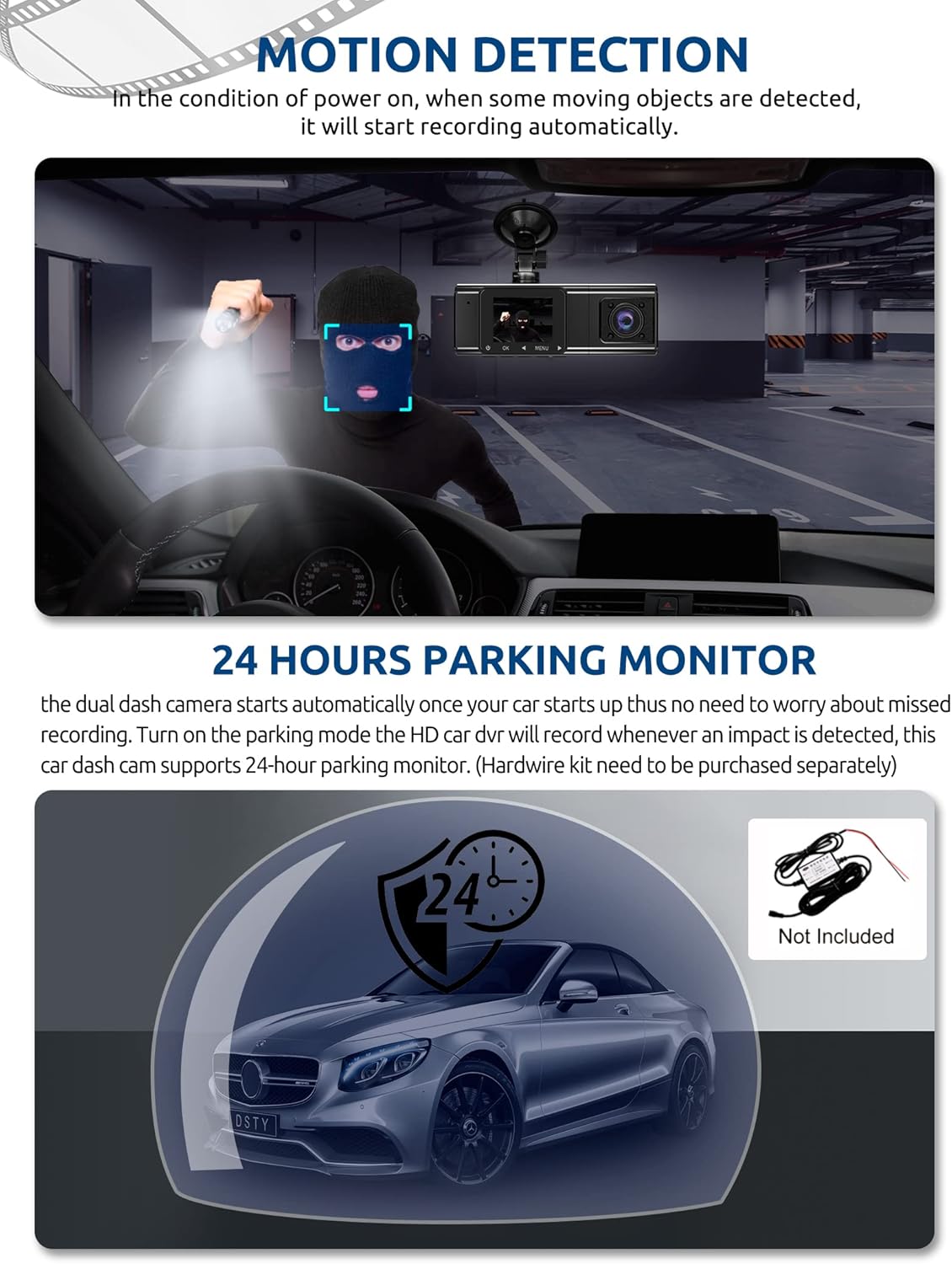
Figure 5: G-Sensor Activating During an Impact
Motion Detection & 24-Hour Parking Mode
In motion detection mode, the video recorder begins recording automatically when it detects movement in front of the camera. For continuous 24-hour surveillance, even when the car is off, the dash cam can be connected to the car battery via a hardwire kit (not included). This enables parking mode, which records when an impact is detected.

Figure 6: Motion Detection and Parking Monitoring
Instructions d'installation
1. Insert the SD Card
- Repérez l'emplacement pour carte SD sur le côté de la caméra embarquée.
- Insérez la carte SD de 64 Go fournie, les contacts dorés orientés vers l'arrière de l'appareil photo, jusqu'à ce qu'elle s'enclenche.
- Assurez-vous que la carte est complètement insérée.
2. Installez la caméra embarquée
- Nettoyez la zone du pare-brise où vous comptez installer la caméra embarquée.
- Fixez le support à ventouse à la caméra embarquée.
- Appuyez fermement la ventouse contre le pare-brise et verrouillez-la. Positionnez la caméra de manière à obtenir une vue dégagée. view de la route devant vous sans obstruer votre vision de conduite.
3. Installez la caméra de recul
- Connectez le câble de la caméra arrière à l'unité principale de la caméra embarquée.
- Route the cable neatly along the vehicle's headliner and trim to the rear of the car. Use the provided crowbar to tuck the cable under panels.
- Mount the rear camera on the rear windshield using the adhesive sticker or screws, ensuring it has a clear view de la route derrière.
4. Connexion électrique
- Branchez le chargeur de voiture sur la prise allume-cigare de votre véhicule.
- Connectez l'autre extrémité du câble du chargeur de voiture au port d'entrée d'alimentation de la caméra embarquée.
- La caméra embarquée s'allume généralement automatiquement au démarrage du véhicule et s'éteint à l'arrêt du véhicule.
Mode d'emploi
Marche/Arrêt
- Automatique: The dash cam powers on and starts recording automatically when connected to power and the vehicle ignition is on. It powers off automatically when the ignition is turned off.
- Manuel: Press and hold the power button for a few seconds to manually turn the device on or off.
Modes d'enregistrement
- Enregistrement normal : The default mode, continuously recording video in segments.
- Enregistrement d'urgence (capteur G) : Automatically activated upon impact, locking the current video file.
- Enregistrement de détection de mouvement : Records when motion is detected while the vehicle is parked (requires activation in settings).
- Surveillance du stationnement: Records when an impact is detected while the vehicle is parked (requires hardwire kit and activation in settings).
Navigation dans les menus
- Use the 'MENU' button to access settings.
- Use the 'UP' and 'DOWN' arrow buttons to navigate through menu options.
- Appuyez sur le bouton « OK » pour confirmer vos sélections.
- Common settings include video resolution, loop recording duration, G-sensor sensitivity, parking mode, date/time, and language.
Viewing Footage
- Sur l'appareil : Accédez au mode de lecture via le menu. view recorded videos directly on the dash cam screen.
- Sur ordinateur : Remove the SD card from the dash cam and insert it into a computer's card reader. The video files can then be accessed and played using standard media player software.
Entretien
Formatage de la carte SD
It is recommended to format the SD card regularly (e.g., once a month) to ensure optimal performance and prevent data corruption. This can typically be done through the dash cam's menu settings. Formatting will erase all data on the card, so back up any important filec'est le premier.
Nettoyage d'objectif
Periodically clean the lenses of the front, inside, and rear cameras with a soft, lint-free cloth. Avoid using abrasive cleaners that could scratch the lens surface. Clean lenses ensure clear video quality.
Mises à jour du firmware
Check the official Xgody website periodically for any available firmware updates. Updates can improve performance, add new features, or fix bugs. Follow the instructions provided with the firmware update carefully.
Dépannage
| Problème | Cause possible | Solution |
|---|---|---|
| La caméra embarquée ne s'allume pas. | Pas d'alimentation électrique ; chargeur de voiture défectueux ; connexion desserrée. | Check car charger connection; ensure vehicle's cigarette lighter socket is functional; try a different power source if available. |
| L'enregistrement s'arrête ou files sont corrompus. | Carte SD pleine ; erreur de carte SD ; carte SD incompatible. | Format the SD card regularly; use a high-speed (Class 10 or U3) SD card; replace the SD card if issues persist. |
| Screen is unresponsive or distorted. | Extreme temperatures; software glitch. | Allow the device to return to normal operating temperature; perform a factory reset (refer to manual for specific steps); ensure the device is not exposed to direct sunlight for extended periods in hot climates. |
| La qualité vidéo est médiocre. | Dirty lens; protective film still on lens; incorrect resolution setting. | Clean camera lenses; remove any protective film; check video resolution settings in the menu. |
| Le capteur G est trop sensible/pas assez sensible. | Le réglage de la sensibilité du capteur G est trop élevé/faible. | Réglez la sensibilité du capteur G dans le menu des paramètres de la caméra embarquée. |
Caractéristiques
| Fonctionnalité | Spécification |
|---|---|
| Dimensions du produit | 4.25 x 1.77 x 1.57 pouces |
| Poids de l'article | 1.26 livres |
| Technologie de connectivité | USB, sans fil |
| Résolution de capture vidéo | 1080p (Front), 720p (Inside), 720p (Rear) |
| Taille de l'écran | 1.5 pouces |
| Type de mémoire flash | SD |
| Température de fonctionnement | -31°F à 167°F (-35°C à 75°C) |
| Composants inclus | Carte mémoire (64 Go) |
| Couleur | Noir |
Garantie et assistance
Xgody provides 18 months of service for this product. If you have any questions or require assistance regarding your Xgody Dash Cam, please contact our customer support. We aim to respond with helpful advice within 24 hours.
For support, please refer to the contact information provided in the packaging or on the official Xgody website.


